
ModsJava
Blockstead
Java mod listed for Minecraft 26.x. Downloads from the MC Java Mods app on Android.
⬇ Download on Hangar# Blockstead
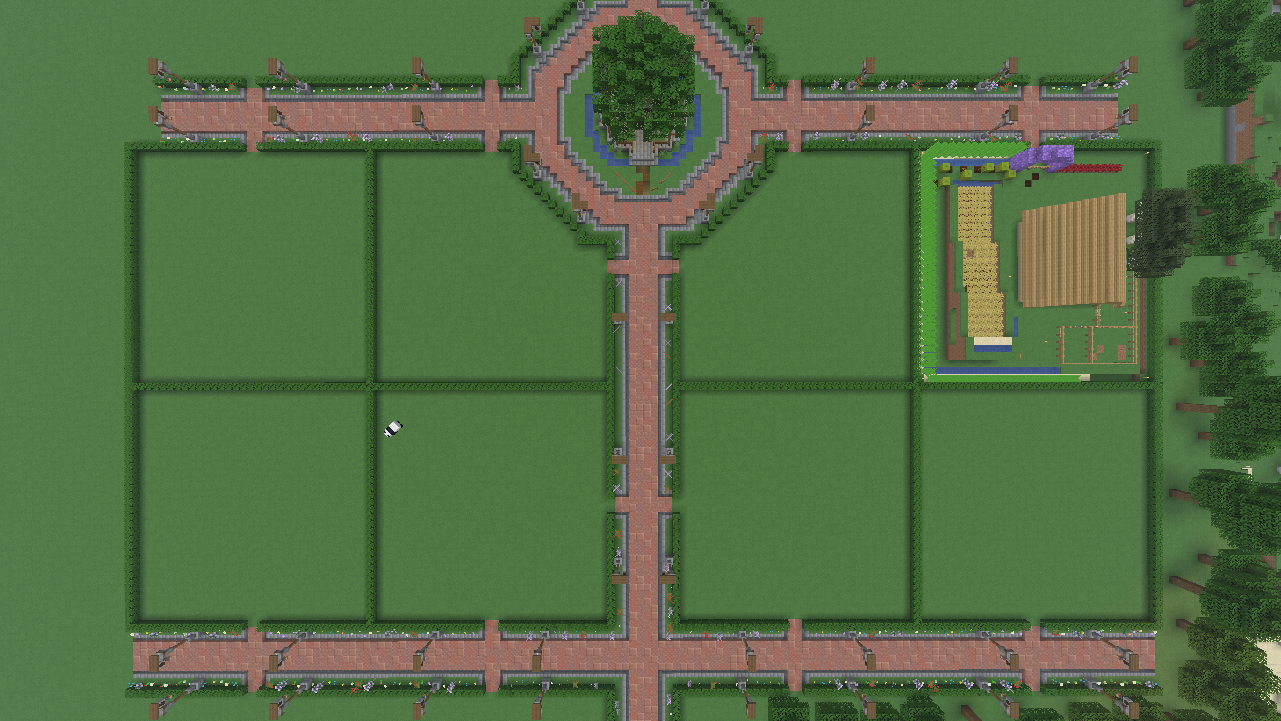
**Your own plot in the city.** Blockstead is a CityBuild plugin for Paper servers: your team creates
plots, players buy them with the server currency, invite friends with their own roles and build in peace –
and the city around them is protected, too.
Blockstead builds on **WorldGuard and WorldEdit**: plots and cities are ordinary WorldGuard regions, so
your existing tools keep working and nothing is hidden in a proprietary format.
### Features
**Plots**
- Create plots from a WorldEdit selection (cuboid or polygon), over the whole world height – or between
fixed heights, so plots can be **stacked** (flats in a house)
- Players **buy** free plots with the server currency (any economy plugin through Vault, e.g. EssentialsX);
giving a plot back **refunds** the person who paid
- **Roles** per plot: owner, resident, builder, guest – with configurable rights (build, containers, doors,
workstations, entities, home). Add as many roles as you like in `config.yml`
- **Snapshot and reset:** every plot is saved when it is created; staff (or owners when giving it back) can
restore it to exactly that state – precisely in the plot's shape, neighbours stay untouched
- **Homes** on plots, safe **teleport** to any plot (lands on solid ground, never in lava)
- Overviews: `/plot info`, `/plot free` (free plots with price), `/plot plots` for staff – clickable and
paginated
**Cities**
- `/city create` turns a WorldEdit selection into a city: outside the plots only people you trust may build,
so streets, squares and the city's own buildings can't be griefed
- Each plot automatically belongs to the city it lies in – no manual linking
- **Price per city** (and per plot, if you like), greeting and farewell messages, `/city teleport` with a
landing point you set
**For your server**
- **Multilingual:** every player gets the language of their Minecraft client (English and German included,
more through simple language files – translations welcome)
- Clickable, colour-coded help that only shows the commands a person may use
- Optional **LuckPerms** prefixes and suffixes in chat, tab list (sorted by group weight) and above the head
- `/announce` for highlighted server messages, configurable join message
- **Safe updates:** automatic backup of the database and WorldGuard regions at every start, consistency
check in the log, versioned database schema
- Most staff commands work from the **console**, too
- **No telemetry**, no outgoing connections
### Requirements
| | |
|---|---|
| Server | Paper 26.3 or newer, Java 25 |
| Required | WorldEdit 7.4.x, WorldGuard 7.0.19 |
| Optional | Vault + an economy plugin (to buy plots), LuckPerms 5.5.85+ (prefixes) |
### Getting started
1. Put the jar into `plugins/` together with WorldEdit and WorldGuard, start the server.
2. Select an area with WorldEdit and run `/plot create`.
3. Players run `/plot claim` on a free plot – done. Everything else: `/plot help`, `/city help`.
Full documentation for server owners and staff:
[docs/admin.md](https://github.com/ChrissWalters/Blockstead/blob/main/docs/admin.md) ·
for players: [README](https://github.com/ChrissWalters/Blockstead/blob/main/README.md) ·
[Changelog](https://github.com/ChrissWalters/Blockstead/blob/main/CHANGELOG.md)
### Open source
Blockstead is free software under the **GNU AGPL-3.0**. Bug reports and ideas are welcome as
[GitHub issues](https://github.com/ChrissWalters/Blockstead/issues); pull requests are accepted for
translations.
Quick facts
- Edition: Minecraft Java
- File type: .jar
- Minecraft version listed: 26.3
- How to install: Install the matching mod loader (Forge, Fabric or NeoForge) for your Minecraft version. → Download the .jar. → Put it in the .minecraft/mods folder and launch that loader profile.
- Where to get it: Opens on Hangar — not every file is mirrored on our own servers.
Install steps are the general flow for this file type — How to install Minecraft Java mods & modpacks walks through it step by step.
Blockstead is a free Minecraft Java mod. Compatible with Minecraft 26.3. Downloaded 4 times (via Hangar). Download it and open it directly in the game.