Rick Things Lab
Bedrock add-on listed for Minecraft 26.x (behavior + resource pack). Installs from the MC Bedrock Mods app on Android.
⬇ Download on CurseForge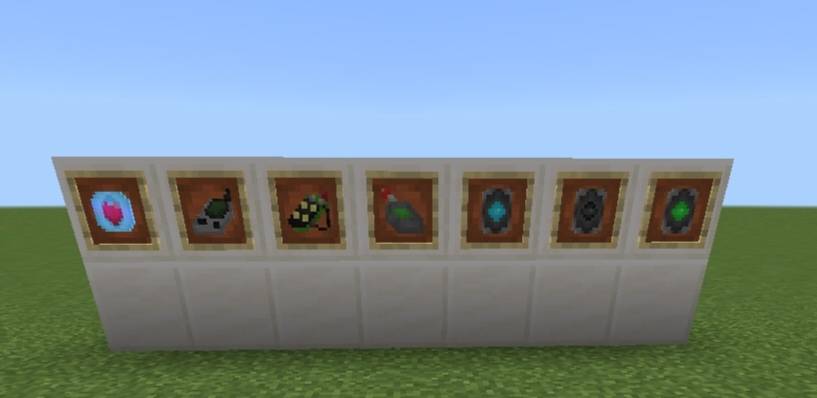
Rick Things Labs
(All the code was made with ai, but the mostly of textures are make by me)
A collection of high-tech gadgets for Minecraft Bedrock, developed by people with questionable ethics and absolutely no interest in your safety. Regenerative armor, force fields, holographic dashes, hacking tools and more!
Everything is craftable in Survival and works per player, making it perfect for SMP servers, PvP, and ruining your friends' afternoons.
Disclaimer: Rick Things Labs is not responsible for death, property damage, dimensional instability, or whatever the hell you just did to your server.
Features
Regenerative Core (Helmet)
Constantly heals you, boosts regeneration after big hits, and helps you survive near-death moments. Basically, your body gets a second chance because apparently the first one wasn't enough.
Be careful, though: taking the same damage repeatedly, especially from the same source, weakens the Core. Congratulations, your enemies can now learn from their mistakes. Try doing the same.
Regeneration Suppressor (Block) + Remote Control
Place it to shut down Regenerative Cores within a 16, 32, or 64-block radius. Because if you can't beat the guy who keeps healing, you can always disable his ability to experience consequences.
Configure it with the Remote Control to exempt players and choose who can access the device: the owner, a specific list, or everyone.
Yes, you can let everyone use it. No, you probably shouldn't.
Hacking Device (V1 & V2)
Hit another player to disable their Core for 15 seconds (V1) or 30 seconds (V2). Nothing says friendship like temporarily uninstalling someone's ability to regenerate.
You can also hack a Suppressor by right-clicking it to start a timing puzzle: 6 rows for V1 and 4 for V2.
Beat the puzzle to take over the Suppressor or set it to self-destruct. Because apparently just stealing someone's property wasn't dramatic enough.
Eye Patch (Helmet)
A battery-powered HUD that tracks Regenerative Cores and Suppressors, highlights Suppressor areas, and includes an X-Ray mode that guides you toward the nearest ore with a private particle trail.
You can position the HUD in the center or in any corner of your screen. Finally, technology that lets you find valuable rocks without developing basic mining instincts.
Force Shield (Offhand, 8 Colors)
Blocks incoming hits with a protective force bubble. It lasts for 50 hits before needing a 2-minute recharge.
It won't save you from lava, drowning, poison or harming potions, or the void. The universe still has several ways to kill you, and this product has absolutely no intention of fixing all of them.
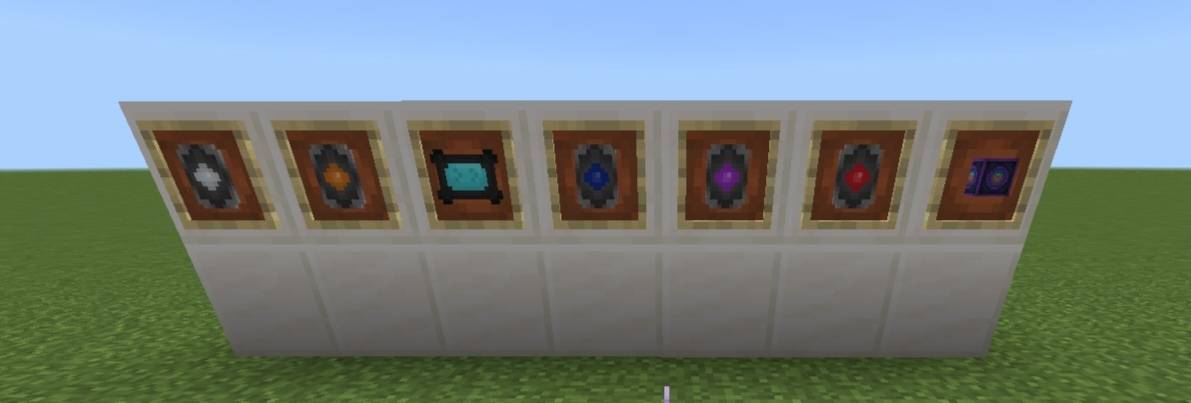
Available in blue, green, orange, white, black, red, purple, and dark blue. The colors are visual only, so no, the red one doesn't make you angrier. That's a separate medical condition.
Holographic Dash (Offhand)
Gives you a locked Dash item that makes you invisible and invulnerable for 1.5 seconds while launching you forward, leaving holographic afterimages.
You get 5 uses before a 1-minute recharge. Use them wisely. Or waste all five trying to look cool in front of your friends. We both know how this ends.
Language Book
Switch the addon between English and Spanish per player.
Craft it with a single block of dirt. Yes, dirt. Years of linguistic research, billions in funding, and the solution was literally lying on the ground.
Requirements
- Minecraft Bedrock 26.10 or newer.
- No experimental toggles needed. Miracles do happen.
- Install both packs (Behavior + Resource) included in the ".mcaddon".
Installation
1. Open the ".mcaddon" file with Minecraft.
2. Create or edit a world.
3. Activate both the Behavior Pack and the Resource Pack.
4. Enter your world and start making decisions you'll probably regret.
If something doesn't work, double-check that both packs are enabled before blaming the developers. If it still doesn't work, then you may proceed to blame the developers.
Rick Things Labs: Advanced technology. Questionable decisions. Somehow, it runs on Minecraft.
Now go break something. Preferably in a test world.
- Edition: Minecraft Bedrock
- File type: .mcpack or .mcaddon
- Minecraft versions listed: 26.10, 26.11, 26.12
- How to install: Download the .mcpack or .mcaddon file. → Open it — Minecraft imports it. → In your world: Behavior Packs → Available → Activate, then the same under Resource Packs.
- Where to get it: Opens on CurseForge — not every file is mirrored on our own servers.
Install steps are the general flow for this file type — How to install Minecraft Bedrock addons & mods walks through it step by step.
- Pack type: .mcaddon — behaviour and resource pack in one file
- Manifest requires Minecraft 1.26.10 or newer
- Complete pack — everything it depends on is inside the file
- Download size: 429 KB
- Download link checked 19 Oct 2026 — working
These come from our own check of the pack file, not from the source page.