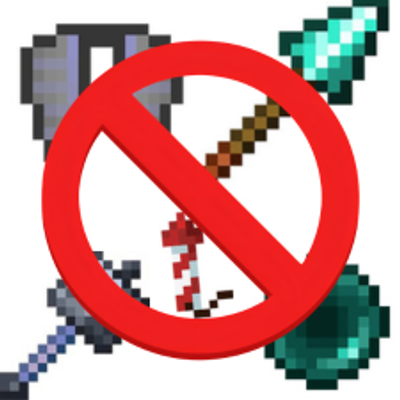
Combat Log Essentials by Divine
Bedrock add-on listed for Minecraft 26.x. File opened and checked on 19 Oct 2026; installs from the MC Bedrock Mods app on Android.
⬇ Download on CurseForgeThe author built this one for Minecraft 26.50. On other versions it may install and then do nothing.
## Combat Log Essentials
Combat Log Essentials adds configurable PvP combat logging, cooldowns, and combat restrictions to Minecraft Bedrock.
### Setup
Activate the add-on’s Behavior Pack and Resource Pack in your world. To open the settings, give yourself the exact `Admin` tag with `/tag <player> add Admin`, then run `/pvpcore:config` in chat. Only players with that tag can open the configuration form.
### What it does
When one player damages another, both players receive a combat tag. Further hits refresh the timer, but the warning appears only when combat starts. If a tagged player leaves and rejoins before the timer expires, the add-on applies the combat-log death penalty. If the timer runs out while they are offline, they are not penalized.
The settings form lets you configure the combat duration and enable or adjust ender pearl, Lunge spear, and mace cooldowns. Pearl and Lunge cooldowns each have their own option to apply only during combat. Lunge cooldowns activate on the spear’s **Attack** action—not the Use action. Cooldown timers appear in the actionbar; the add-on does not change player XP.
You can also restrict Elytras during combat, disable mace attacks, block attacks with enchanted maces, disable Elytra rocket boosts generally, or disable rocket boosting only during combat. Mace restrictions block hit damage; depending on the Bedrock API version, the swing animation may still play. Rocket restrictions apply when using a firework rocket while gliding, not when using fireworks on the ground.
- Edition: Minecraft Bedrock
- File type: .mcpack or .mcaddon
- Minecraft version listed: 26.50
- How to install: Download the .mcpack or .mcaddon file. → Open it — Minecraft imports it. → In your world: Behavior Packs → Available → Activate, then the same under Resource Packs.
- Where to get it: Opens on CurseForge — not every file is mirrored on our own servers.
Install steps are the general flow for this file type — How to install Minecraft Bedrock addons & mods walks through it step by step.
- Pack type: .mcaddon — behaviour and resource pack in one file
- Download size: 20 KB
- Download link checked 19 Oct 2026 — working
These come from our own check of the pack file, not from the source page.