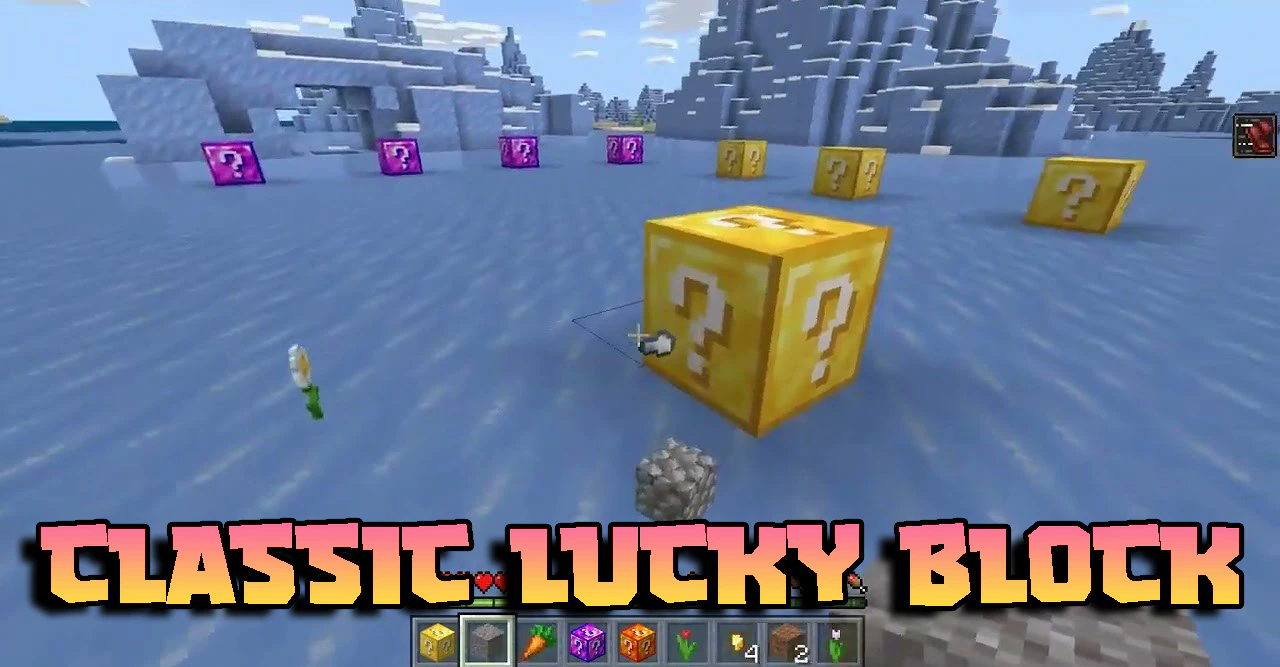
Classic Lucky Block Addon (26.x, 1.21) – MCPE/Bedrock Mod
Bedrock add-on listed for Minecraft 1.21 (behavior pack only). Installs from the MC Bedrock Mods app on Android.
⬇ Download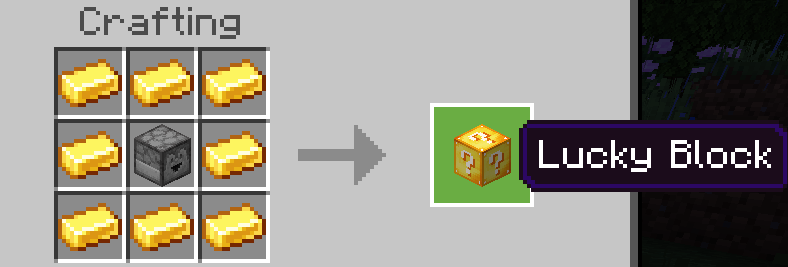
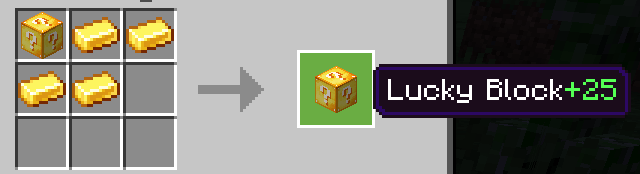
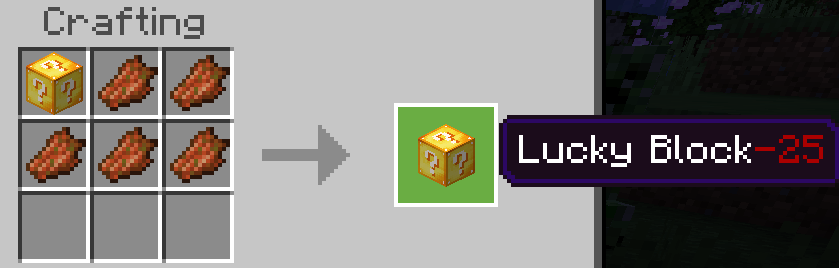
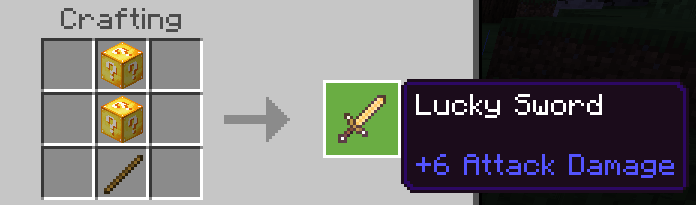
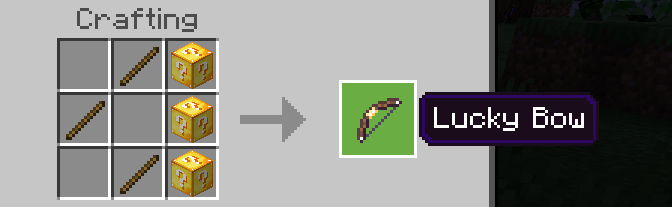
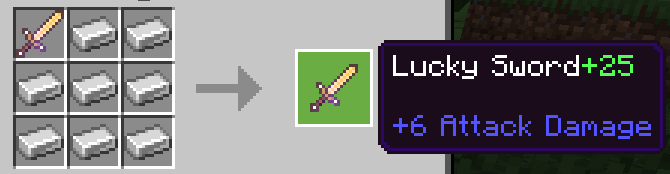
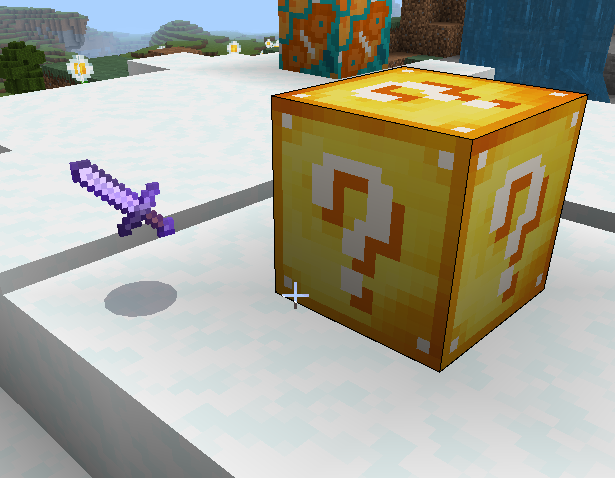
Classic Lucky Block Addon features Lucky Blocks with varying Luck values, along with the Lucky Sword, Lucky Bow, Lucky Potion, and more. Plus, these items come with different Lucky Values for crafting, adding an extra layer of excitement!
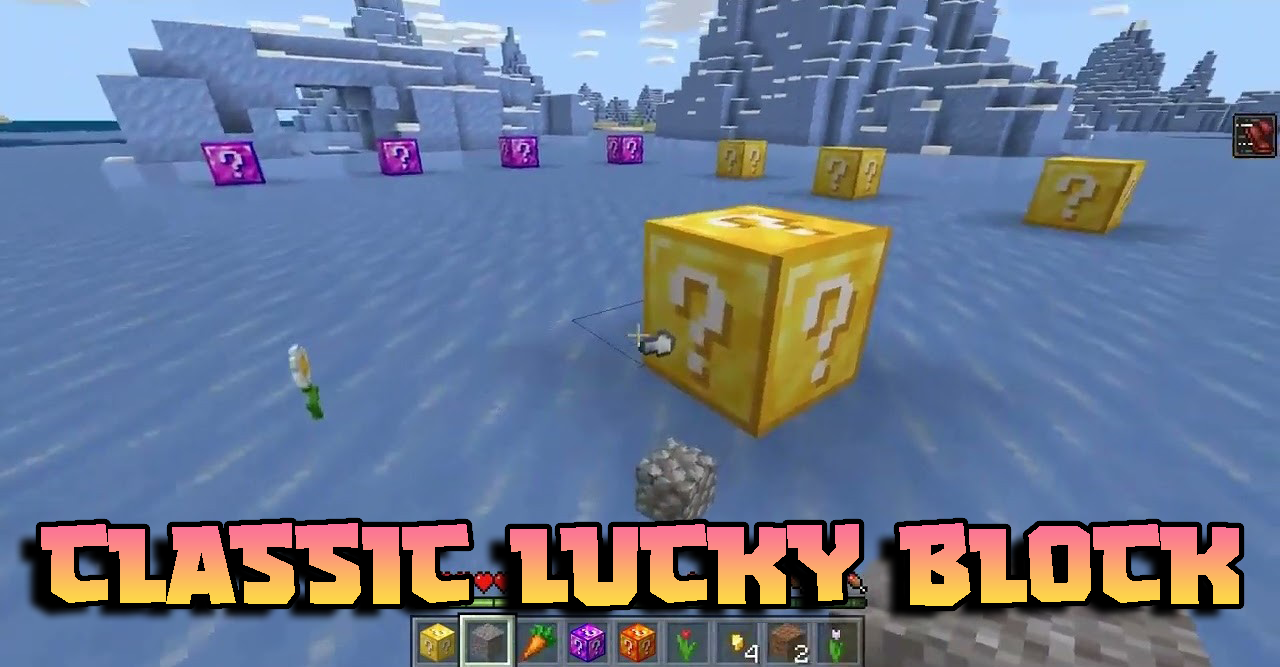
Features:
Three ways to get Lucky Blocks:
1. By Crafting
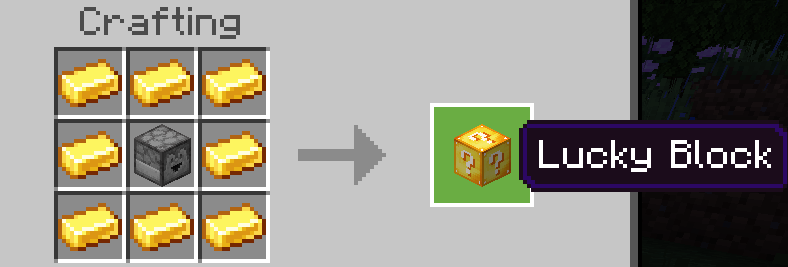
2. Good Lucky Blocks
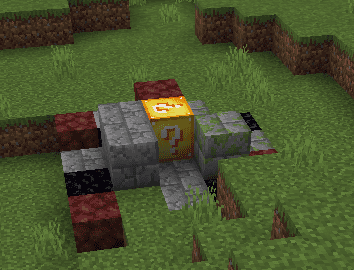
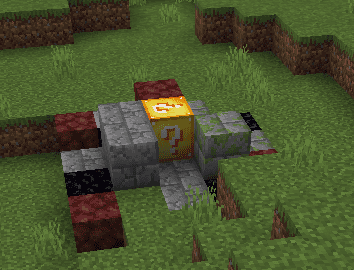
(Luck = +75) have a higher probability of being generated in the desert. Bad Lucky Blocks(Luck = -75) are likely to spawn in plains, deserts, etc. Regular Lucky Blocks(Luck = 0) are generated in large numbers on the outer islands of the End dimension, but also, with a small probability, in the Overworld dimension or the Nether dimension.
3. By using commands
Use /function luckygive to get some Lucky Blocks, a Lucky Sword, a Lucky Bow, and some Lucky Potions. Or simply use /give command, like /give @p weizhi:lucky_block
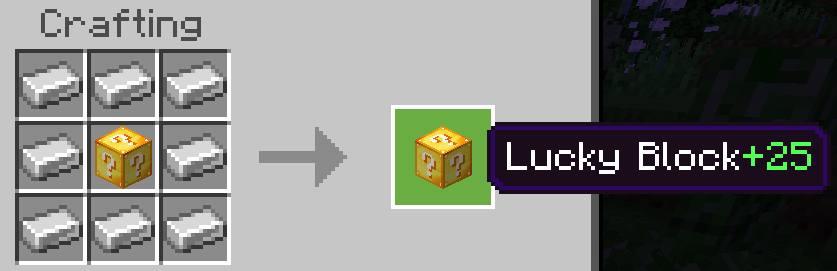
The higher the Luck value of the Lucky Block, the greater the probability of hitting something lucky. Items such as iron ingots, gold ingots and diamonds can be used to increase the lucky value. Rotten flesh can be used to reduce the luck value.
Upgrade recipe:
- 1 Lucky Block+8 iron ingots/4 gold ingots/2 diamonds. Downgrade recipe: 1 Lucky Block+5 rotten flesh
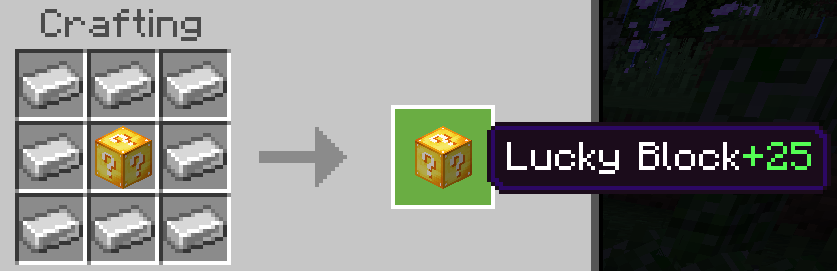
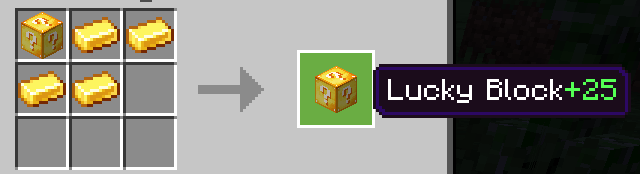
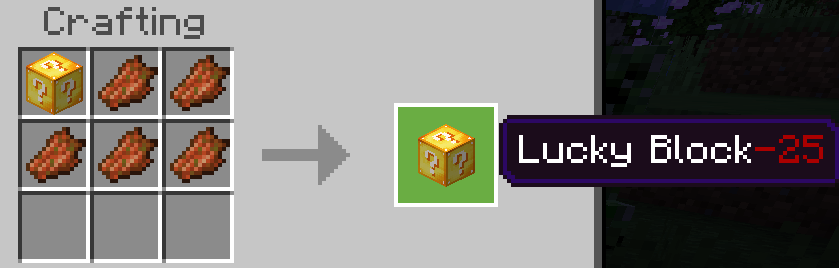
Lucky Sword, Lucky Bow, and Lucky Potion also have a lot of rich events built in, but be careful that sometimes they can cause damage to you. All three can be obtained by opening a Lucky Block or using /function luckygive. Currently, their lucky value can only be changed by a certain number of iron ingots or rotten flesh.
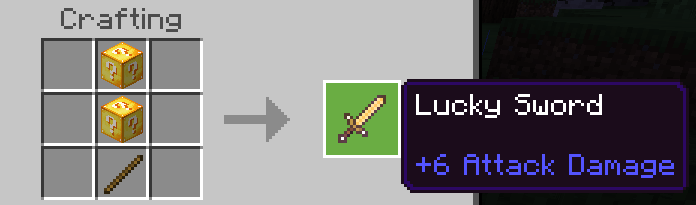
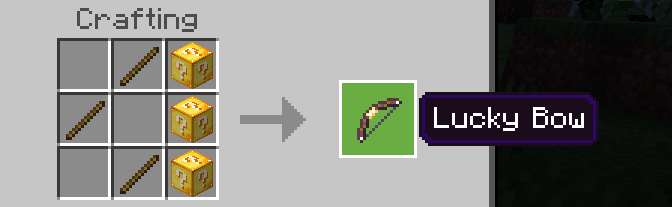
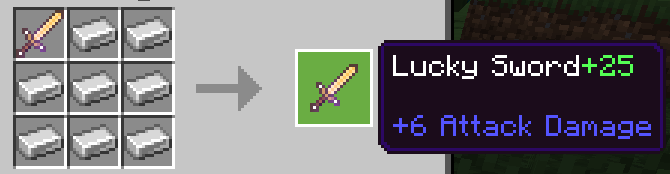
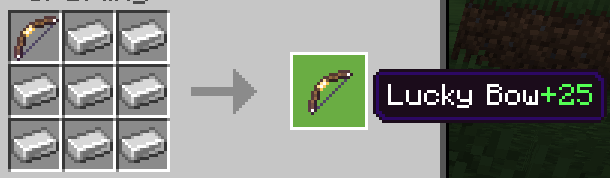
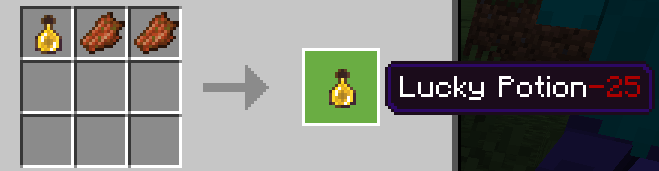
Lucky blocks can trigger hundreds of events, items, or combinations. As for what it is, it all depends on luck. Welcome to try!
Installation Note:
- You need to turn on the Experimental Settings if the addon does not work.
Classic Lucky Block Addon Download Links
- Edition: Minecraft Bedrock
- File type: .mcpack or .mcaddon
- Minecraft version listed: 1.21
- How to install: Download the .mcpack or .mcaddon file. → Open it — Minecraft imports it. → In your world: Behavior Packs → Available → Activate, then the same under Resource Packs.
- Where to get it: In MCModsHub, or directly above on this page.
Install steps are the general flow for this file type — How to install Minecraft Bedrock addons & mods walks through it step by step.
- Pack type: .mcpack — a single pack
- Manifest requires Minecraft 1.21.0 or newer
- Ships one half — this pack asks for another pack that is not included
- Download size: 761 KB
- Download link checked 22 Jul 2026 — working
- Mirrored on our own servers — the download does not depend on the original host
These come from our own check of the pack file, not from the source page.