
Enderflora — Discover the Forgotten Plant of the Ender Pearl
Bedrock add-on listed for Minecraft 1.21–26.x (behavior + resource pack). File opened and checked on 20 Oct 2026; installs from the MC Bedrock Mods app on Android.
Discover Enderflora, a mysterious plant that grows naturally and lets you craft Ender Pearls from its fragments!
⬇ Download on CurseForgeThe author built this one for Minecraft 26.50. On other versions it may install and then do nothing.
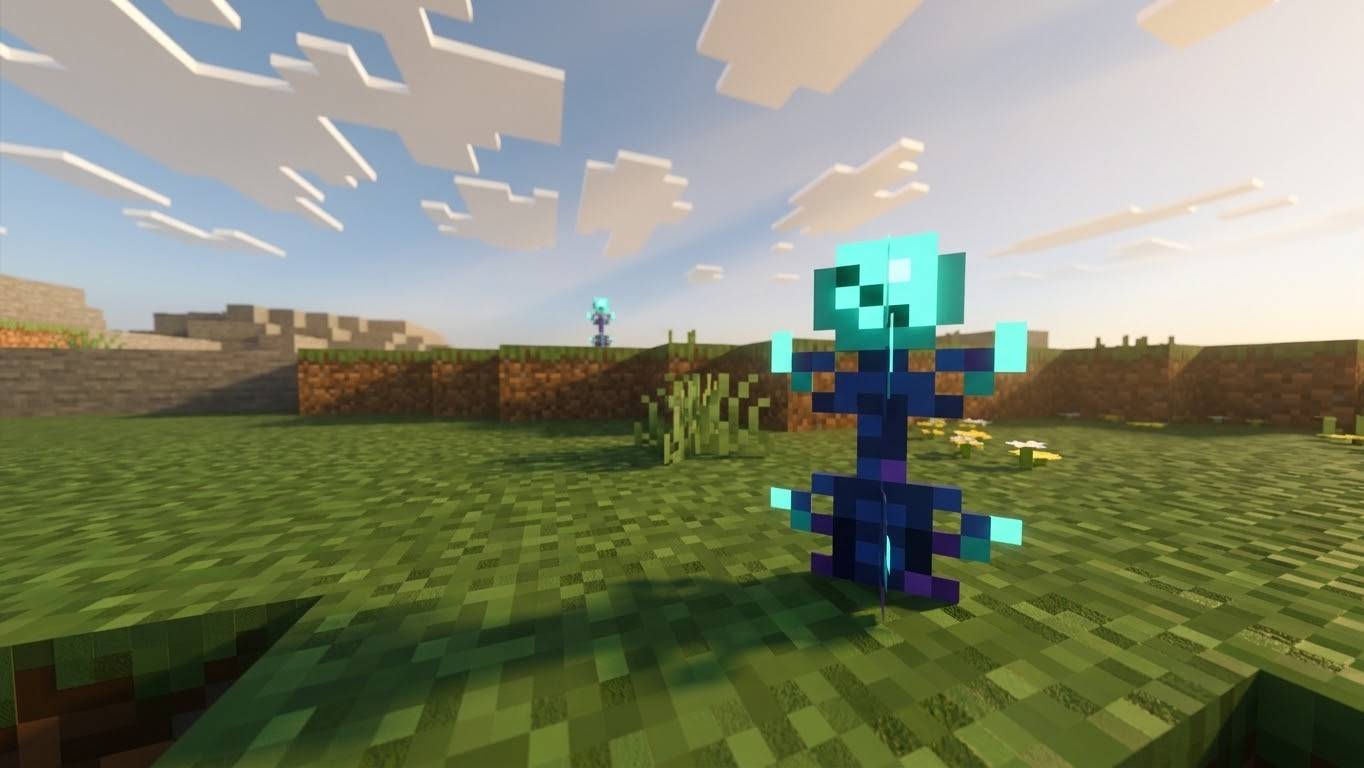
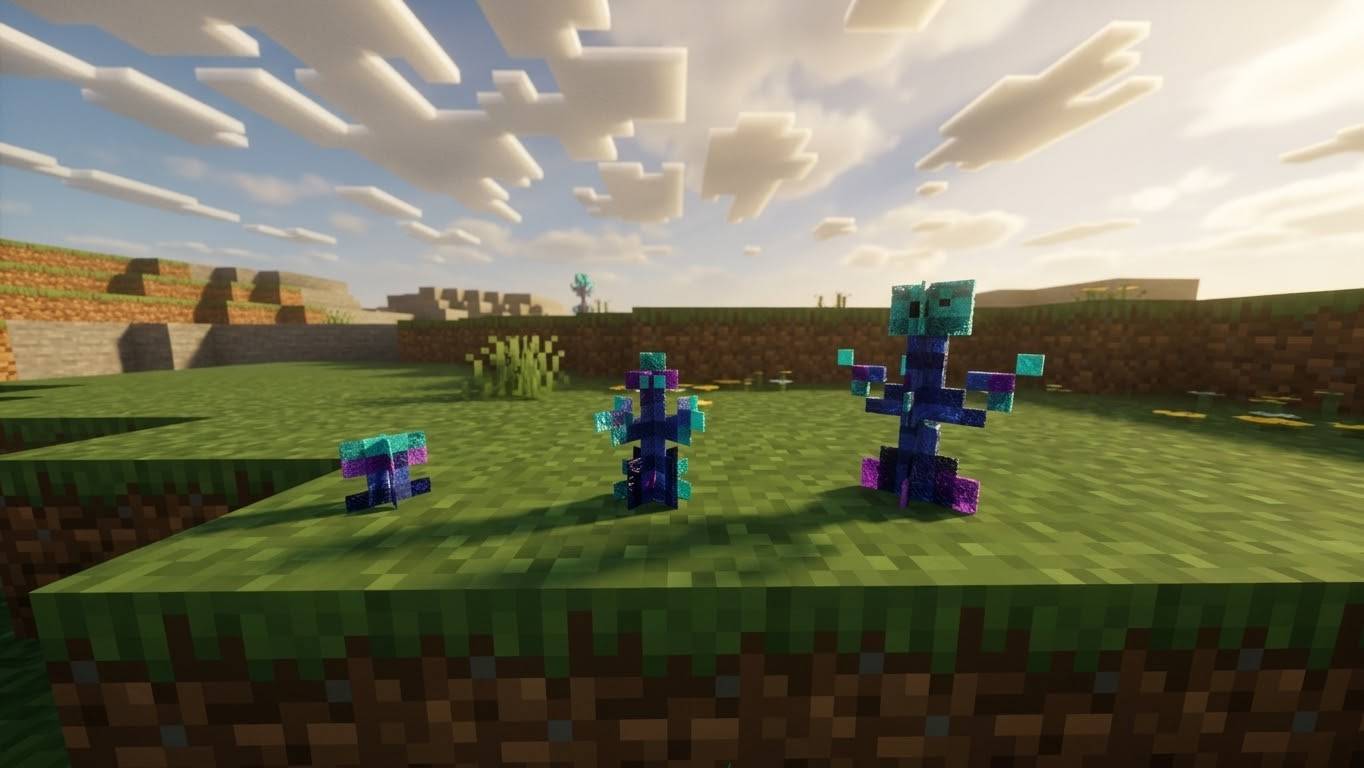
🌿 Enderflora — Discover the Forgotten Ender Pearl Plant
Enderflora is a Minecraft Bedrock Edition add-on that introduces a mysterious plant connected to the End. Explore the Overworld, discover this unusual plant growing naturally, and harvest its fragments to craft Ender Pearls!
🌱 About the Add-On
Have you ever wanted an alternative way to obtain Ender Pearls without relying entirely on Endermen? Enderflora brings a new plant to your Minecraft world, giving exploration and farming a new purpose.
With its dark blue appearance and turquoise sphere inspired by the Ender Pearl, Enderflora adds a unique touch to your world while offering a new way to work toward crafting Ender Pearls.
✨ Features
-
Custom plant: Discover Enderflora, a mysterious plant inspired by the End.
-
Natural generation: Find Enderflora growing naturally in the Overworld.
-
Four growth stages: Watch the plant develop through four visual stages.
-
Bone meal support: Use bone meal to help the plant grow faster.
-
Custom fragments: Harvest mature Enderflora to obtain Ender Pearl Fragments.
-
Craft Ender Pearls: Combine four Ender Pearl Fragments in a crafting grid to create one vanilla Ender Pearl.
-
Replanting: Use one Ender Pearl Fragment to plant Enderflora again and continue growing your own supply.
🧪 How to Use Enderflora
1. Find the plant
Explore the Overworld and keep an eye out for naturally generated Enderflora.
2. Grow it
Allow the plant to progress through its four growth stages. You can also use bone meal to speed up its growth.
3. Harvest the fragments
Once the plant reaches maturity, harvest it to obtain Ender Pearl Fragments.
4. Craft an Ender Pearl
Place four Ender Pearl Fragments in the crafting grid to obtain one regular Minecraft Ender Pearl.
5. Grow more Enderflora
Use one Ender Pearl Fragment to replant the crop and keep your little Enderflora farm going!
📦 Installation
-
Download the Enderflora add-on file (
.mcaddon). -
Open the file with Minecraft Bedrock Edition.
-
Wait for Minecraft to import the add-on successfully.
-
Create a new world or edit an existing one.
-
Open the world settings and enable the add-on under the appropriate Behavior Packs and, if required, Resource Packs sections.
-
Enter your world and explore!
Note: Depending on your Minecraft version and the add-on's implementation, certain experimental features or additional settings may be required. Follow any instructions included with the download.
⚠️ Compatibility and Known Issues
Enderflora is designed for Minecraft Bedrock Edition. Compatibility may vary depending on your Minecraft version and other installed addons
- Edition: Minecraft Bedrock
- File type: .mcpack or .mcaddon
- Minecraft version listed: 26.50
- How to install: Download the .mcpack or .mcaddon file. → Open it — Minecraft imports it. → In your world: Behavior Packs → Available → Activate, then the same under Resource Packs.
- Where to get it: Opens on CurseForge — not every file is mirrored on our own servers.
Install steps are the general flow for this file type — How to install Minecraft Bedrock addons & mods walks through it step by step.
- Pack type: .mcaddon — behaviour and resource pack in one file
- Manifest requires Minecraft 1.21.100 or newer
- Complete pack — everything it depends on is inside the file
- Download size: 11 KB
- Download link checked 21 Oct 2026 — working
These come from our own check of the pack file, not from the source page.