ShadersJava
N-Lite Shaders
Java shader pack listed for Minecraft 1.20–1.21. Downloads from the MC Java Mods app on Android.
⬇ Download on CurseForge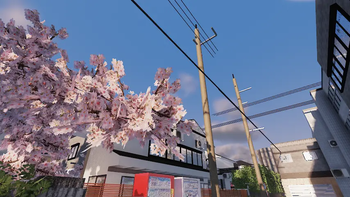
N-Lite Shaders
A realistic yet vanilla-friendly shader pack for Minecraft. It adds volumetric clouds, soft dynamic shadows, clear reflective water, and atmospheric lighting for both day and night, while keeping the classic blocky look of the game.
Features
- Volumetric clouds: Soft, layered clouds with natural shading that fade smoothly toward the horizon.
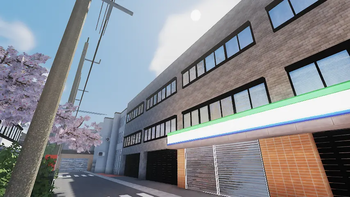
- Atmospheric sky: A glowing sun with gentle bloom and a blue gradient that turns hazy near the horizon.
- Clear reflective water: Turquoise, semi-transparent water with sky reflections and subtle surface ripples.
- Dynamic shadows: Crisp, consistent shadows on terrain and foliage with strong contrast between light and shade.
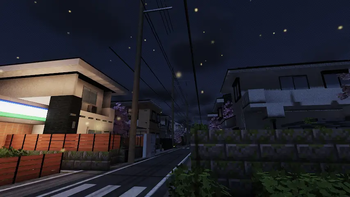
- Moody nights: Deep navy skies, heavy dark clouds, and glowing particles.
- Colored light sources: Warm glows from windows and lights that stand out against the dark.
- Distance fog: Distant landscapes and structures blend softly into the haze.
Requirements
- Minecraft Java Edition
- Iris Shaders
- A mid-range GPU or better
Installation
- Install Iris for your Minecraft version.
- Download the latest release of the shader pack. Do not unzip it.
- Open Minecraft and go to Options, then Video Settings, then Shader Packs.
- Click Open Shader Pack Folder and move the downloaded zip file into it.
- Return to the game and select the shader pack from the list.
- Click Apply or Done to enable it.
Quick facts
- Edition: Minecraft Java
- File type: .zip (resource pack)
- Minecraft versions listed: 1.21, 1.20.2, 1.21.8
- How to install: Download the .zip resource pack — do not unzip it. → Put it in .minecraft/resourcepacks. → Enable it in Options → Resource Packs.
- Where to get it: Opens on CurseForge — not every file is mirrored on our own servers.
Install steps are the general flow for this file type — see the MC Java Mods guides for the full walkthrough.
File checked by MCModsHub
- Downloads as N-Lite Shaders.zip
- Download size: 92 KB
- Download link checked 21 Oct 2026 — working
These come from our own check of the pack file, not from the source page.