Vortex Edge Pvp Trainer
Bedrock add-on listed for Minecraft 1.21–26.x (behavior + resource pack). File opened and checked on 21 Oct 2026; installs from the MC Bedrock Mods app on Android.
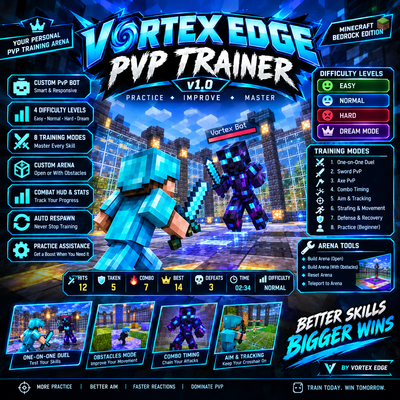
Vortex Edge PvP Trainer is a Minecraft Bedrock Edition add-on designed to help players improve their PvP skills by fighting a custom training bot
⬇ Download on CurseForge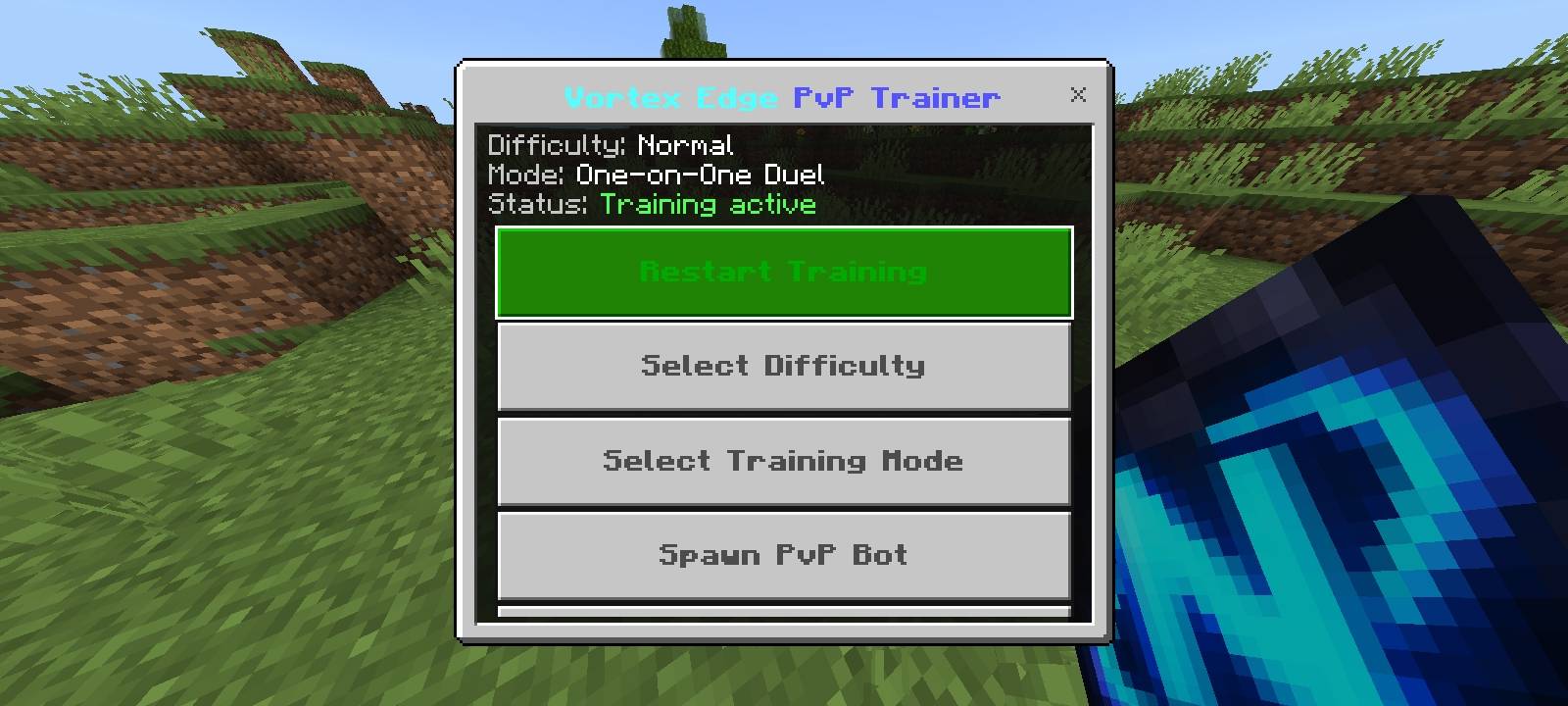
Vortex Edge PvP Trainer v1.0
Complete Description, Tutorial & All Modes
Vortex Edge PvP Trainer is a Minecraft Bedrock Edition add-on designed to help players improve their PvP skills by fighting a custom training bot. Practise sword combat, axe combat, combos, aim tracking, movement, dodging, and defence in different training modes and difficulty levels.
The add-on includes a custom PvP bot, a training menu, an arena-building system, combat statistics, automatic bot respawning, and beginner-friendly practice assistance.
⚔️ Features
- Custom PvP Bot: Fight a custom Vortex Bot that targets you and uses different movement and combat behaviours.
- Four Difficulty Levels: Choose Easy, Normal, Hard, or Dream Mode.
- Eight Training Modes: Practise different PvP skills, from beginner combat to advanced movement.
- Training Menu: Access the main features through the Vortex Edge PvP Menu item.
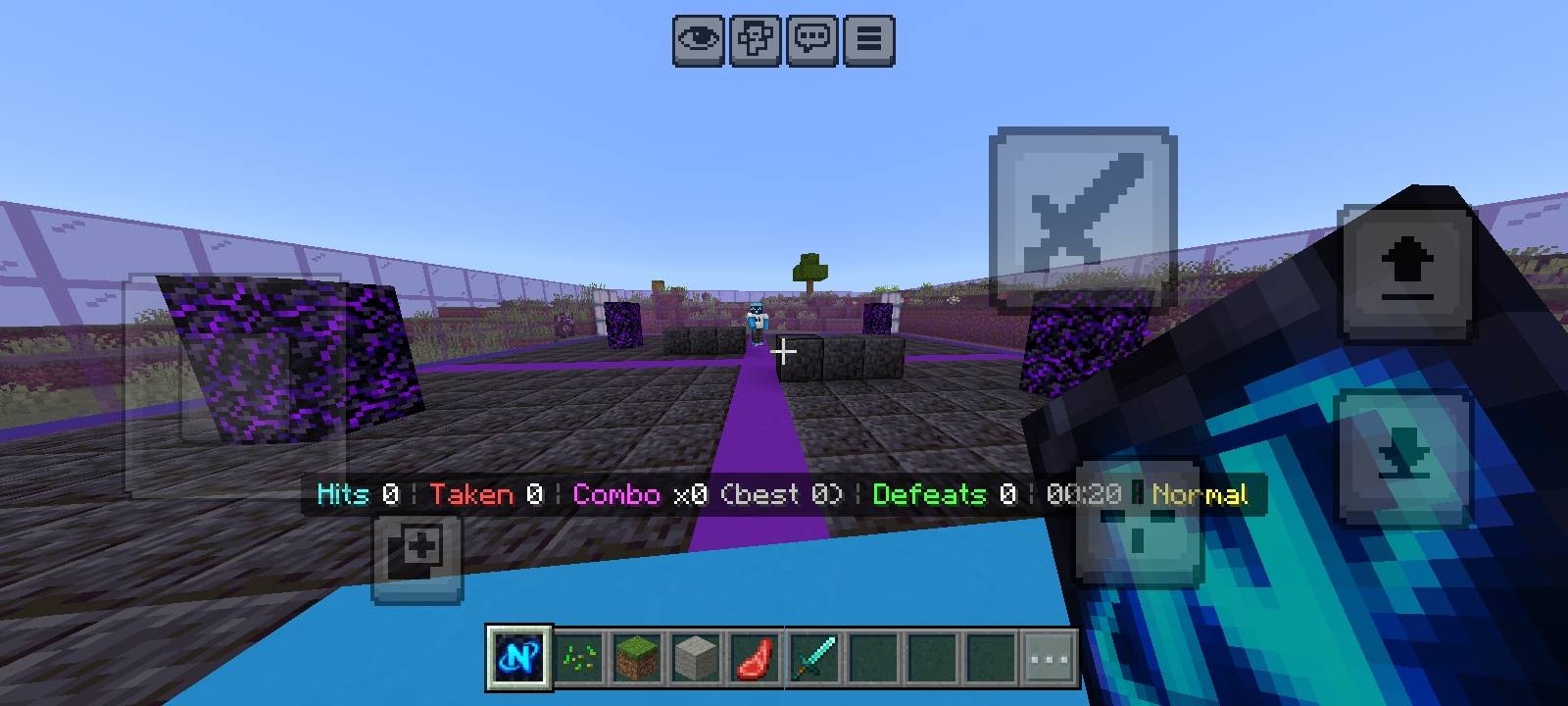
- Custom Arena: Build an arena with an open layout or obstacles.
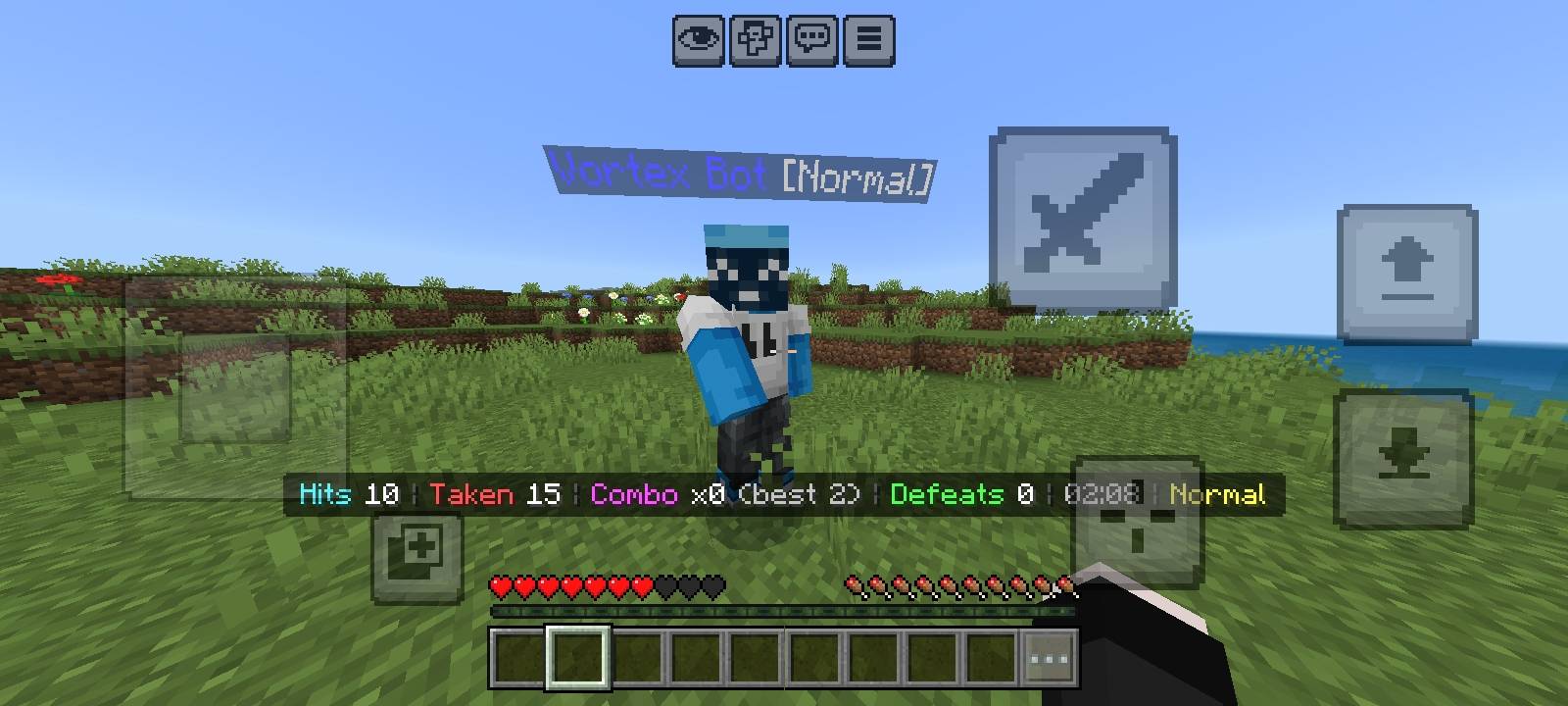
- Combat HUD: Monitor hits landed, hits received, current combo, best combo, bot defeats, training time, and difficulty.
- Automatic Respawning: Defeated training bots respawn automatically during an active training session.
- Training Statistics: View session results and saved all-time progress.
- Practice Assistance: Receive temporary recovery effects in Beginner Practice mode when your health becomes low.
📲 How to Install and Start
- Download the "VortexEdgePvPTrainer_v1_0_K3M8.mcaddon" file.
- Open the file with Minecraft Bedrock Edition and wait for the import to finish.
- Open your world settings and activate both the Vortex Edge behavior pack and resource pack, if they are not activated automatically.
- Make sure your Minecraft version supports the Script API dependencies required by the add-on. The included behavior pack specifies Minecraft 1.21.100 or later and Script API version 2.0.0.
- Enable any experimental settings required by your Minecraft installation, if applicable.
- Enter your world. The Vortex Edge PvP Menu item should be added to your inventory when you first join.
- Hold and use the Vortex Edge PvP Menu item to open the training menu.
If the menu item is missing, check that the behavior pack is active and that the script loaded correctly.
🎮 How to Use the Main Menu
- Start Training / Restart Training
Starts a training session and spawns the bot near you, or at your saved arena if you have built one in your current dimension. Your session statistics begin counting, and the bot can respawn after being defeated.
- Select Difficulty
Opens the difficulty selection menu. Choose the challenge level that suits your skills.
- Select Training Mode
Choose one of the eight available training drills. The selected mode determines the training behaviour and equipment provided when applicable. Restart training to begin a fresh session with your chosen settings.
- Spawn PvP Bot
Spawns an additional Vortex Bot in front of you. You can use it for a quick fight without starting a full training session. Full session statistics are available when you use Start Training.
- Heal and Reset Bot
Heals nearby bots or replaces the active training bot with a fresh one. Use this when a bot becomes difficult to practise against or you want to reset the fight.
- Stop Training
Ends the active training session, removes its managed bot, saves your session statistics, and displays a session summary.
- View Training Stats
Shows your current session statistics and saved all-time totals, including training sessions, total training time, hits landed, hits received, hit ratio, bot defeats, and your best consecutive-hit combo.
- Arena Tools
Opens the arena-building options described below.
🏆 All Four Difficulty Levels
🟢 Easy
Best for beginners.
- Slow, simple combat behaviour.
- Lower bot damage.
- Minimal strafing and jumping.
- Longer pauses after the bot hits you.
Use Easy to learn attack timing, practise basic sword swings, and become comfortable fighting a moving opponent.
🔵 Normal
Best for regular practice.
- Balanced movement and combat.
- Moderate bot damage.
- Basic strafing and occasional jumps.
- Short pauses after successful bot attacks.
Use Normal to practise tracking, spacing, combos, and ordinary PvP exchanges.
🔴 Hard
Best for experienced players.
- Faster and more aggressive combat.
- Stronger bot damage.
- More frequent strafing and jumping.
- Shorter reaction pauses.
- Backstepping and jump-attack movement behaviours.
Use Hard to improve reaction time, tracking, dodging, and combat consistency.
🟣 Dream Mode
Best for advanced PvP challenges.
- The fastest and most aggressive difficulty.
- Higher bot damage.
- Rapid strafing and frequent jumping behaviours.
- Backstepping and more responsive movement.
- Very little or no pause after hitting the bot.
Use Dream Mode to challenge your tracking, spacing, and reaction skills. It is the toughest available difficulty, but it is still scripted AI rather than a real player or a learning AI.
🥊 All Eight Training Modes
- One-on-One Duel
Fight the bot in a standard duel using a diamond sword. Practise general combat, attack timing, positioning, and hit exchanges.
- Sword PvP
Focus on sword-combat fundamentals, including spacing, attack timing, tracking, and trading hits. Use this mode to build consistent sword-fighting habits.
- Axe PvP
Practise axe combat with a diamond axe. Work on landing deliberate hits, controlling distance, and timing your attacks against a moving opponent.
- Combo Timing
The bot briefly staggers when you hit it, giving you an opportunity to chain attacks together. Practise consecutive hits and try to improve your best combo.
- Aim & Tracking
The bot does not attack you in this mode. It moves around you, strafes, and can jump, allowing you to practise keeping your crosshair on a moving target. This is a tracking drill, not a separate shooting or projectile-aim system.
- Strafing & Movement
Practise dodging, changing direction, maintaining distance, and keeping track of an aggressive opponent. The bot uses more active movement than in the standard duel.
- Defense & Recovery
Receive a diamond sword and a shield when needed. Practise blocking, repositioning, recovering after exchanges, and deciding when to defend or attack.
- Practice (Beginner)
A more forgiving training mode with reduced movement pressure and longer pauses after bot hits. If your health becomes low enough, the training assistance can temporarily provide regeneration and resistance while the bot pauses. Use this mode to practise safely and improve gradually.
🏟️ Arena Tools Explained
Open Arena Tools from the main menu to access four options:
- Build Arena (open): Builds a 21 × 21 block arena with a floor, coloured borders, glass walls, and lighting.
- Build Arena (with obstacles): Builds the same arena with additional obstacles to practise movement and repositioning.
- Reset Arena: Rebuilds the saved arena layout.
- Teleport to Arena: Teleports you to the saved arena's player spawn and faces you towards the bot spawn.
Important arena warning: Building an arena replaces blocks in the construction area, including air-clearing space up to seven blocks above the floor. Always choose a safe, open location. Reset Arena rebuilds the arena; it does not restore the original blocks that were there before construction.
When an arena is saved in the same dimension as your player, starting training places you at the arena's designated spawn points. Otherwise, the bot spawns near your current position.
📊 Combat HUD and Statistics
During an active training session, the on-screen action bar displays:
- Hits: Number of successful hits landed on the session's bot.
- Taken: Number of hits received from that bot.
- Combo: Current consecutive-hit streak.
- Best: Highest combo reached during the session.
- Defeats: Number of times you defeat the session's bot.
- Time: Elapsed session time in minutes and seconds.
- Difficulty: The currently selected difficulty level.
The combo counter resets when too much time passes between hits, when the bot hits you, or when you die.
Your all-time statistics record completed training sessions, accumulated training time, total hits landed and received, bot defeats, and your highest recorded combo. These values are stored as player data in the world, provided the add-on's scripts and data remain intact.
💡 Tips for Better PvP
- Start with Easy or Normal before attempting Hard or Dream Mode.
- Use Sword PvP to practise reliable hits and spacing.
- Switch to Combo Timing to improve your attack chains.
- Use Aim & Tracking to follow the bot with your crosshair.
- Try Strafing & Movement to practise dodging and repositioning.
- Use Defense & Recovery to learn when to block and reset your position.
- Challenge yourself in Dream Mode after building consistency.
- Review your statistics regularly to measure your progress.
⚙️ Compatibility and Important Notes
Vortex Edge PvP Trainer is built for Minecraft Bedrock Edition and requires its behavior pack, resource pack, and supported Script API dependencies to work correctly. Results may vary depending on the Minecraft version, device performance, and world settings.
The bot uses scripted movement and standard Minecraft entity combat behaviours. It is not machine learning, does not reproduce every action of a real PvP player, and does not guarantee perfect combat behaviour in every environment.
Train your skills. Master your movement. Take on the Vortex Bot!
Vortex Edge PvP Trainer v1.0 — Your personal Minecraft PvP training arena.
- Edition: Minecraft Bedrock
- File type: .mcpack or .mcaddon
- Minecraft versions listed: 26.12, 26.20, 26.13
- How to install: Download the .mcpack or .mcaddon file. → Open it — Minecraft imports it. → In your world: Behavior Packs → Available → Activate, then the same under Resource Packs.
- Where to get it: Opens on CurseForge — not every file is mirrored on our own servers.
Install steps are the general flow for this file type — How to install Minecraft Bedrock addons & mods walks through it step by step.
- Pack type: .mcaddon — behaviour and resource pack in one file
- Manifest requires Minecraft 1.21.100 or newer
- Complete pack — everything it depends on is inside the file
- Download size: 156 KB
- Download link checked 21 Oct 2026 — working
These come from our own check of the pack file, not from the source page.