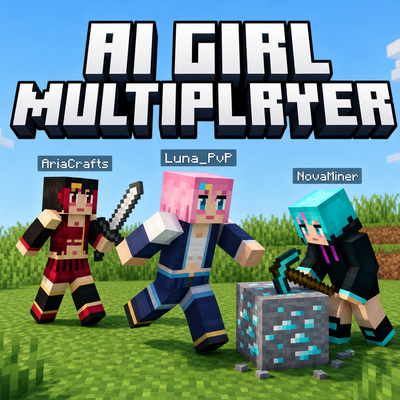
AI Girl Multiplayer
Bedrock add-on listed for Minecraft 1.21–26.x. File opened and checked on 22 Oct 2026; installs from the MC Bedrock Mods app on Android.
Bring your solo world to life with up to 3 smart AI Girls companions (Luna, Aria & Nova)! Features 5 custom 128x128 HD skins, bare-hand & 3D sword combat…
⬇ Download on CurseForge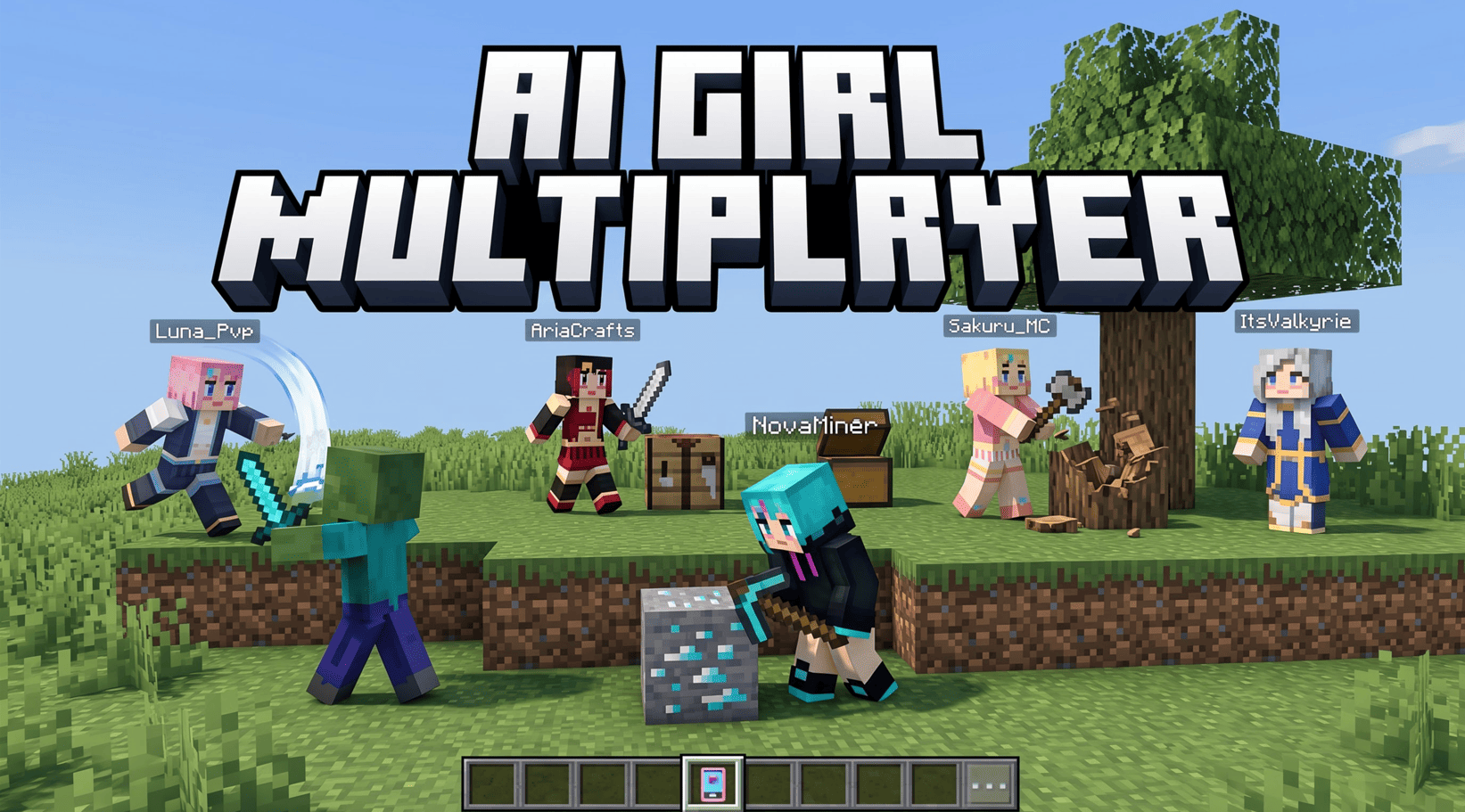
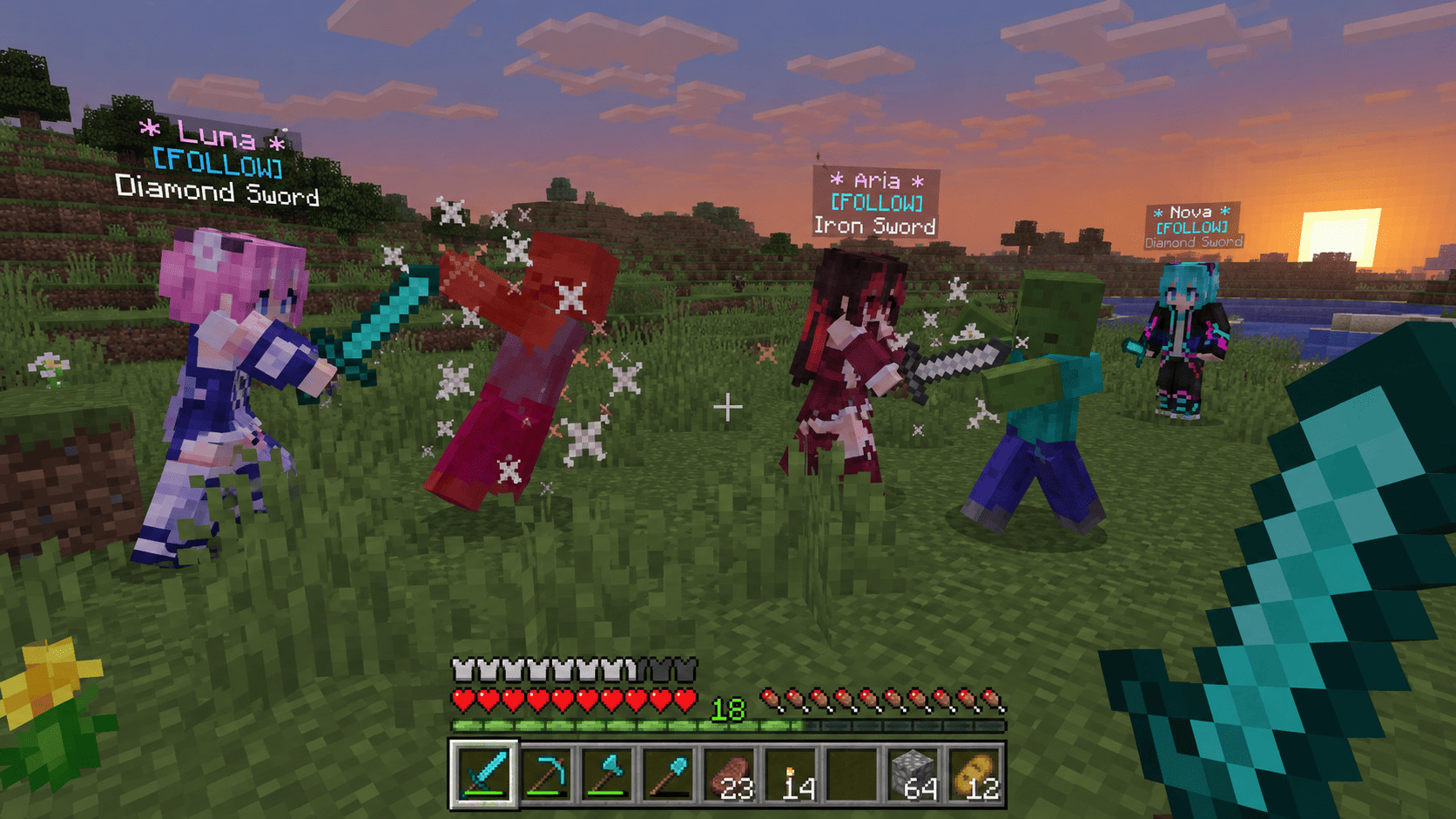
Created by Baku_Studio | Supports Minecraft Bedrock / MCPE 1.21.80 – Latest (1.26+)
Tired of feeling lonely in your singleplayer survival world? AI Girl Multiplayer transforms your solo Minecraft Bedrock world into a lively multiplayer-like adventure! Summon and command a squad of up to 3 intelligent AI Girl companions—Luna, Aria, and Nova—who walk, fight, mine, chop trees, farm crops, build shelters, pick up dropped loot, and chat with you just like real co-op teammates.
🌟 Key Highlights & Features
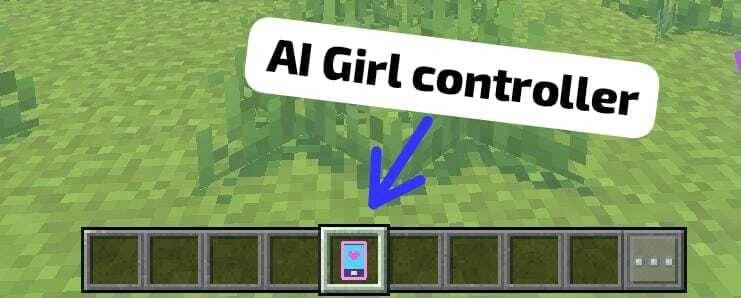
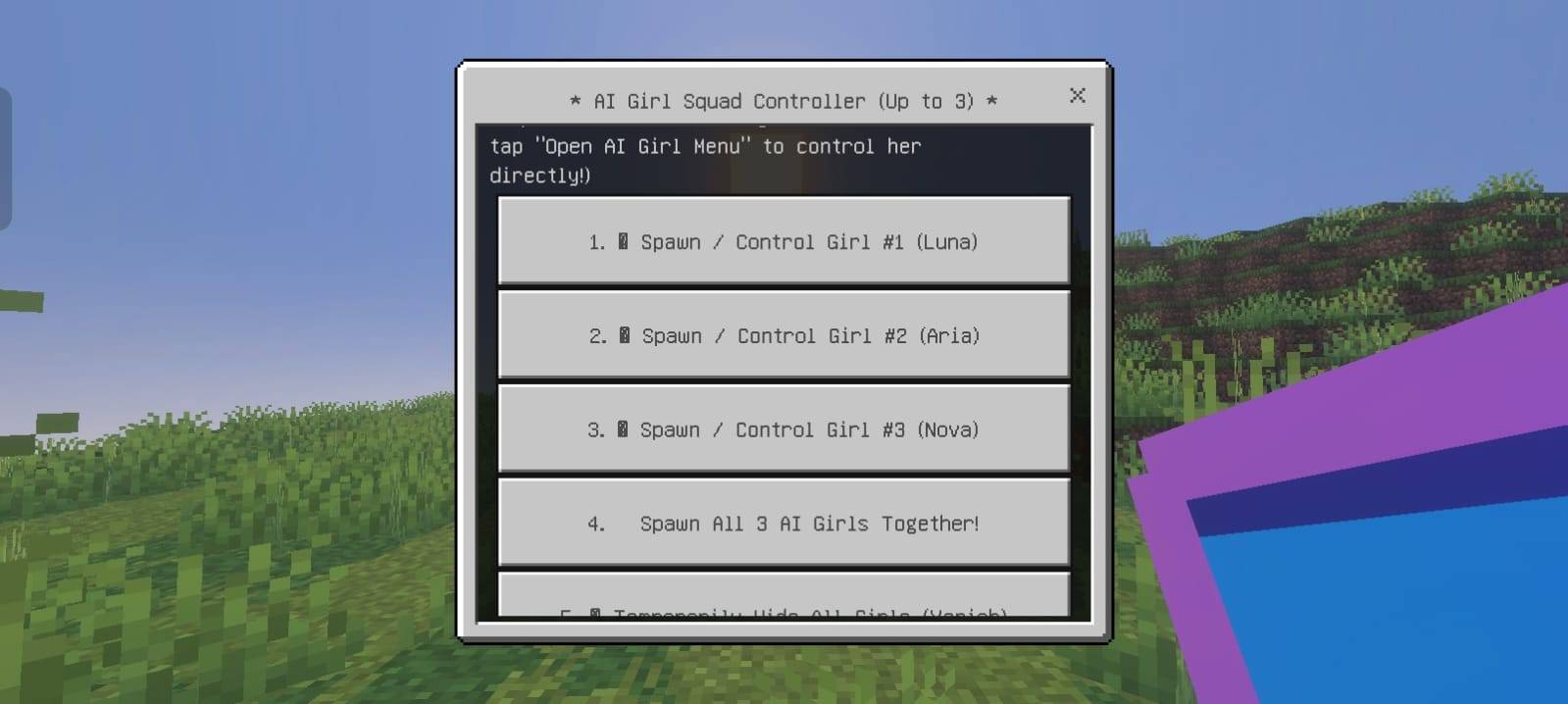
👥 Command a Squad of Up to 3 AI Girls (Luna, Aria & Nova)
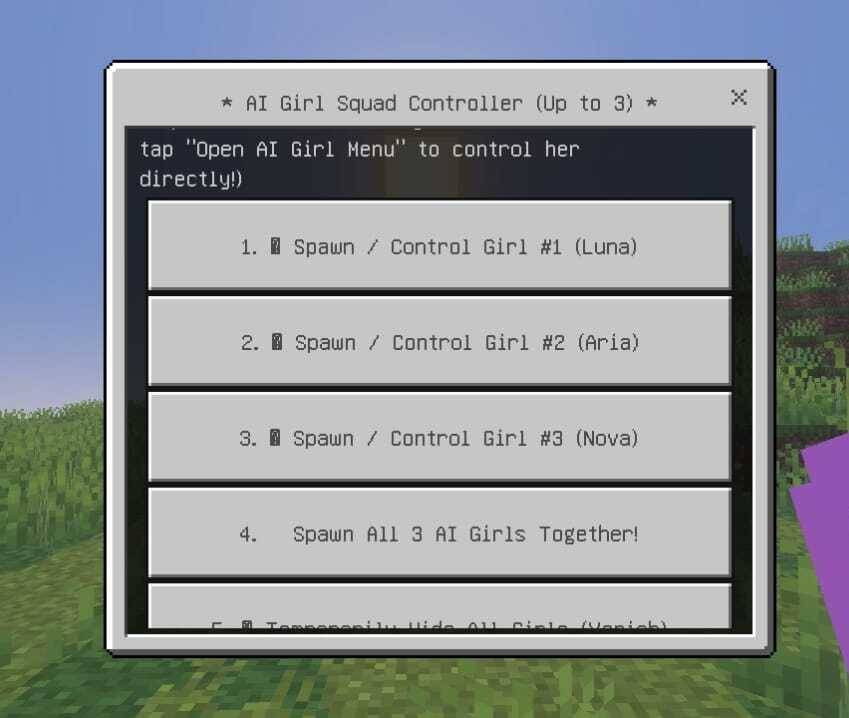
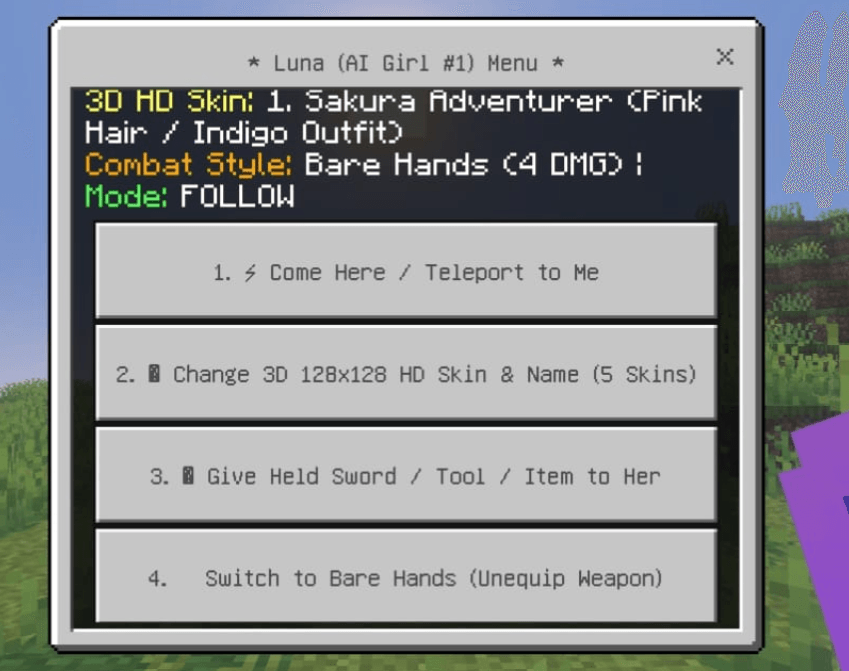
- Individual or Full-Squad Spawning: Summon Luna (#1), Aria (#2), or Nova (#3) individually—or click "Spawn All 3 AI Girls Together!" to bring out your entire 3-girl team at once.
- Temporary Hide / Vanish System: Need your companions out of the way during a boss fight or tight build? Use "Temporarily Hide All Girls (Vanish)" (or hide a single AI Girl) to store them safely and recall them anytime with "Show / Bring Back All Girls" without losing their skins, weapons, or status!
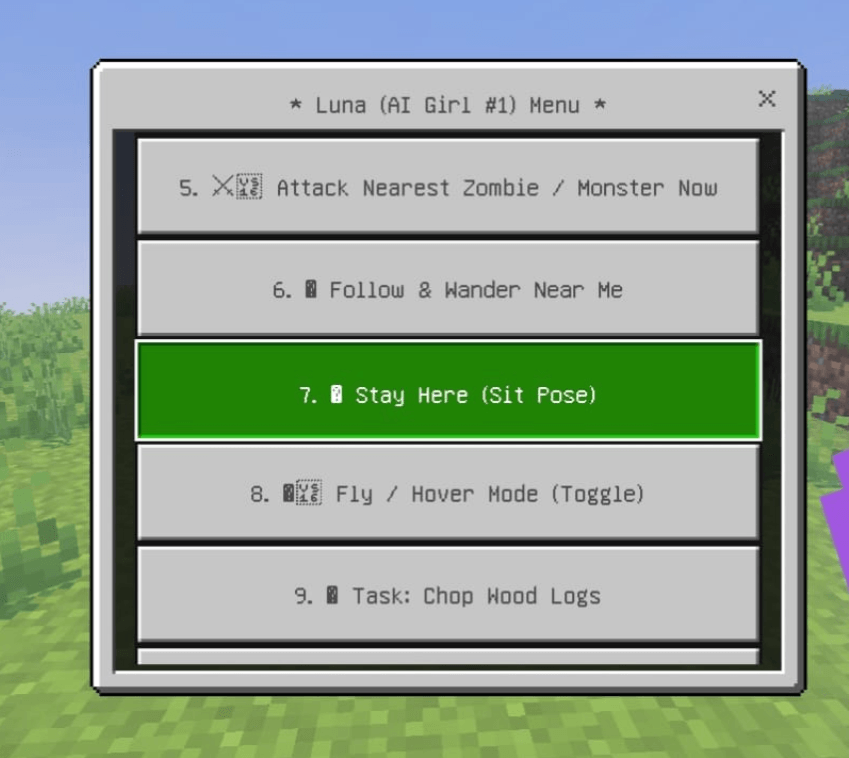
- Two Easy Ways to Control:
- Master Controller Item: Right-click / Long-press anywhere with the AI Girl Controller item in your hand to open the AI Girl Squad Controller.
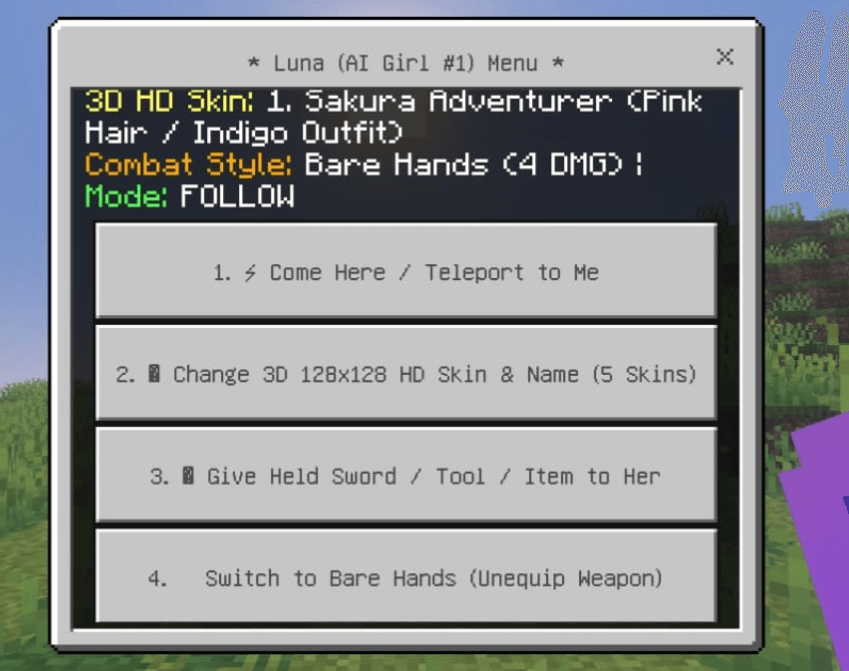
- Direct Cursor Button: Walk up to any AI Girl and aim your crosshair at her to see the "Open AI Girl Menu" interaction prompt—or tap her directly to open her personal control dashboard!
🎨 5 Custom 3D 128x128 HD Skins & Outfits
Every AI Girl uses a custom-sculpted 3D Slim Female Geometry Model (128x128 HD texture resolution) with layered 3D hair, bangs, twin-tails, outfit layers, shoes, and expressive eyes. Switch outfits and custom names at any time straight from her menu:
| Skin # | Outfit Name | Visual Style |
|---|---|---|
| Skin 1 | Sakura Adventurer | Soft Pink Hair with Indigo & White Adventurer Outfit |
| Skin 2 | Ruby Crimson Dress | Dark Crimson-Tipped Hair with Ruby Gothic Dress |
| Skin 3 | Cyber Neon Gamer | Vibrant Cyan Hair with Dark Neon Tech Hoodie |
| Skin 4 | Golden Summer Style | Bright Golden Blonde Hair with Coral Summer Outfit |
| Skin 5 | Royal Valkyrie Knight | Silver-White Hair with Royal Blue & Gold Tunic |
⚔️ Realistic Bare-Hands vs. 3D Sword Combat System
- Starts with Bare Hands (4 DMG): When first summoned, each AI Girl fights with her bare hands—no fake permanent sword stuck to her hand!
- Give Her Any Sword or Tool: Hold any sword or weapon (Wooden, Stone, Copper, Iron, Golden, Diamond, or Netherite) and select "Give Held Sword / Tool / Item to Her" in her menu (or Sneak + Tap her).
- Full 3D Held Item Rendering: She immediately holds the exact 3D sword or tool in her right hand with scaled combat damage (up to 13 DMG with Netherite!).
- Switch Back Anytime: Select "Switch to Bare Hands (Unequip Weapon)" whenever you want her to put her weapon away.
- Real Player-Like Monster Aggro: Zombies, Husks, Drowned, and Skeletons treat your AI Girls just like real human players! If a Zombie spots her—or attacks you—your squad automatically sprints in to defend you.
🛠️ Autonomous Survival Tasks & 27-Slot Backpack
Assign each AI Girl her own survival job while you explore:
- Come Here / Teleport to Me: Instantly warps her to your side.
- Follow & Wander Near Me: Follows you on adventures and naturally strolls and looks around when idle instead of freezing in place.
- Stay Here (Sit Pose): Commands her to sit and guard a specific spot or base.
- Fly / Hover Mode (Toggle): Lets her levitate and glide across rivers, ravines, or high builds.
- Task: Chop Wood Logs: Automatically locates and harvests nearby tree logs (
Oak,Birch,Spruce,Jungle,Acacia,Dark Oak,Cherry,Mangrove). - Task: Mine Stone & Ores: Mines nearby stone, cobblestone, coal, copper, iron, gold, redstone, emerald, and diamond ores.
- Task: Farm & Replant Crops: Harvests mature wheat, carrots, potatoes, and beetroots and automatically replants fresh seeds!
- Task: Build Shelter or Campfire: Constructs a quick 3x3 Wooden Emergency Shelter with a torch or places a cozy lit Campfire next to you.
- Automatic Ground Loot Pickup: Walks over dropped items on the ground and collects them directly into her backpack.
- 27-Slot Personal Backpack: Every AI Girl has a built-in 27-slot inventory container you can open anytime to store loot, gear, and resources!
🎮 How to Get Started in Survival or Creative
- Automatic Starter Controller: As soon as you spawn into a world, you automatically receive the AI Girl Controller item in your inventory!
- Survival Crafting Recipe: Lost your controller? Craft a new AI Girl Controller at any Crafting Table (or 2x2 inventory grid) using:
1x Gold Ingot+1x Redstone Dust- (Or type
/give @s baku:luna_communicatorin chat)
- Open the Squad Menu: Hold the AI Girl Controller and Right-Click / Long-Press the screen to spawn Luna, Aria, or Nova!
📦 Installation & Compatibility
- Supported Versions: Minecraft Bedrock Edition / MCPE
1.21.80,1.21.90,1.21.100,1.21.130+, and1.26+(backward compatible down to engine1.20.80). - Experimental Toggles Required? NO! Works out of the box in standard Survival and Creative worlds using stable
@minecraft/server&@minecraft/server-uiAPIs. - Multiplayer & Realms Compatible: Works smoothly in singleplayer, LAN co-op, and dedicated servers/Realms.
- How to Install:
- Download <button class="not-prose border-border-medium bg-surface-secondary hover:bg-surface-tertiary hover:border-border-strong group my-0.5 inline-flex items-center gap-1 rounded border px-1 py-0 text-start align-middle transition-colors" dir="ltr" type="button">AI-Girl-Multiplayer.mcaddon</button>.
- Tap or double-click the
.mcaddonfile to import both the Behavior Pack (BP) and Resource Pack (RP) into Minecraft automatically. - Activate both packs on your world before playing!
🏆 Credits & Permissions
- Creator & Developer: Baku_Studio
- 3D HD Models, 128x128 Textures & Script API AI Engine: Baku_Studio
- Redistribution Policy:
- You are welcome to record YouTube videos, TikToks, shorts, and livestreams showcasing this add-on! Please credit Baku_Studio and link back to the official CurseForge / MCPEDL download page.
- Do not re-upload this add-on to third-party apps or use direct mediafire links without permission from Baku_Studio.
- Edition: Minecraft Bedrock
- File type: .mcpack or .mcaddon
- Minecraft versions listed: 1.21.100, 1.21.80, 1.21.130
- How to install: Download the .mcpack or .mcaddon file. → Open it — Minecraft imports it. → In your world: Behavior Packs → Available → Activate, then the same under Resource Packs.
- Where to get it: Opens on CurseForge — not every file is mirrored on our own servers.
Install steps are the general flow for this file type — How to install Minecraft Bedrock addons & mods walks through it step by step.
- Pack type: .mcaddon — behaviour and resource pack in one file
- Download size: 43 KB
- Download link checked 21 Oct 2026 — working
These come from our own check of the pack file, not from the source page.