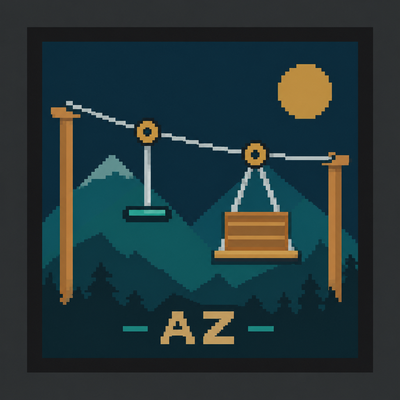
Adventure Zipline
Bedrock add-on listed for Minecraft 26.x. Download on the author's site.
Build connected zipline networks in Minecraft Bedrock with hanging handles, seated chairs, custom station names, and automatic stops.
⬇ Download on CurseForgeAdventureZipline
Turn your builds into a connected zipline network. Link rooftops, cross valleys, and connect distant outposts with stations you can name and manage.
Features
- Two ways to ride: grab a Hanging Handle or travel in a Seated Chair.
- Connected station networks: share a central hub between several routes and choose your final destination.
- Automatic stops: wait five seconds at intermediate stations, then continue automatically. Sneak during the stop to get off.
- Slope-based speed: cruise around 6 blocks per second on level routes and accelerate up to 13 downhill. Uphill assistance keeps you moving, with automatic braking near stations. Short spans may brake before reaching top speed.
- Station names: new posts receive unique names from a pool of 256. Rename stations with your own names, up to 32 characters.
- Simple maintenance: remove one connection, remove all connections at a post, or break an unused post to remove its attached cables.
- Persistent connections: stations, names, and cables remain when you save and reopen your world.
- Route checks: destroyed stations are cleared from the network, while unloaded stations are preserved. Blocked or unavailable ride sections trigger the supported return/recovery system.
Getting started
1. Import the `.mcaddon` file and activate both the AdventureZipline Behavior Pack and Resource Pack in your world's settings.
2. Craft and place two Zipline Posts.
3. Use the Connection Tool on the first post, then the second, to create a cable.
4. Use a connected post to choose your ride type and destination.
To expand a network, choose Connect another post from a station's menu, then use the Connection Tool on the other post. Use Rename station to give a post a memorable name; unconnected posts also have a menu when used with an empty hand.
Sneak controls: during an intermediate stop, Sneak gets you off at that station. While travelling, Sneak cancels the ride and returns you to the starting station through the safe landing/recovery system.
Crafting
- 2 Zipline Posts: place 1 iron ingot above 2 oak planks in a vertical column at a crafting table.
- 1 Connection Tool: place 1 iron ingot diagonally above and to the right of 1 stick at a crafting table.
No separate motor or ride-attachment item is needed. Connect posts 4–128 blocks apart, with at least 4 blocks of horizontal separation. Leave clear space for the cable, rider, and station arrival area.
Compatibility
- Minecraft Bedrock Edition; minimum pack engine version 1.26.50.
- Gameplay tested by the creator on Windows Bedrock v26.52.
- Both included packs are required. Experimental toggles are not required.
- Multiplayer and other platforms have not yet been verified.
Updating from an older version? Back up your world first. Connections saved by 0.3.0 may not load in older releases, so avoid downgrading after using this version.
- Edition: Minecraft Bedrock
- File type: .mcpack or .mcaddon
- Minecraft version listed: 26.50
- How to install: Download the .mcpack or .mcaddon file. → Open it — Minecraft imports it. → In your world: Behavior Packs → Available → Activate, then the same under Resource Packs.
- Where to get it: Opens on CurseForge — not every file is mirrored on our own servers.
Install steps are the general flow for this file type — How to install Minecraft Bedrock addons & mods walks through it step by step.
Adventure Zipline is a free Minecraft Bedrock addon. Compatible with Minecraft 26.50. Downloaded 59 times (via CurseForge). Download it and open it directly in the game.