ModsJava
Screenshot Overhaul Mod (26.3, 26.1.2) – Browse Your Best World Memories
Minecraft Java mod. Downloads from the MC Java Mods app on Android.
⬇ Download


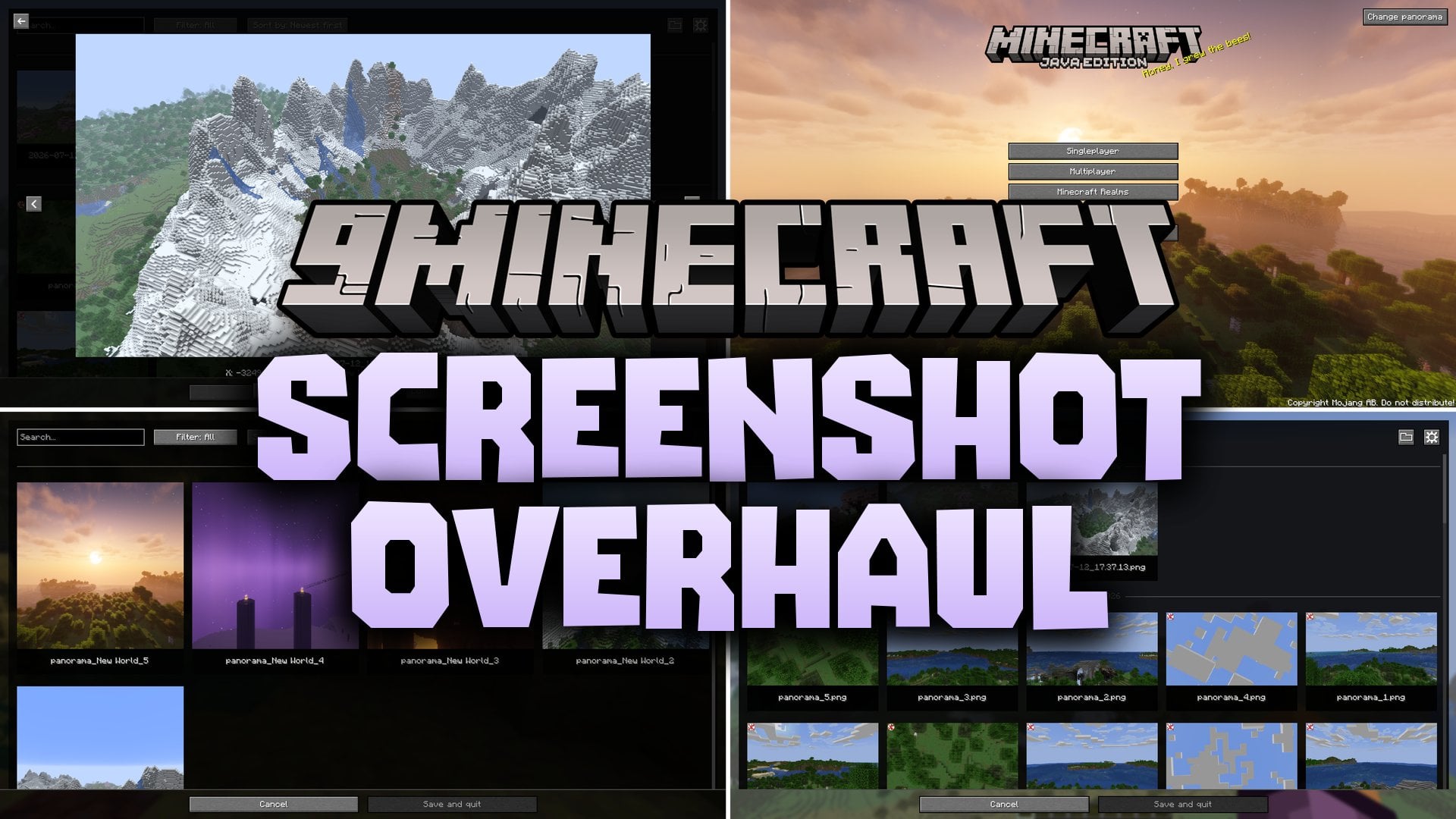
Screenshot Overhaul Mod reworks how you take, view, and organize pictures in Minecraft. It brings a full photo gallery right into the title screen and pause menu, letting you check your pictures without leaving the world. You can inspect extra details like coordinates, biomes, and active shaders saved directly inside each file. The mod also lets you take clean shots by hiding hands and menus automatically, snap wide panoramas, and mark photo locations on world maps.
Features:
- In-Game Gallery: Browse all your saved screenshots directly from the title screen or pause menu.
- Full Picture Viewer: Look at images in full screen, delete unwanted files, copy them to your clipboard, or tag your top favorites.
- Saved Picture Details: Stores coordinates, dimension, biome, world seed, server address, version, resource packs, and active shader data directly inside each PNG.
- Custom File Naming: Sort your files into custom folders and rename them automatically using date, world name, or shader tokens.
- Panorama Shots: Press a single key to take wide panoramas and set them as your main menu background.
- Shows an animated preview pop-up on your screen right after you take a shot.
- Automatically hides your hand, chat box, or HUD when snapping pictures so your shots stay clean.
- Takes automatic pictures whenever you unlock an advancement in your world.
- Works with Xaero’s World Map and JourneyMap to display your screenshot pins across the map.
- Saves active shader details into the picture data when playing with Iris.
How to Use:
- Open your pause menu or main screen and click the gallery button to view your photos.
- Press F9 during gameplay to take a 360-degree panorama of your surroundings.
- Click the Change panorama button on the title screen to pick any saved panorama as your background.
- Open mod settings through the gallery, Mod Menu, or NeoForge config screen to customize file names and display options.
Configuration:
enableWholeMod: Turns all mod options on or off.showScreenshotsOnXaerosWorldMap: Displays photo locations directly on Xaero’s World Map if installed.showScreenshotsOnJourneyMap: Displays photo locations directly on JourneyMap if installed.screenshotsFileName: Sets the naming pattern and subfolders for saved pictures.screenshotsDir: Sets the folder path where pictures are saved on your computer.showChatMessage: Prints a chat message after you take a picture.showPreview: Shows a small animated preview right after saving an image.hideHudOnScreenshot: Hides the game HUD while taking a picture.hideChatOnScreenshot: Hides the chat window during a shot.hideHandOnScreenshot: Hides your character hand during a shot.grabScreenshotOnAdvancement: Snaps a picture automatically when earning an advancement.advancementScreenshotDelay: Sets the wait time in ticks before taking an advancement picture.panoramaResolution: Sets the image resolution for each panorama side between 256 and 4096 pixels.
Screenshots:
Screenshot Overhaul Mod Download Links
Quick facts
- Edition: Minecraft Java
- File type: .jar
- How to install: Install the matching mod loader (Forge, Fabric or NeoForge) for your Minecraft version. → Download the .jar. → Put it in the .minecraft/mods folder and launch that loader profile.
- Where to get it: In MC Java Mods, or directly above on this page.
Install steps are the general flow for this file type — How to install Minecraft Java mods & modpacks walks through it step by step.
File checked by MCModsHub
- Downloads as 530928.mcaddon
- Download size: 502 KB
- Download link checked 22 Oct 2026 — working
- Mirrored on our own servers — the download does not depend on the original host
These come from our own check of the pack file, not from the source page.