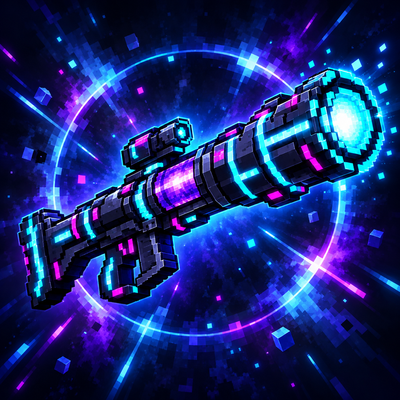
AI Rocket Launcher
Bedrock add-on listed for Minecraft 1.21 (behavior + resource pack). File opened and checked on 22 Oct 2026; installs from the MC Bedrock Mods app on Android.
A feature-packed rocket launcher add-on with 10 color variants, 40 craftable ammo types, presets, safety controls, and cross-play support.
⬇ Download on CurseForgeThe author built this one for Minecraft 1.21.80. On other versions it may install and then do nothing.
This Rocket Launcher Was Made by AI
Bring powerful, customizable rocket launchers into your Minecraft: Bedrock Edition worlds!
This add-on includes 10 craftable launcher color variants and a huge collection of ammunition types, each with unique behavior, effects, range, power, and visual presentation. Choose the right rocket for exploration, combat, construction, support, or pure chaos.
Main Features
- 10 rocket launcher color variants
- Around 40 craftable ammunition types
- Quick ammo selector
- Custom ammo presets
- Crouch-to-fire safety system
- Reload and ammunition management
- First-person and third-person launcher models
- Custom projectile models, textures, sounds, particles, and effects
- Safety and display settings
- In-game rocket launcher manual
- Optional tutorial quest
- Multiplayer and cross-play support
- Survival-friendly crafting recipes
- Support for multiple Minecraft languages
Ammunition Examples
The available ammunition includes:
- Standard Rocket
- Homing Rocket
- Piercing Rocket
- Split Rocket
- Super Split Rocket
- Super Explosive Rocket
- Ultra Long-Range Rocket
- Incendiary Rocket
- Lava Rocket
- Water Rocket
- Torpedo Rocket
- Lightning Rocket
- Dark Rocket
- Flash Rocket
- Sonic Rocket
- Teleport Rocket
- Healing Rocket
- Plant and Flower Field Rockets
- Block Rocket
- Random Mob Summoning Rocket
- Various Potion Rockets
- And more!
Each rocket has its own strengths, maximum range, impact effect, damage, and special behavior. Projectiles activate their effects when they hit a target or reach their maximum travel distance.
How to Use
- Craft or obtain a rocket launcher.
- Prepare compatible ammunition.
- Use the Ammo Selector to choose an ammunition type you currently possess.
- Hold the launcher and crouch to enter the firing stance.
- Fire and wait for the launcher to reload.
The launcher manual contains detailed instructions, ammunition information, presets, safety options, display settings, and an optional tutorial.
Multiplayer
This add-on is designed for multiplayer and cross-play environments. Safety settings are included to help control explosions, block destruction, visual effects, and other gameplay elements.
Important Notes
- Both the Behavior Pack and Resource Pack must be enabled.
- Make sure all players have downloaded the required resource pack.
- Back up important worlds before using destructive ammunition.
- Some high-powered ammunition can significantly alter terrain or summon entities.
- Performance may vary depending on the device, selected ammunition, and effect settings.
Choose your launcher, select your ammunition, take aim, and discover what every rocket can do!
- Edition: Minecraft Bedrock
- File type: .mcpack or .mcaddon
- Minecraft version listed: 1.21.80
- How to install: Download the .mcpack or .mcaddon file. → Open it — Minecraft imports it. → In your world: Behavior Packs → Available → Activate, then the same under Resource Packs.
- Where to get it: Opens on CurseForge — not every file is mirrored on our own servers.
Install steps are the general flow for this file type — How to install Minecraft Bedrock addons & mods walks through it step by step.
- Pack type: .mcaddon — behaviour and resource pack in one file
- Manifest requires Minecraft 1.21.80 or newer
- Complete pack — everything it depends on is inside the file
- Download size: 1017 KB
- Download link checked 22 Oct 2026 — working
These come from our own check of the pack file, not from the source page.