
AddonsBedrock
Wild Villagers Addon
Bedrock add-on listed for Minecraft 1.21–26.x (behavior + resource pack). File opened and checked on 22 Oct 2026; installs from the MC Bedrock Mods app on Android.
Tired of hauling villagers home or reviving towns lost to zombies? This add-on does the heavy lifting for you! Villagers now freely roam the Overworld…
⬇ Download on CurseForgeThe author built this one for Minecraft 26.50. On other versions it may install and then do nothing.
Never lose your villagers again
Zombies wiped out your villagers and they never came back? Wild Villagers keeps the world supplied with villagers. They wander into the Overworld on their own, return to emptied villages, and arrive in groups at the new Abandoned Camps from Wilderness Bound.
Everything is done with a script, so no vanilla files are replaced. It is built to sit alongside other add-ons.
Features:
Wandering Villagers
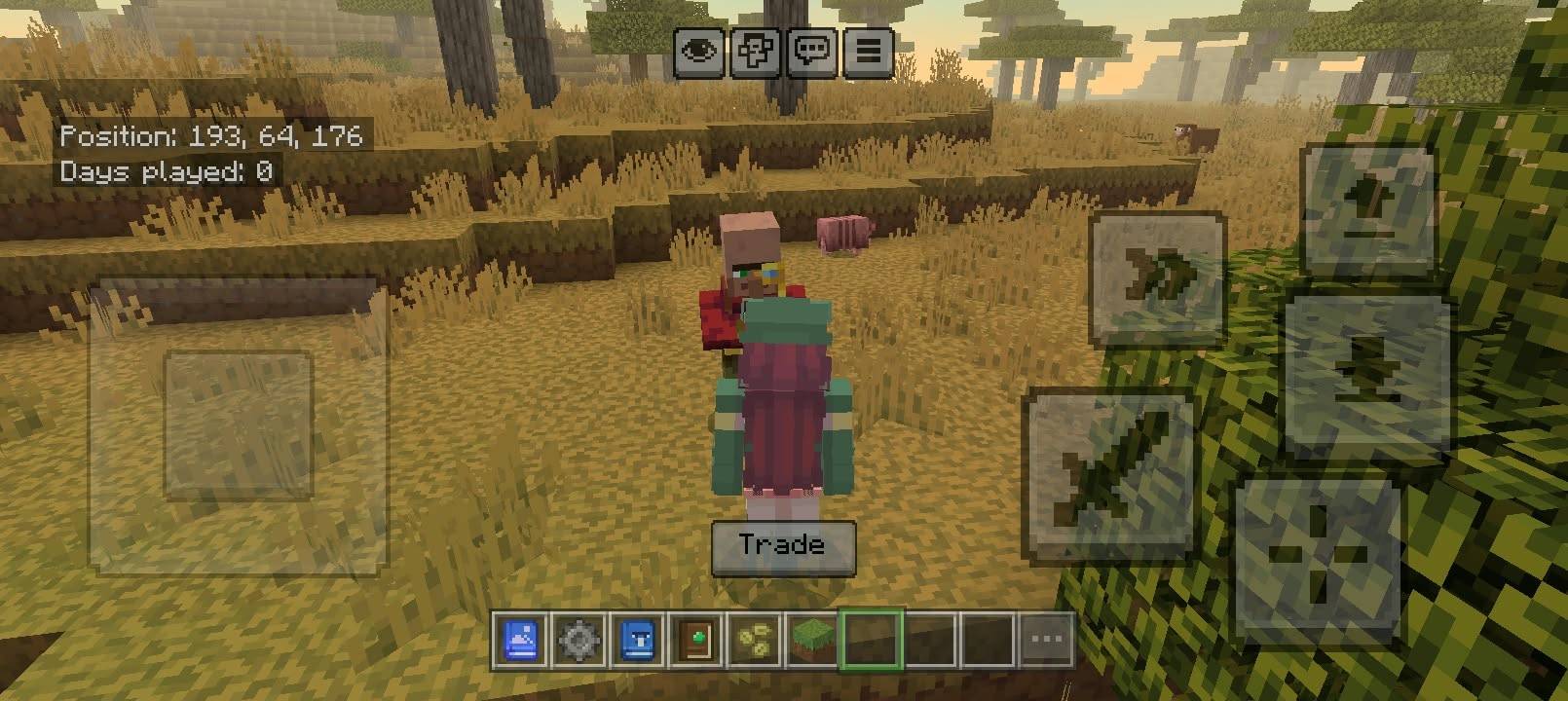
Villagers appear out in the open, away from any village, like a Wandering Trader would.
-
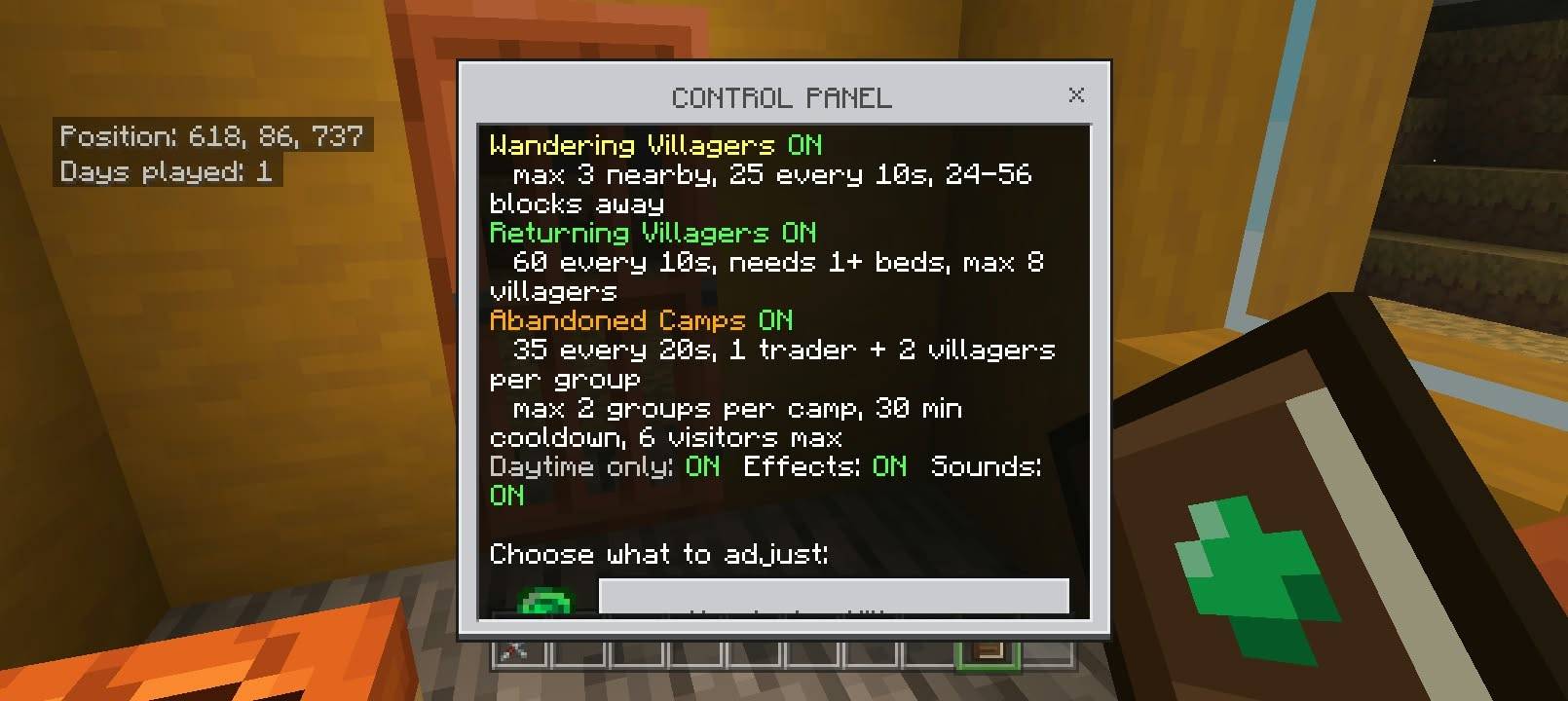
Tried every 10 seconds near each player, with a 25% chance each time
-
Appear 24 to 56 blocks away on open ground in the Overworld
-
Never more than 3 within 96 blocks of you
-
Named Wandering Villager, which also shows in the trade window
Returning Villagers
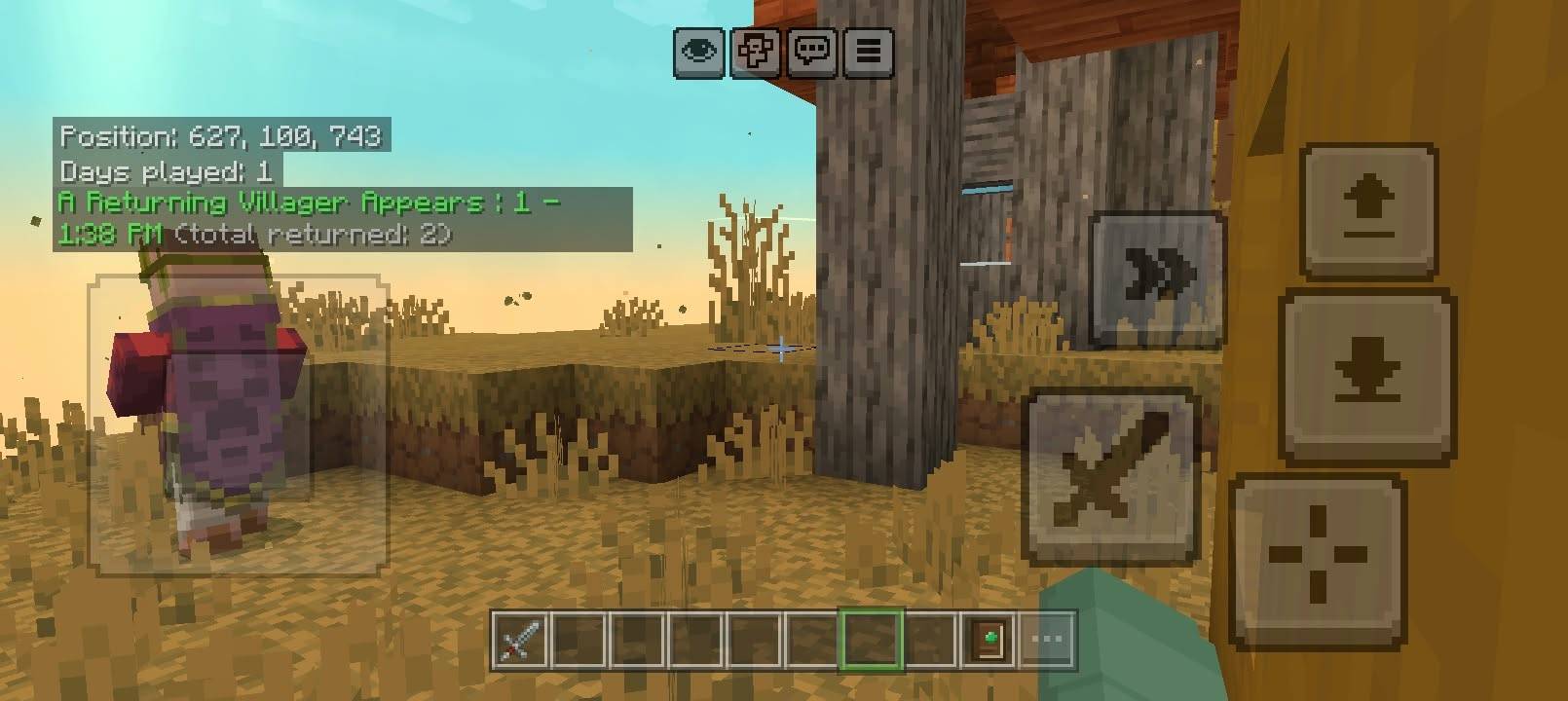
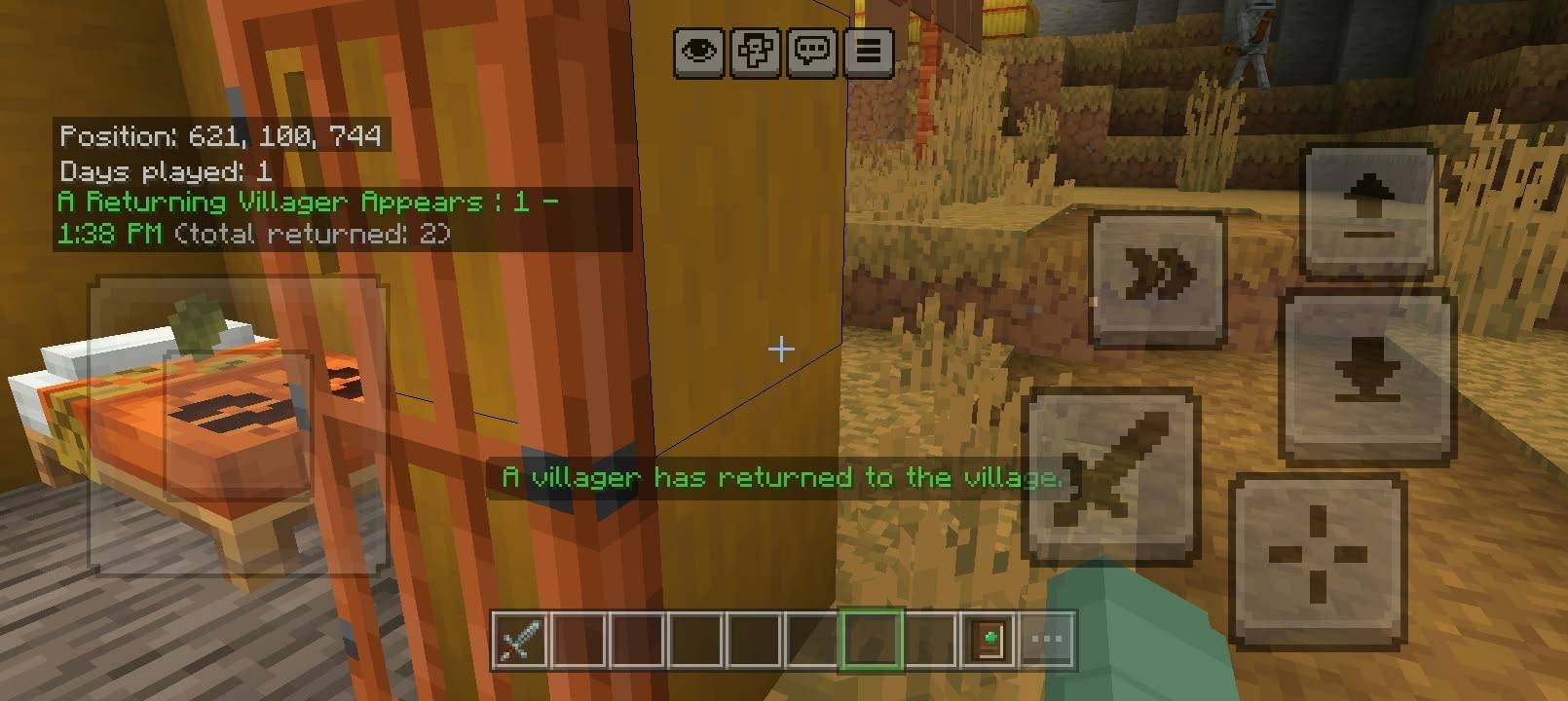
Stand in a village that has beds but too few villagers, and villagers come back to fill them.
-
Needs at least 2 beds within 12 blocks of you
-
Checked every 20 seconds with a 60% chance
-
30% of the time, two villagers return at once
-
Never refills past 8 villagers
-
Each return is written in chat with the time and a running total
Abandoned Camp Groups
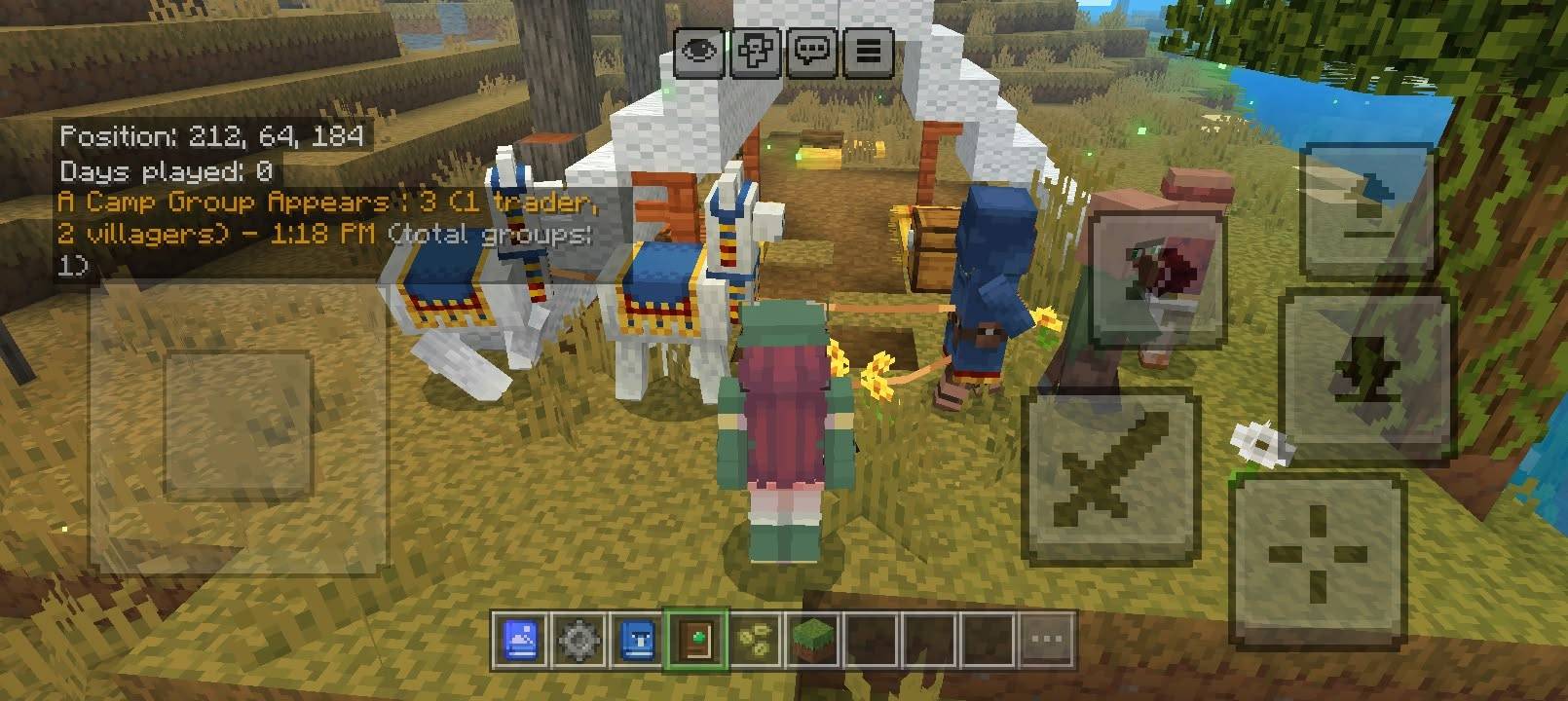
Near an Abandoned Camp, a group of travellers arrives: 1 Camp Trader (a Wandering Trader) and 2 Camp Villagers. They show up with a horn sound and sparkles above their heads.
-
A camp is 6 or more wool blocks, stairs or slabs (any colour) plus a straw bed or a campfire
-
A camp can only ever bring 2 groups, with a 30 minute wait between groups
-
No new group while the last one is still alive
-
Never more than 6 camp visitors within 128 blocks of you
-
Adding more wool never brings more people, so it cannot be spammed
The Wild Villagers Handbook
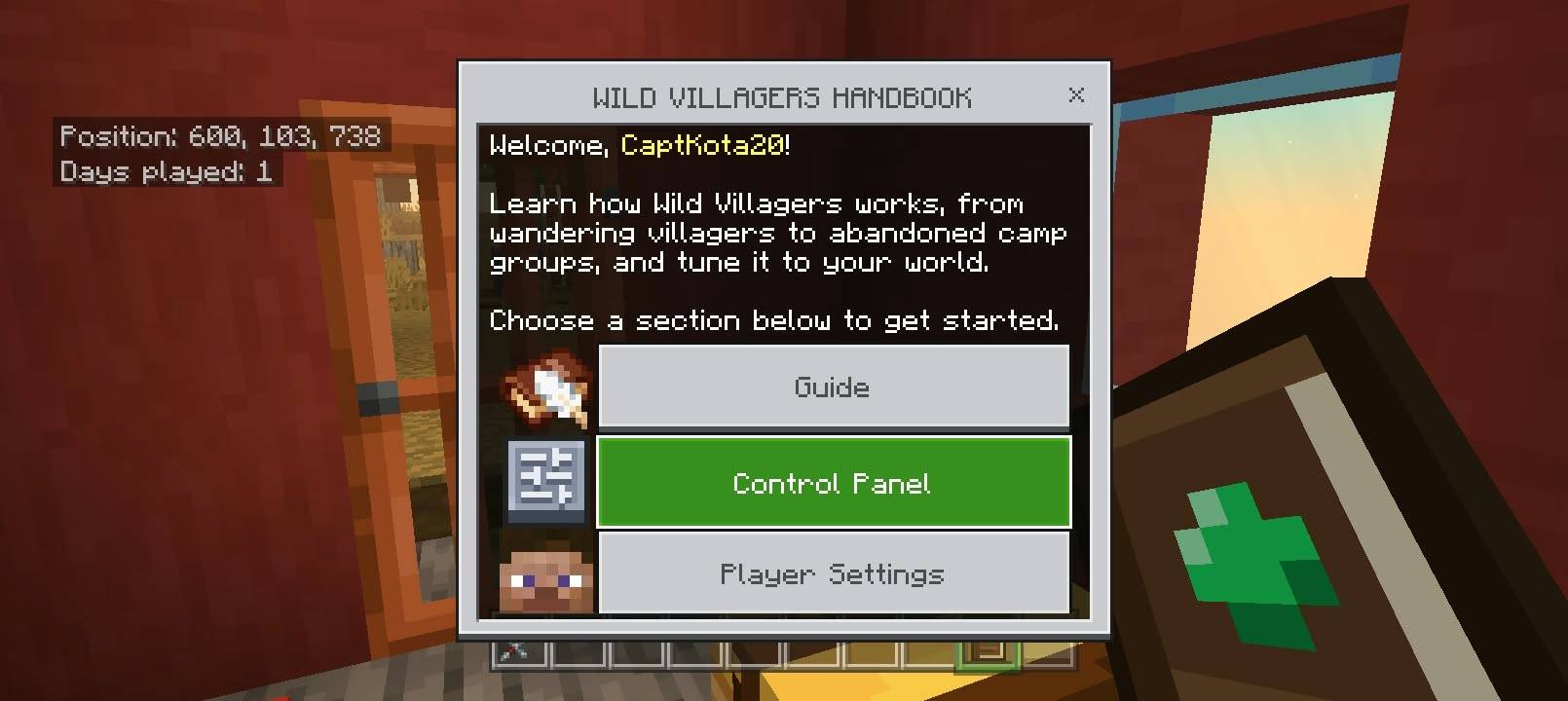
Every player receives a Handbook the first time they join. Right-click it to open:
-
Guide: explains every feature and shows your current settings
-
Control Panel: change spawn chances, intervals, limits, group sizes and more, with no file editing
-
Player Settings: choose whether messages appear in chat or above the hotbar
-
Statistics: see how many villagers and camp groups have appeared in your world
Lost your Handbook? Craft another with a Book + an Emerald.
In multiplayer, only operators can change the Control Panel. You can also give someone access with the tag wv_admin.
Commands
-
/scriptevent wv:menu opens the Handbook
-
/scriptevent wv:give gives you the Handbook
-
/give @s wv:handbook also works
Installation
- Download the .mcaddon file from this page
- Open the .mcaddon file. Minecraft imports both packs.
- In your world’s settings, activate both the Behavior Pack and the Resource Pack.
- Load the world. Your Handbook arrives after a few seconds.
Compatibility
-
Made for Minecraft Bedrock Edition with the Wilderness Bound update (26.50 or newer). Abandoned Camp groups need the new straw bed and wool stairs.
-
Replaces no vanilla files, and was tried alongside Actions & Stuff and Villager News.
-
Wandering Villagers and Returning Villagers use only vanilla blocks and mobs.
FAQ
Do villagers spawn at night?
Not by default, so zombies don't get them right away. You can turn this off in the Control Panel.
How do I tell the different villagers apart?
Well...they all look the same hahaha, but as what mentioned each type has its own name: Wandering Villager, Returning Villager, Camp Trader and Camp Villager. So you would tell the difference only in their trading window.
Can I turn a feature off?
Yes. Every feature has an on/off switch in the Control Panel.
I changed a setting in the file but nothing happened.
Settings you save in the Control Panel are stored in the world and override the file. Use the Control Panel, or press Reset to Defaults.
Quick facts
- Edition: Minecraft Bedrock
- File type: .mcpack or .mcaddon
- Minecraft version listed: 26.50
- How to install: Download the .mcpack or .mcaddon file. → Open it — Minecraft imports it. → In your world: Behavior Packs → Available → Activate, then the same under Resource Packs.
- Where to get it: Opens on CurseForge — not every file is mirrored on our own servers.
Install steps are the general flow for this file type — How to install Minecraft Bedrock addons & mods walks through it step by step.
File checked by MCModsHub
- Pack type: .mcaddon — behaviour and resource pack in one file
- Manifest requires Minecraft 1.21.0 or newer
- Complete pack — everything it depends on is inside the file
- Download size: 59 KB
- Download link checked 22 Oct 2026 — working
These come from our own check of the pack file, not from the source page.