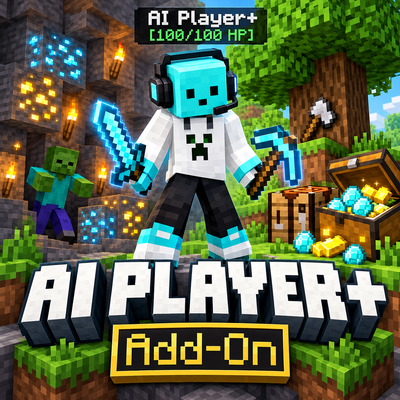
AI Player Plus
Bedrock add-on listed for Minecraft 1.20–26.x (behavior + resource pack). File opened and checked on 22 Oct 2026; installs from the MC Bedrock Mods app on Android.
Smart AI Player Plus companion by GURJAR! Rename your AI friend, fight monsters, chop wood, mine ores, farm crops, build shelters & auto-craft!
⬇ Download on CurseForge
⚡ AI Player Plus — The Ultimate Smart Survival Companion Add-On
Created by: GURJAR
Supported Versions: Minecraft Bedrock Edition / MCPE 1.20.80+ | 1.21+ | 1.26+ (Mobile, Windows 10/11, Console)
Experimental Toggles Required: None! (Works in 100% Standard Survival Worlds)
🌟 Overview
Tired of playing solo survival all alone? AI Player Plus (created by GURJAR) brings a fully autonomous, intelligent AI Player Companion directly into your Minecraft Bedrock world!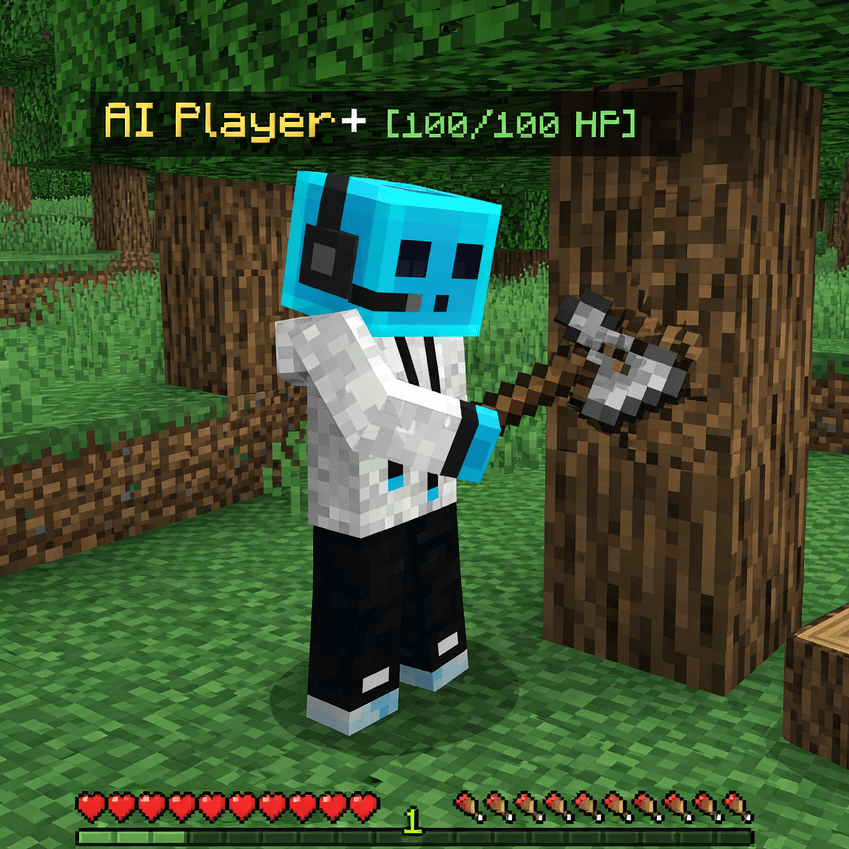
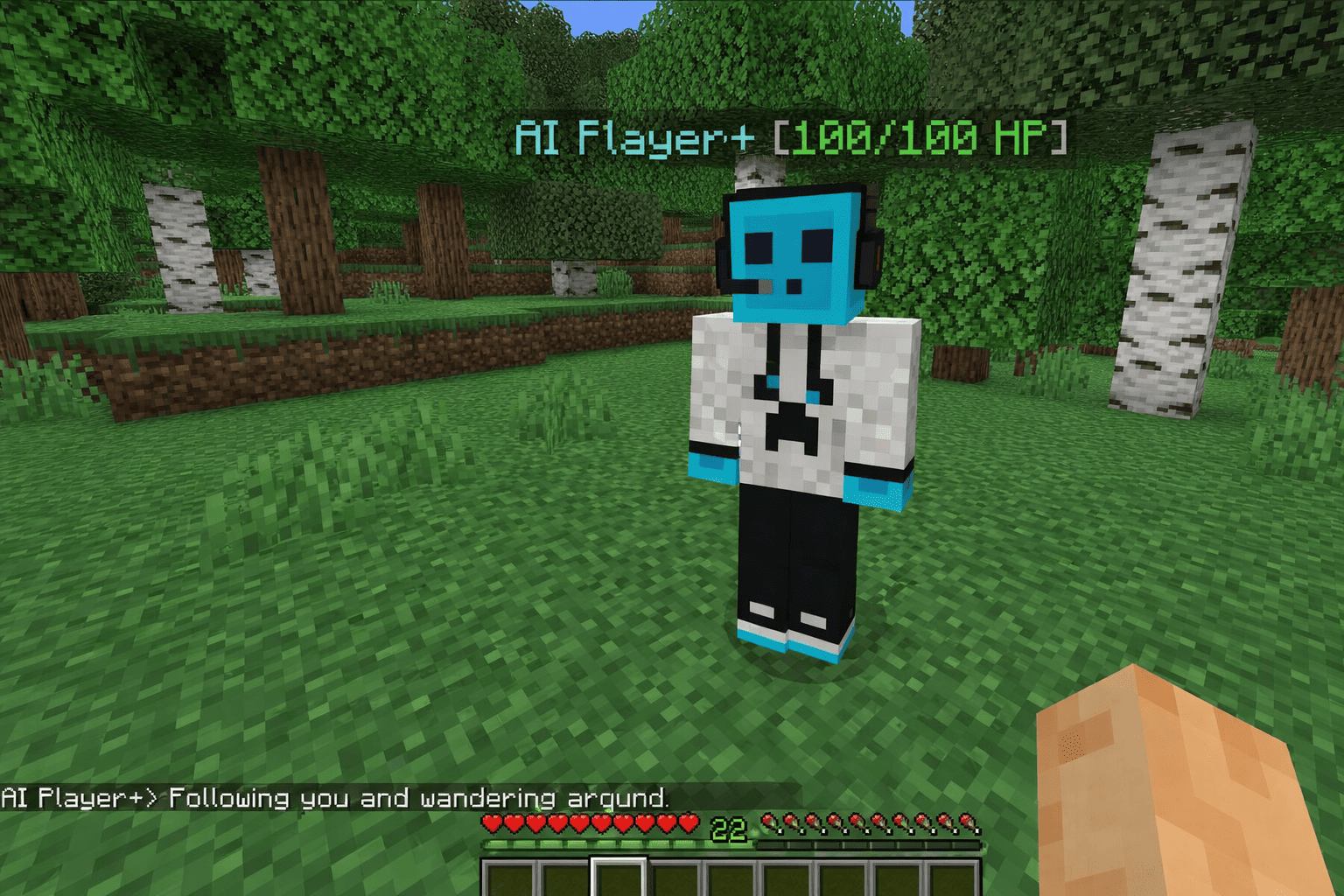
Featuring an iconic Cyan Slime Gamer in a Creeper Hoodie & Pro Headset, your AI Player+ behaves like a real multiplayer teammate — fighting hostile monsters alongside you, chopping down trees, mining stone and rare ores, harvesting crops, lighting up dark caves with torches, building instant shelters, healing you during boss fights, and storing items inside a 27-slot backpack with a built-in Auto-Crafter!
🎮 High-Tech "AI+" Handheld Controller (24+ Working Commands!)
The moment you join any world, you automatically receive the custom AI Player+ Controller (gurjar:ai_remote) in your inventory!
Simply Right-Click (PC) or Long-Press / Tap Screen (Mobile) while holding the AI+ Controller to automatically spawn your AI Player+ and open the 24-Option Command Dashboard!
🏷️ 1. Personalization & Custom Naming
- >> 01. Spawn / Teleport AI Player+ To Me: Instantly spawns your AI Player+ or teleports them straight to your location.
- >> 02. Rename AI Player+ (Any Custom Name): Open the custom rename menu and type any name you want for your AI Player! Their overhead floating nametag and live chat messages update immediately.
⚔️ 2. Dynamic Combat: Bare Hands vs. 3D Sword System
- >> 03. Give Held Sword / Weapon / Tool: Hand your AI Player any Sword, Axe, or Pickaxe!
- Bare Hands Mode (Default): Fights with bare fists (
4 Attack Damage) and no sword in hand. - Equipped Weapon Mode: The moment you give them a Sword or Weapon, a real 3D Sword visibly appears in their right hand and their attack power upgrades automatically (Wooden: 7 DMG | Stone: 8 DMG | Gold: 9 DMG | Iron: 10 DMG | Diamond: 14 DMG | Netherite: 18 DMG)!
- Bare Hands Mode (Default): Fights with bare fists (
- >> 04. Switch to Bare Hands (Unequip Weapon): Instantly switch back to unarmed combat at any time.
- >> 05. Attack Nearest Zombie / Monster Now: Command your AI Player+ to immediately charge and eliminate the nearest hostile mob within 16 blocks.
- >> 06. Auto-Combat Defense Toggle
[ON / OFF]: Actively guards you against Zombies, Husks, Drowned, Skeletons, Creepers, Spiders, Pillagers, Vindicators, Witches, Endermen, Piglins, Blazes, and Wardens! Plus, hostile Zombies and Monsters naturally aggro and fight your AI Player+ just like a real player.
🏃 3. Smart Movement & Navigation Modes
- >> 07. Follow & Wander Naturally Near Me: Follows you across the world, sprints to catch up, jumps over obstacles, and swims across water.
- >> 08. Stay Here / Guard Spot (Sit Pose): Holds position and guards your base while in a sitting pose.
- >> 09. Patrol & Explore Surrounding Area: Roams and scouts the surrounding area while staying near you.
- >> 10. Fly / Hover Mode
[Toggle ON / OFF]: Activates levitation/hover flight mode with cloud particles so your AI Player+ can cross ravines and cliffs easily. - >> 11. Speed II & Parkour Boost
[Toggle ON / OFF]: Grants permanent Speed II + Jump Boost to your AI Player+ for ultra-fast travel.
⛏️ 4. Autonomous Survival & Resource Tasks
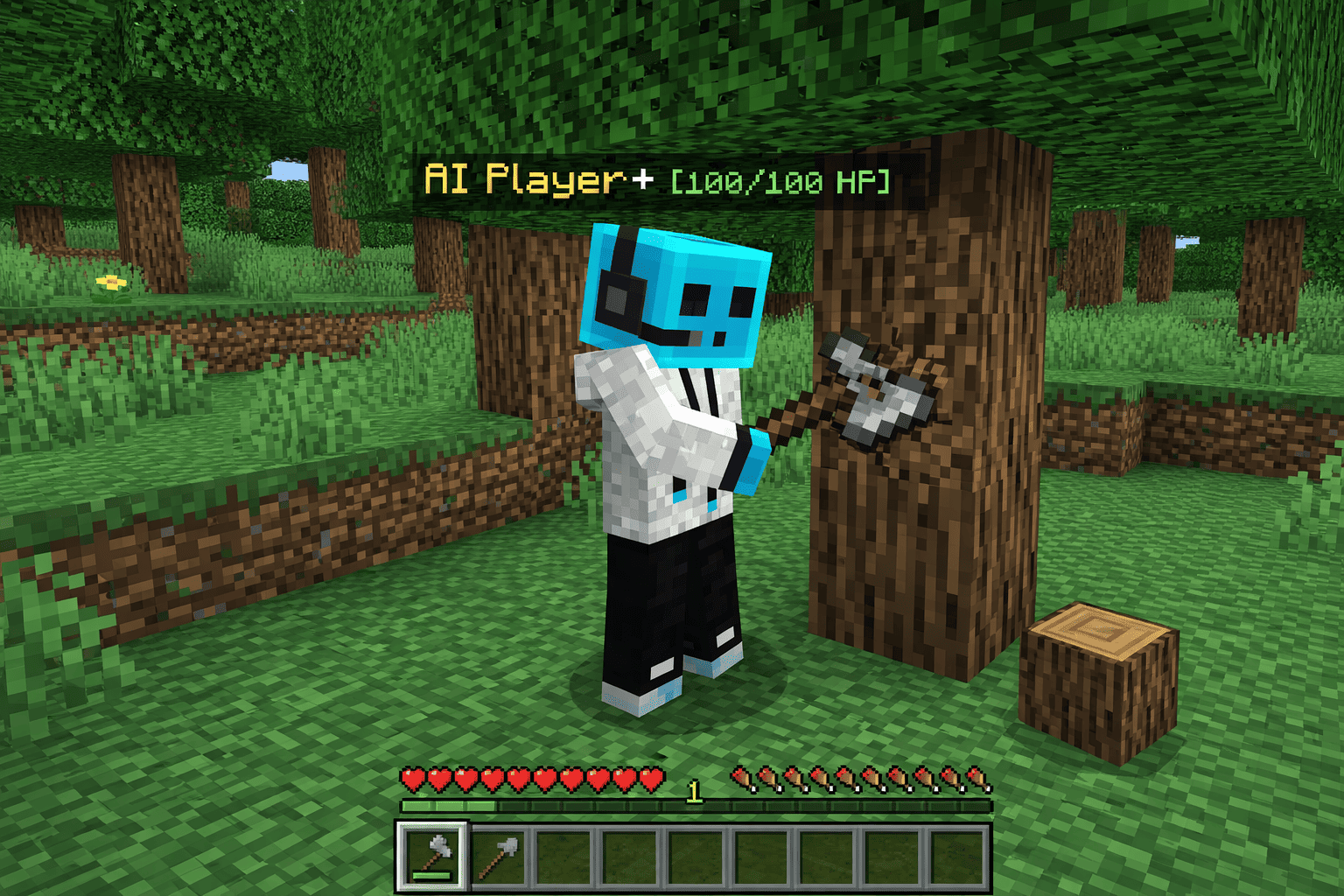
- >> 12. Task: Chop Nearby Wood Logs (x12): Scans for nearby trees, breaks up to 12 wood logs, and stores them inside the AI Backpack.
- >> 13. Task: Mine Stone & Coal (x16): Mines nearby Stone, Cobblestone, Deepslate, and Coal Ore into the backpack.
- >> 14. Task: Find & Mine Iron/Gold/Diamond: Scans for nearby Iron, Gold, Copper, Lapis, Redstone, Emerald, and Diamond Ores, mines them, and auto-smelts raw ores into ingots!
- >> 15. Task: Farm & Replant Mature Crops: Harvests mature Wheat, Carrots, Potatoes, and Beetroots and automatically replants the seeds!
- >> 16. Task: Clear Tall Grass, Flowers & Land: Clears up to 20 tall grass, ferns, dead bushes, and flowers around you to flatten building areas.
- >> 17. Task: Auto-Place Cave Torches
[ON / OFF]: Automatically places realminecraft:torchblocks every few seconds while exploring underground or at night!
🏗️ 5. Instant 4-in-1 Structure Builder
- >> 18. Task: Build Hut / Bunker / Bridge / Fire:
- Wooden Survival Hut (5x5): Oak Planks & Log pillars, Glass Windows, Torch inside, and open doorway.
- Reinforced Stone Fort Bunker (5x5): Blast-resistant Cobblestone & Stone Bricks defense bunker.
- Sky / Lava Bridge (10 Blocks): Builds a 3-wide Cobblestone bridge straight ahead of the direction you are looking!
- Instant Campfire & Torch Rest Post: Places a lit Campfire with 4 surrounding Torches for night survival.
💖 6. Medic Support, Shockwave & Explorer Buffs
- >> 19. Medic Support (Heal & Buff Me Now): Heals both you and your AI Player+ while granting Regeneration II, Absorption Hearts, and Fire Resistance!
- >> 20. Shockwave (Knockback Nearby Monsters): Unleashes an explosive bodyguard shockwave that deals damage and blasts back all hostile monsters within 9 blocks!
- >> 21. Explorer Buff (Night Vision + Water Breath): Shares 3 minutes of Night Vision & Water Breathing with you for cave and ocean exploration!
🎒 7. 27-Slot Backpack, Auto-Crafter & Hide/Vanish
- >> 22. Open 27-Slot Backpack & Auto-Crafter:
- Auto-Loot Magnet: Automatically picks up nearby dropped items on the ground!
- Built-In Auto-Crafter (8 Recipes): Convert Logs to Planks, Planks to Sticks, Cobblestone to Torches, Iron Ingots to Iron Sword/Pickaxe, Wood to Crafting Table, Cobblestone to Furnace, and Wheat to Bread!
- >> 23. Drop All Collected Backpack Loot To Me: 1-click button to drop every item from the AI Player's backpack right at your feet!
- >> 24. Temporarily Hide (Vanish) / Show / Dismiss: Temporarily make your AI Player+ invisible or dismiss and recall them at any time with all stats, custom name, and weapon saved!
🛠️ How to Get the AI Player+ Controller
- Automatic on World Join: Every player automatically receives 1x AI Player+ Controller upon spawning.
- Survival Crafting Recipe: Craft a replacement controller anytime at a Crafting Table using:
1x Gold Ingot(Top)1x Redstone Dust(Middle)1x Stick(Bottom)
- Command:
/give @s gurjar:ai_remote
📋 Installation Guide
- Download the
AI-Player-Plus.mcaddonfile. - Tap/Double-click the
.mcaddonfile to automatically import bothAI Player+ BP(Behavior Pack) andAI Player+ RP(Resource Pack) into Minecraft. - Activate both packs in your World Settings (Behavior Packs & Resource Packs).
- Load into your world and Right-Click / Long-Press with the AI Player+ Controller!
👑 Credits & Copyright Policy
- Add-On Name:
AI Player+ - Creator / Developer / Author: GURJAR
- License: All Rights Reserved © GURJAR
✅ Allowed:
- You are welcome to record YouTube videos, Shorts, Reels, or livestreams showcasing AI Player+ as long as you credit Creator: GURJAR and link back to the official CurseForge page.
❌ Not Allowed:
- Do NOT re-upload this add-on to third-party websites or apps without permission.
- Do NOT redistribute direct download links — always share the official CurseForge link.
- Do NOT claim this add-on, its code, or its custom textures as your own work.
- Edition: Minecraft Bedrock
- File type: .mcpack or .mcaddon
- Minecraft versions listed: 1.21.100, 1.21.80, 1.21.130
- How to install: Download the .mcpack or .mcaddon file. → Open it — Minecraft imports it. → In your world: Behavior Packs → Available → Activate, then the same under Resource Packs.
- Where to get it: Opens on CurseForge — not every file is mirrored on our own servers.
Install steps are the general flow for this file type — How to install Minecraft Bedrock addons & mods walks through it step by step.
- Pack type: .mcaddon — behaviour and resource pack in one file
- Manifest requires Minecraft 1.20.80 or newer
- Complete pack — everything it depends on is inside the file
- Download size: 30 KB
- Download link checked 22 Oct 2026 — working
These come from our own check of the pack file, not from the source page.