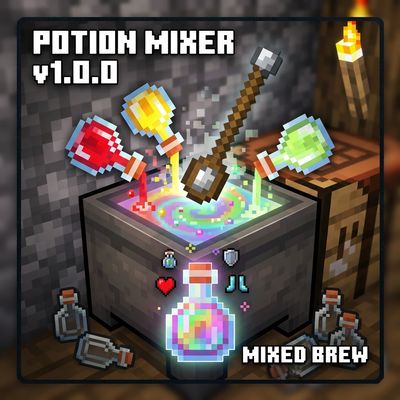
Potion Mixer
Bedrock add-on listed for Minecraft 26.x. Download on the author's site.
⬇ Download on CurseForgePotion Mixer
Blend several potions into one Mixed Brew that gives you all their effects at once!
Status: Early work (v1.0.0). See Early work and feedback below.
Features
Easy Mixing: Tap a Cauldron with a Mixing Spoon to mix between 2 and 6 drinkable potions.
All-in-One Effects: Receive one Mixed Brew that applies every combined effect when consumed.
Resource Efficient: Empty glass bottles are returned after mixing.
Vanilla Compatible: Works seamlessly on vanilla potions, including extended-duration and upgraded-level variants.
Lightweight: No Beta APIs required.
Requirements
Minecraft: Bedrock Edition 1.21.100 or newer.
World Settings: Both the Behavior Pack and the Resource Pack must be enabled in your world.
Installation
Open PotionMixer.mcaddon and let Minecraft import it automatically.
Create or edit a world, then enable both Potion Mixer packs under Resource and Behavior settings.
Save changes, launch the world, and enjoy!
How to Use
Craft a Mixing Spoon: Place 1 Iron Nugget over 2 Sticks in a single column in the crafting grid.
Interact with a Cauldron: Hold the Mixing Spoon and tap (right-click / interact) a cauldron.
Select Potions: Choose between 2 and 6 potions you wish to combine.
Enjoy: Collect your Mixed Brew and drink it!
Mixing Rules
Full Power: Every effect retains its full original duration.
Stacking Durations: Two potions with the same effect stack their durations, up to a maximum cap of 20 minutes.
Level Priority: If combining two potions with different effect levels (e.g., Speed I and Speed II), the higher level takes precedence and retains its own duration.
Opposing Effects: Opposing effects (e.g., Instant Health and Instant Damage) do not cancel out—both will apply.
Composite Potions: Complex potions like Turtle Master are treated as their individual components (Slowness + Resistance).
- Edition: Minecraft Bedrock
- File type: .mcpack or .mcaddon
- Minecraft versions listed: 26.20, 26.30, 26.40
- How to install: Download the .mcpack or .mcaddon file. → Open it — Minecraft imports it. → In your world: Behavior Packs → Available → Activate, then the same under Resource Packs.
- Where to get it: Opens on CurseForge — not every file is mirrored on our own servers.
Install steps are the general flow for this file type — How to install Minecraft Bedrock addons & mods walks through it step by step.
Potion Mixer is a free Minecraft Bedrock addon. Compatible with Minecraft 26.20, 26.30, 26.40, 26.50. Downloaded 8 times (via CurseForge). Download it and open it directly in the game.