
ModsJava
spidereyenetherwartblock
Java mod listed for Minecraft 26.x. Downloads from the MC Java Mods app on Android.
⬇ Download on Hangar# Spider Eye Nether Wart Block
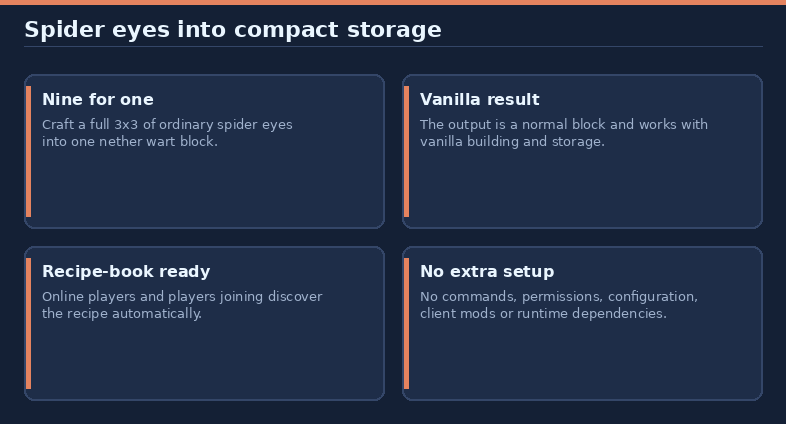
**Turn nine ordinary spider eyes into one compact nether wart block.**
For **Paper 26.3** and **Java 25**. No runtime dependencies, commands, or client changes.
> **In game:** type `/help spidereyenetherwartblock` for the recipe guide. It ends with clickable links to this page and the [issue tracker](https://github.com/rewrite123/papermc-plugins/issues).
## Contents
- [Quick start](#quick-start)
- [Recipe details](#recipe-details)
- [Commands, permissions, and configuration](#commands-permissions-and-configuration)
- [Install](#install)
- [Build from source and publish](#build-from-source-and-publish)
- [Links and support](#links-and-support)
## Quick start
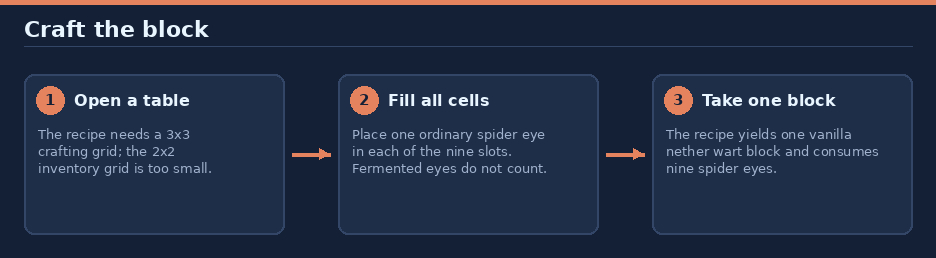
1. Open a **crafting table**; the recipe needs a 3 x 3 grid.
2. Fill all nine cells with one ordinary spider eye each.
3. Take the output: one normal nether wart block.
## Recipe details
| Grid | Ingredient | Output |
| --- | --- | --- |
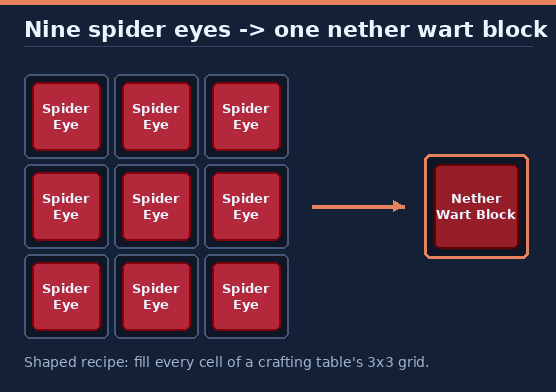
| Shaped 3 x 3; every slot must be filled | 9 spider eyes | 1 nether wart block |
- The recipe is shaped, so the 2 x 2 player inventory grid is too small.
- Fermented spider eyes do not match.
- The resulting block is an ordinary vanilla `NETHER_WART_BLOCK`.
- The vanilla recipe that compresses nether wart remains unchanged.
- Recipe-book filling, shift-crafting, ingredient consumption, and output placement use Paper's normal crafting behavior.
- Online players learn the recipe when the plugin enables; players joining later learn it on join.
## Commands, permissions, and configuration
| Surface | Available |
| --- | --- |
| Plugin commands | None. Use the crafting table; `/help spidereyenetherwartblock` is Paper's help topic. |
| Plugin permissions | None. |
| Configuration files | None. |
| Runtime dependencies | None beyond Paper. |
## Install
Requires Paper **26.3** and Java **25**.
1. Download the JAR from [Hangar](https://hangar.papermc.io/rewrite123/spidereyenetherwartblock).
2. Place it in the server's `plugins` directory.
3. Restart Paper.
To update or uninstall, stop the server, replace or remove the plugin JAR, and restart. The plugin removes its registered recipe when disabled.
Build from source and publish
From the `spidereyenetherwartblock` folder, run the build and tests:
```sh
./gradlew build --console=plain
```
The Gradle wrapper uses Gradle 9.1.0 and compiles with the Java 25 toolchain. The JAR is written to `build/libs/`. From the repository root, regenerate the original documentation diagrams with:
```sh
python3 tools/docs/spidereyenetherwartblock.py
```
The Hangar publication targets `rewrite123/spidereyenetherwartblock`, the `Release` channel, and Paper `26.3`. Create the Hangar project and provide an API token through `HANGAR_API_TOKEN`; never commit credentials. Normal builds do not publish. To publish a version and sync this README to Hangar:
```sh
./gradlew build publishPluginPublicationToHangar syncAllPluginPublicationPagesToHangar --console=plain -PhangarChangelog="Release notes"
```
Update `gradle.properties` to an unused version before publishing. The publication uploads the JAR and the README page.
Tests verify the full 3 x 3 recipe, exact ingredient identity and vanilla output, recipe discovery, and registration cleanup across disable/re-enable. Regenerate the original project icon from the repository root with `python3 tools/generate-project-icons.py --project spidereyenetherwartblock`; the icon command does not upload anything.
## Links and support
- [Source code and plugin folder](https://github.com/rewrite123/papermc-plugins/tree/main/spidereyenetherwartblock)
- [Hangar project](https://hangar.papermc.io/rewrite123/spidereyenetherwartblock)
- [Report a bug or request a feature](https://github.com/rewrite123/papermc-plugins/issues)
Quick facts
- Edition: Minecraft Java
- File type: .jar
- Minecraft version listed: 26.3
- How to install: Install the matching mod loader (Forge, Fabric or NeoForge) for your Minecraft version. → Download the .jar. → Put it in the .minecraft/mods folder and launch that loader profile.
- Where to get it: Opens on Hangar — not every file is mirrored on our own servers.
Install steps are the general flow for this file type — How to install Minecraft Java mods & modpacks walks through it step by step.
spidereyenetherwartblock is a free Minecraft Java mod. Compatible with Minecraft 26.3. Available via Hangar. Download it and open it directly in the game.