ModsJava
Vellum Mod (1.21.1) – Display Web-Powered Menus and Custom Interfaces
Java mod listed for Minecraft 1.21. Downloads from the MC Java Mods app on Android.
⬇ Download


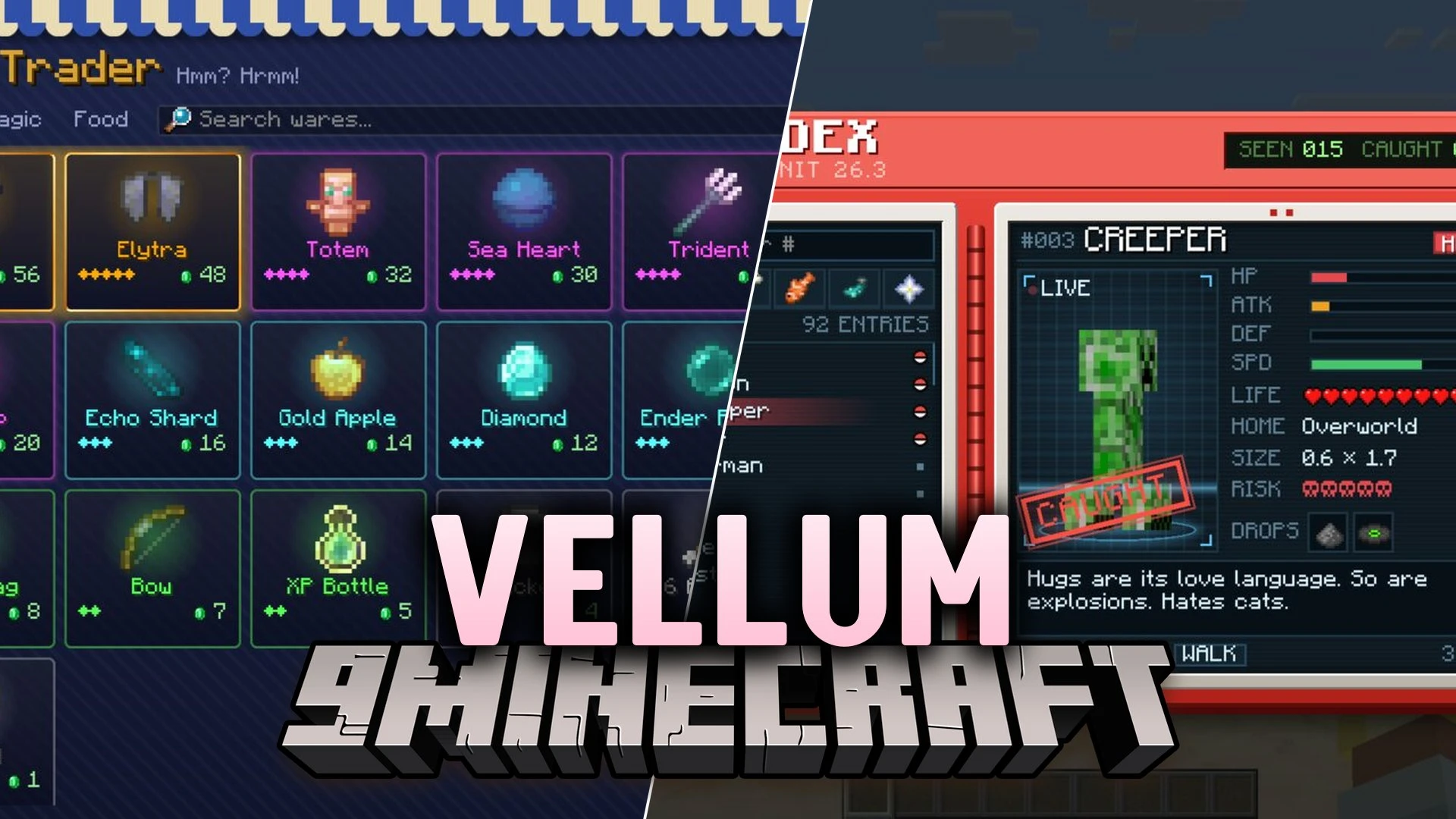
Vellum Mod brings a web engine to Minecraft so menus and displays can use HTML, CSS, and JavaScript. The mod renders screens, HUD elements, and inventories through the normal game renderer. It serves as a library for other mods that need clean visual interfaces. Players mainly keep it in their setup when another mod depends on it. You can interact with items, inventory slots, and mob models directly inside these web-based screens.
Features:
- Web Layouts: Renders screens and custom HUDs with HTML layouts, CSS styling, and keyframe animations.
- Vanilla Slot Interaction: Lets you click, drag, and shift-click items inside web slots just like regular Minecraft inventories.
- Minecraft Elements: Displays items, sprites, player heads, 3D entities, and 3D models directly on the screen.
- Template Scripting: Runs JavaScript with template helpers for repeating lists, conditions, and click events.
- Server Pages: Server mods can show screens to connected players, share game data, and receive menu choices back.
- Built-in Safety: Scripts run in an isolated sandbox without direct access to your local files, computer network, or system Java.
- Includes narration tools to help read screen text out loud.
- Lets players close any active server screen by pressing Shift + Esc.
- A config setting lets you block server-sent web screens if you prefer not to see them.
- Ships with preview tools and hot reload so pages update instantly during editing.
Commands:
/vellum: opens built-in showcase pages and test demos inside the game.
How to Use:
- Type
/vellumin the chat window to view sample interfaces and test screens. - Press Shift + Esc at any time to instantly exit an open server page.
Screenshots:
Vellum Mod Download Links
Quick facts
- Edition: Minecraft Java
- File type: .jar
- Minecraft version listed: 1.21.1
- How to install: Install the matching mod loader (Forge, Fabric or NeoForge) for your Minecraft version. → Download the .jar. → Put it in the .minecraft/mods folder and launch that loader profile.
- Where to get it: In MC Java Mods, or directly above on this page.
Install steps are the general flow for this file type — How to install Minecraft Java mods & modpacks walks through it step by step.
File checked by MCModsHub
- Downloads as 531608.mcaddon
- Download size: 2.8 MB
- Download link checked 23 Oct 2026 — working
- Mirrored on our own servers — the download does not depend on the original host
These come from our own check of the pack file, not from the source page.