Mob Levels (Lv.1-100)
Bedrock add-on listed for Minecraft 26.x (behavior + resource pack). File opened and checked on 23 Oct 2026; installs from the MC Bedrock Mods app on Android.
Hostile mobs get Lv.1-100 and grow stronger every day. High levels wear armor and drop better loot. Pairs with Mob Health Bar.
⬇ Download on CurseForgeThe author built this one for Minecraft 26.50. On other versions it may install and then do nothing.
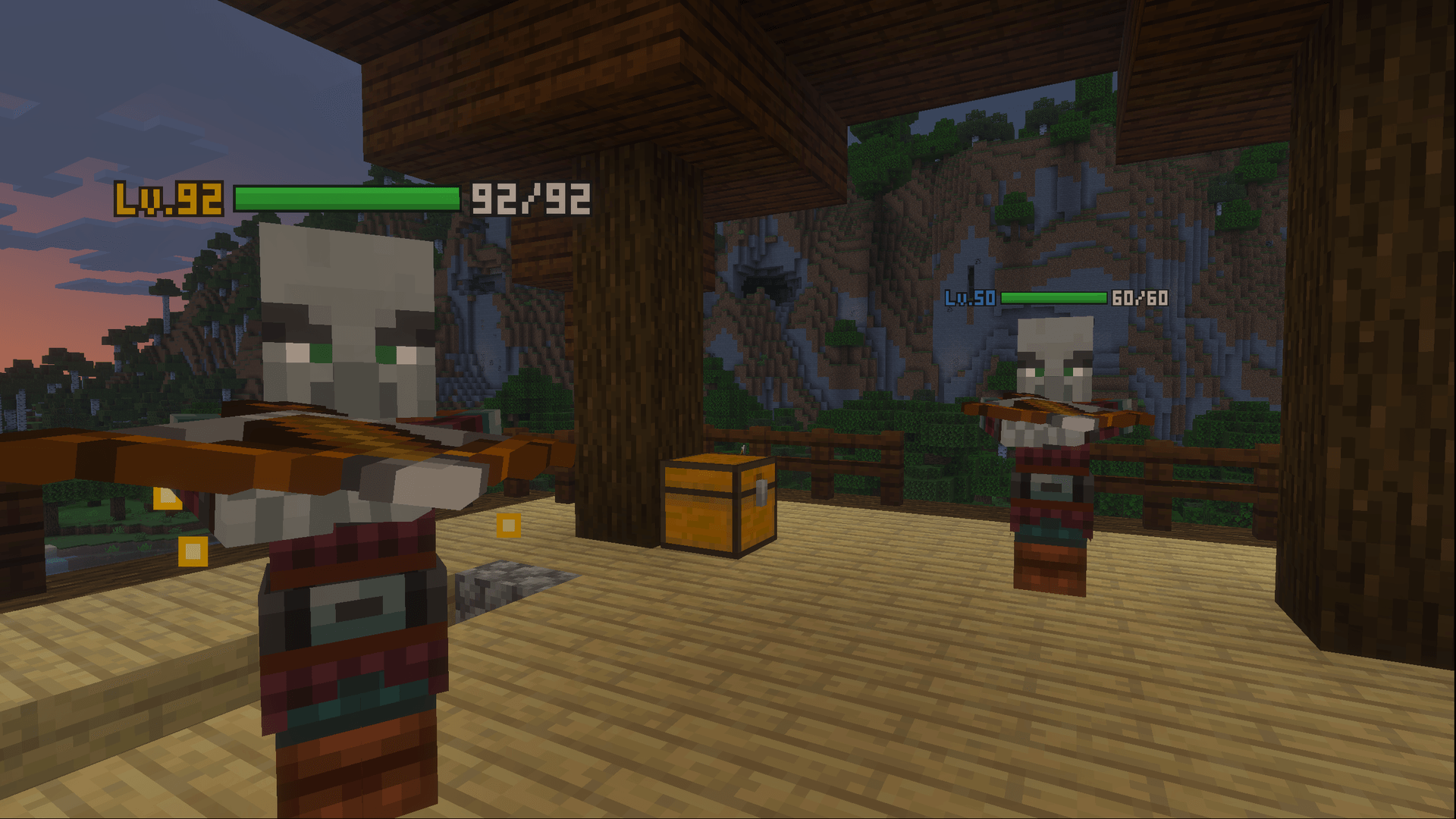
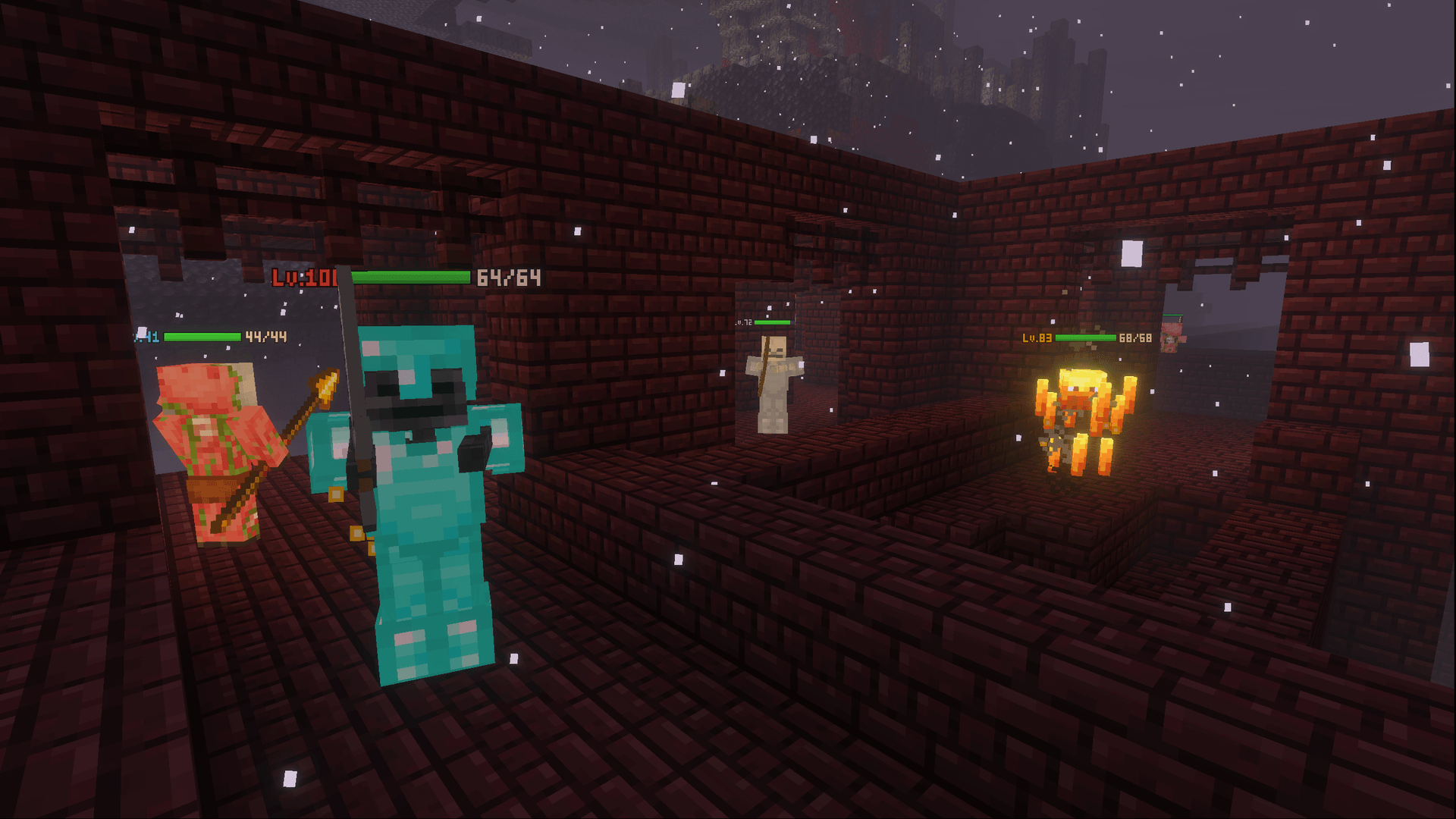
Mob Levels – Stronger Mobs Every Day
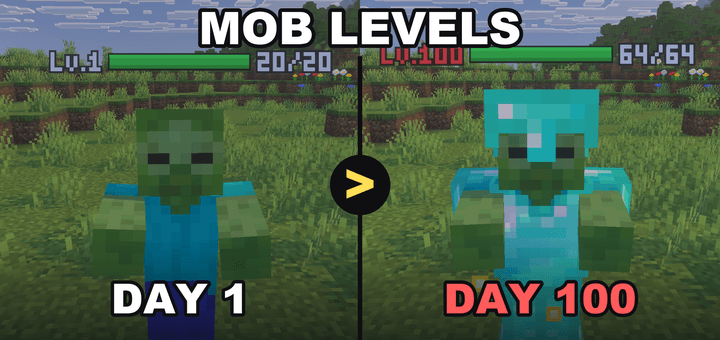
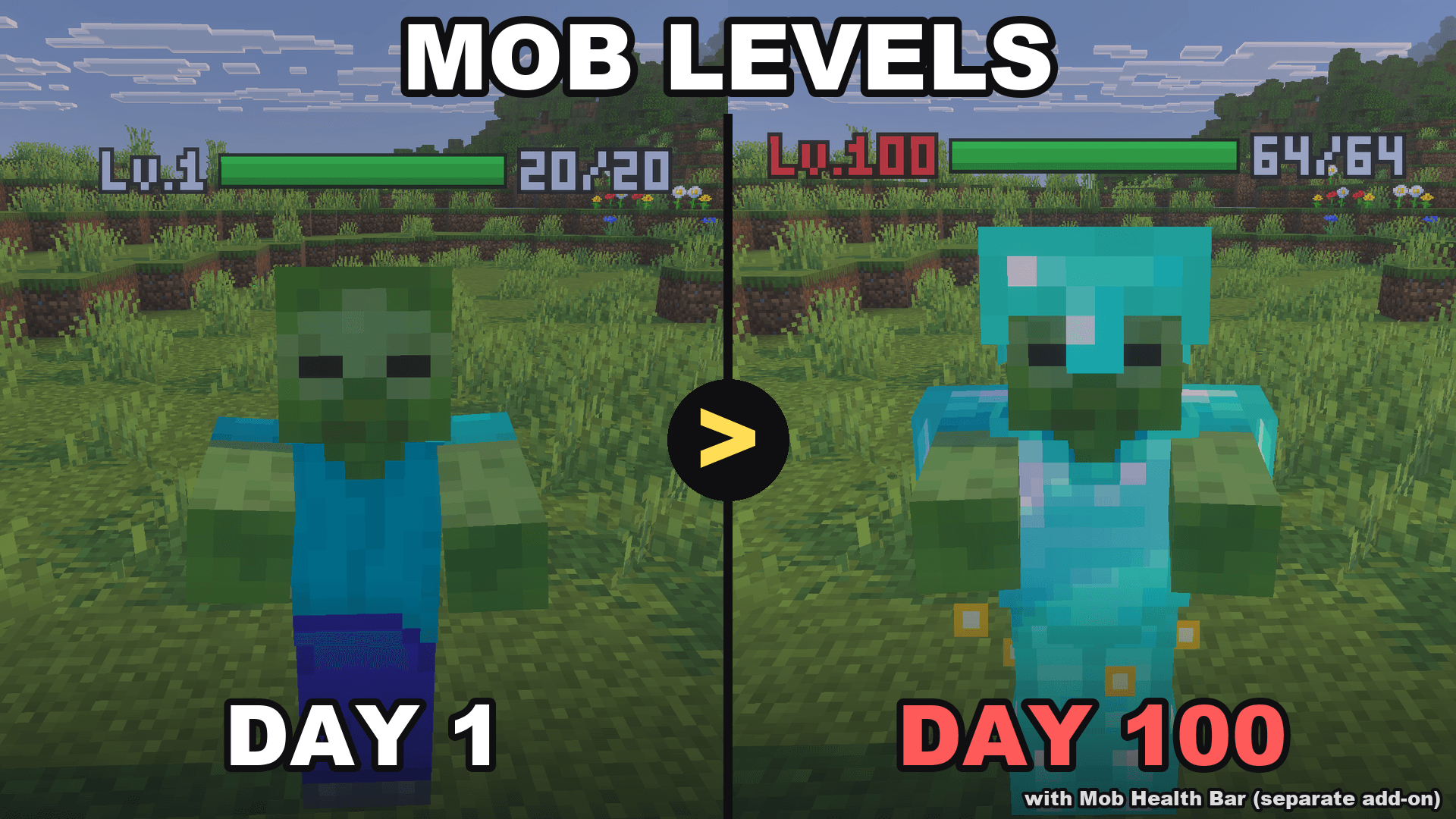
Every hostile mob now has a level from Lv.1 to Lv.100. Mobs grow stronger as your world gets older, high-level mobs wear iron or diamond armor, and defeating them gives better rewards.
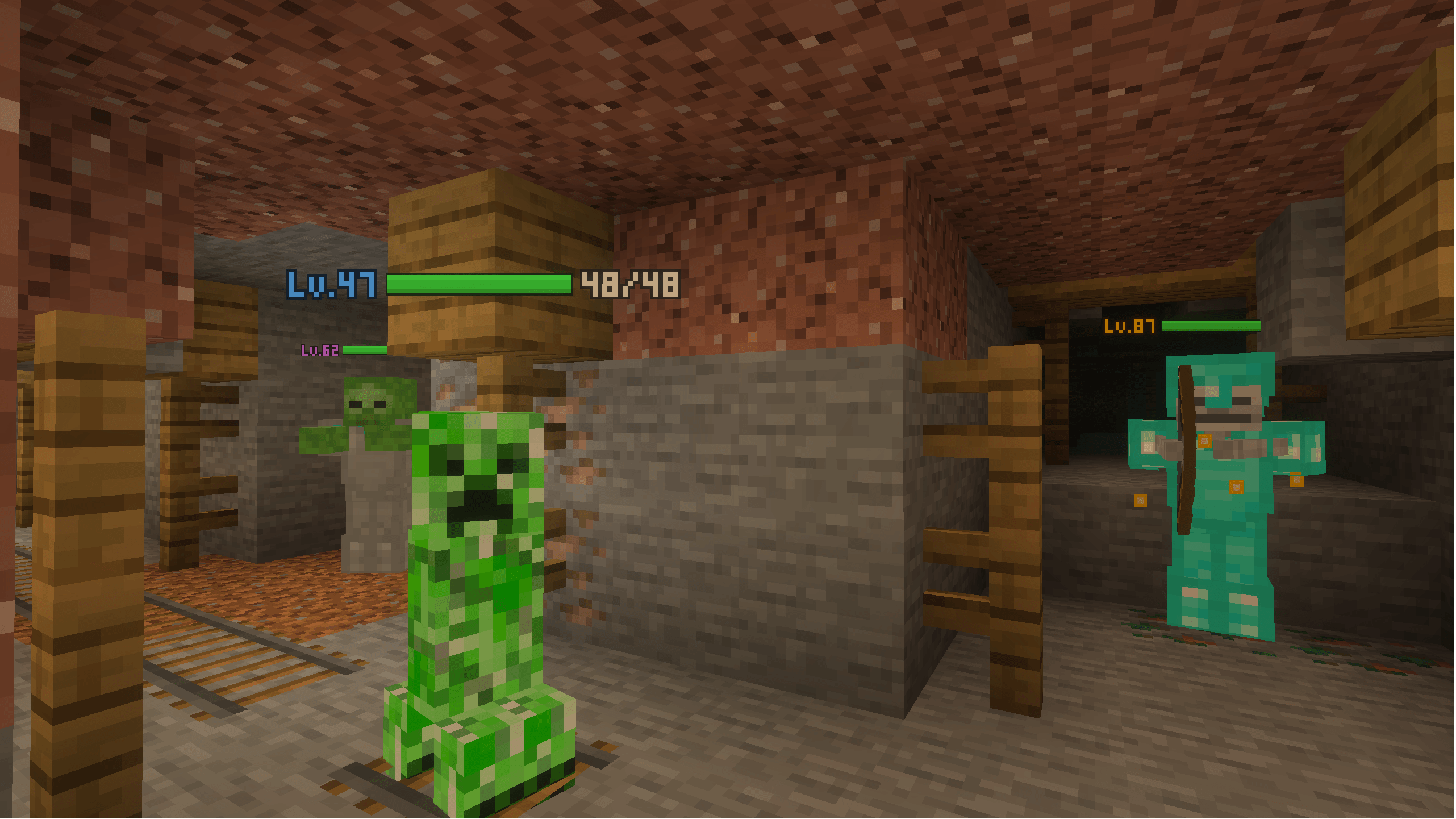
Pairs perfectly with Mob Health Bar & Damage Numbers. The health bar is a separate add-on. With both installed, the level is shown right next to each mob's health bar. Mob Levels also works on its own (the level is shown above the mob).
Features
- Lv.1 to Lv.100 – every naturally spawned hostile mob gets a level, including hostile mobs from other add-ons.
- Stronger every day – the base level goes up by 1 every 2 in-game days (up to Lv.50 by default). Most mobs stay close to the base level, but weak mobs and rare, very strong mobs can still appear.
- Real power – higher levels mean more health (up to 4x at Lv.100), faster movement, harder hits and damage resistance.
- You can see how strong they are – the level above each mob changes color: white, green, blue, purple, gold, and red at Lv.100.
- Armored elites – from Lv.50 mobs wear iron armor, from Lv.75 full diamond armor. The armor never drops, so it can't be farmed.
- Rare threats – mobs of Lv.80 and above glow with golden particles, and a message warns you when one appears nearby.
- Better rewards – defeat leveled mobs yourself for bonus XP, iron, gold, emeralds and enchanted books. Mobs of Lv.80+ always drop at least one bonus item.
- Diamonds from tough enemies – Lv.70+ Breezes, Piglin Brutes and Elder Guardians can drop diamonds, and so can raid mobs (less often).
- Farm-proof rewards – bonus rewards only drop when a player deals at least half of the mob's health with direct attacks (melee or projectiles). Mob farms that kill with fall damage or lava give nothing extra.
- English & Japanese supported.
Level distribution
| Chance | Level | |
|---|---|---|
| Weak | 15% | Lv.1 to Lv.20 |
| Normal | 68% | around the base level |
| Strong | 15% | base level +10 to +25 |
| Very strong | 2% | base level +30 to +50 |
On day 1 almost every mob is Lv.1 to Lv.6. After about 100 days most mobs are Lv.40 to Lv.55, and a very strong Lv.80 to Lv.100 mob may appear.
Settings
Open the gear icon of Mob Levels in the Behavior Packs list (before joining the world, or in game via Settings > Behavior Packs).
| Setting | Default |
|---|---|
| Give levels to hostile mobs | ON |
| Mobs get stronger over time | ON |
| Maximum base level (10 to 100) | 50 |
| Chance of strong mobs (0 to 200%) | 100% |
| High-level mobs wear armor | ON |
| Extra rewards when defeated | ON |
| Show levels above mobs | ON |
| Also give levels to bosses and the Warden | OFF |
Settings are saved per world and apply to everyone in that world.
Good to know
- Only mobs that spawn after the add-on is installed get a level.
- Bosses (Wither, Ender Dragon) and the Warden have no level unless you turn it on in the settings.
- Armor is only given to mobs that can show it (zombies, skeletons, piglins and similar). From Lv.75 they wear a helmet, so they don't burn in sunlight.
- If you remove the add-on, mobs that already have a level keep their armor and extra health until they despawn.
- For screenshots or testing (cheats on):
/scriptevent mlv:summon zombie 80spawns a Lv.80 zombie.
Installation
- Open the
.mcaddonfile – Minecraft imports both packs. - In your world settings, activate Mob Levels under Behavior Packs (the Resource Pack is added automatically).
- Optional: also activate Mob Health Bar to see health bars next to the levels.
- No experimental toggles are needed.
Updating: Minecraft keeps the old version next to the new one. The pack name shows its version (for example Mob Levels v1.0.0). In your world settings, remove the old version and activate the new one.
Compatibility
- Tested on: Minecraft Bedrock 26.52 (Windows)
- Minimum version: Minecraft Bedrock 1.26.30
- Works in single player and multiplayer worlds.
- Does not replace any vanilla entity or item, so it works alongside most add-ons.
Videos & streams
Feel free to use this add-on in videos and streams. A link to this page is appreciated. Re-uploading the add-on to other sites is not allowed.
Bug reports & feedback
Please leave a comment with your Minecraft version and device.
- Edition: Minecraft Bedrock
- File type: .mcpack or .mcaddon
- Minecraft version listed: 26.50
- How to install: Download the .mcpack or .mcaddon file. → Open it — Minecraft imports it. → In your world: Behavior Packs → Available → Activate, then the same under Resource Packs.
- Where to get it: Opens on CurseForge — not every file is mirrored on our own servers.
Install steps are the general flow for this file type — How to install Minecraft Bedrock addons & mods walks through it step by step.
- Pack type: .mcaddon — behaviour and resource pack in one file
- Manifest requires Minecraft 1.26.30 or newer
- Complete pack — everything it depends on is inside the file
- Download size: 19 KB
- Download link checked 23 Oct 2026 — working
These come from our own check of the pack file, not from the source page.