Dynamic Colored Lights
Bedrock add-on listed for Minecraft 26.x (behavior + resource pack). Installs from the MC Bedrock Mods app on Android.
The most advanced dynamic lighting add-on ever made for Bedrock. Hold, drop or throw any light and it glows, in colour with Vibrant Visuals. Glowing mobs…
⬇ Download on CurseForgeThe author built this one for Minecraft 26.50. On other versions it may install and then do nothing.
🔥 BEDROCK DYNAMIC LIGHTS 🔥
THE MOST ADVANCED DYNAMIC LIGHTING ADD-ON EVER MADE FOR BEDROCK
HOLD IT. DROP IT. THROW IT. SET IT ON FIRE. IT GLOWS.
You're deep in a cave with a stack of torches. Place one, walk on, place another, walk on… Or just hold one, and the darkness pulls back around you wherever you go.
Bedrock Dynamic Lights lights the world around everything that glows: the torch in your hand, the lantern you dropped, the blaze across the fortress, the creeper about to blow, in colour with Vibrant Visuals. And it never touches a single block you placed.
🌈 COLOURED LIGHT. FINALLY. 🌈
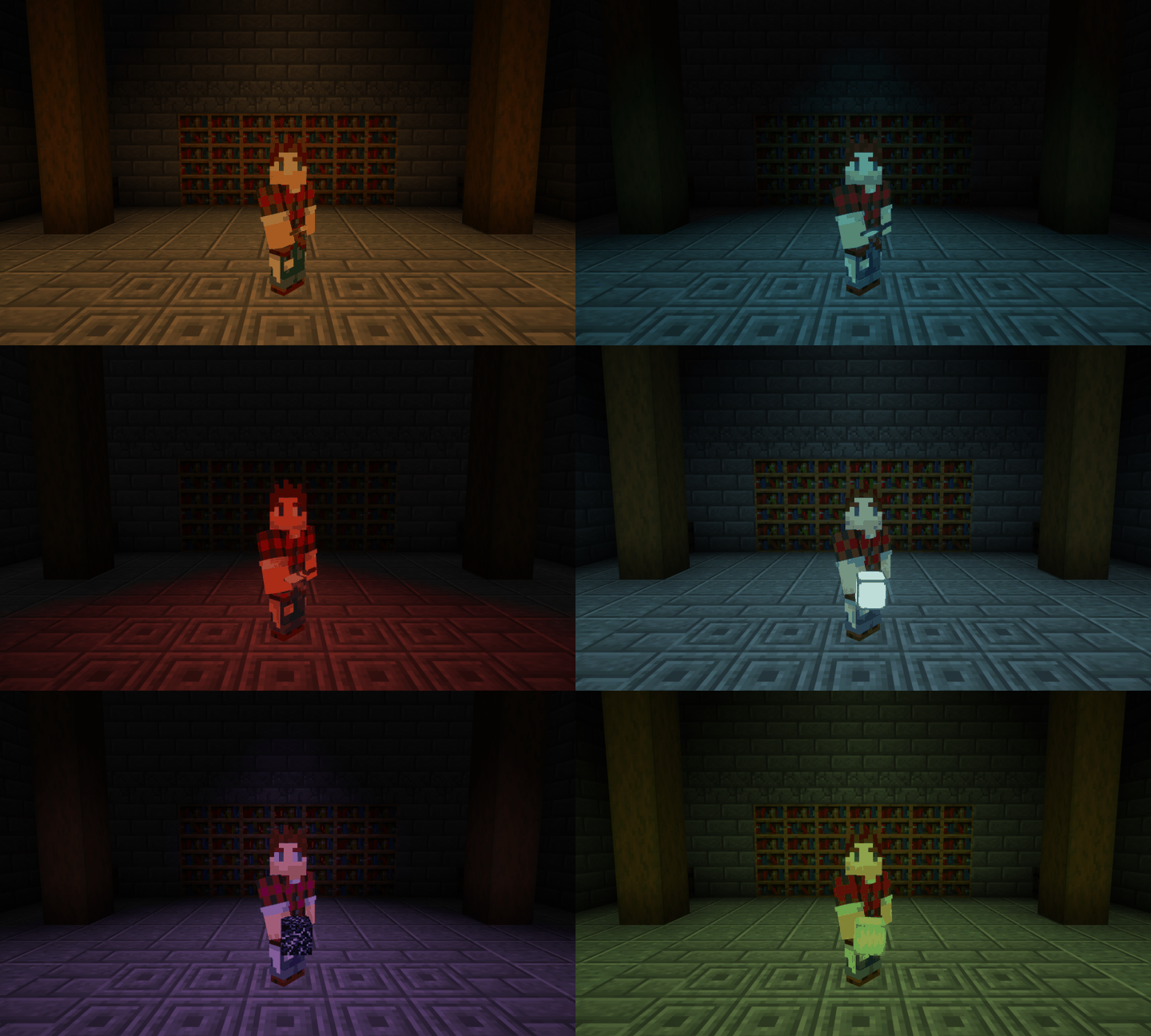
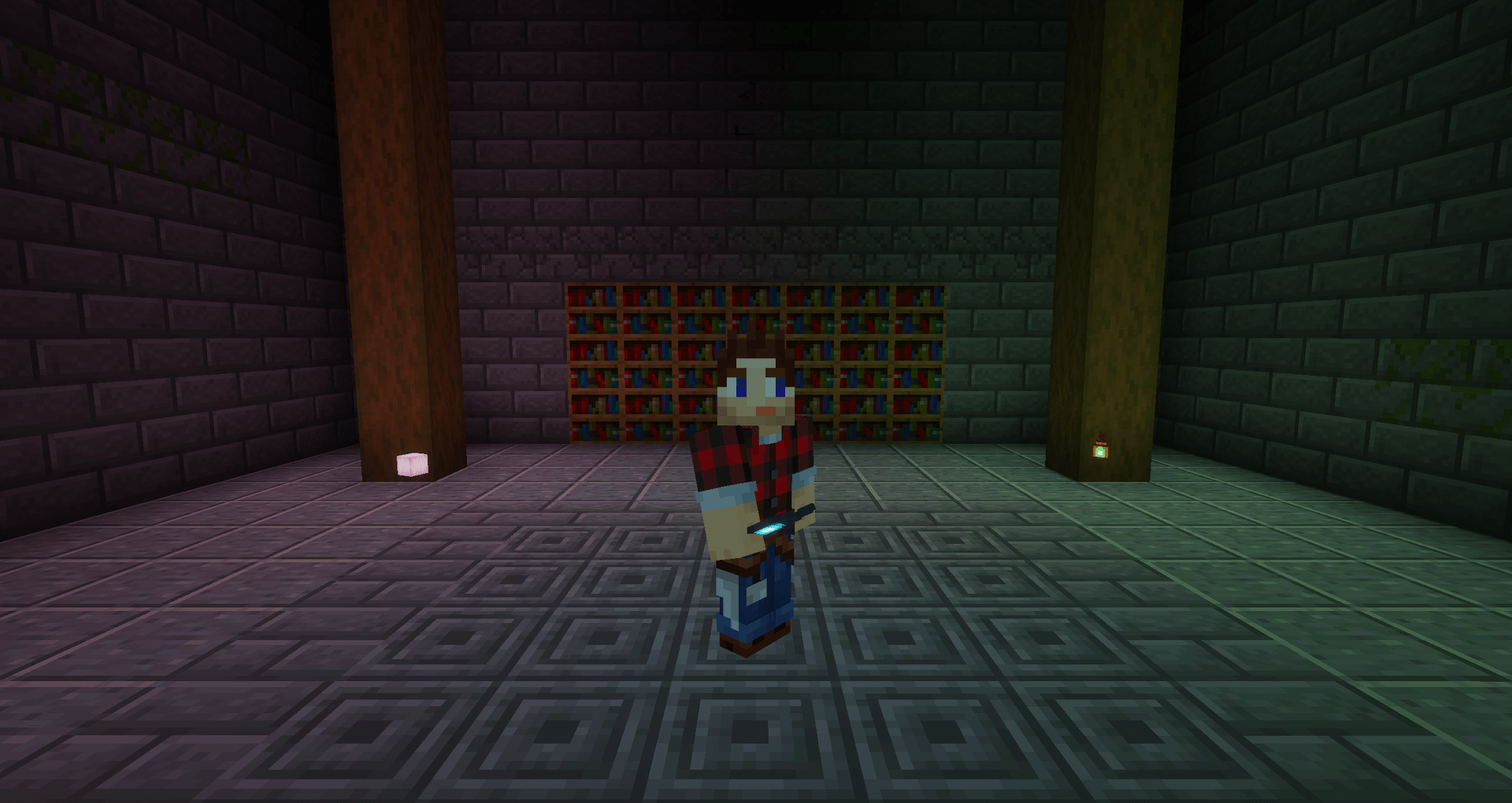
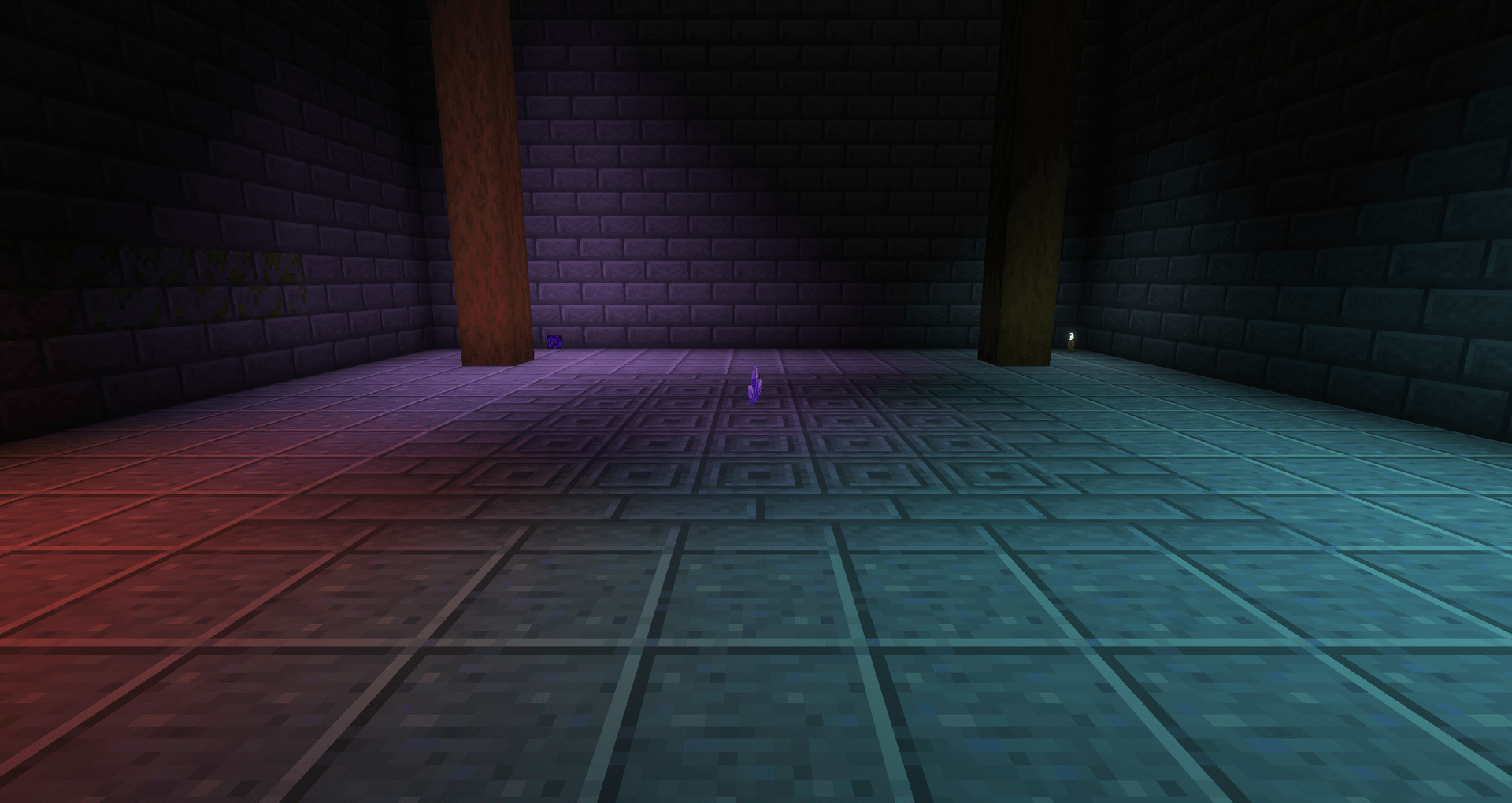
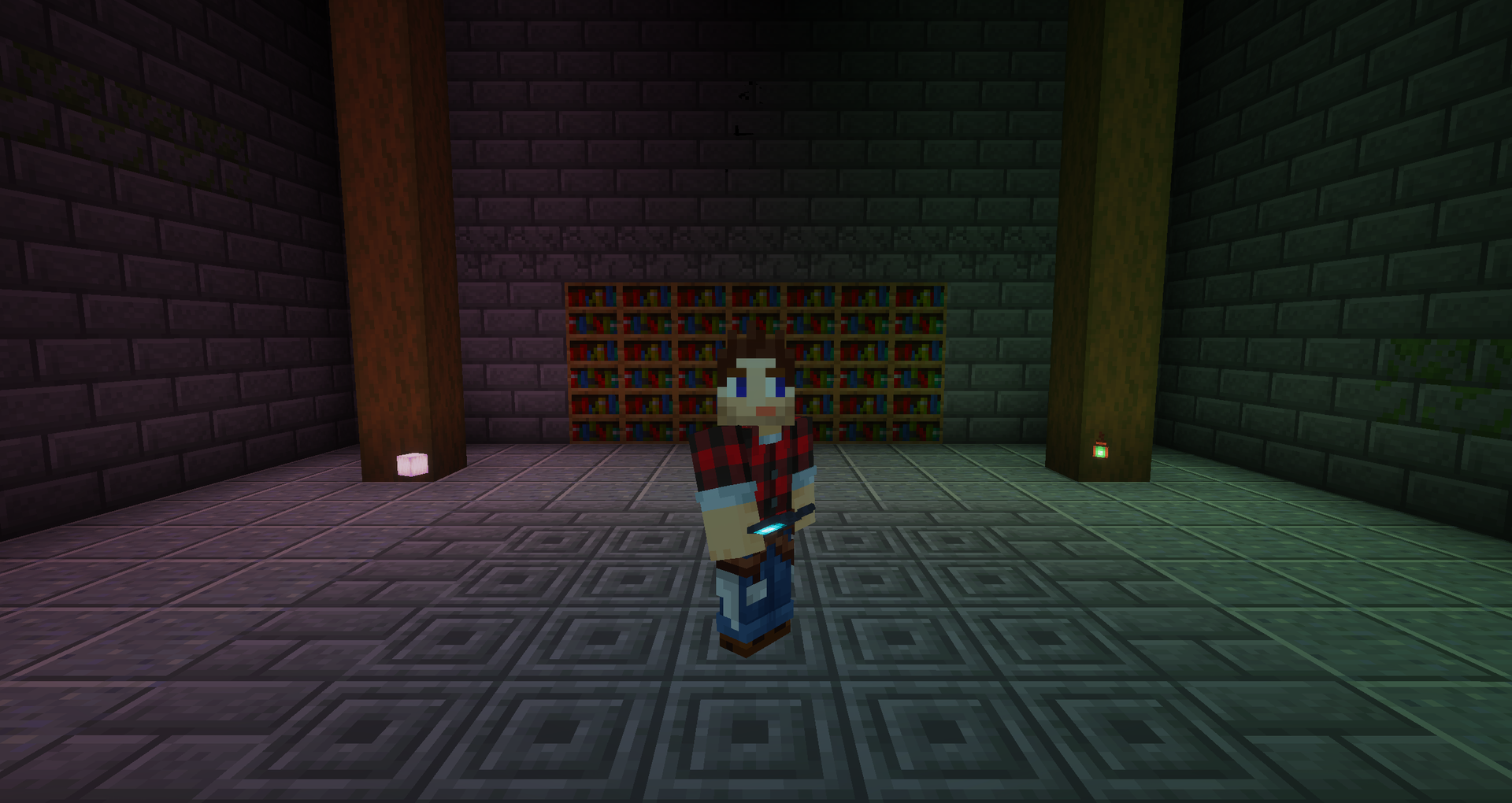
Turn on Vibrant Visuals and every light glows its true colour:
- SOUL TORCHES light the cave icy blue
- REDSTONE TORCHES bathe it in red
- COPPER TORCHES AND LANTERNS glow green
- TORCHES, LANTERNS AND FIRE cast a warm orange
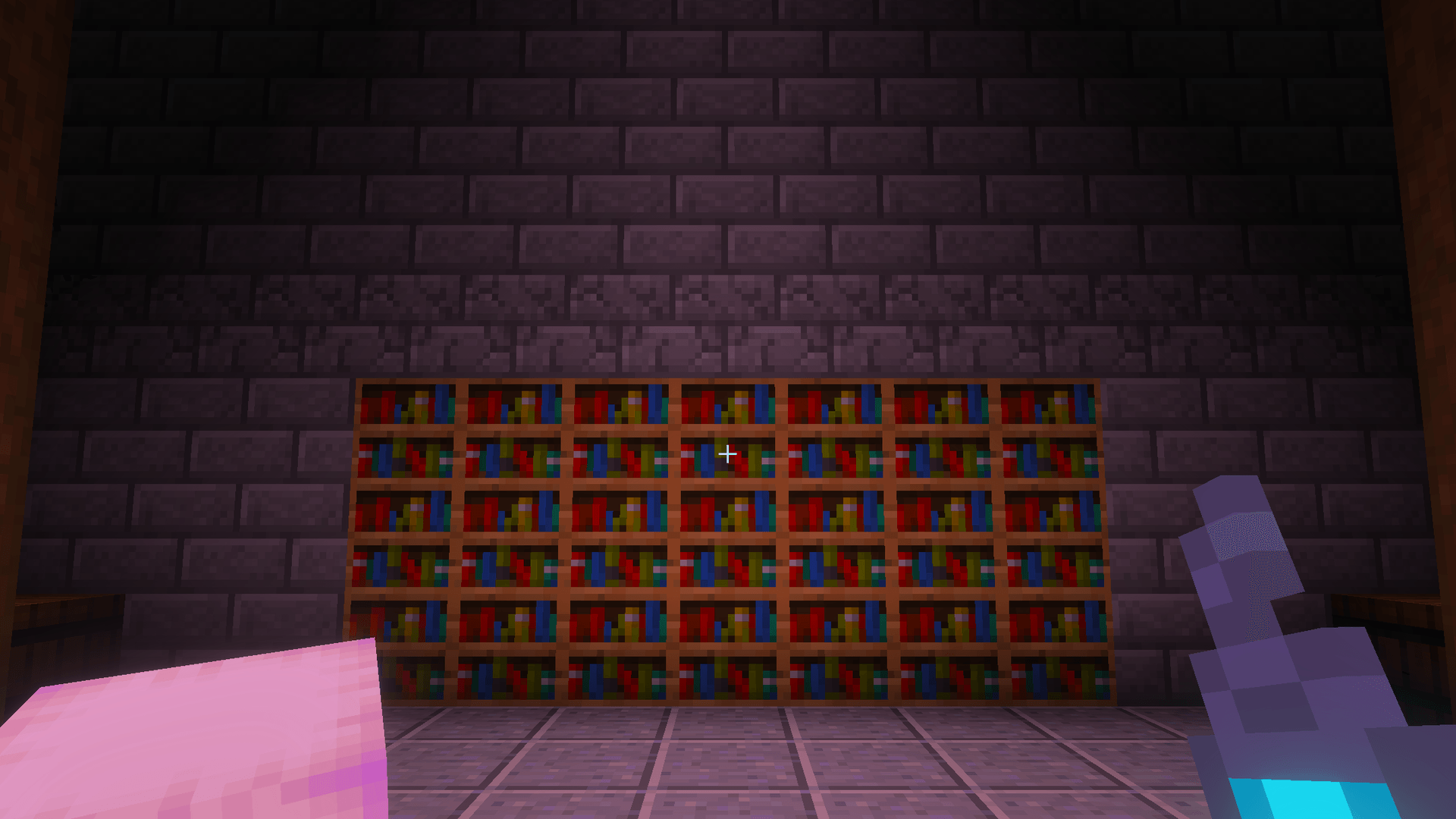
- AMETHYST, ENCHANTING TABLES, CRYING OBSIDIAN in purple, SEA LANTERNS in pale blue, FROGLIGHTS in their own colours
No Vibrant Visuals? Everything still lights up, in classic white light.
🔦 EVERYTHING THAT GLOWS, GLOWS 🔦
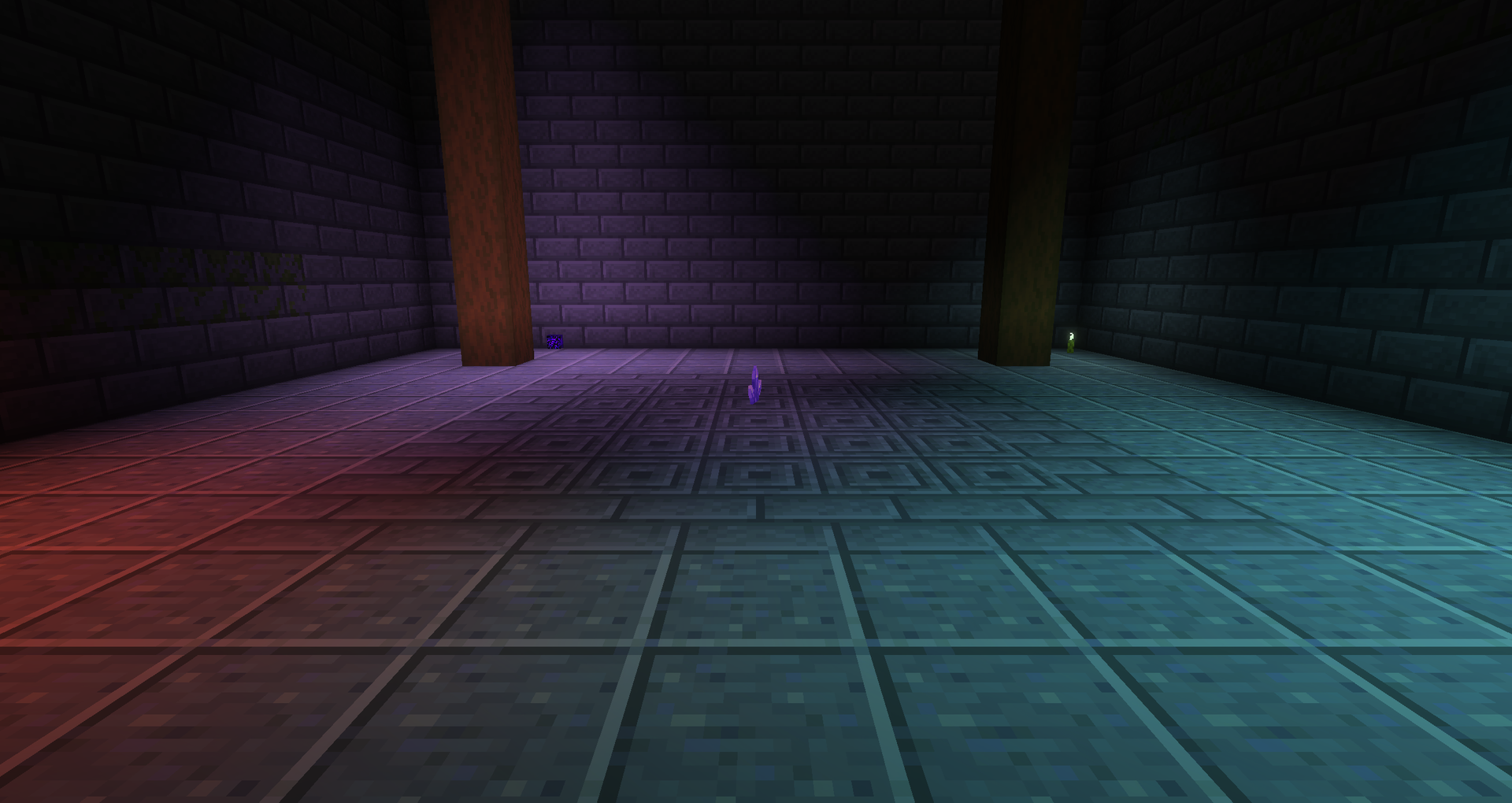
- IN YOUR HANDS — either hand, the brighter one wins. Every vanilla light at its real level: a torch is 14, a soul torch 10, a redstone torch 7. We measured every block in the game to get them right
- ON THE GROUND — drop a lantern and it lights where it lands. Throw it and the light flies with it
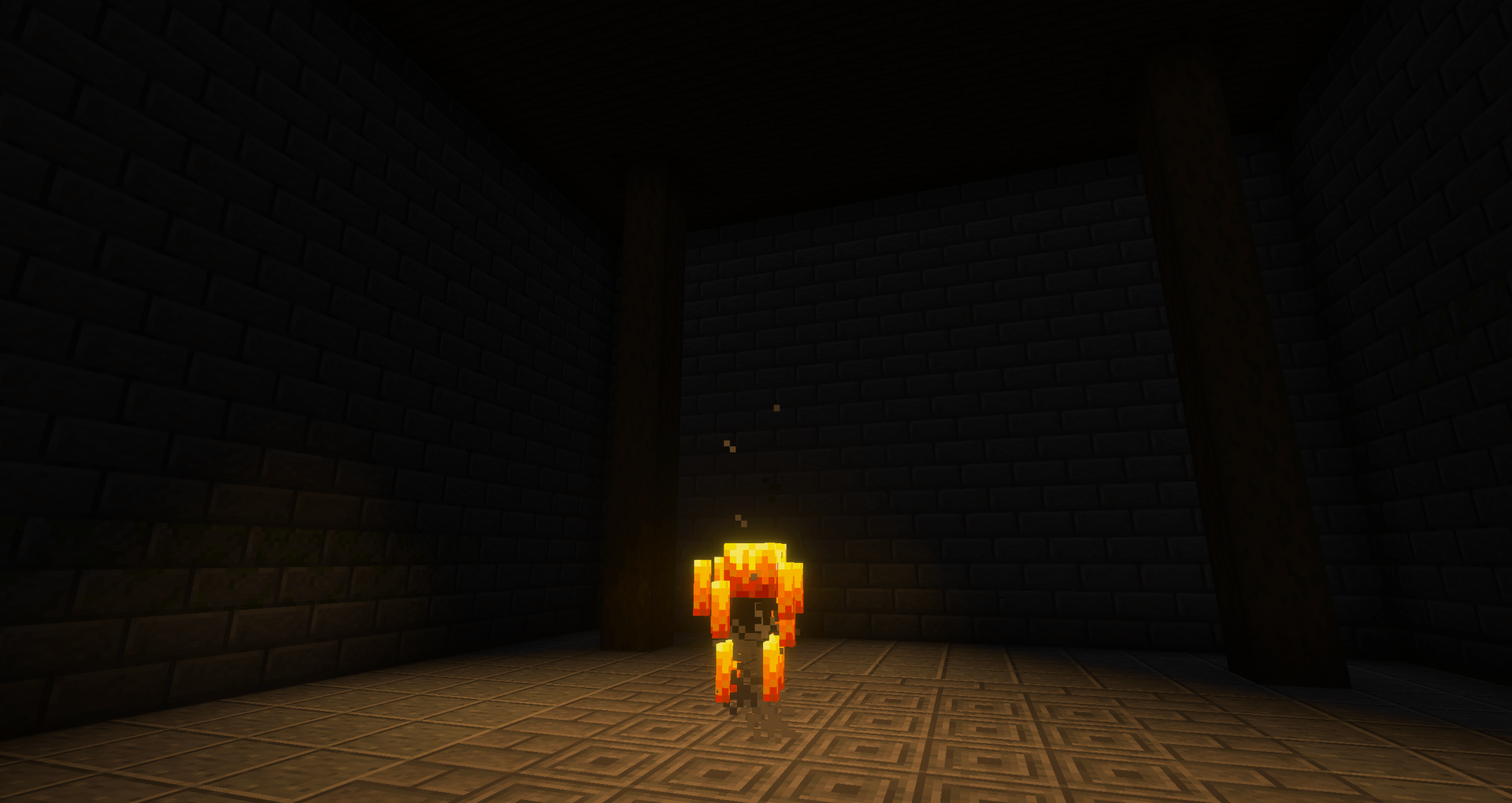
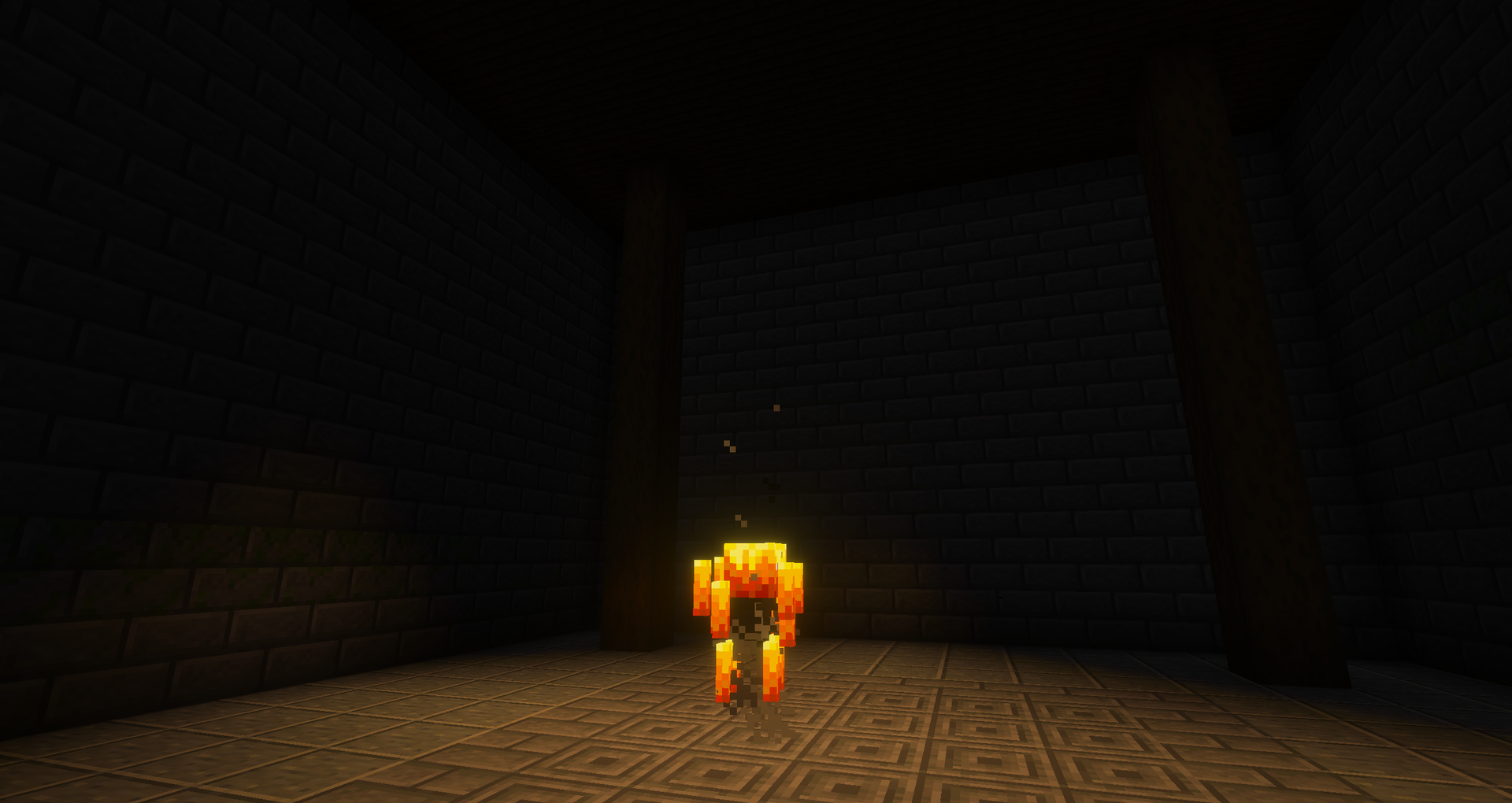
- GLOWING MOBS — blazes, magma cubes, glow squid, allays, vexes and end crystals light up their surroundings. The warden's glow beats with its heart
- ANYTHING ON FIRE — burning zombies, burning players, flaming arrows lighting their path through the night
- MOBS HOLDING LIGHTS — give an armor stand a lantern and it's a lamp post. A zombie that grabs your torch carries it right to you
- FIREBALLS AND FIREWORKS — ghast fireballs light up the Nether as they fly at you
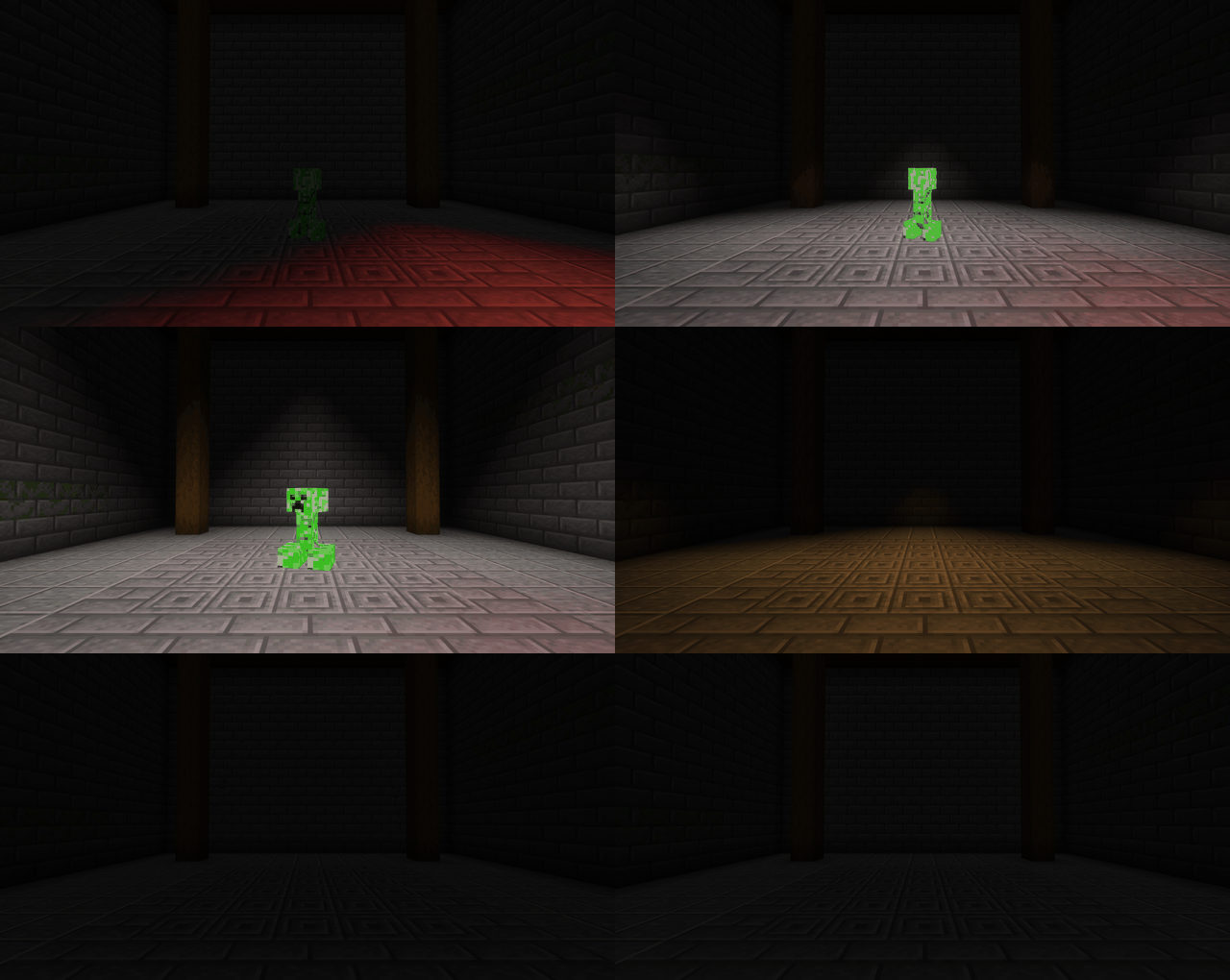
- TICKING TIME BOMBS — lit TNT and creepers about to explode pulse white, faster and faster…
- FLASHES — explosions, lightning strikes and fireworks light up everything around them for a moment
- UNDERWATER — glowstone, sea lanterns and lanterns keep shining underwater. Torches go out with a sizzle and a puff of steam (or let every light work underwater, if you prefer)
🏃 IT KEEPS UP WITH YOU 🏃
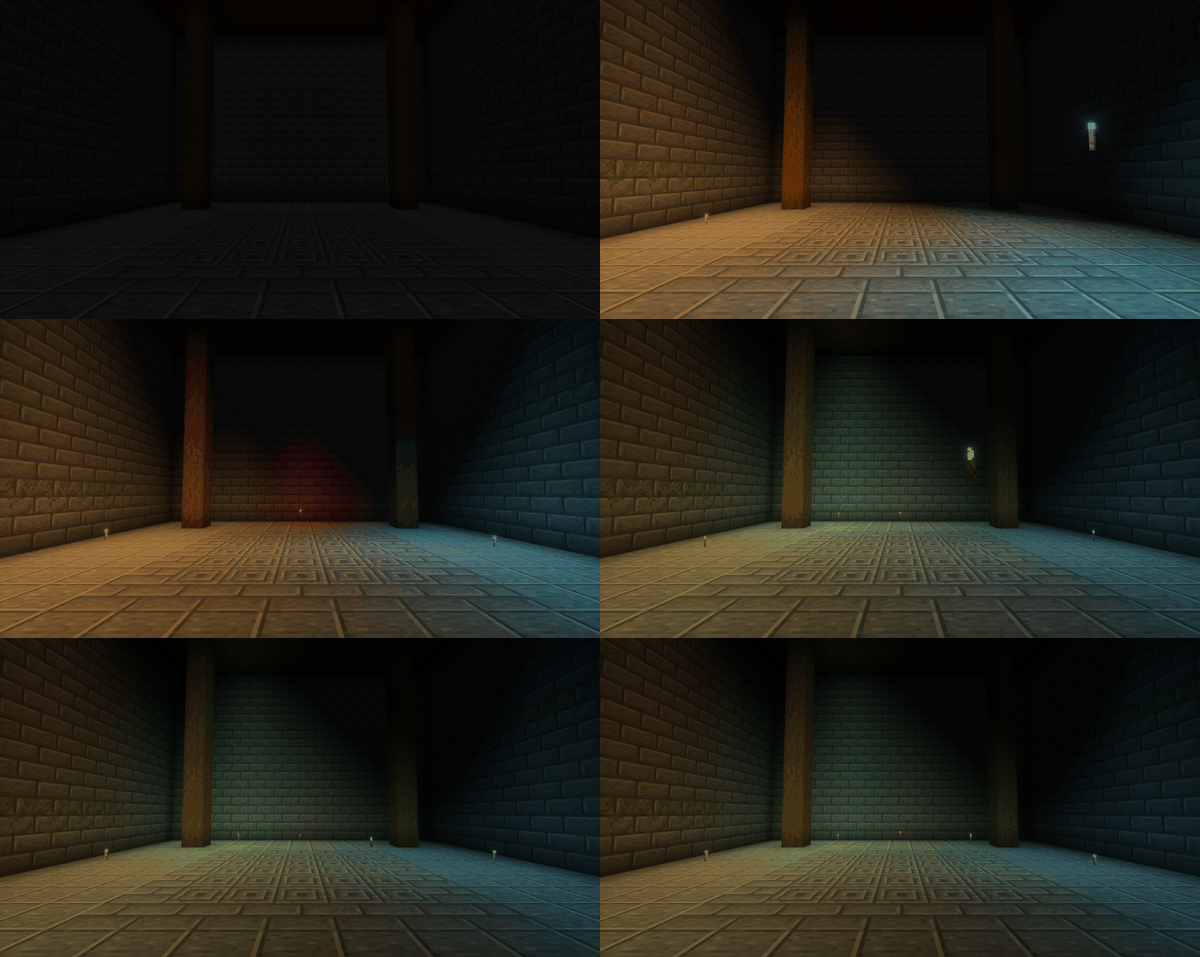
Other dynamic light add-ons light where you were. This one lights where you're going. Sprint, gallop on a horse, ride a minecart, fly with an elytra: the light stays with you, not behind you. No flicker. No trail of light left behind.
🧪 IT LEARNS YOUR OTHER ADD-ONS 🧪
Got an add-on with its own glowing crystals, lamps or lanterns? Place one somewhere dark, and Dynamic Lights measures its light on the spot. From then on it glows in your hand and on the ground, like any vanilla light.
No setup. No config files. No waiting for an update. Your world builds its own collection as you play. Admins can check every learned light and correct any of them.
✋ BOTH HANDS ✋
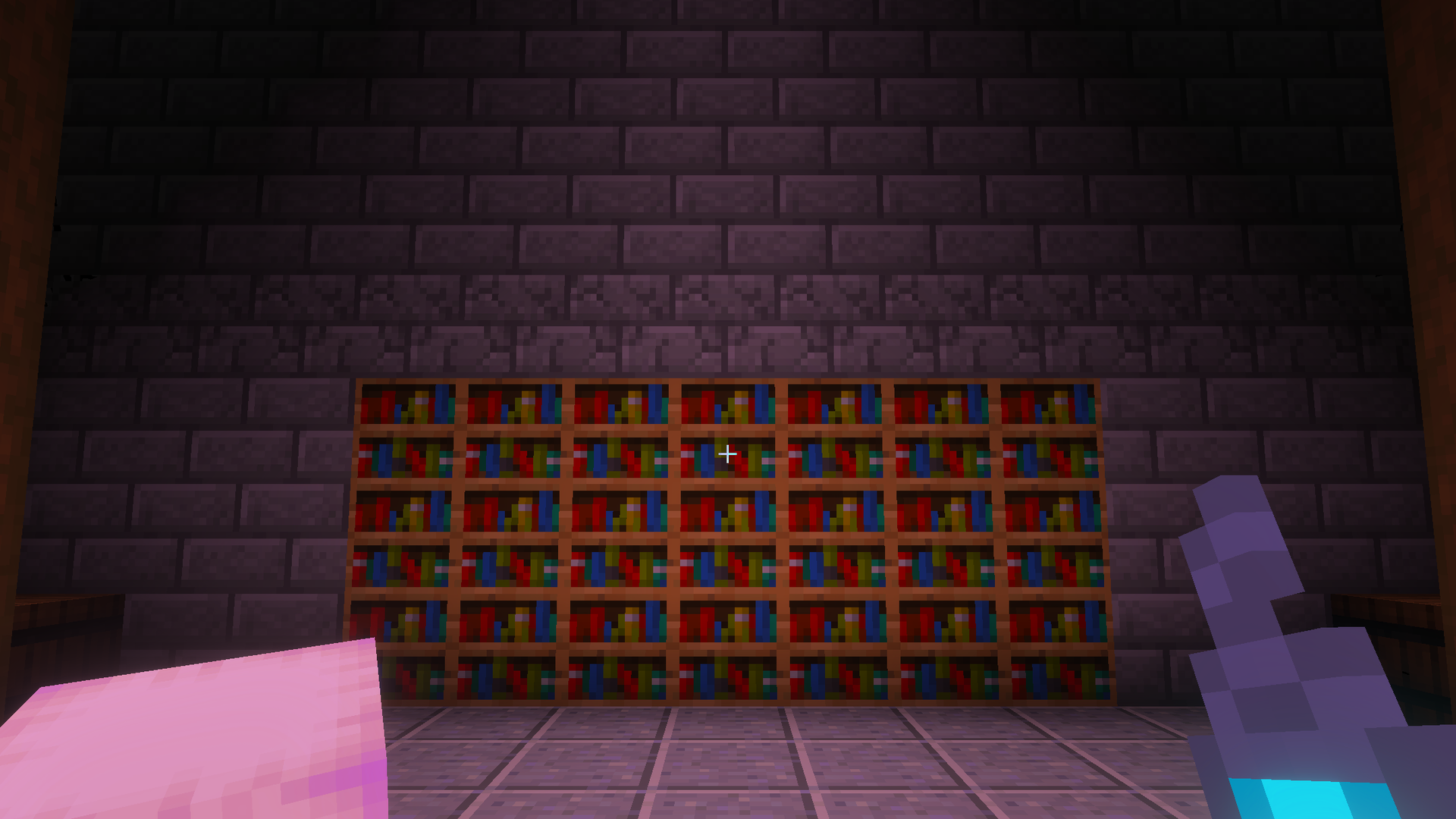
Sneak and use a light (or tap sneak twice, your choice) to swap it into your off hand, and take it back the same way. Glowstone, sea lanterns, froglights and other glowing blocks are held properly in the off hand, not stuck at the edge of the screen. The brighter hand lights the way.
🛡️ YOUR WORLD IS SAFE 🛡️
Some dynamic light add-ons delete light blocks they didn't place, wiping out builders' hidden lighting. Some can delete a block you placed where your light was. Some swap your torches for fakes or rewrite your items.
Not this one. It only ever places its own invisible light blocks, only into empty air or water, and only ever removes its own. If anything is left behind after a crash, it cleans itself up within two seconds.
⚡ BUILT FOR SERVERS ⚡
- Light by day costs nothing. Outdoors in daylight, no light blocks at all. They come on by themselves at dusk
- Standing still costs nothing. Blocks only change when a light moves
- No scanning the world. Dropped items and mobs are tracked as they come and go
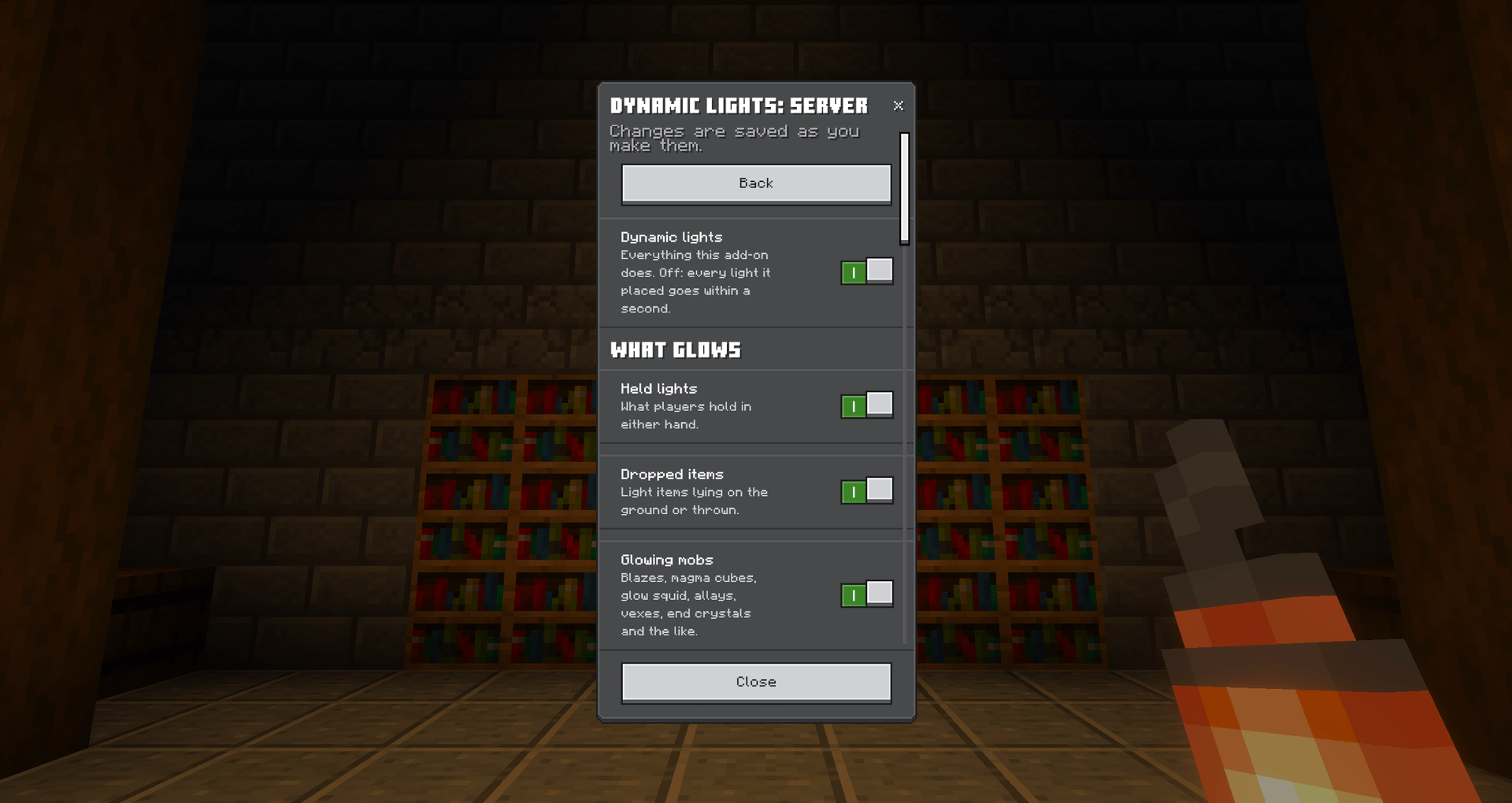
- Limits you control — how far from players things glow, and how many at once
🛠️ ONE COMMAND. TOTAL CONTROL. 🛠️
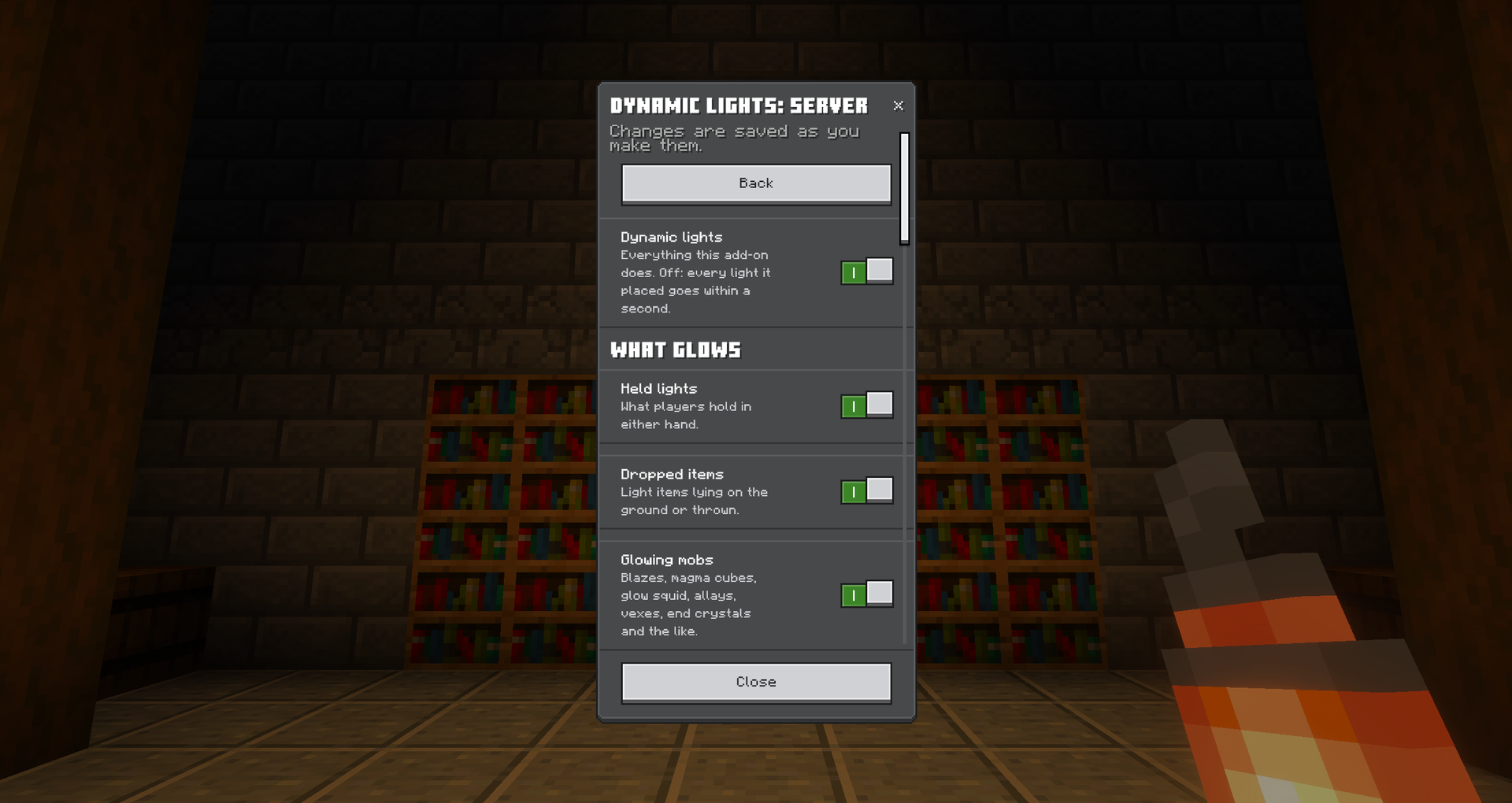
Type /mygen:dynamiclights to switch your own light, or the off hand shortcut, on or off. Every change happens instantly. No reloading, no rejoining.
Running a server? Admins get their own page: switch every kind of light on or off, turn coloured light and underwater lights on or off, set how far and how many, and check or correct the learned lights. It's built to stay out of your server's way: nothing happens for lights standing still, and nothing at all outdoors by day.
Making add-ons? Make your items and mobs glow with a tag or a script event, and flash light for your spells and effects. See the guide.
📥 INSTALLATION 📥
- Download the
.mcaddon - Open it. Minecraft imports it automatically
- Turn on Bedrock Dynamic Lights in your world's Behavior Packs
- Pick up a torch.
Needs Minecraft Bedrock 1.26.50 or newer. No experimental toggles, so your achievements are safe. Want the colours? Turn on Vibrant Visuals.
🎯 WHY? 🎯
Because a torch in your hand should light the way, not sit in your hotbar looking pretty. And because nobody has ever enjoyed placing a torch, walking six blocks, and placing another one.
Made by MyGen Gaming — with coffee, and a lot of torches thrown into lava for science.
Licensed CC BY-NC-SA 4.0. No creepers were harmed in the making of these screenshots. Well, one.
- Edition: Minecraft Bedrock
- File type: .mcpack or .mcaddon
- Minecraft version listed: 26.50
- How to install: Download the .mcpack or .mcaddon file. → Open it — Minecraft imports it. → In your world: Behavior Packs → Available → Activate, then the same under Resource Packs.
- Where to get it: Opens on CurseForge — not every file is mirrored on our own servers.
Install steps are the general flow for this file type — How to install Minecraft Bedrock addons & mods walks through it step by step.
- Pack type: .mcaddon — behaviour and resource pack in one file
- Manifest requires Minecraft 1.26.50 or newer
- Complete pack — everything it depends on is inside the file
- Download size: 211 KB
- Download link checked 23 Oct 2026 — working
These come from our own check of the pack file, not from the source page.