ModsJava
Couchcraft Mod (26.3) – Play Four-Player Split-Screen Co-Op From Your Couch
Minecraft Java mod. Downloads from the MC Java Mods app on Android.
⬇ Download
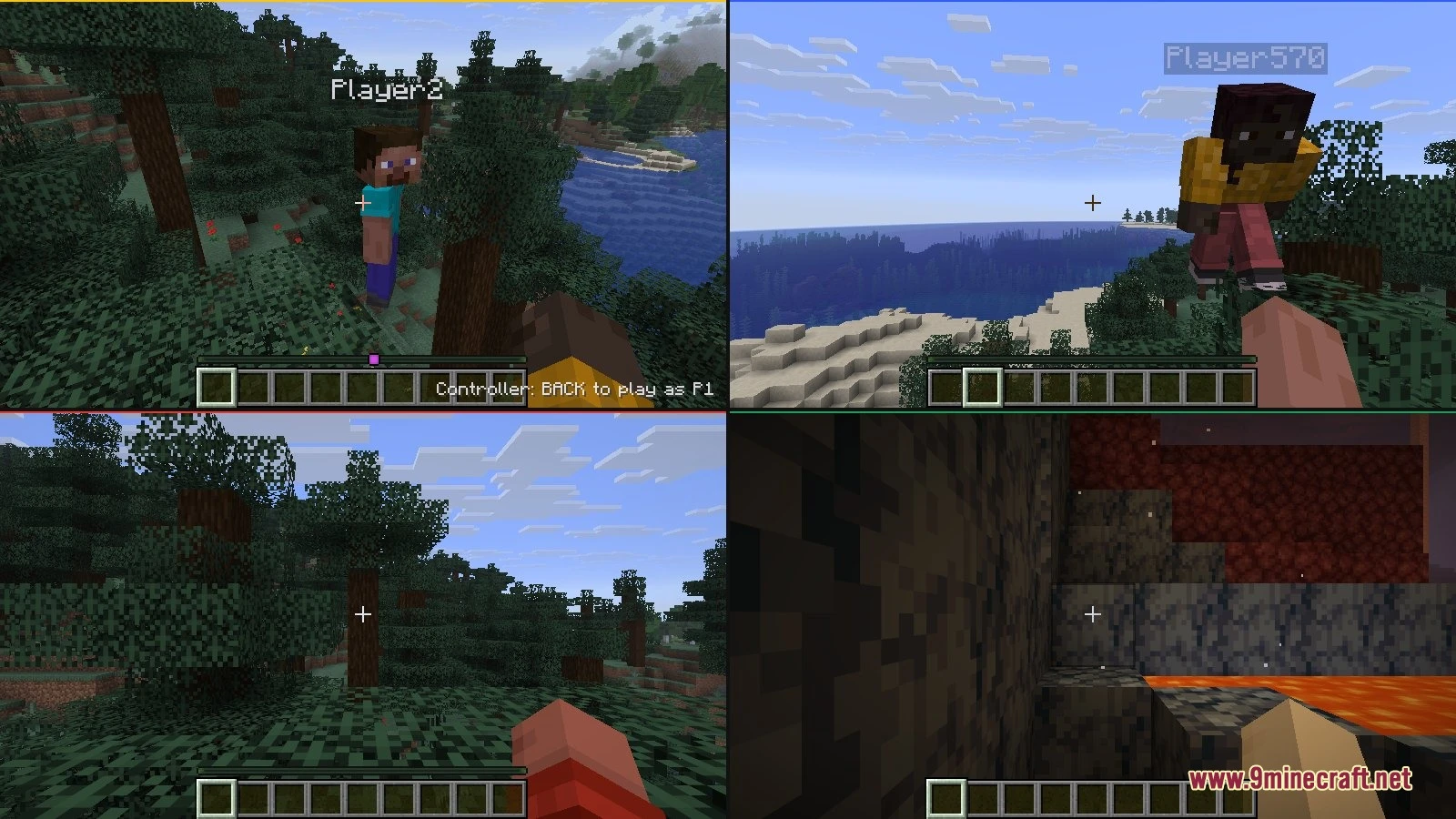
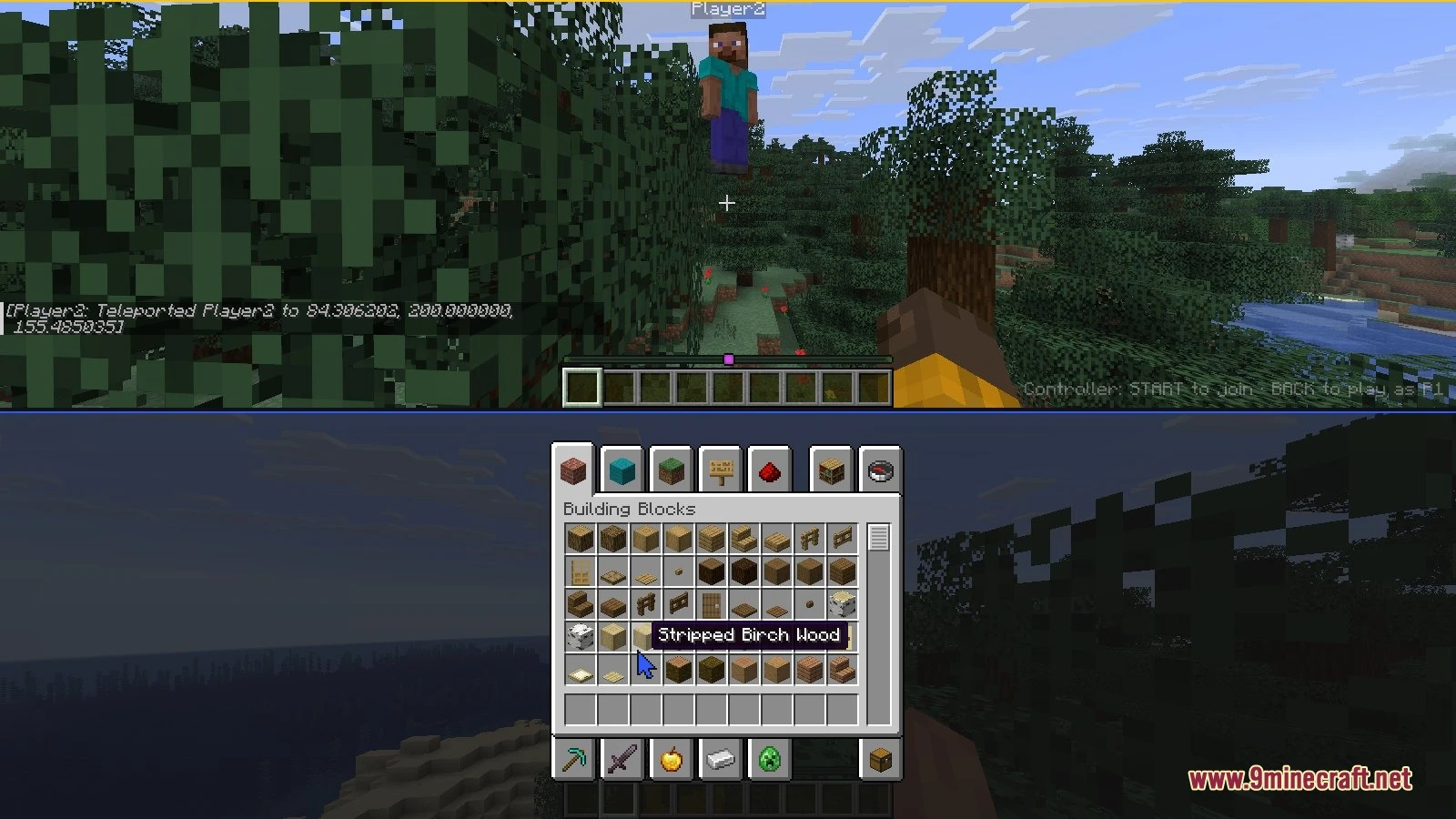
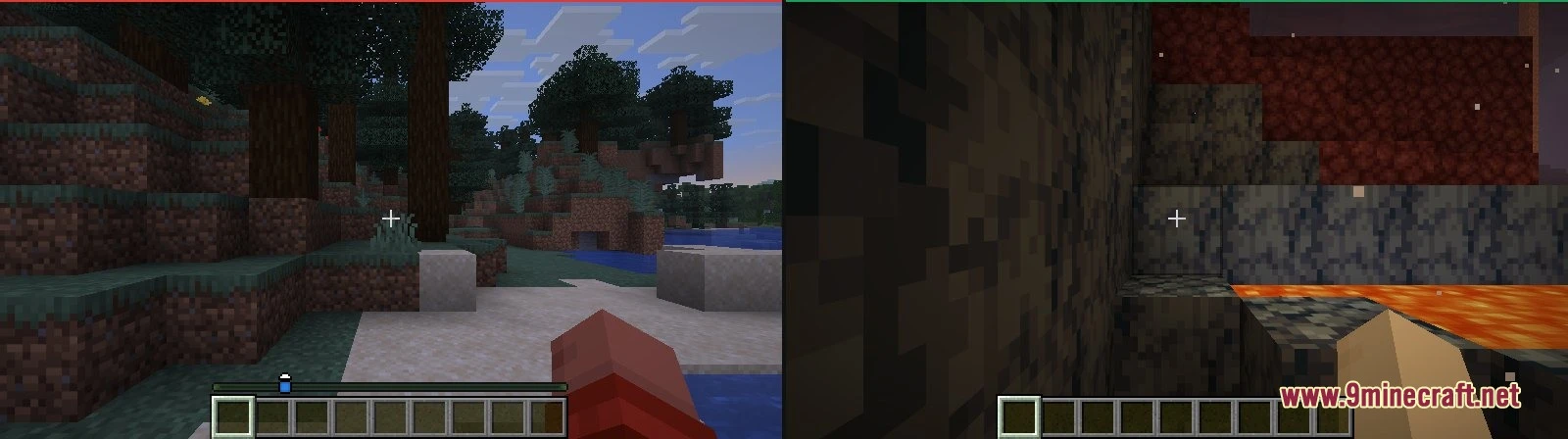
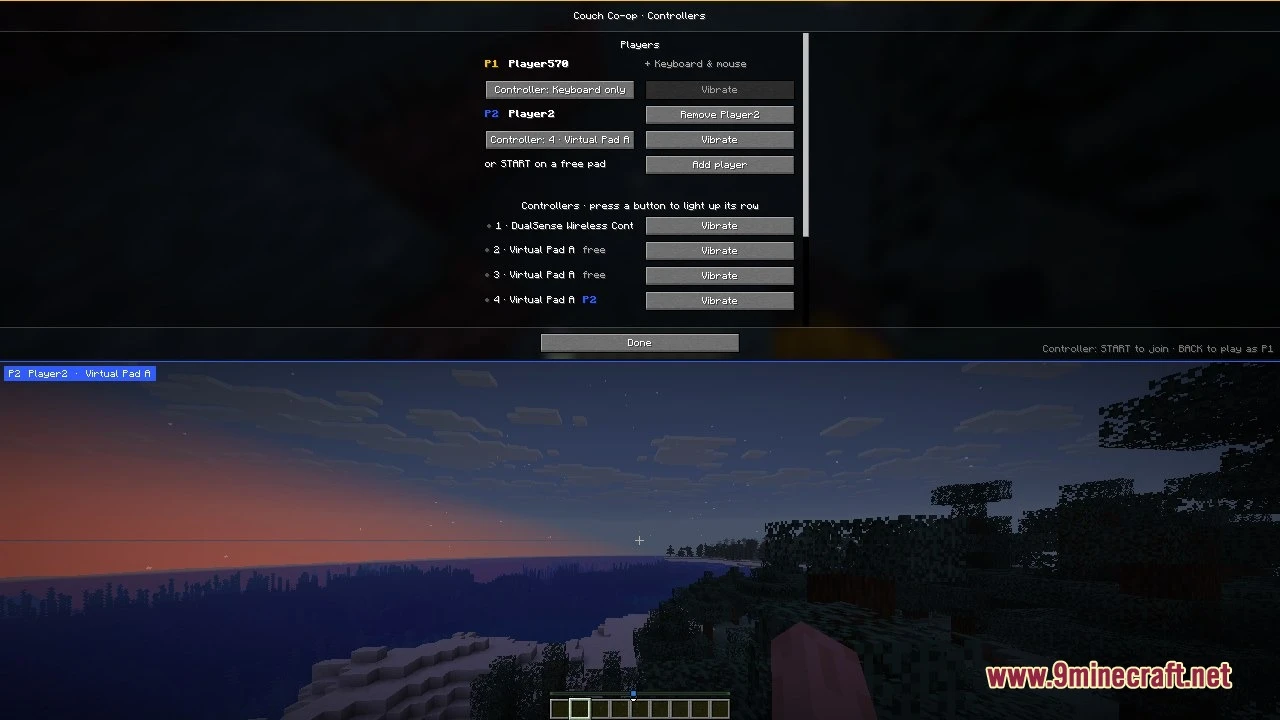
Couchcraft Mod brings split-screen multiplayer to your singleplayer worlds on Java Edition. It runs up to four players in one game window without running extra game clients. Each friend gets a private camera view, personal hotbar, separate menus, and their own inventory. You can play together on the couch using your favorite gamepads.
Features:
- Split-Screen Multiplayer: Up to four people can play together on one monitor inside a single game window.
- Independent Controls: Each extra player gets a personal camera view, health bar, inventory screen, and item hotbar.
- Controller Compatibility: Popular gamepads like Xbox, DualSense, DualShock, Switch Pro, and 8BitDo connect directly to the game.
- Players press start on their gamepad to drop straight into the world.
- Holding the back and start buttons together lets any guest player quit without stopping the session.
- Offers multiple screen layouts, such as side-by-side boxes, vertical splits, or a four-way grid.
- Player one can control the game using keyboard and mouse or a connected gamepad.
- Guests can join standard singleplayer maps and worlds opened to local LAN play.
How to Use:
- Connect your game controllers to your computer before loading a world.
- Load any singleplayer world.
- Press START on any connected controller to bring a new player onto the screen.
- Press Ctrl+Shift+L on your keyboard to switch between vertical and horizontal two-player views.
- Press Ctrl+Shift+C to open the controller options screen.
- Press Ctrl+Shift+J if you need to add an extra player without a gamepad.
- Hold BACK and START on a gamepad to disconnect that player while others keep playing.
Screenshots:
Couchcraft Mod Download Links
Quick facts
- Edition: Minecraft Java
- File type: .jar
- How to install: Install the matching mod loader (Forge, Fabric or NeoForge) for your Minecraft version. → Download the .jar. → Put it in the .minecraft/mods folder and launch that loader profile.
- Where to get it: In MC Java Mods, or directly above on this page.
Install steps are the general flow for this file type — How to install Minecraft Java mods & modpacks walks through it step by step.
File checked by MCModsHub
- Downloads as 532249.mcaddon
- Download size: 139 KB
- Download link checked 24 Oct 2026 — working
- Mirrored on our own servers — the download does not depend on the original host
These come from our own check of the pack file, not from the source page.