Item Drop Physics 3D
Bedrock add-on listed for Minecraft 1.19–26.x (behavior + resource pack). Installs from the MC Bedrock Mods app on Android.
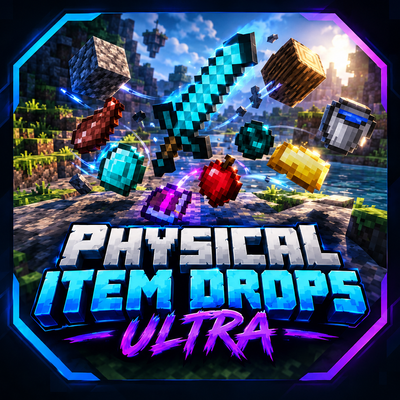
Physical Item Drops ULTRA transforms dropped Minecraft Bedrock items into 3D physical entities with enhanced movement, bouncing, and collisions for a more…
⬇ Download on CurseForgeMake Item Drops Feel More Alive!
Physical Item Drops ULTRA enhances the way dropped items behave in Minecraft Bedrock Edition. Instead of ordinary item drops, the addon introduces physical item entities with custom 3D models, more dynamic movement, and improved interactions to make your world feel more immersive.
Features
Custom 3D Item Models
Dropped items are represented by custom 3D models designed to give item drops a more physical appearance in the world.
Enhanced Throwing Physics
Items receive additional movement when dropped, allowing them to travel farther and move more dynamically.
Bouncing and Collisions
Physical item entities interact with the environment and can respond to other dropped items, creating more interesting movement.
Multiple Item Shapes
Different item categories use different model shapes to make drops look more varied.
Item Pickup
Interact with a physical item entity to pick it up and return it to your inventory.
Designed for Minecraft Bedrock
The addon uses a Behavior Pack and Resource Pack to provide its custom entities, models, animations, and physics behavior.
Installation
- Import the .mcaddon file into Minecraft Bedrock Edition.
- Activate both the Behavior Pack and Resource Pack in your world settings if they are not enabled automatically.
- Enter your world and test dropping items.
- If required by your Minecraft version, enable the experimental features specified by the addon.
Compatibility
Made for Minecraft Bedrock Edition. Compatibility may vary depending on your Minecraft version and other addons that modify item entities.
Important Notes
- This addon changes how dropped items are represented and collected.
- Custom models are category-based and do not reproduce the exact vanilla model for every individual item.
- Please test important or enchanted items before using the addon in a world you care about.
- Back up your world before installing or updating addons.
Enjoy a more dynamic item-dropping experience with Physical Item Drops ULTRA!
- Edition: Minecraft Bedrock
- File type: .mcpack or .mcaddon
- Minecraft versions listed: 26.30, 26.40, 26.50
- How to install: Download the .mcpack or .mcaddon file. → Open it — Minecraft imports it. → In your world: Behavior Packs → Available → Activate, then the same under Resource Packs.
- Where to get it: Opens on CurseForge — not every file is mirrored on our own servers.
Install steps are the general flow for this file type — How to install Minecraft Bedrock addons & mods walks through it step by step.
- Manifest requires Minecraft 1.19.0 or newer
- Complete pack — everything it depends on is inside the file
- Download size: 271 KB
These come from our own check of the pack file, not from the source page.