ShadersJava
Plasma Shader - Realistic Visual shader
Minecraft Java shader pack. Download on the author's site.
Plasma Shader is a realistic Minecraft Java shader for Iris and Sodium, featuring PBR lighting, dynamic clouds, atmospheric skies, reflective water and…
⬇ Download on CurseForgePlasma Shader
A deferred shader pack for Minecraft: Java Edition, built from scratch for Iris + Sodium. Plasma Shader is built around one idea: the lighting should make sense. Sunlight changes as it passes through the atmosphere. Water absorbs light with depth. Clouds scatter and block sunlight. Wet surfaces become smoother. These effects are connected rather than treated as separate visual tricks. Every shader in the pack is written from scratch using published rendering mathematics. No code from other shader packs is used or adapted. Written for the OpenGL 3.3 compatibility profile, with no core-profile or Vulkan rendering path required. Tested on Minecraft 26.3, Iris 1.11.7, and an RTX 3050 (4 GB).Lighting
The world is rendered into a G-buffer and lit in a deferred pass.- Cook–Torrance lighting with GGX, Smith correlated visibility, and Schlick Fresnel. Lighting uses per-pixel albedo, normals, roughness, and metalness.
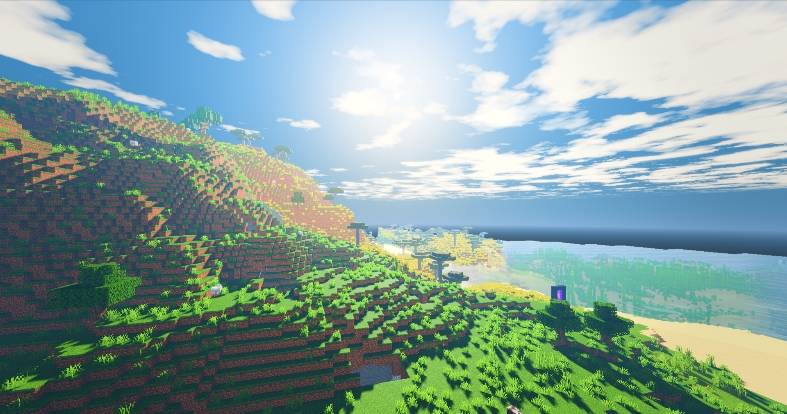
- Atmospheric sunlight. Sun colour comes from atmospheric transmittance, not a sunrise tint. Longer paths through the atmosphere produce redder sunlight, and skylight uses the same transmittance.
- Rayleigh and Mie scattering, with an added multiple-scattering-inspired airlight term to keep the horizon from going unnaturally dark.
- Vanilla lighting preserved. Baked corner and block-to-block shading affects both sunlight and skylight, so block surfaces retain their shape in daylight.
- Coloured block light with configurable colour temperature, plus emissive blocks and illumination from held light sources.
Sky
The sky, clouds, and atmosphere are procedural.- Clouds: Five octaves of base noise, an erosion layer, directional relief, and self-shadowing along the light direction. Cloud edges soften toward the horizon to account for their apparent distance.
- Stars and Milky Way: A procedural star field with an edge-on galactic band that fades under moonlight.
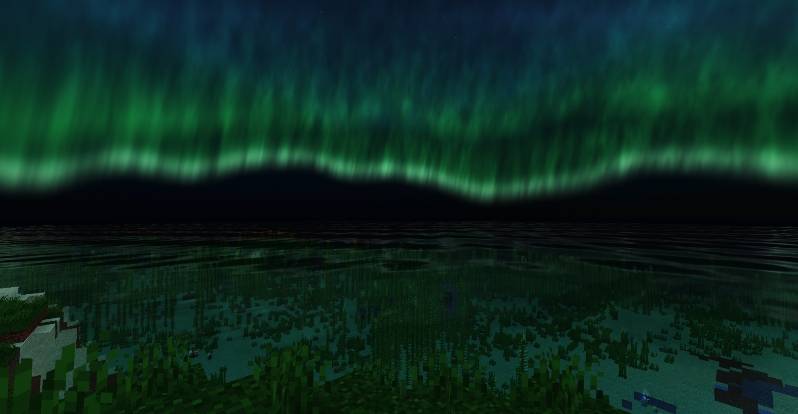
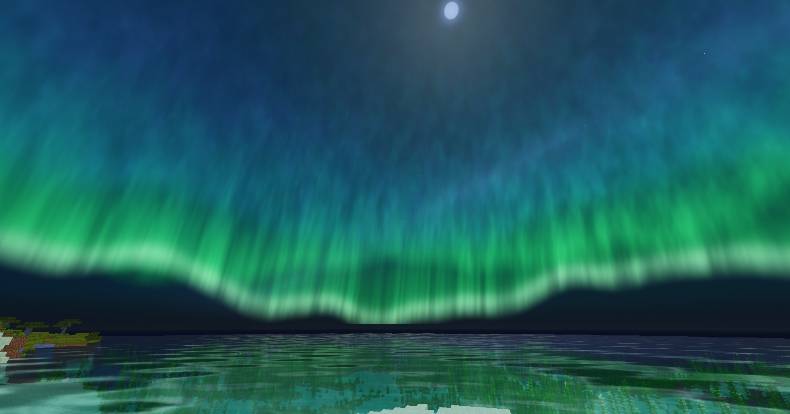
- Aurora: Procedural curtains positioned along an arc, with a defined lower edge, forward-scattered rims, and green oxygen / nitrogen-inspired colours.
- Moon: Its own apparent size and halo, rather than a dimmed version of the sun.
Water
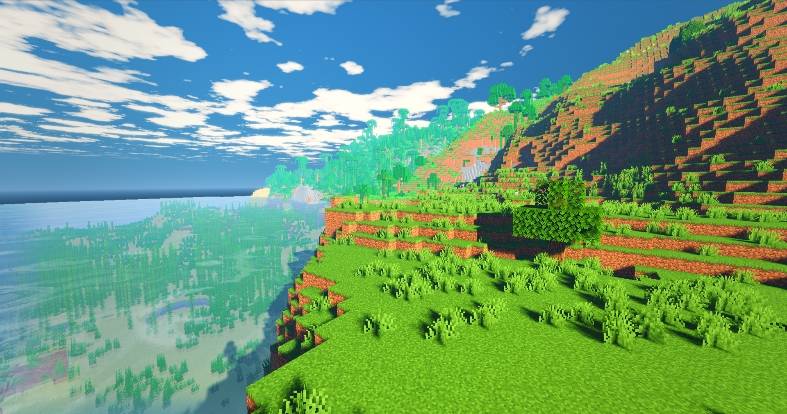
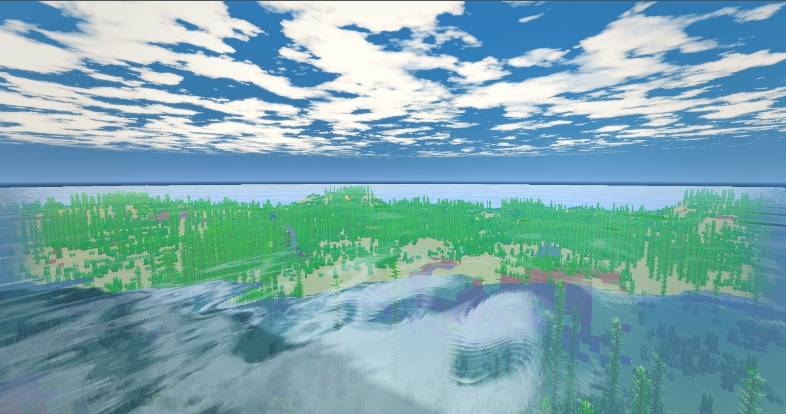
Water colour comes from absorption, not a blue overlay.
- Gerstner waves with capillary-scale surface detail.
- Refraction that accounts for seabed depth.
- Wavelength-dependent absorption: shallow water stays closer to the colour of the sand, while deeper water becomes dark blue-green.
- Caustics on the seabed and foam along shallow shorelines.
- Screen-space reflections of the sky, clouds, nearby terrain, and held items where the required geometry is visible.
- Underwater absorption and colour tinting using the same coefficients as the water surface.
Weather
Rain affects the lighting as well as the ground. The rain layer attenuates incoming light, affecting the sun, sky, clouds, and skylight together. The sky becomes overcast grey rather than simply getting darker. On the ground, rain leaves a water film that reduces roughness and changes diffuse response. Animated raindrop rings disturb the surface normals, so highlights move across wet surfaces.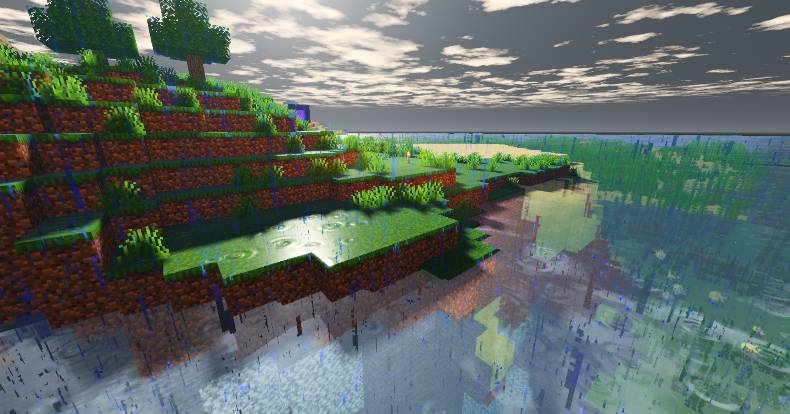
Wind
Foliage animation is driven by block identity rather than colour-based guesses.- Leaves shear in place.
- Rooted plants bend from their base.
- Vines swing from their attachment points.
- Cast shadows follow the same animation phase as the foliage.
Colour grading
There are 11 tone-mapping operators:- Linear
- ACES fitted
- Extended Reinhard
- Rational filmic
- Reinhard on luminance
- Soft flat
- Cinematic
- Vibrant
- Neutral highlights
- Bleach bypass
- High-contrast filmic
Shadows
- 4096 × 4096 shadow map by default.
- 96-block shadow distance by default.
- Poisson PCF for soft shadow edges.
- Penumbra width and acne bias derived from the shadow matrix and the sun's angular diameter, so they adjust with changes to Shadow Distance.
Known limitations
- Screen-space reflections cannot show geometry outside the frame. Looking straight down into water may show the sky instead of the lakebed.
- SSAO, god rays, cloud shadows, and temporal anti-aliasing are not implemented.
- In first person, the player model is not available to the reflection pass. Switch to third person with F5 to make the visible model available where supported.
- This is a rasterised, deferred shader pack. It is not path-traced.
Installation
- Install Sodium and Iris Shaders.
- Put
PlasmaShader.zipin.minecraft/shaderpacks. - Open Options → Shader Packs and enable Plasma Shader.
- Start with the HIGH preset. Lower Shadow Distance if performance is an issue.
Licence
All rights reserved. You may download and use the pack, and share screenshots or videos of your own gameplay. Redistribution, re-hosting, modification, derivative works, modpack inclusion, and reuse of source code or assets require written permission. See theLICENSE file in the download for the full terms.Quick facts
- Edition: Minecraft Java
- File type: .zip (resource pack)
- How to install: Download the .zip resource pack — do not unzip it. → Put it in .minecraft/resourcepacks. → Enable it in Options → Resource Packs.
- Where to get it: Opens on CurseForge — not every file is mirrored on our own servers.
Install steps are the general flow for this file type — see the MC Java Mods guides for the full walkthrough.
Plasma Shader - Realistic Visual shader is a free Minecraft Java shader. Downloaded 419 times (via CurseForge). Download it and open it directly in the game.