ModsJava
Kitchen Decoration Mod (26.3, 1.21.11) – Design Realistic Modern Kitchens
Java mod listed for Minecraft 1.21. Downloads from the MC Java Mods app on Android.
⬇ Download
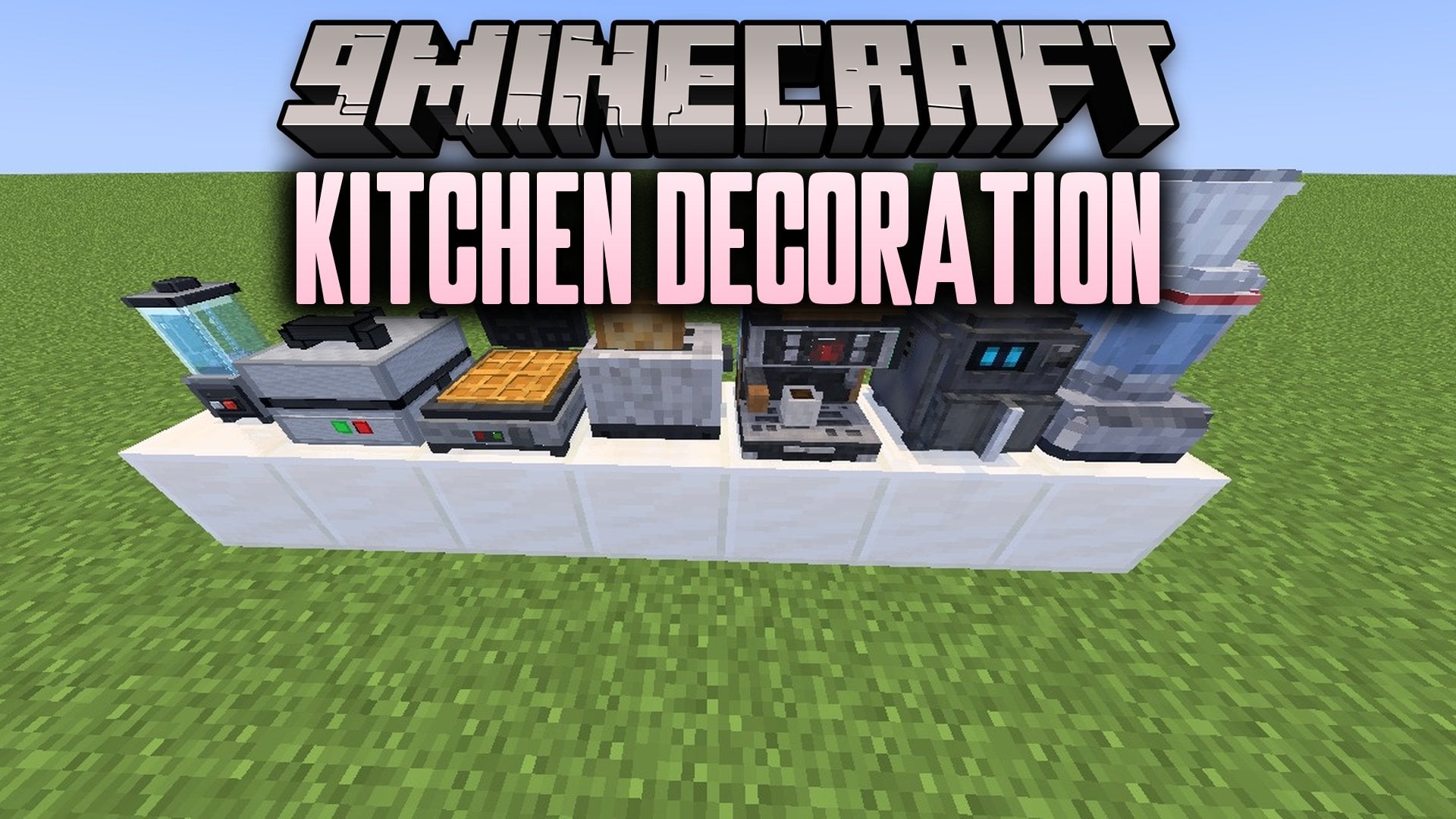
Kitchen Decoration Mod adds realistic kitchen appliances to make cooking areas look complete and lived-in. Players can place items like refrigerators, stoves, toasters, and blenders directly onto room counters. Every piece uses standard materials that are simple to collect during normal survival gameplay. The items fit neatly into any home interior on both solo worlds and multiplayer servers.
Features:
- Kitchen Appliances: Adds realistic household equipment including stoves, refrigerators, and coffee makers.
- Countertop Tools: Lets you place small devices like blenders, toasters, waffle makers, and air fryers.
- Color Choices: Features dark color variations for large units such as refrigerators and cooking stoves.
- Living Space Extras: Adds a television set to place across living rooms or kitchen counters.
- Every single item crafts directly from standard vanilla blocks and ingots.
- All recipes unlock inside the standard in-game recipe book.
- Blocks sit neatly on kitchen counters, floors, and tables.
- Functions properly in singleplayer survival and on shared multiplayer servers.
Available Appliances:
- Refrigerators: Tall cooling storage units available in standard white and black colors.
- Stoves: Full cooking units available in white and black models.
- Small Countertop Devices: Compact machines such as toasters, sandwich makers, waffle makers, and air fryers.
- Drink and Food Prep: Blenders, food processors, and coffee makers for kitchen tables.
- Living Decor: Television sets to furnish living rooms and open kitchen spaces.
How to Use:
- Gather basic survival materials like iron ingots, glass, and stone.
- Open a standard crafting table to view the appliances in your recipe book.
- Craft your preferred appliance and place it on any solid counter block.
Kitchen Decoration Mod Download Links
Quick facts
- Edition: Minecraft Java
- File type: .jar
- Minecraft version listed: 1.21.11
- How to install: Install the matching mod loader (Forge, Fabric or NeoForge) for your Minecraft version. → Download the .jar. → Put it in the .minecraft/mods folder and launch that loader profile.
- Where to get it: In MC Java Mods, or directly above on this page.
Install steps are the general flow for this file type — How to install Minecraft Java mods & modpacks walks through it step by step.
File checked by MCModsHub
- Downloads as 533252.mcaddon
- Download size: 327 KB
- Download link checked 25 Oct 2026 — working
- Mirrored on our own servers — the download does not depend on the original host
These come from our own check of the pack file, not from the source page.