Health Indicator For Players & Mobs
Bedrock add-on listed for Minecraft 1.21–26.x (behavior + resource pack). File opened and checked on 25 Oct 2026; installs from the MC Bedrock Mods app on Android.
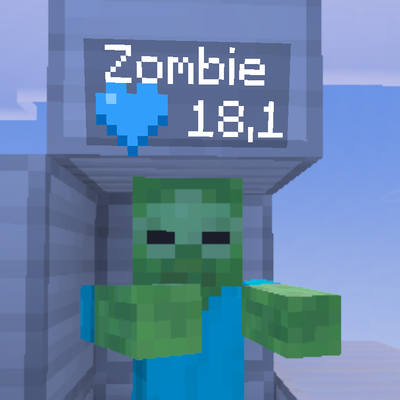
Health Indicator adds a clean blue heart and live health display above players and mobs in Minecraft Bedrock. See exact health values, including decimals…
⬇ Download on CurseForge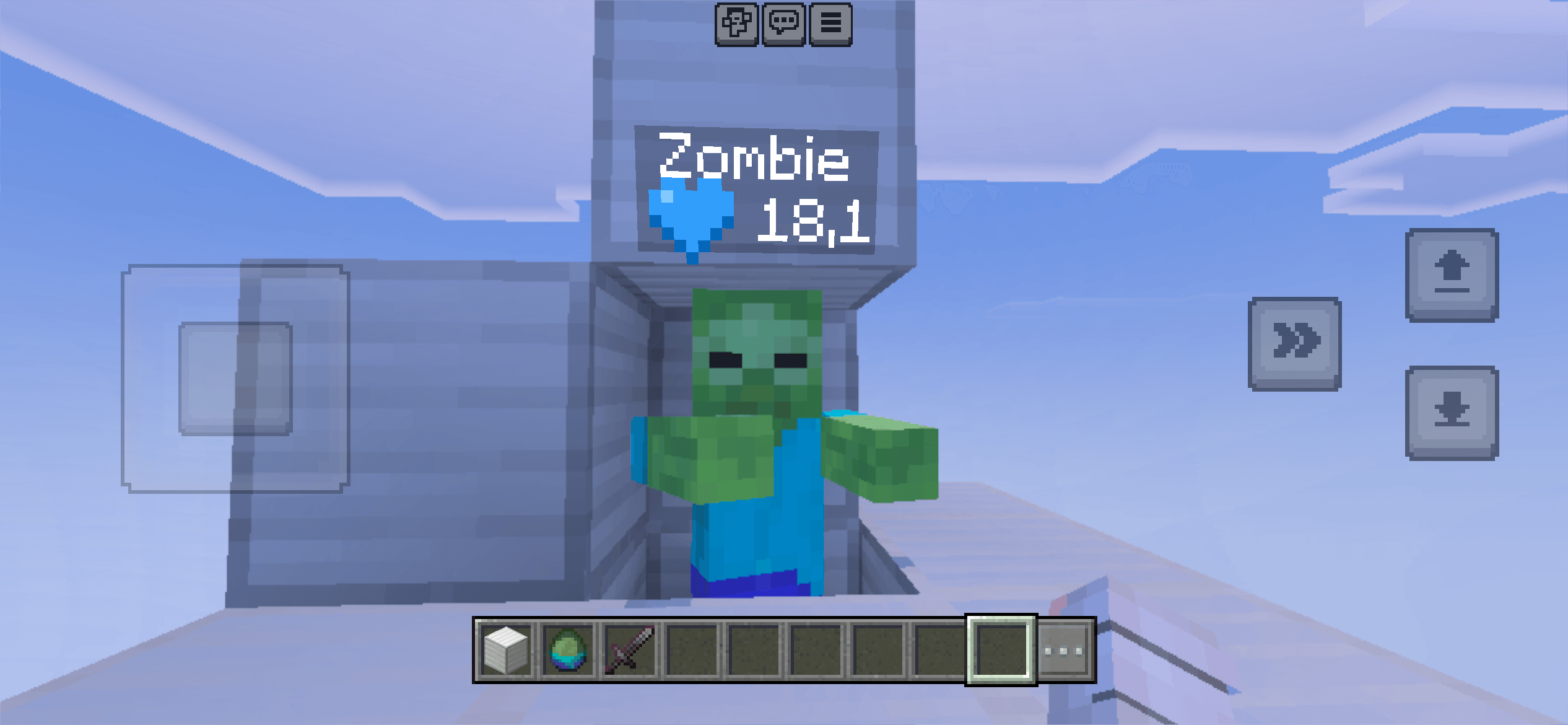
Health Indicator is a clean and lightweight Minecraft Bedrock addon that displays the health of players and mobs directly above their heads.
With a beautiful blue heart icon and an easy-to-read health display, you can instantly see how much health an entity has left!
✨ Features
- 💙 Custom Blue Heart – A clean, modern blue heart icon instead of the default pixelated heart.
- ❤️ Live Health Display – See the current health of players and mobs.
- 🧟 Player & Mob Support – Works with players and many different mobs.
- 🔢 Decimal Health Values – Displays precise health values such as 20, 15.5, or 7.5.
- 🏷️ Nametag Integration – Health is displayed underneath the entity’s name.
- ⚡ Automatic Updates – Health values update automatically when entities take damage or heal.
- 🎮 Multiplayer Support – Designed for survival worlds and multiplayer gameplay.
- 🎨 Minimal Design – Simple, clean, and easy to read without unnecessary effects.
📥 How to Install
Step 1 – Download
Download the Health Indicator .mcaddon file.
Step 2 – Import
Open the downloaded file with Minecraft Bedrock Edition. Minecraft should automatically import the addon.
Step 3 – Activate
- Open Minecraft.
- Create a new world or edit an existing world.
- Navigate to Behavior Packs.
- Find and activate Health Indicator.
- Navigate to Resource Packs.
- Activate Health Indicator.
- Start your world!
Step 4 – Enjoy!
The addon automatically displays health indicators for supported players and mobs. No commands or manual setup are required.
💙 How It Works
When a player or mob takes damage, the health indicator updates to show the remaining health.
Examples:
- 💙 20 – Full health
- 💙 15.5 – Slightly damaged
- 💙 10 – Half health for a standard 20-health entity
- 💙 2.5 – Almost defeated
Health values are displayed beneath the entity’s nametag for a clean appearance.
⚙️ Compatibility
- Edition: Minecraft Bedrock Edition
- Platforms: Windows, Android, iOS and other supported Bedrock platforms
- Game Modes: Survival, Creative and Adventure
- Multiplayer: Designed for multiplayer worlds
- Experimental Features: May be required depending on your Minecraft version
Compatibility may vary between Minecraft versions, servers and other addons.
❓ Frequently Asked Questions
Does this addon work with mobs?
Yes! Health Indicator is designed to display health for both players and mobs.
Does it update automatically?
Yes! Health values automatically update when an entity takes damage or regenerates health.
Can I use it in multiplayer?
Yes, the addon is designed for multiplayer gameplay when properly installed on the world.
Does it require commands?
No! Simply activate the addon and start playing.
Can I use it with other addons?
Generally, yes. However, addons that modify entity nametags or custom fonts may cause compatibility issues.
📌 Important Notes
- Both the Behavior Pack and Resource Pack must be activated.
- Some custom entities may not display health correctly.
- Other nametag addons may conflict with Health Indicator.
- Actual compatibility depends on the installed Minecraft version.
👑 Credits
Addon: Health Indicator
Created by: PTL
Enjoy a cleaner way to see health in Minecraft Bedrock!
Made by PTL
- Edition: Minecraft Bedrock
- File type: .mcpack or .mcaddon
- Minecraft versions listed: 26.30, 26.40, 26.50
- How to install: Download the .mcpack or .mcaddon file. → Open it — Minecraft imports it. → In your world: Behavior Packs → Available → Activate, then the same under Resource Packs.
- Where to get it: Opens on CurseForge — not every file is mirrored on our own servers.
Install steps are the general flow for this file type — How to install Minecraft Bedrock addons & mods walks through it step by step.
- Pack type: .mcaddon — behaviour and resource pack in one file
- Manifest requires Minecraft 1.21.0 or newer
- Complete pack — everything it depends on is inside the file
- Download size: 7 KB
- Download link checked 25 Oct 2026 — working
These come from our own check of the pack file, not from the source page.