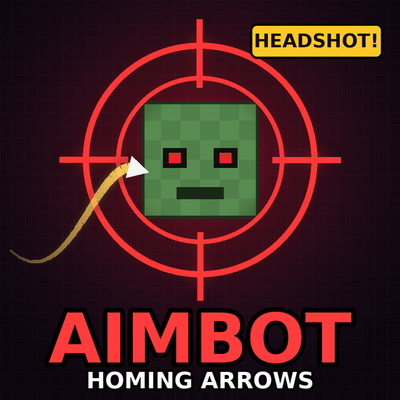
Aimbot: Homing Arrows
Bedrock add-on listed for Minecraft 1.21–26.x (behavior pack only). File opened and checked on 26 Oct 2026; installs from the MC Bedrock Mods app on Android.
Your arrows, crossbow bolts and tridents hunt down mobs and hit them in the head, with bonus headshot damage and a full in-game settings menu.
⬇ Download on CurseForgeThe author built this one for Minecraft 26.50. On other versions it may install and then do nothing.
Aimbot: Homing Arrows (Auto Headshot!)
Aim close. Shoot. Never miss.
Tired of arrows flying past mobs? Aimbot makes your arrows, crossbow bolts and tridents curve through the air and hit the target closest to your crosshair, right in the head. Every headshot deals bonus damage and shows a big HEADSHOT message. 🎯💀🏹
👉 Join the Discord community for updates, bug reports and sneak peeks!
Features
- Homing projectiles: bows, crossbows and tridents all steer toward their target in flight
- Crosshair targeting: it picks the mob closest to where you are aiming, not just the nearest one
- Auto headshot: projectiles aim for the head and deal extra damage (+2 hearts by default, you can change it)
- Re-targeting: if the target dies mid-flight, the arrow looks for a new one
- Wall check: targets behind blocks are ignored, so arrows don't fly into walls
- Target modes: Hostile Mobs, All Mobs, Passive Animals or Players Only
- Pet protection: tamed pets and villagers are never targeted (you can turn this off)
- Aimbot Panel: a menu item with all the settings, no commands needed
- Live HUD: see your current target and how far away it is while holding a weapon
- Personal stats: shots, hits, accuracy, headshots, kills and longest hit
- Multiplayer ready: every player has their own settings and stats
How it works 🏹
When you shoot, the pack looks for a target in front of you. If it finds one, the projectile bends toward the head of that target while it flies.
| Step | What happens |
|---|---|
| 1. You shoot | Arrow, bolt or trident leaves your weapon |
| 2. Lock-on | The mob closest to your crosshair (inside your range and cone, with a clear line of sight) is chosen |
| 3. Homing | The projectile steers toward the head every tick |
| 4. Headshot | On hit you get bonus damage, a sound, particles and a HEADSHOT message |
No target in front of you? The shot flies like normal.
The Aimbot Panel 🎮
You get a compass called Aimbot Panel when you join. It can't be dropped and you keep it when you die.
- Use it: opens the Aimbot menu
- Sneak + use it: turns the aimbot ON or OFF right away
From the menu you can turn it on or off, open the settings and see your stats.
Settings ⚙️
| Setting | What it does |
|---|---|
| Target Mode | Hostile Mobs, All Mobs, Passive Animals or Players Only |
| Target Range | How far it looks for targets (10 to 64 blocks) |
| Lock-On Cone | How wide the search area is in front of you (30° to 360°). At 360° it can lock onto anything around you |
| Homing Strength | From a gentle curve to a hard lock-on (1 to 10) |
| Projectile Speed | How fast homing projectiles fly (1 to 4) |
| Auto Headshot | Turns head aiming and bonus damage on or off |
| Headshot Bonus | Extra damage on a headshot (0 to 5 hearts) |
| Wall Check | Ignores targets behind blocks |
| Trident Homing | Turns homing on or off for tridents |
| Protect Pets & Villagers | Never targets tamed pets, villagers, iron golems and other friendly mobs |
| Particles, Sounds, HUD | Turn the effects and the action bar display on or off |
Settings are saved in the world, so they stay after a restart.
Stats 📊
The stats page shows your shots fired, hits, accuracy, headshots, headshot rate, kills and your longest hit in blocks. You can reset them any time.
Installation
- Download the
.mcpackfile. - Open it with Minecraft Bedrock. It imports automatically.
- Create or edit a world and activate the Behavior Pack.
- Load into your world and pick up the Aimbot Panel. Aimbot is on by default.
Requires Minecraft Bedrock 1.21.40 or newer. No Resource Pack is needed. If something doesn't work, turn on the Beta APIs experiment in your world settings.
Tips 💡
- Want it to feel like a real aimbot? Set Homing Strength to 10 and the cone to 360°.
- Want a subtle assist? Lower the strength to 3 or 4 and keep the cone small.
- Running a server? Use Players Only mode for an arena, or keep Hostile Mobs for survival.
- Don't want a mob targeted? Give it the tag
aimbot_ignoreand it will never be locked onto:
/tag @e[type=minecraft:cow] add aimbot_ignoreFAQ
Do I need any experimental features?
The pack uses the Scripting API. If something doesn't work, turn on the Beta APIs experiment in your world settings.
Do I need a Resource Pack?
No. This is a Behavior Pack only.
How do I turn it off?
Sneak and use the Aimbot Panel, or switch it off in the menu.
Will it target my pets or villagers?
Not by default. You can change this in the settings.
Why did my arrow miss?
The target was probably out of range, outside your cone or behind a block. Try a bigger cone or a higher Homing Strength.
Does it work on crossbows and tridents?
Yes. Both work, and you can turn tridents off in the settings.
Can I use it on a server?
Yes, anywhere Bedrock allows behavior packs with scripting. Every player has their own settings.
Does it work on mobile and console?
It works anywhere Bedrock supports add-ons with scripting.
Community 💬
Got a bug to report, an idea for a new feature, or a crazy headshot clip to share? Come hang out!
Leaving a comment or a rating on this page also helps a lot. Thank you for the support! ❤️
Notes
- Homing projectiles are only created for arrows and tridents shot by players.
- Arrows that hit a block stop homing, so they never get stuck in a loop.
- No extra sounds or textures are downloaded. The pack uses Minecraft's own sounds and particles.
Aim close. Shoot. Never miss. 🎯💀🏹
- Edition: Minecraft Bedrock
- File type: .mcpack or .mcaddon
- Minecraft version listed: 26.50
- How to install: Download the .mcpack or .mcaddon file. → Open it — Minecraft imports it. → In your world: Behavior Packs → Available → Activate, then the same under Resource Packs.
- Where to get it: Opens on CurseForge — not every file is mirrored on our own servers.
Install steps are the general flow for this file type — How to install Minecraft Bedrock addons & mods walks through it step by step.
- Pack type: .mcpack — a single pack
- Manifest requires Minecraft 1.21.40 or newer
- Complete pack — everything it depends on is inside the file
- Download size: 19 KB
- Download link checked 26 Oct 2026 — working
These come from our own check of the pack file, not from the source page.