Project MW2
Bedrock add-on listed for Minecraft 1.20–26.x (behavior + resource pack). File opened and checked on 28 Oct 2026; installs from the MC Bedrock Mods app on Android.
⬇ Download on CurseForgeThe author built this one for Minecraft 26.50. On other versions it may install and then do nothing.


Overview
Project COD X is a modern weapons addon designed to bring a more immersive, tactical, and realistic combat experience to Minecraft Bedrock Edition. Inspired by the style of modern first-person shooter games, this addon focuses on detailed 3D gun models and a modern military aesthetic that gives players a different way to experience combat and exploration.
Features
Detailed 3D Weapon Models
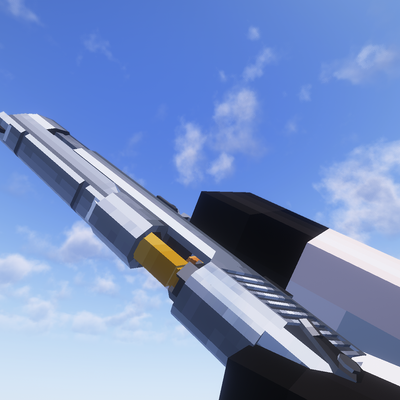
The addon focuses on 3D-designed firearms that give weapons more depth and a more detailed appearance than basic Minecraft weapons. The modern weapon designs help create a tactical atmosphere and make combat equipment feel more distinctive.
Realistic Modern Military Style
Project COD X introduces a modern firearms theme inspired by contemporary shooter games. Its visual style is intended for players who enjoy military-themed gameplay, modern weapon designs, and a more immersive combat environment.
A Different Combat Experience
By introducing modern firearms into the Minecraft world, the addon offers an alternative to the game's traditional combat equipment. Players can use the addon to create tactical adventures, build military-themed maps, design combat challenges, or enjoy modern warfare-inspired worlds with friends.
Designed for Minecraft Bedrock Edition
Project COD X is intended for players looking to customize their Bedrock Edition experience with modern weapon-themed content. Install the addon according to its included instructions and check the supported game version before playing.
Why Try Project COD X?
If you enjoy modern shooter games, detailed 3D weapon designs, and military-themed Minecraft worlds, Project COD X offers a way to bring that visual style into your gameplay. It is designed for players who want to move beyond the standard medieval and fantasy feel of Minecraft combat.
Installation
Download the addon file from the project page and follow the installation instructions provided with the download. Make sure your Minecraft Bedrock Edition version is compatible with the addon.
Important Information
Specific weapons, animations, sounds, firing mechanics, attachments, and other gameplay features depend on the content included in the current release. Please refer to the included screenshots and release notes for the exact features available.
- Edition: Minecraft Bedrock
- File type: .mcpack or .mcaddon
- Minecraft version listed: 26.50
- How to install: Download the .mcpack or .mcaddon file. → Open it — Minecraft imports it. → In your world: Behavior Packs → Available → Activate, then the same under Resource Packs.
- Where to get it: Opens on CurseForge — not every file is mirrored on our own servers.
Install steps are the general flow for this file type — How to install Minecraft Bedrock addons & mods walks through it step by step.
- Pack type: .mcaddon — behaviour and resource pack in one file
- Manifest requires Minecraft 1.20.0 or newer
- Complete pack — everything it depends on is inside the file
- Download size: 32.8 MB
- Download link checked 28 Oct 2026 — working
These come from our own check of the pack file, not from the source page.