Obe's Infested blocks
Bedrock add-on listed for Minecraft 26.x. Download on the author's site.
A survival challenge: every block you mine spreads to the blocks touching it. Mine a diamond and get more diamonds. Mine dirt and watch it eat your base.
⬇ Download on CurseForgeObe's Invested Blocks
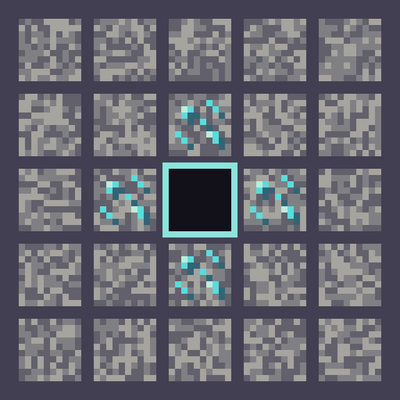
Every block you mine spreads. When you break a block, every block touching it turns into the block you just mined.
Mine a diamond ore and the stone around it becomes diamond ore. Mine one of those and it spreads again. But mine a bit of dirt next to your vein, and the dirt takes over instead. Every swing of the pickaxe changes the world around you, so think before you dig.
How it works
- When you mine a block, the six blocks touching its faces (above, below and the four sides) turn into the block you mined.
- It never spreads through the air or into water and lava. Only blocks that touch the one you mined change.
- It spreads one step at a time. Each block you mine spreads once, and the chain keeps going only if you keep mining.
- Only players in survival and adventure spread blocks. In creative you can build and clear normally. Explosions, pistons and mobs don't spread anything.
What's safe
- Your stuff: chests, barrels, furnaces, shulker boxes and every other block that holds items are never converted, so you can't lose an inventory. The same goes for spawners, signs, lecterns, jukeboxes, beacons and flower pots.
- The world's frame: bedrock, portals, end portal frames, barriers and command blocks never change.
- Doors, beds and tall plants: these are two blocks high or wide, and changing one half would break the other, so they stay as they are.
What doesn't spread
Blocks that need something to stand on don't spread when you mine them: torches, flowers, grass, crops, saplings, rails, redstone dust, buttons, doors, beds and the like. Otherwise you'd end up with floating torches and half doors everywhere.
Good to know
- Leaves that spread don't decay, so a leaf you mine can grow into a wall of leaves.
- A touching block of the same type keeps its direction, so mining a log next to other logs doesn't turn them around.
- Ores that spread drop their items as usual when you mine them. That's the fun part.
- Works in single player, on Realms and on dedicated servers. You don't need to turn on any experiments.
Requirements
- Minecraft Bedrock 1.26.50 or newer.
- Edition: Minecraft Bedrock
- File type: .mcpack or .mcaddon
- Minecraft version listed: 26.50
- How to install: Download the .mcpack or .mcaddon file. → Open it — Minecraft imports it. → In your world: Behavior Packs → Available → Activate, then the same under Resource Packs.
- Where to get it: Opens on CurseForge — not every file is mirrored on our own servers.
Install steps are the general flow for this file type — How to install Minecraft Bedrock addons & mods walks through it step by step.
Obe's Infested blocks is a free Minecraft Bedrock addon. Compatible with Minecraft 26.50. Downloaded 6 times (via CurseForge). Download it and open it directly in the game.