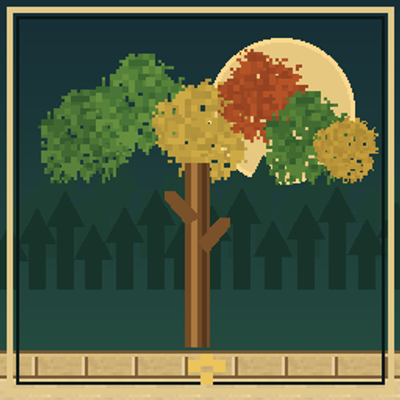
Verdant Trees by lordjj04
Bedrock add-on listed for Minecraft 26.x. Download on the author's site.
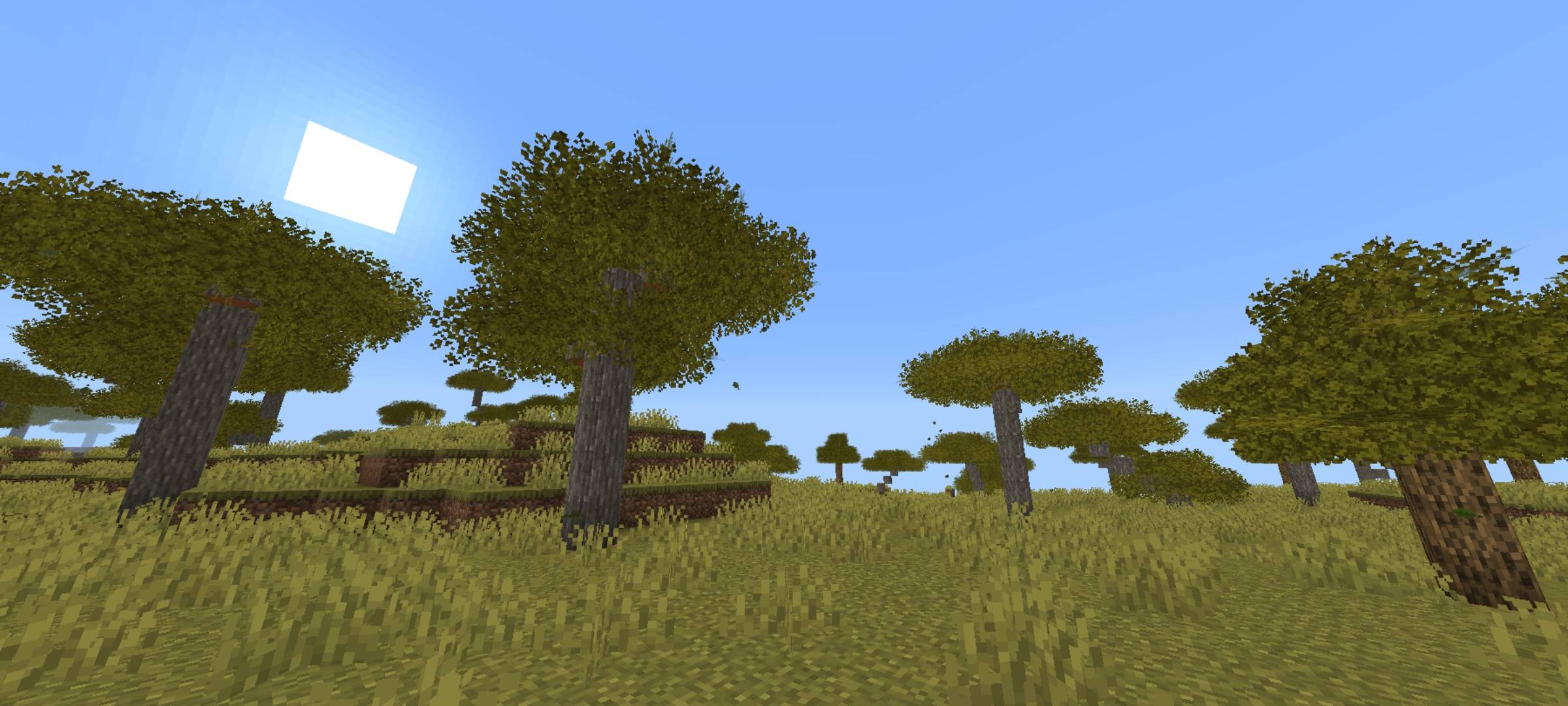
Transform Minecraft Bedrock forests with fuller bushy leaves, 14 foliage variants, rounded logs, and natural-looking tree canopies.
⬇ Download on CurseForge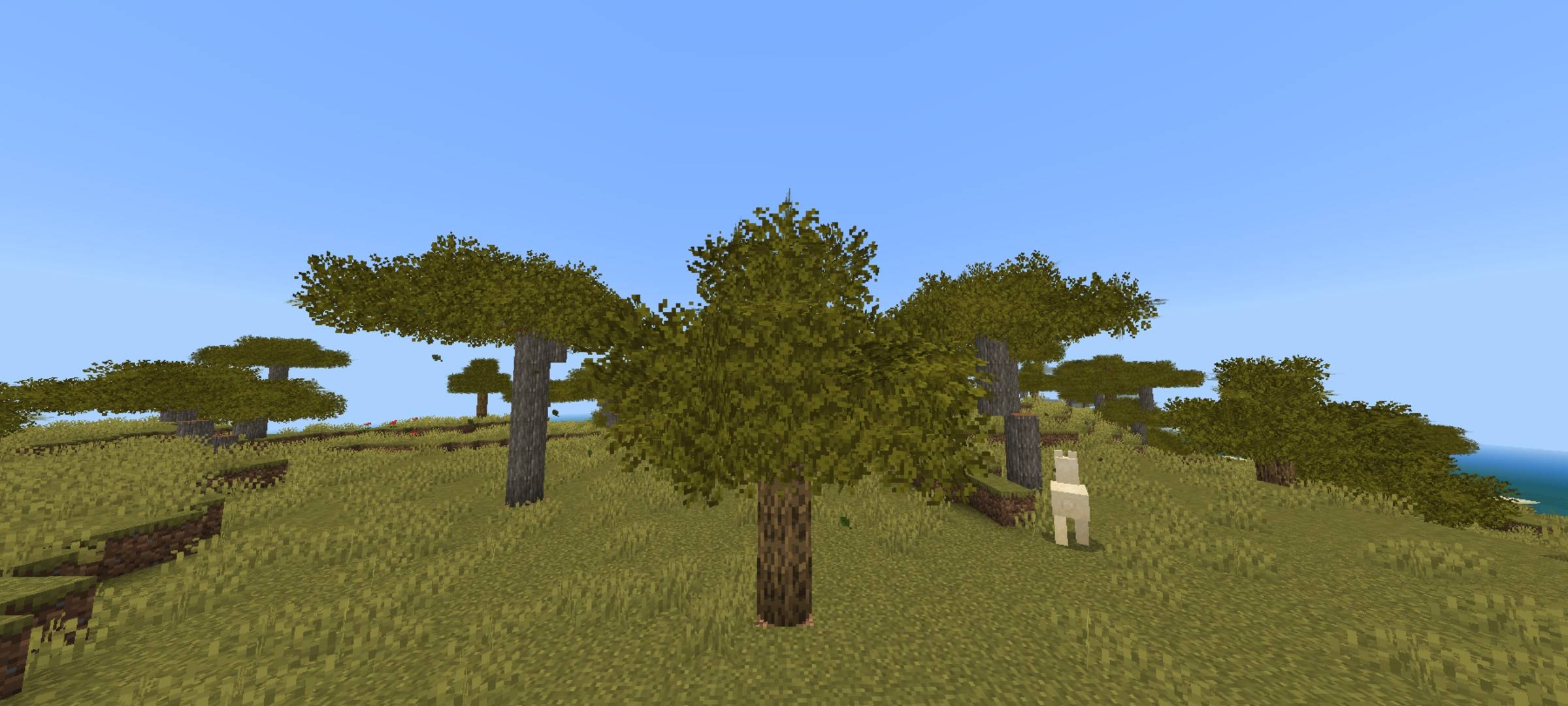
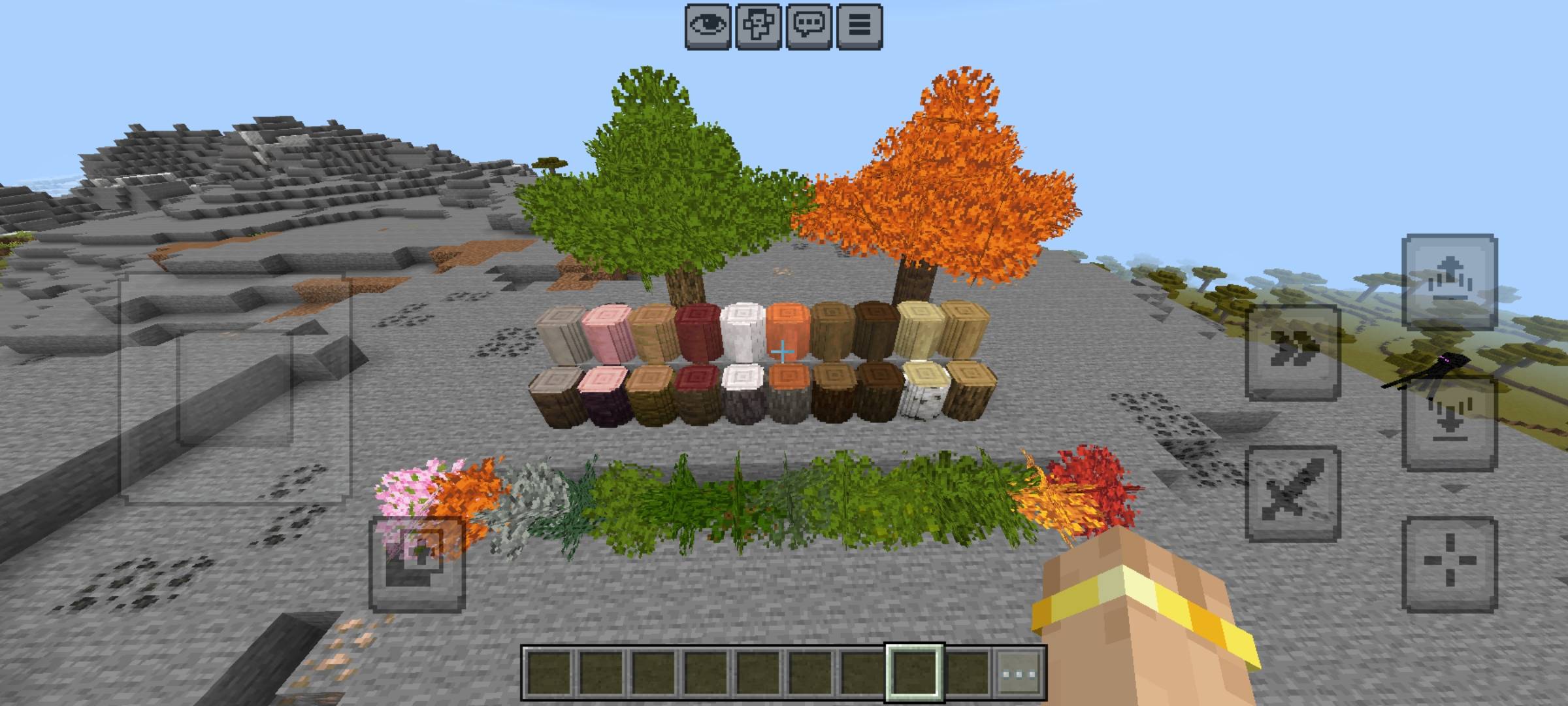
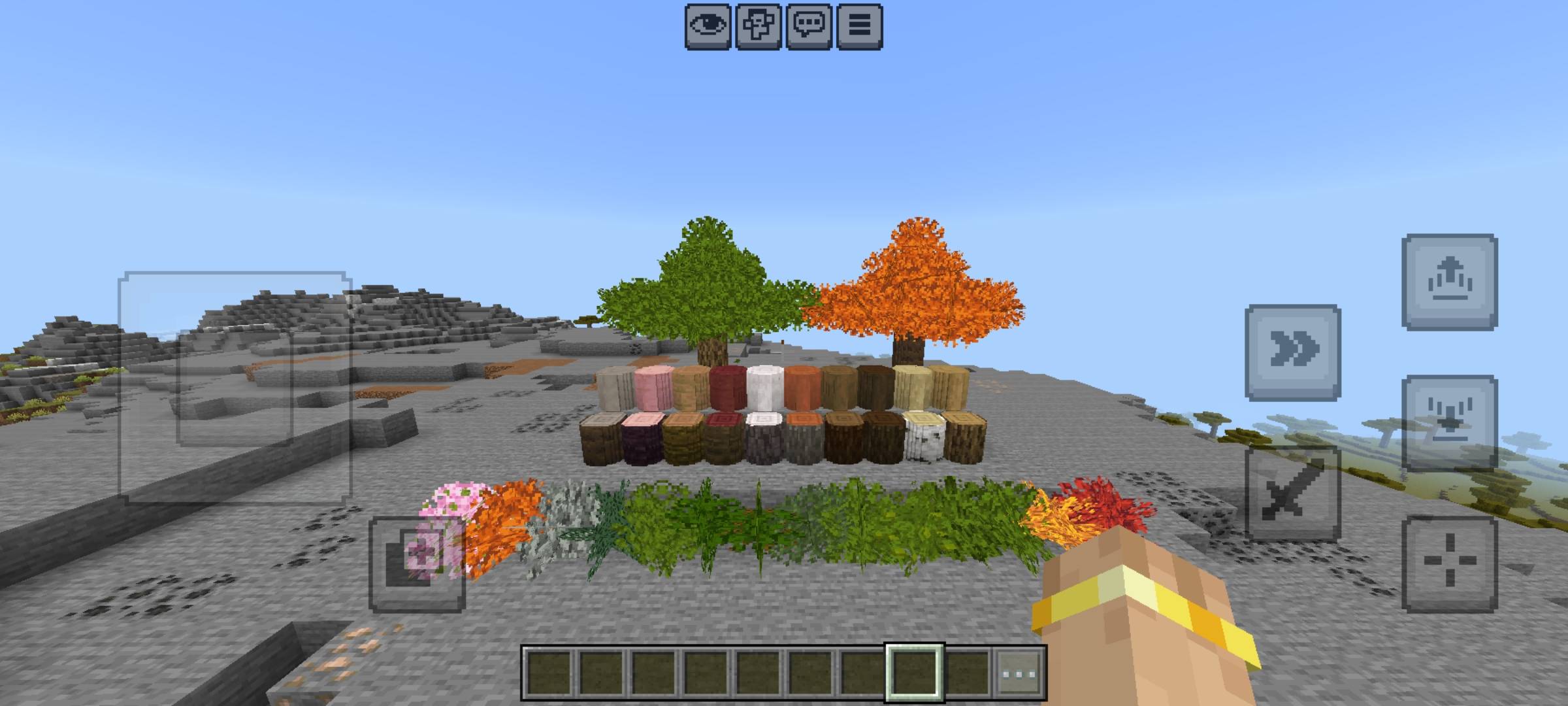
Verdant Trees v1.0.0
Created by lordjj04
Bring a fresh look to Minecraft: Bedrock Edition with Verdant Trees, an add-on focused on fuller bushy foliage, distinctive leaf textures, and rounded tree logs.
Verdant Trees replaces the ordinary appearance of supported foliage with custom three-plane bushy leaf models, creating fuller canopies while preserving the intentionally oversized leaf silhouettes. The add-on also introduces custom round-log blocks and supporting gameplay systems for a more distinctive forest experience.
Features
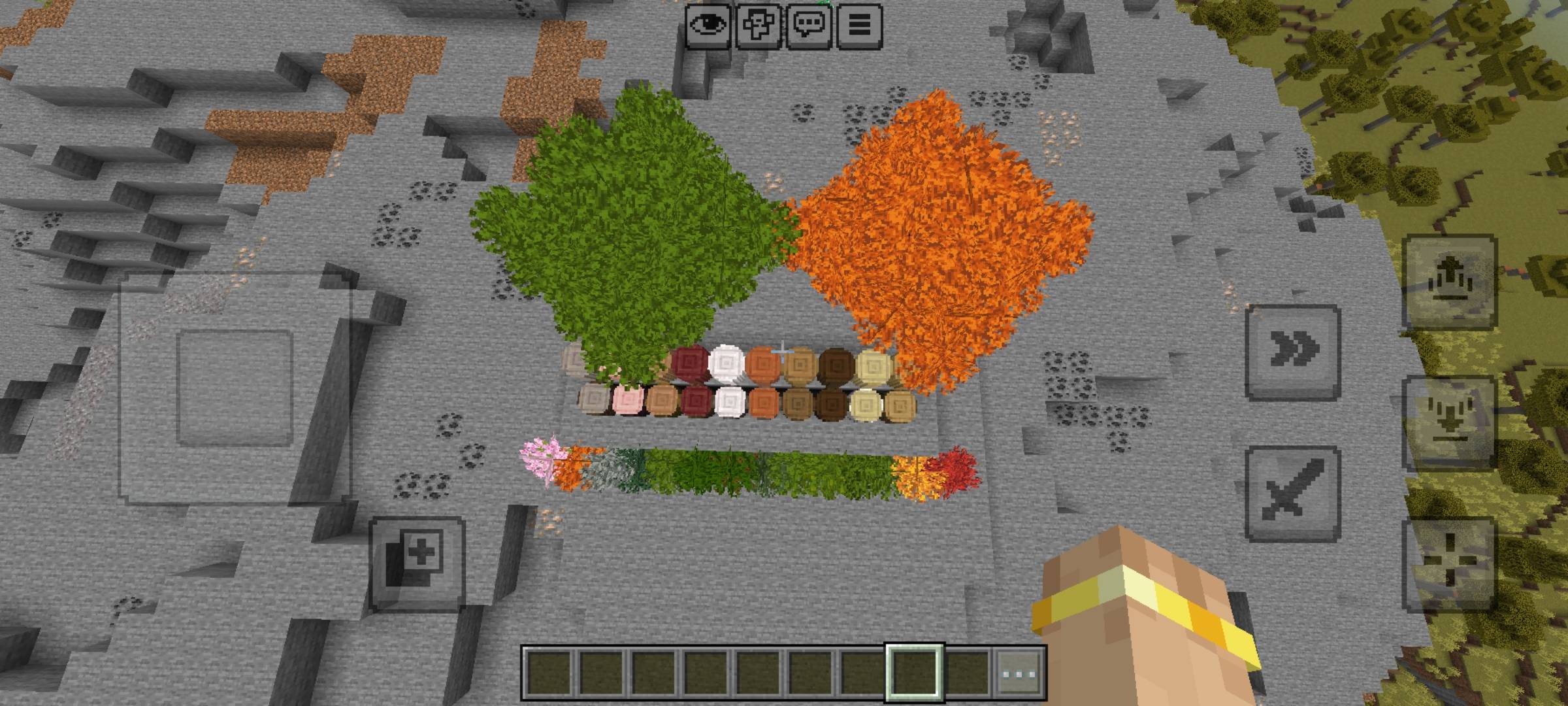
🌿 14 Bushy Leaf Variants
Explore a collection of custom foliage for different tree types:
-
Acacia
-
Azalea
-
Flowering Azalea
-
Birch
-
Cherry
-
Dark Oak
-
Jungle
-
Mangrove
-
Oak
-
Orange Poplar
-
Pale Oak
-
Red Poplar
-
Spruce
-
Yellow Poplar
Each variety uses its own foliage appearance and color treatment, helping different trees retain their character.
🌳 Rounded Tree Logs
Verdant Trees includes custom rounded log blocks designed to give tree trunks a more circular appearance than ordinary square logs. Supported variants include stripped logs where provided.
🍃 Bushy Canopies and Distant Foliage
The custom leaf models use multiple intersecting planes to create fuller canopy silhouettes. The resource pack also includes dedicated distant-foliage textures and rendering settings intended to preserve visible leaves as trees appear farther away.
⚙️ Supporting Gameplay Systems
The add-on includes systems for foliage shape initialization and conflict repair, leaf decay, falling-leaf particles, and round-log orientation. Crafting recipes are provided for supported wood variants.
🎨 Custom Textures
Verdant Trees uses custom bushy-leaf textures alongside species-specific color and tint settings. Its resource pack includes opaque distant-foliage textures and separate inventory artwork for supported leaf blocks.
Installation
-
Download the Verdant Trees
.mcaddonfile. -
Open it with Minecraft: Bedrock Edition and allow the packs to import.
-
Open your world settings.
-
Enable both the Verdant Trees Resource Pack and Verdant Trees Behavior Pack.
-
Create a test world or back up your existing world before using the add-on in an established save.
Disable older Verdant Trees versions before enabling this release to avoid duplicate custom block identifiers or pack conflicts.
Compatibility
Verdant Trees uses both a resource pack and a behavior pack. Rendering, performance, and feature availability may vary depending on your Minecraft version, device, graphics settings, and other installed add-ons.
Third-party texture packs, including Patrix, should be tested with the appropriate resource-pack load order. Compatibility with every external pack is not guaranteed.
For the best experience, test dense forests and distant foliage at your intended render distance before using the add-on in a long-term survival world.
Release Information
Project: Verdant Trees
Version: 1.0.0 — Official Release
Creator: lordjj04
Platform: Minecraft: Bedrock Edition
Pack type: Behavior Pack + Resource Pack
Verdant Trees is an independent community add-on and is not an official Minecraft or Mojang product.
- Edition: Minecraft Bedrock
- File type: .mcpack or .mcaddon
- Minecraft versions listed: 26.30, 26.40, 26.50
- How to install: Download the .mcpack or .mcaddon file. → Open it — Minecraft imports it. → In your world: Behavior Packs → Available → Activate, then the same under Resource Packs.
- Where to get it: Opens on CurseForge — not every file is mirrored on our own servers.
Install steps are the general flow for this file type — How to install Minecraft Bedrock addons & mods walks through it step by step.
Verdant Trees by lordjj04 is a free Minecraft Bedrock addon. Compatible with Minecraft 26.30, 26.40, 26.50. Downloaded 71 times (via CurseForge). Download it and open it directly in the game.