ModsJava
VNMC Tier Tag Mod (26.3, 1.21.1) – Spot Opponent Combat Tiers Before Every Fight
Java mod listed for Minecraft 1.21–26.x. Downloads from the MC Java Mods app on Android.
⬇ Download
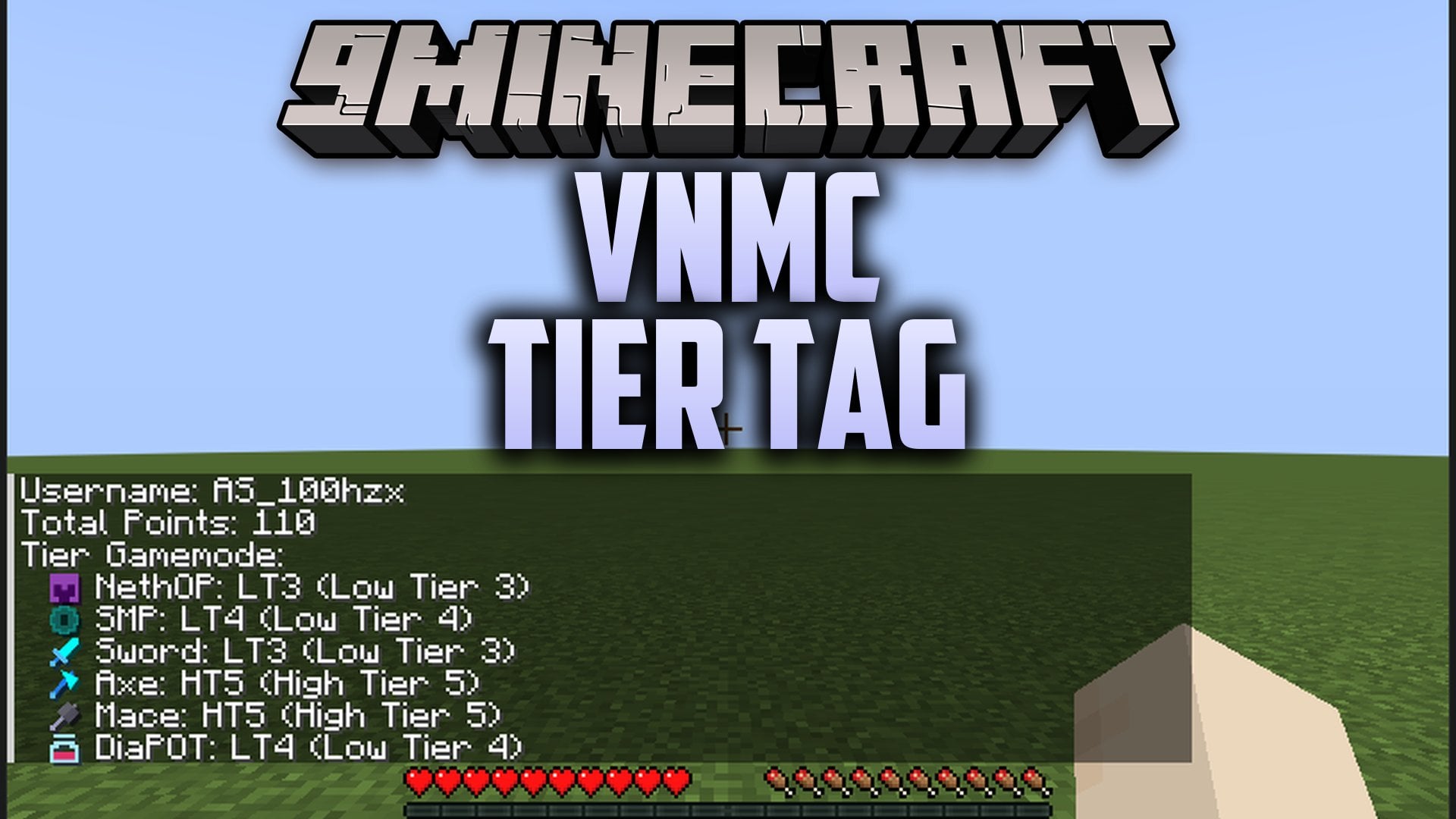
VNMC Tier Tag Mod displays player combat ranks directly above heads and inside the player list. It pulls rank data from the VNMC TierList so you can tell who you are fighting in PvP duels. The mod runs on your client and connects fine to vanilla multiplayer worlds. You can look up ranks for multiple game types, track your personal badge, and choose which mode displays on your tag.
Features:
- PvP Gamemode Badges: Displays ranks across eight battle modes including Crystal, Beast, Netherite Pot, Diamond Pot, UHC, SMP, Mace, and Axe.
- Color Coded Tiers: Uses distinct colors for high tiers from HT1 to HT5 and low tiers from LT1 to LT5.
- Player List Integration: Shows colored combat ranks right next to names in the tab list screen.
- Own Nametag View: Lets you see your own tier rank floating above your character head.
- Custom Display Choice: Lets you pick which combat mode rank appears on your badge.
- Two Languages: Switches between English and Vietnamese text for menus and status lines.
- Runs purely on the client side without needing special server setups.
- Updates data quickly from the live online rank database whenever you request it.
Commands:
/vnmc profile <player>: Opens the tier profile of a chosen player./vnmc refresh: Reloads player rank data from the online database./vnmc language: Switches the display language between Vietnamese and English./vnmc picktier <Mode-Tier>: Sets which battle mode and tier rank show on your nametag./vnmc help: Displays the help message with available command options.
How to Use:
- Join any multiplayer server while running the mod.
- Press Tab to check the player list and see everyone’s colored tier tags.
- Type
/vnmc profile <player>into chat to check another player’s tier rankings. - Type
/vnmc picktier <Mode-Tier>to select which mode rank you want to show over your head. - Type
/vnmc refreshif recent rank updates do not show up immediately.
VNMC Tier Tag Mod Download Links
Quick facts
- Edition: Minecraft Java
- File type: .jar
- Minecraft versions listed: 26.3, 1.21.1
- How to install: Install the matching mod loader (Forge, Fabric or NeoForge) for your Minecraft version. → Download the .jar. → Put it in the .minecraft/mods folder and launch that loader profile.
- Where to get it: In MC Java Mods, or directly above on this page.
Install steps are the general flow for this file type — How to install Minecraft Java mods & modpacks walks through it step by step.
File checked by MCModsHub
- Downloads as 540617.mcaddon
- Download size: 148 KB
- Download link checked 5 Nov 2026 — working
- Mirrored on our own servers — the download does not depend on the original host
These come from our own check of the pack file, not from the source page.