ResourcepacksJava
A Very Minecraft Christmas Resource Pack (26.3, 1.21.11)
Java resource pack listed for Minecraft 1.21–26.x. Download on the author's site.
⬇ Download


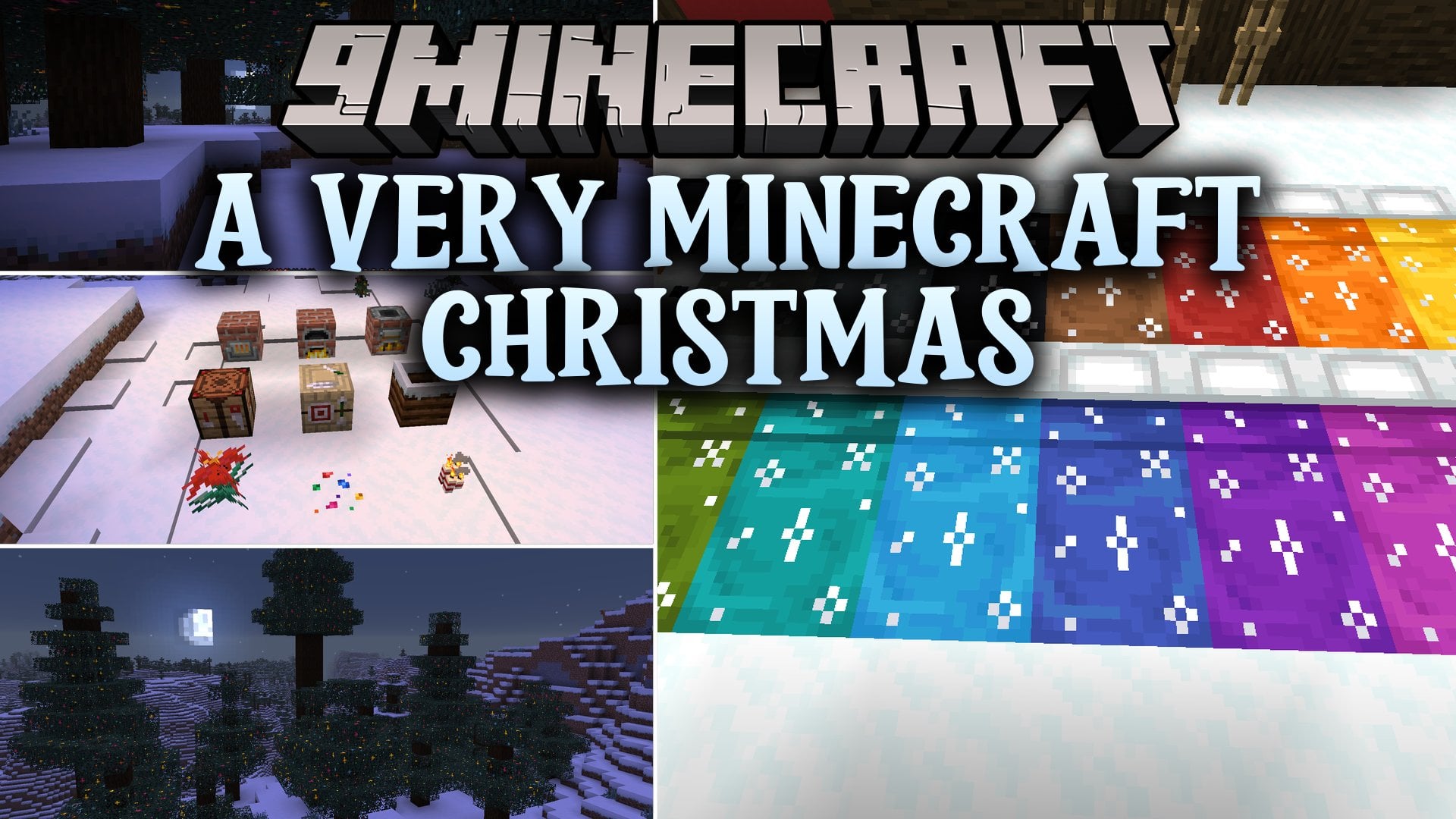
A Very Minecraft Christmas Resource Pack repaints your world into a cozy, snowy Christmas scene while keeping the default style. It turns bamboo into candy canes, adds snow to grass, and puts festive hats on mobs. This pack includes 268 textures and 6 sounds, so blocks, items, menus, and mobs all get a holiday look.
Features:
- Snowy Ground: Grass Block, Mycelium, and Podzol look snowy, and grass footsteps sound like snow.
- Wearable Santa Hats: Rename a carved pumpkin in an anvil to get a Santa hat in one of 16 colors.
- Festive Mobs: Most mobs get Christmas hats or decorations, and the Iron Golem turns into Santa.
- Candy Cane Bamboo: Bamboo looks like candy canes, and the White Candle gets a candy cane design.
- Snowflake GUI: The crosshair, block menus, and other screens get a cute snowflake look.
- Glowing Tree Lights: Spruce Leaves and Spruce Saplings have lights that glow, and the sapling lights are animated.
- Adds a bow, wreath, or garland with lights to every door type.
- Gives beds a snowflake pattern.
- Turns all Bundle colors into Christmas gifts.
- Changes Glow Berries from yellow to red, so they look like holly.
- Removes the Carved Pumpkin blur so you can see clearly while wearing a hat.
Blocks and Items:
- Cake looks like figgy pudding.
- Cookie looks like a gingerbread man.
- Ender Pearl looks like an ornament.
- Totem of Undying looks like Santa.
- Torchflower looks like a poinsettia.
- Resin Clumps are colorful and glow.
- Composter has snow resting on top.
- Cave Vines use a cooler green color.
- Crafting Table, Furnace, Blast Furnace, Smoker, and Fletching Table get festive retextures.
Menus and Screens:
- Health bar and hunger bar get a new look.
- Hotbar selection square gets a new look.
- XP bar gets a new look.
- Main menu splashes get a new look.
- Functional block menus get snowflakes.
Santa Hat Colors:
- Black, Blue, Brown, Cyan, Gray, Green, Light Blue, and Light Gray.
- Lime, Magenta, Orange, Pink, Purple, Red, White, and Yellow.
How to Get a Santa Hat:
- Use shears on a pumpkin to make a carved pumpkin.
- Place the carved pumpkin in an anvil.
- Type the hat name exactly, like Red Santa Hat. Capital letters and spaces matter.
- Wear your hat. You must do this even in creative mode.
Recommended Pairings:
- Entity Model Features and Entity Texture Features help you see the decorations on mobs.
- Continuity or OptiFine works well with this pack too.
Screenshots:
A Very Minecraft Christmas Resource Pack Download Links
Quick facts
- Edition: Minecraft Java
- File type: .zip (resource pack)
- Minecraft versions listed: 26.3, 1.21.11
- How to install: Download the .zip resource pack — do not unzip it. → Put it in .minecraft/resourcepacks. → Enable it in Options → Resource Packs.
- Where to get it: Opens on the file's original source — not every file is mirrored on our own servers.
Install steps are the general flow for this file type — How to install Minecraft Java resource packs walks through it step by step.
A Very Minecraft Christmas Resource Pack (26.3, 1.21.11) is a free Minecraft Java resourcepack. Compatible with Minecraft 26.3, 1.21.11. Download it and open it directly in the game.