ModsJava
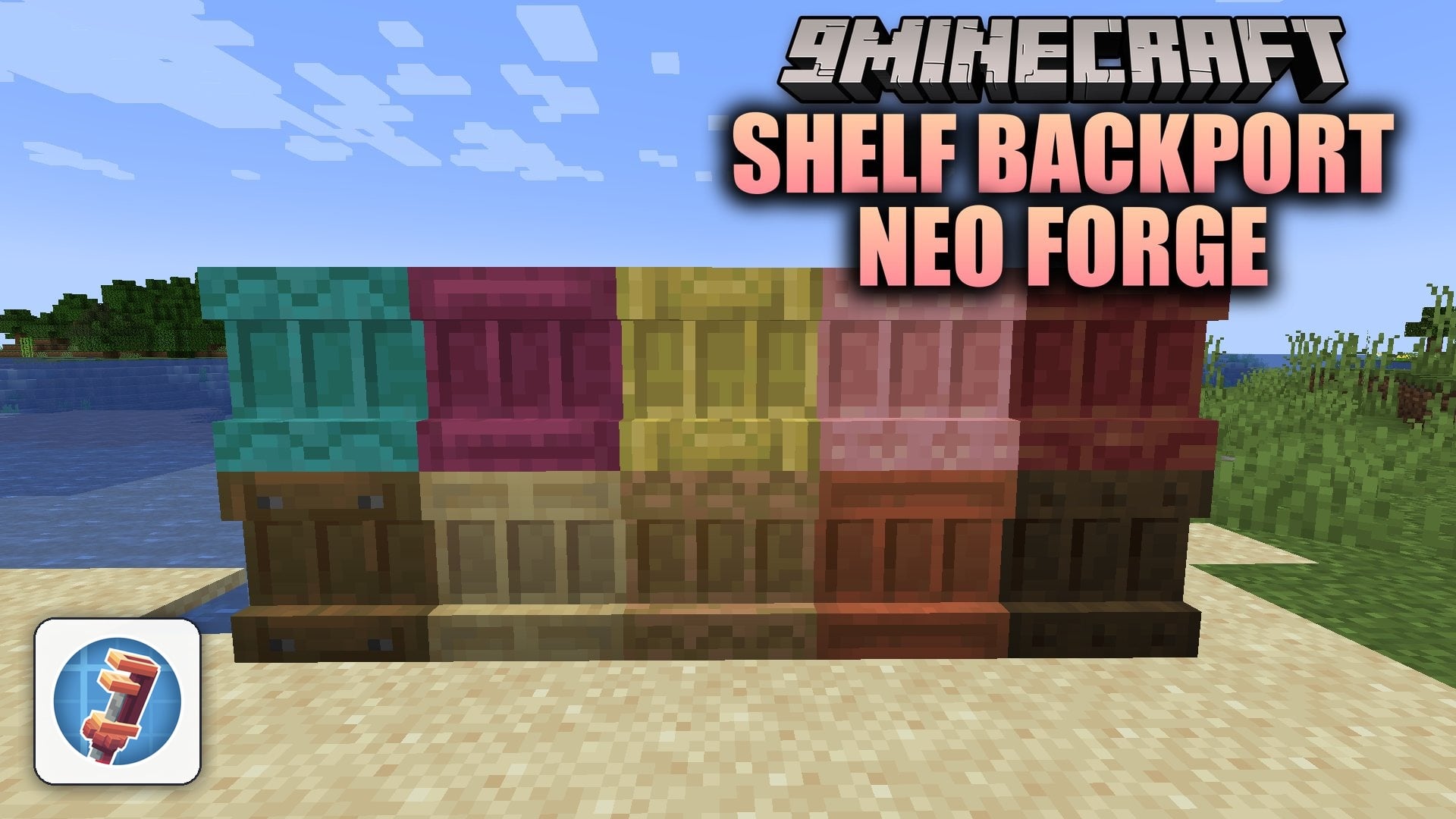
Shelf Backport Neo Forge Mod (1.21.11, 1.21.1) – Display Your Best Gear
Java mod listed for Minecraft 1.21. Downloads from the MC Java Mods app on Android.
⬇ Download
Shelf Backport Neo Forge Mod backports the shelf blocks from Minecraft 1.21.9 to 1.21.1 on NeoForge. It brings decorative storage blocks for every wood type straight into your world. You can place your favorite tools, weapons, and treasures directly on the wall for quick access. This mod also works smoothly alongside Create machinery.
Features:
- Item Display: Holds up to three items at once and shows them directly on the block face.
- Wood Types: Includes all wood options, including Oak, Birch, Bamboo, Crimson, and Pale Oak.
- Hotbar Swapping: Connects up to three powered shelves in a row to trade hotbar slots with a single click.
- Waterlogging: Places cleanly underwater without popping off or creating air pockets.
- Plays custom sound effects whenever you place, take, swap, or power items on the shelf.
- Crafts six shelves using six matching stripped wood logs on a crafting table.
- Works directly alongside Create contraptions for custom room designs.
How to Use:
- Place six matching stripped logs on a crafting table to craft six shelf blocks.
- Attach the shelf block to any wall, floor, or underwater area.
- Right-click the shelf while holding an item to place it in one of the three open slots.
- Right-click an item on the shelf with an empty hand to pull it back into your inventory.
- Place up to three shelves side by side and supply redstone power to swap your hotbar slots instantly.
Shelf Backport Neo Forge Mod Download Links
Quick facts
- Edition: Minecraft Java
- File type: .jar
- Minecraft versions listed: 1.21.11, 1.21.1, 1.21.9
- How to install: Install the matching mod loader (Forge, Fabric or NeoForge) for your Minecraft version. → Download the .jar. → Put it in the .minecraft/mods folder and launch that loader profile.
- Where to get it: In MC Java Mods, or directly above on this page.
Install steps are the general flow for this file type — How to install Minecraft Java mods & modpacks walks through it step by step.
File checked by MCModsHub
- Downloads as 542045.mcaddon
- Download size: 204 KB
- Download link checked 7 Nov 2026 — working
- Mirrored on our own servers — the download does not depend on the original host
These come from our own check of the pack file, not from the source page.