Workstation Helper Mod (26.2) – Never Pause to Check Crafting Recipes Online
Java mod listed for Minecraft 26.x. Download on the author's site.
⬇ Download


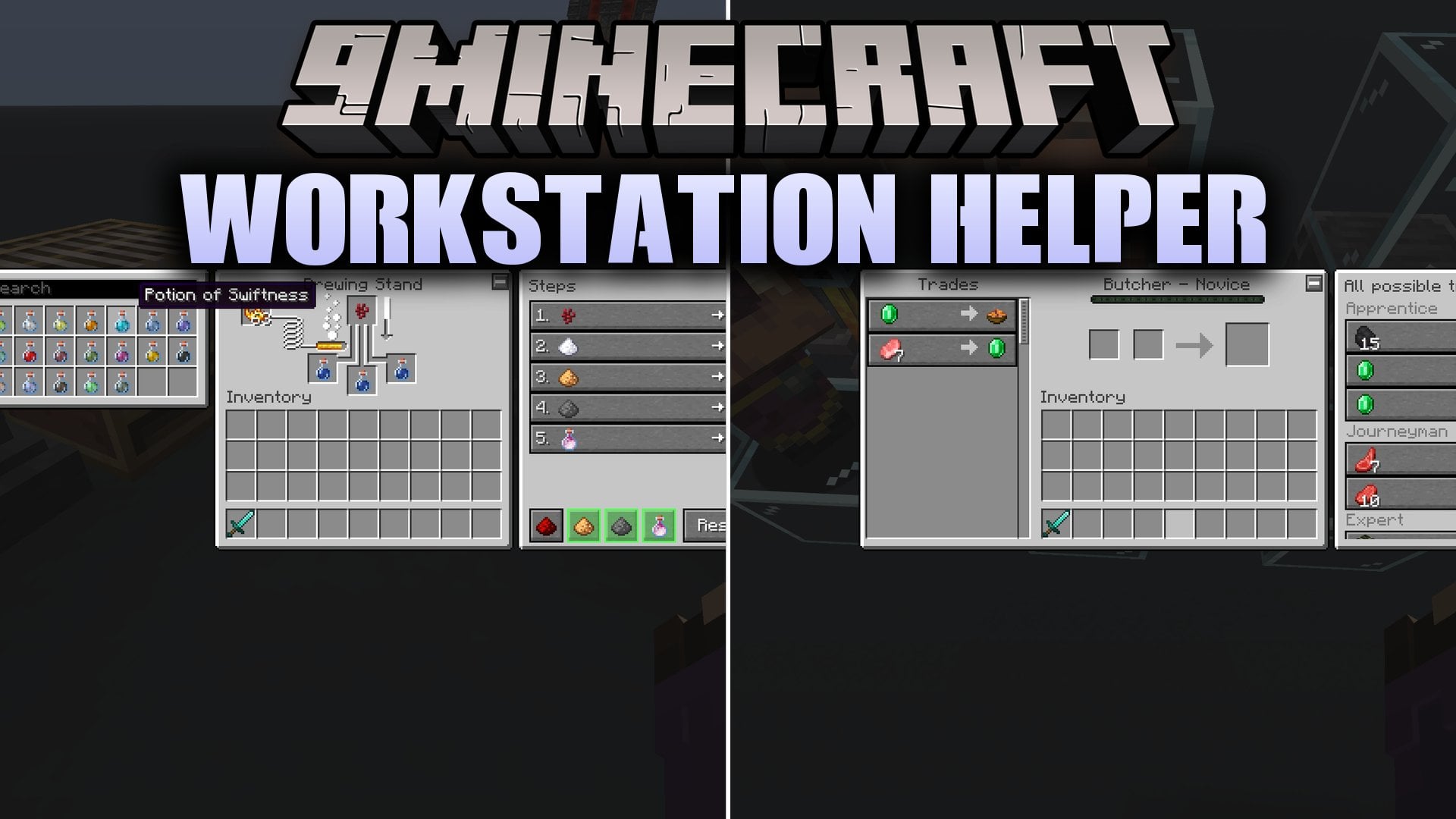
Workstation Helper Mod adds simple guide panels directly inside your workstation menus. It gives you quick answers for enchanting, banners, potions, and villager trades right on your screen. You do not need to pause your adventure or open a web browser to find the best recipes. Because this mod runs only on your game client, you can take it onto multiplayer servers without server setup.
Features:
- Anvil Planner: Calculates the cheapest order to combine your enchanted books and tracks the total level cost.
- Smithing Preview: Shows a live preview of armor trims, materials, and colors alongside template location hints.
- Enchanting Shelf Checker: Displays a 3D view of nearby bookshelves to show working shelves and find blocked blocks.
- Banner Studio: Gives you ready-made banner designs, step-by-step layer guides, and a way to copy patterns.
- Brewing Helper: Lists all potions with a search bar, brewing steps, and ingredient tips for splash or lingering variants.
- Villager Trade List: Displays every possible trade across all profession levels for villagers and the wandering trader.
- The stonecutter screen receives a clean recipe book similar to the vanilla crafting table.
- Smelting blocks like the furnace, blast furnace, and smoker display a fuel tab showing how many items each fuel burns.
- Short tip panels show up inside the cartography table and grindstone screens.
- Players can hide or show any helper panel by clicking the small minus or plus button in the corner.
- The entire helper display can be turned off in your game settings under the accessibility tab.
How to Use:
- Open any supported workstation like an anvil, brewing stand, or villager trade screen.
- Look at the side panel to view recipes, cheap enchanting paths, or trade unlocks.
- Click the −/+ button in the corner of the window to collapse or expand the helper panel.
- Open Options, select Accessibility, and click Helper if you want to turn off the panels completely.
Screenshots:
Workstation Helper Mod Download Links
- Edition: Minecraft Java
- File type: .jar
- Minecraft version listed: 26.2
- How to install: Install the matching mod loader (Forge, Fabric or NeoForge) for your Minecraft version. → Download the .jar. → Put it in the .minecraft/mods folder and launch that loader profile.
- Where to get it: Opens on the file's original source — not every file is mirrored on our own servers.
Install steps are the general flow for this file type — How to install Minecraft Java mods & modpacks walks through it step by step.
Workstation Helper Mod (26.2) – Never Pause to Check Crafting Recipes Online is a free Minecraft Java mod. Compatible with Minecraft 26.2. Download it and open it directly in the game.