ModsJava
Example Mod (26.3) – Build Clean Fabric Mods and Fix Tricky Conflicts
Java mod listed for Minecraft 26.x. Download on the author's site.
⬇ Download

Example Mod equips you with dedicated development tools for Fabric projects. It brings specialized skills into Claude Code to guide mod creation, mixin reviews, and version updates. The mod teaches the assistant to recognize project versions and spot risky code injections before you publish. It also checks your project files to catch setup mistakes early.
Features:
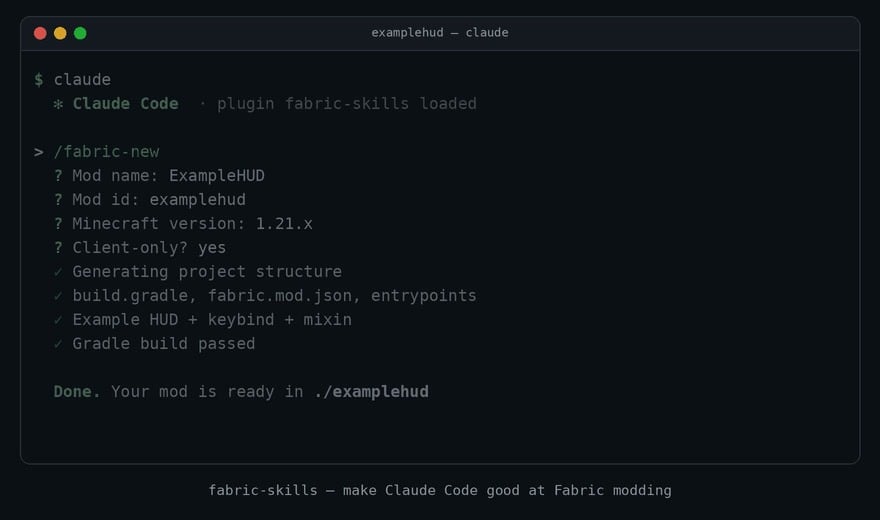
- Project Scaffolding: Sets up clean mod templates by asking for basic details and running build tests.
- Version Porting: Plans update steps across Minecraft versions and compiles Gradle builds until they pass.
- Project Auditing: Inspects files, settings, dependencies, and mixins to deliver a ranked checklist of issues.
- Mixin Reviewer: Scans injection targets to prevent conflicts with popular mods such as Sodium, Iris, and Lithium.
- Skills load right away whenever you work inside a Fabric mod directory.
- Helps distinguish between modern unobfuscated versions and older Yarn mapping setups.
- Checks client and server separation to prevent unexpected crashes in multiplayer environments.
- Ships with a sample client mod that features a coordinates display, a toggle key, and a JSON config.
Commands:
/fabric-skills:new: Asks for mod details and sets up a new project template until it builds./fabric-skills:port: Shows an update plan and ports code through reviewable commits until the build works./fabric-skills:check: Audits mod settings, mixins, and dependencies to generate a prioritized report./plugin marketplace add: Registers a plugin marketplace to browse available developer extensions./plugin install: Downloads and sets up the chosen developer tool package./reload-plugins: Refreshes installed plugins during an active session without restarting.
How to Use:
- Install the matching mod loader for your Minecraft version.
- Add the marketplace source by running
/plugin marketplace add. - Type
/plugin installto download the developer toolset. - Run
/reload-pluginsto apply the tools during your active session. - Type
/fabric-skills:newto start a new project or/fabric-skills:checkto inspect an existing mod.
Screenshots:
Example Mod Download Links
Quick facts
- Edition: Minecraft Java
- File type: .jar
- Minecraft version listed: 26.3
- How to install: Install the matching mod loader (Forge, Fabric or NeoForge) for your Minecraft version. → Download the .jar. → Put it in the .minecraft/mods folder and launch that loader profile.
- Where to get it: Opens on the file's original source — not every file is mirrored on our own servers.
Install steps are the general flow for this file type — How to install Minecraft Java mods & modpacks walks through it step by step.
Example Mod (26.3) – Build Clean Fabric Mods and Fix Tricky Conflicts is a free Minecraft Java mod. Compatible with Minecraft 26.3. Download it and open it directly in the game.