
# PotteryEditor (1.20.1+)
### Editor for decorated pots
Do you have a desire to create beautifully decorated pots? Look no further! With this plugin, crafting decorated pots becomes a breeze.
### Usage
Explore the editor's main menu. Simply click on the lime dye to build your pottery


Need guidance on crafting your pottery? Click on the crafting table icon:

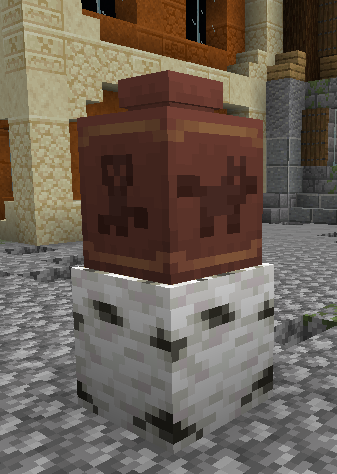
And here's what your finished pottery could look like:
### Commands
* /potteryeditor | Opens the pottery editor GUI
### Permissions
| Permission | Info |
| -------- | -------- |
|PotteryEditor.editor | Allows player to open the editor gui |
|PotteryEditor.build | Allows players to retrieve pottery from the GUI. |
|PotteryEditor.preview | Allows players to preview the crafting process for specific pottery. |
## Support
https://discord.gg/2uVvpAzvkE
Quick facts
- Edition: Minecraft Java
- File type: .jar
- Minecraft version listed: 1.20.1
- How to install: Install the matching mod loader (Forge, Fabric or NeoForge) for your Minecraft version. → Download the .jar. → Put it in the .minecraft/mods folder and launch that loader profile.
- Where to get it: Opens on Hangar — not every file is mirrored on our own servers.
Install steps are the general flow for this file type — How to install Minecraft Java mods & modpacks walks through it step by step.
PotteryEditor is a free Minecraft Java mod. Compatible with Minecraft 1.20.1. Downloaded 14 times (via Hangar). Download it and open it directly in the game.