
Crosshair info
Java mod listed for Minecraft 26.x. Downloads from the MC Java Mods app on Android.
A simple PvP HUD that displays useful information like health, armor and hunger near the crosshair. Keybinds are available for easier control, with more…
⬇ Download on Modrinth


Crosshair Info HUD
Crosshair Info HUD is a Minecraft mod that displays useful information near your crosshair, so you don't have to look down at the normal HUD all the time.
It's especially useful for PvP and keeping track of important information while playing.
Currently, the mod shows:
- Health
- Armor
- Hunger
Keybinds
- H — Hide or show the Crosshair Info HUD while playing.
- G — Open the new settings menu, where you can customize your HUD, choose between the normal Minecraft crosshair and a custom crosshair, and select which information is displayed. You can also change the keybind in the Minecraft controls settings.
Update 1 — Released
Keybinds
Keybinds have been added so you can quickly hide or show the Crosshair Info HUD while playing.
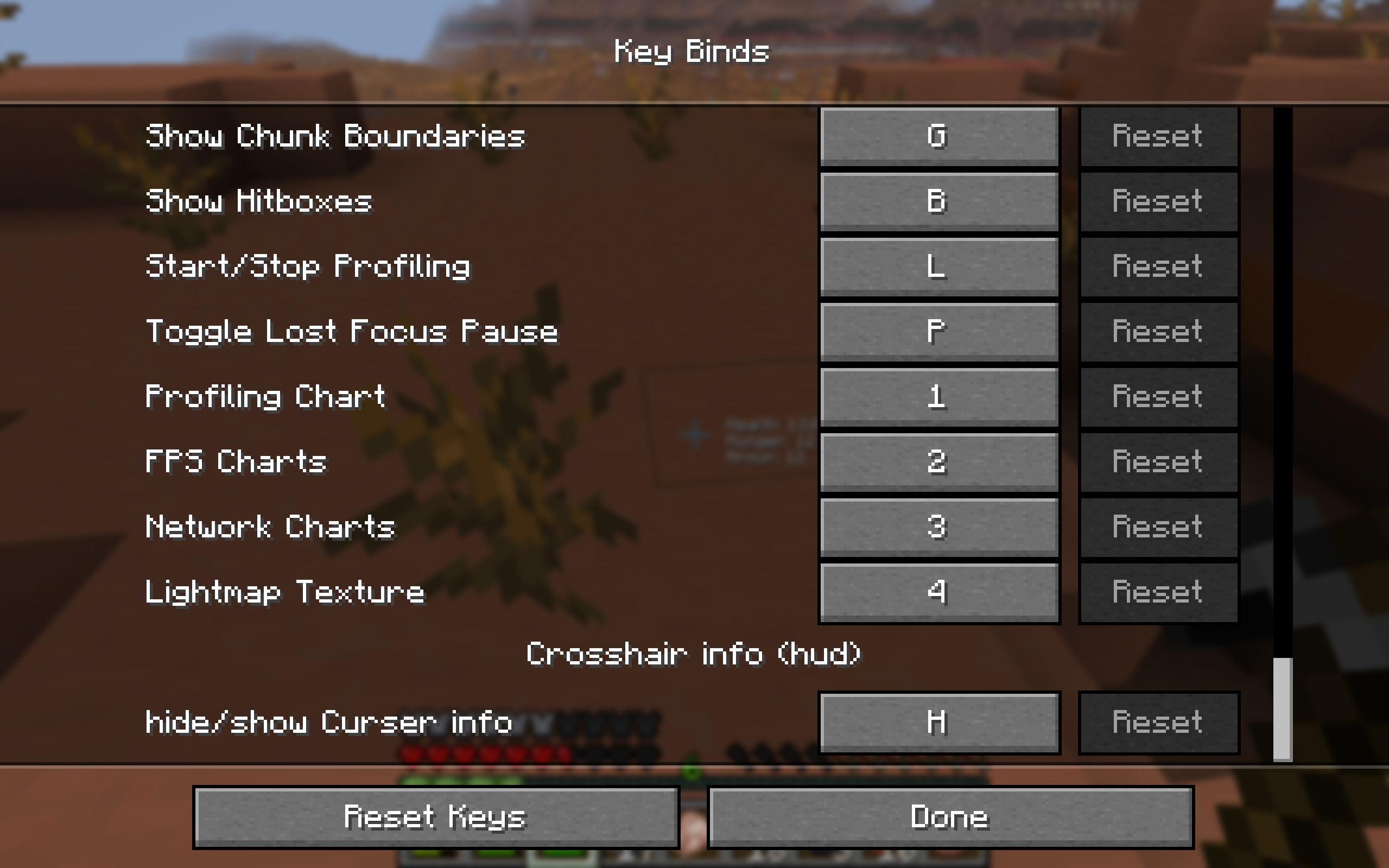
Default key: H
Update 2 — Beta 2.0.0
New Settings Menu
A new menu has been added. Press G to open it and access the new HUD settings.
Crosshair Options
Choose between the normal Minecraft crosshair and a custom crosshair.
Choose What Information Is Displayed
Select which information you want to display near your crosshair.
Future Updates
More HUD Information
More information may be added over time, including status effects and their remaining duration.
More Customization
More customization options and improvements are planned for future updates.
Planned Minecraft Versions
The full release is planned for 3–5 days from now. Early updates released before then will only support Minecraft 26.3.
The full release is planned to support:
- Minecraft 1.21.11
- Minecraft 26.1
- Minecraft 26.1.1
- Minecraft 26.1.2
- Minecraft 26.2
- Minecraft 26.3
Future compatibility: When Minecraft 26.5 releases, support for Minecraft 1.21.11, 26.1, 26.1.1, and 26.1.2 will most likely be dropped.
The mod is still being developed, so more features and improvements are planned.
If you have any ideas for features you would like to see, write them in the comments! ❤️
- Edition: Minecraft Java
- File type: .jar
- Minecraft version listed: 26.3
- How to install: Install the matching mod loader (Forge, Fabric or NeoForge) for your Minecraft version. → Download the .jar. → Put it in the .minecraft/mods folder and launch that loader profile.
- Where to get it: Opens on Modrinth — not every file is mirrored on our own servers.
Install steps are the general flow for this file type — How to install Minecraft Java mods & modpacks walks through it step by step.
- Ships as crosshair-info-hud-26.3-2.0.0-EARLY.jar — drop this file into the mods folder
- Download size: 26 KB
- Download link checked 9 Nov 2026 — working
These come from our own check of the pack file, not from the source page.