Custom Shields and Trims Mod (26.3, 1.21.11) – Style Your Gear with Any Trim
Java mod listed for Minecraft 1.21–26.x. Download on the author's site.
⬇ Download
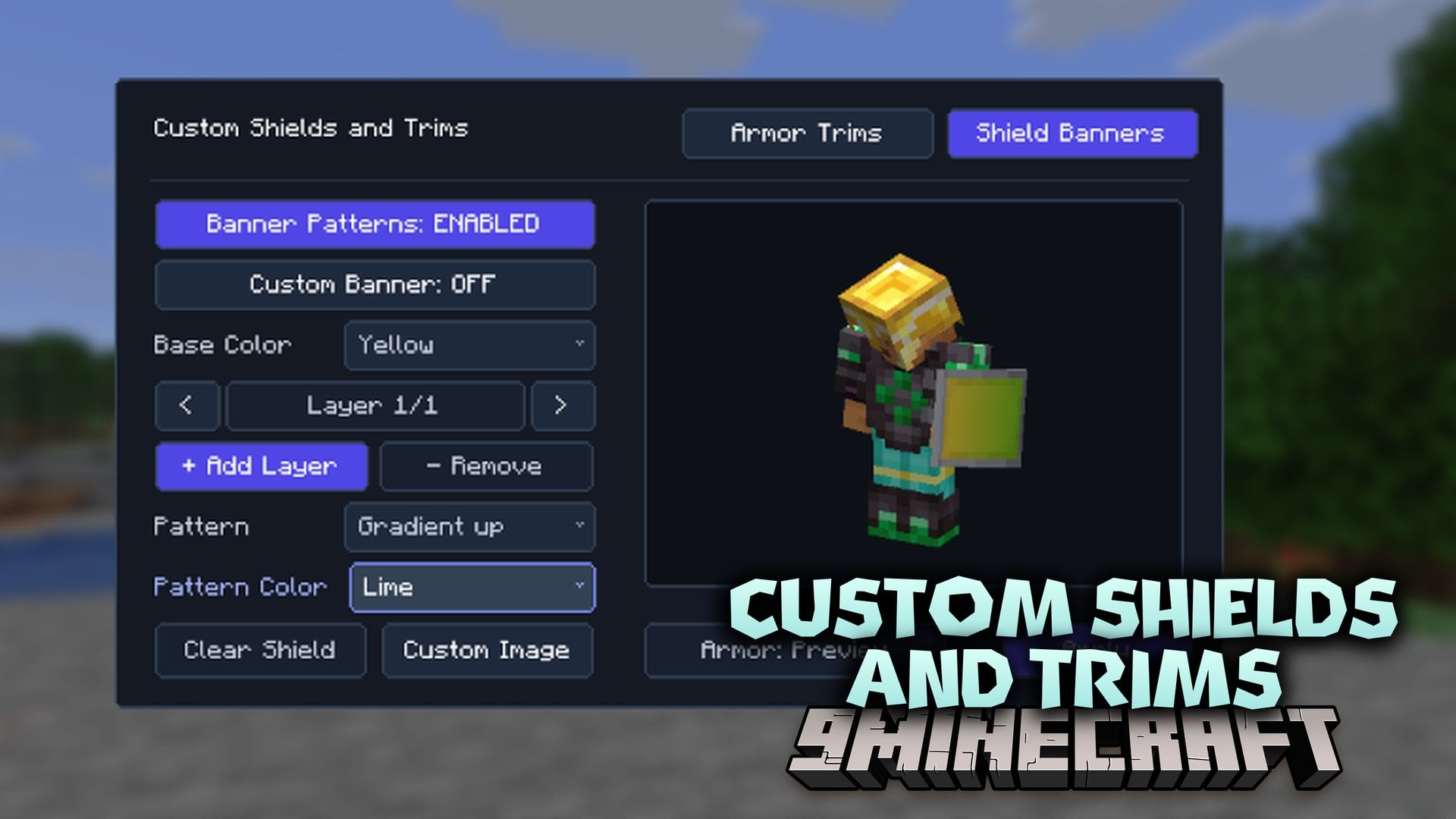
Custom Shields and Trims Mod lets you change how your shield and armor look through a simple in-game menu. This client-side mod gives you a clean, loom-style screen that holds every banner pattern and armor trim in the game. You can even pick any picture from your computer files and put it right on your shield. A live preview shows your character on screen so you can test new styles on your equipped gear right away.
Features:
- Custom Shield Pictures: Lets you attach any picture or image from your computer files directly onto your shield.
- Live Player Preview: Shows a live character model with a toggle to switch between preview armor and your currently equipped gear.
- Gives you a lightweight, loom-style menu that is clean and simple to use.
- Includes every banner pattern and armor trim pattern available in the game.
- Lets you customize both the trim pattern and the trim material on your armor.
- Runs on the client side for personal cosmetic styling.
How to Use:
- Press K in-game to open the customization menu (you can change this key in your controls settings).
- Select your armor trims, banner patterns, or an image file for your shield.
- Click Apply to save your style.
Custom Shields and Trims Mod Download Links
- Edition: Minecraft Java
- File type: .jar
- Minecraft versions listed: 26.3, 1.21.11
- How to install: Install the matching mod loader (Forge, Fabric or NeoForge) for your Minecraft version. → Download the .jar. → Put it in the .minecraft/mods folder and launch that loader profile.
- Where to get it: Opens on the file's original source — not every file is mirrored on our own servers.
Install steps are the general flow for this file type — How to install Minecraft Java mods & modpacks walks through it step by step.
Custom Shields and Trims Mod (26.3, 1.21.11) – Style Your Gear with Any Trim is a free Minecraft Java mod. Compatible with Minecraft 26.3, 1.21.11. Download it and open it directly in the game.