
Precise Cushion Placement
Java mod listed for Minecraft 26.x. Downloads from the MC Java Mods app on Android.
⬇ Download on Modrinth
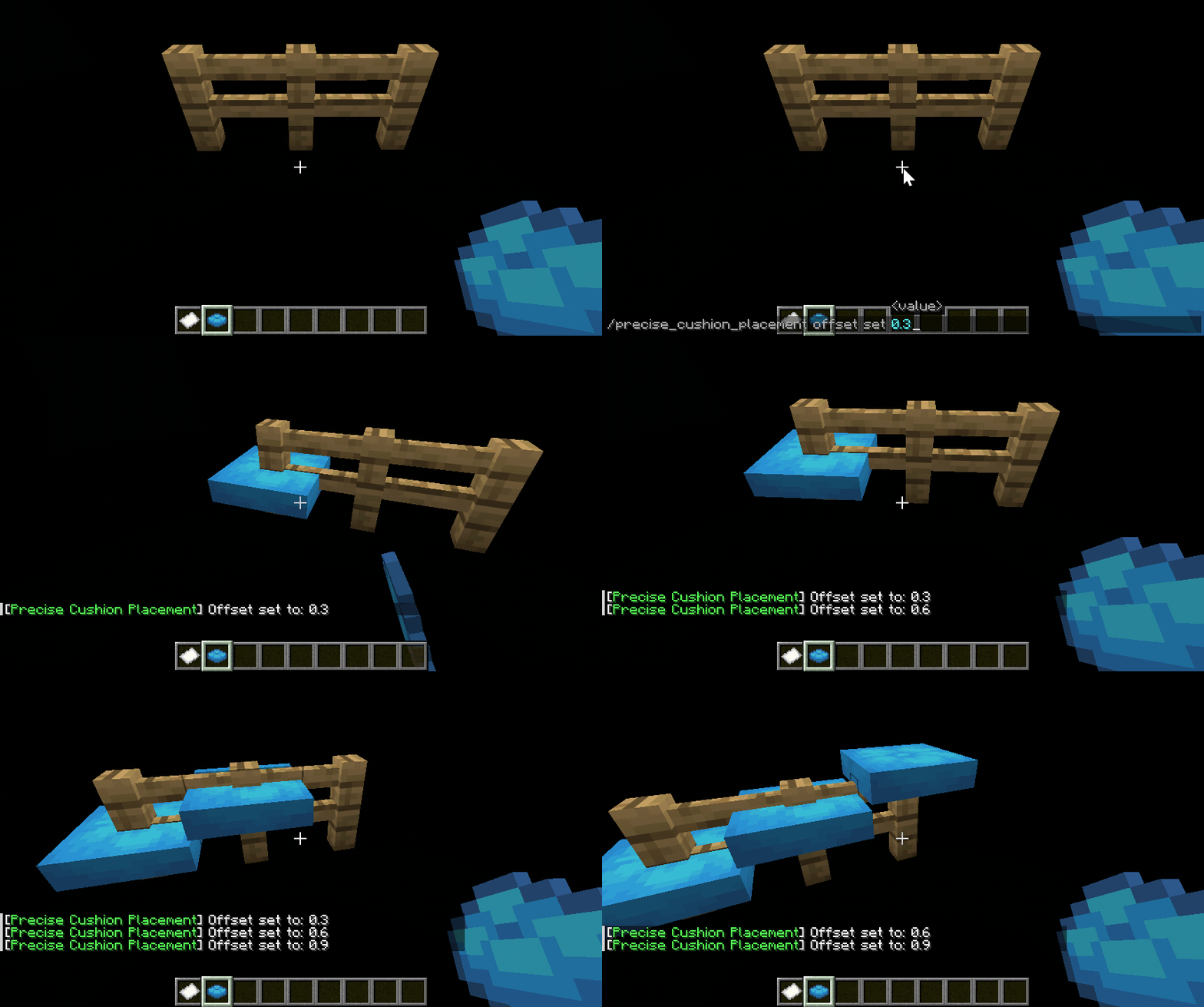
A client-side-only mod that allows players to place cushions at precise Y-coordinates.
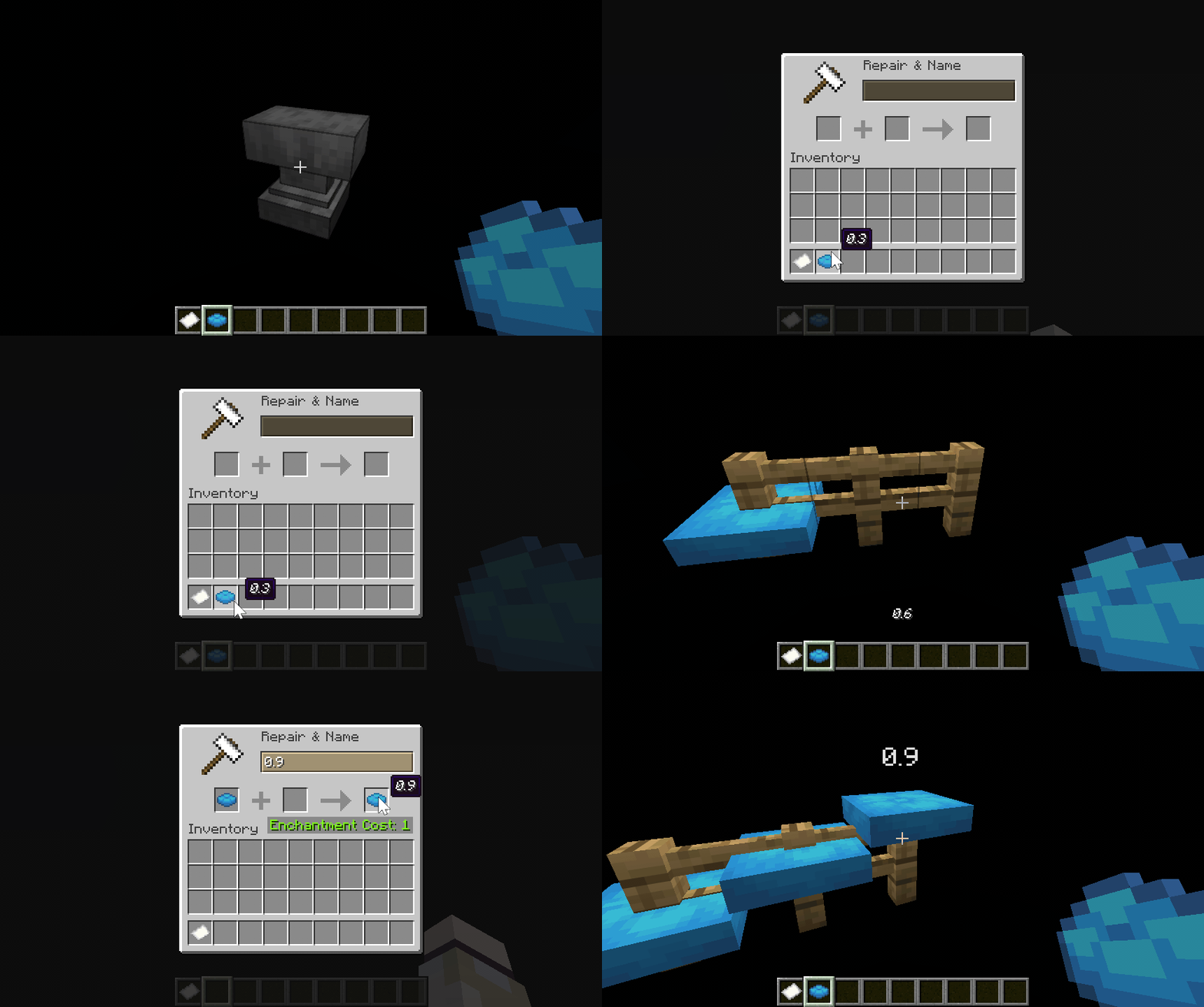
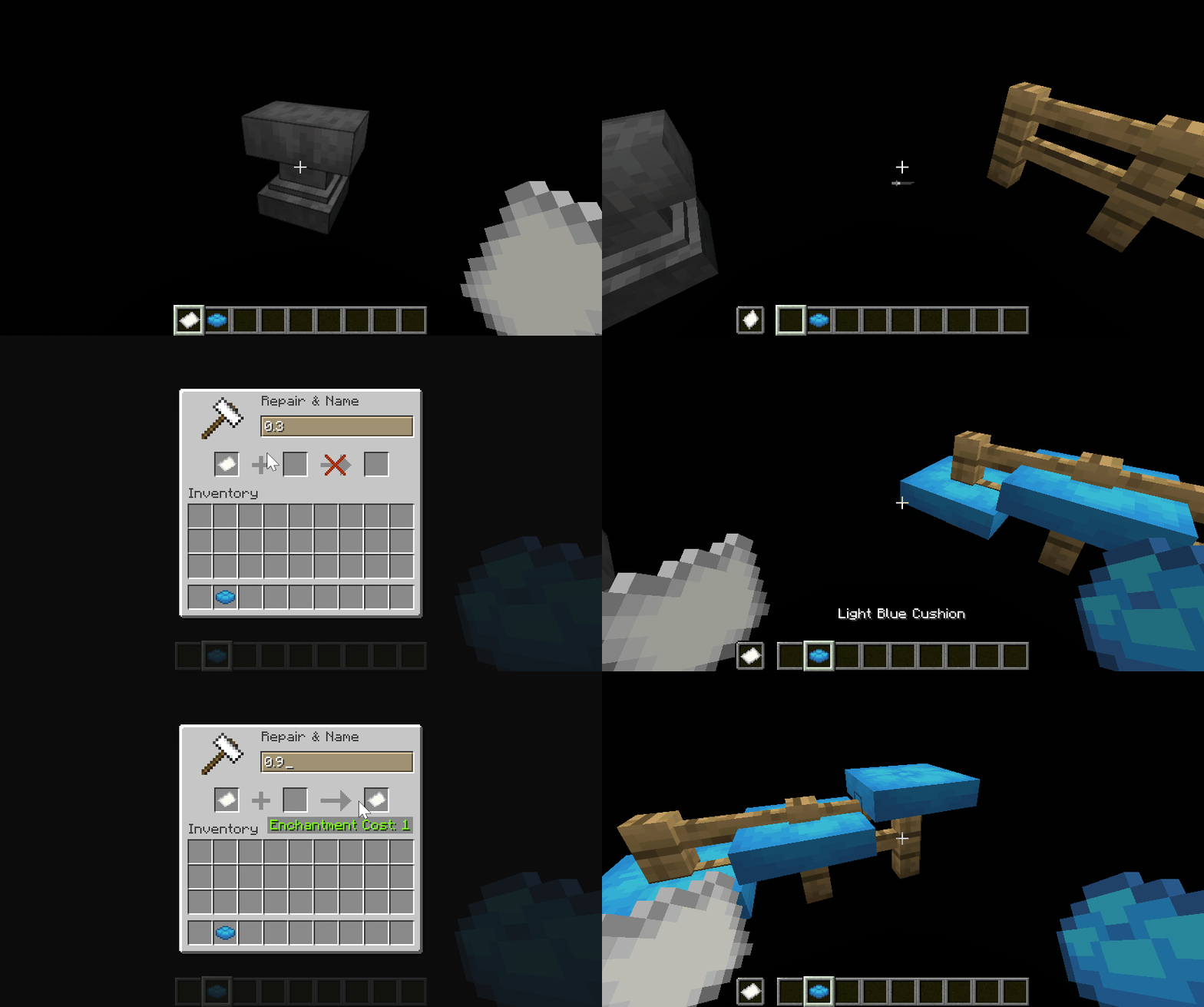
By default, it will try to get the Y coordinate offset of the cushion from the held cushion item custom name, offhand item custom name, or the value set by command in order. If a valid value ([0.0, 1.0]) is found, a new Y position (y_new = floor(y) + y_offset) will be calculated when placing the cushion and a new BlockHitResult will be synthesized using the new Y position and Direction.UP, thus achieving precise Y coordinate placement.
Y offset sources can be modified through configuration file or command.
⚠️ WARNING
Since this method modifies the
BlockHitResultto deviate from the position pointed by the player's line of sight, it may trigger anti-cheat mechanisms on the server. Please consult the administrator before using such auxiliary mods.
Configuration
The configuration file is located at config/precise_cushion_placement.json.
The default configuration is:
{
  "offsetSources": [
    "CUSHION_ITEM_NAME",
    "OFFHAND_ITEM_NAME",
    "COMMAND"
  ]
}
You can also make changes in-game using commands:
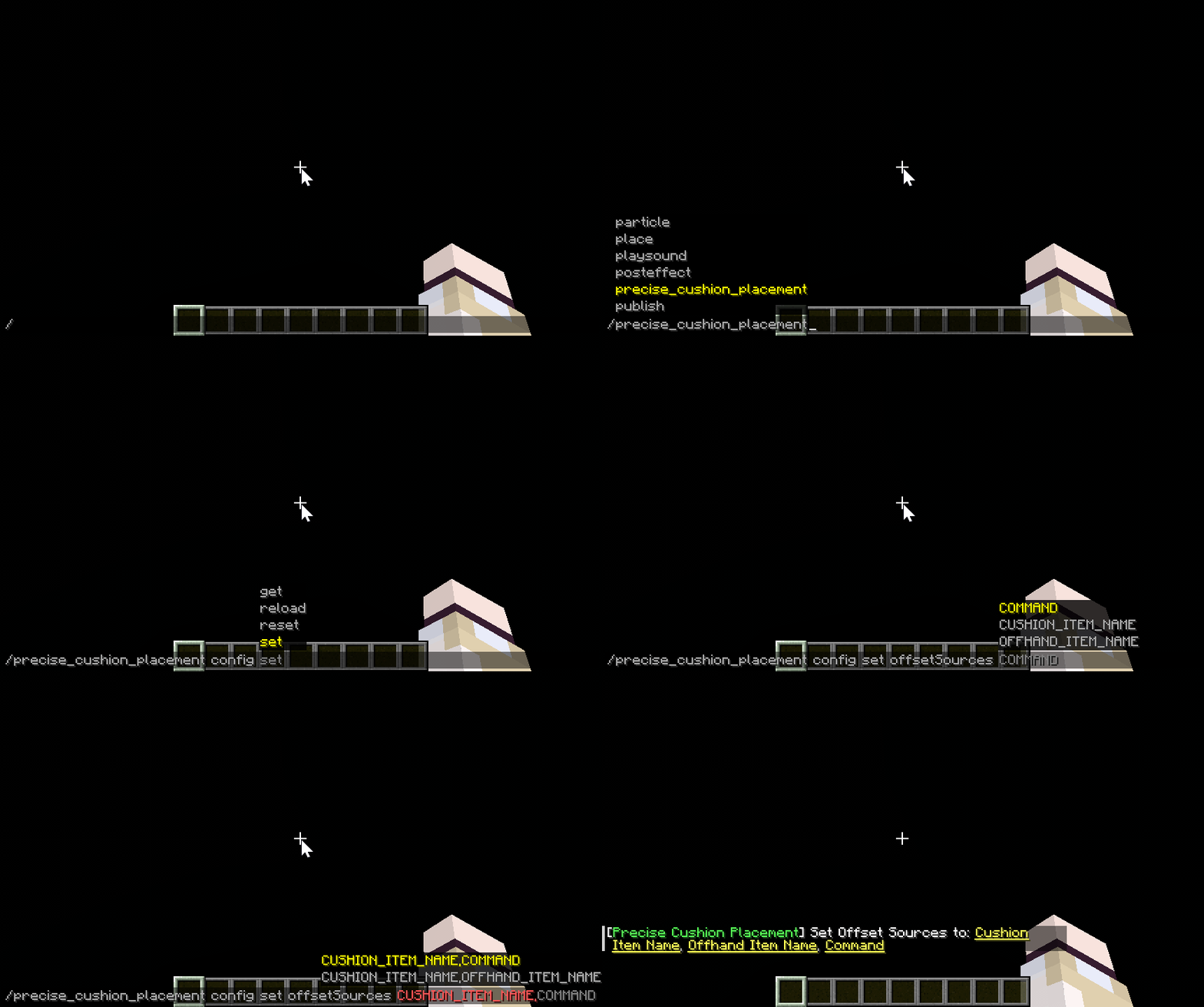
Commands
Subcommands are prefixed with /precise_cushion_placement.
| Subcommand | Parameters | Description |
|---|---|---|
offset clear |
None | Clear Y offset |
offset get |
None | Get Y offset |
offset set |
Double, 0.0~1.0 | Set Y offset |
config reload |
None | Reload configuration |
config reset |
None | Reset configuration |
config get |
None | Show current configuration |
config set offsetSources |
Enum set, separated by commas | Set Y offset sources |
Offset Sources
CUSHION_ITEM_NAME
OFFHAND_ITEM_NAME
COMMAND
- Edition: Minecraft Java
- File type: .jar
- Minecraft versions listed: 26.3, 26.3-pre-1, 26.3-pre-2
- How to install: Install the matching mod loader (Forge, Fabric or NeoForge) for your Minecraft version. → Download the .jar. → Put it in the .minecraft/mods folder and launch that loader profile.
- Where to get it: Opens on Modrinth — not every file is mirrored on our own servers.
Install steps are the general flow for this file type — How to install Minecraft Java mods & modpacks walks through it step by step.
- Ships as precise_cushion_placement-1.0-26.3.jar — drop this file into the mods folder
- Download size: 30 KB
- Download link checked 10 Nov 2026 — working
These come from our own check of the pack file, not from the source page.