
ModsJava
TabTPS-Enhanced
Java mod listed for Minecraft 1.20–1.21. Downloads from the MC Java Mods app on Android.
Live TPS and MSPT in tab list, action bar and boss bar. Per region on Folia, in-game settings menu and lag alerts
⬇ Download on Hangar
[](https://github.com/MCbabel/TabTPS-Enhanced) [](https://tabtps.mcbabel.de/docs) [](https://deepwiki.com/MCbabel/TabTPS-Enhanced)
**TabTPS Enhanced** shows TPS, MSPT, ping and more in the **tab list, action bar and boss bar**. On **Folia** every player sees the values of the region they are standing in, not a server-wide average. It runs on Folia, Canvas, Paper, Purpur, Leaf and Spigot and comes with an optional **Velocity** plugin. A **Forge mod** version is available on [GitHub](https://github.com/MCbabel/TabTPS-Enhanced/releases/latest).
## Features
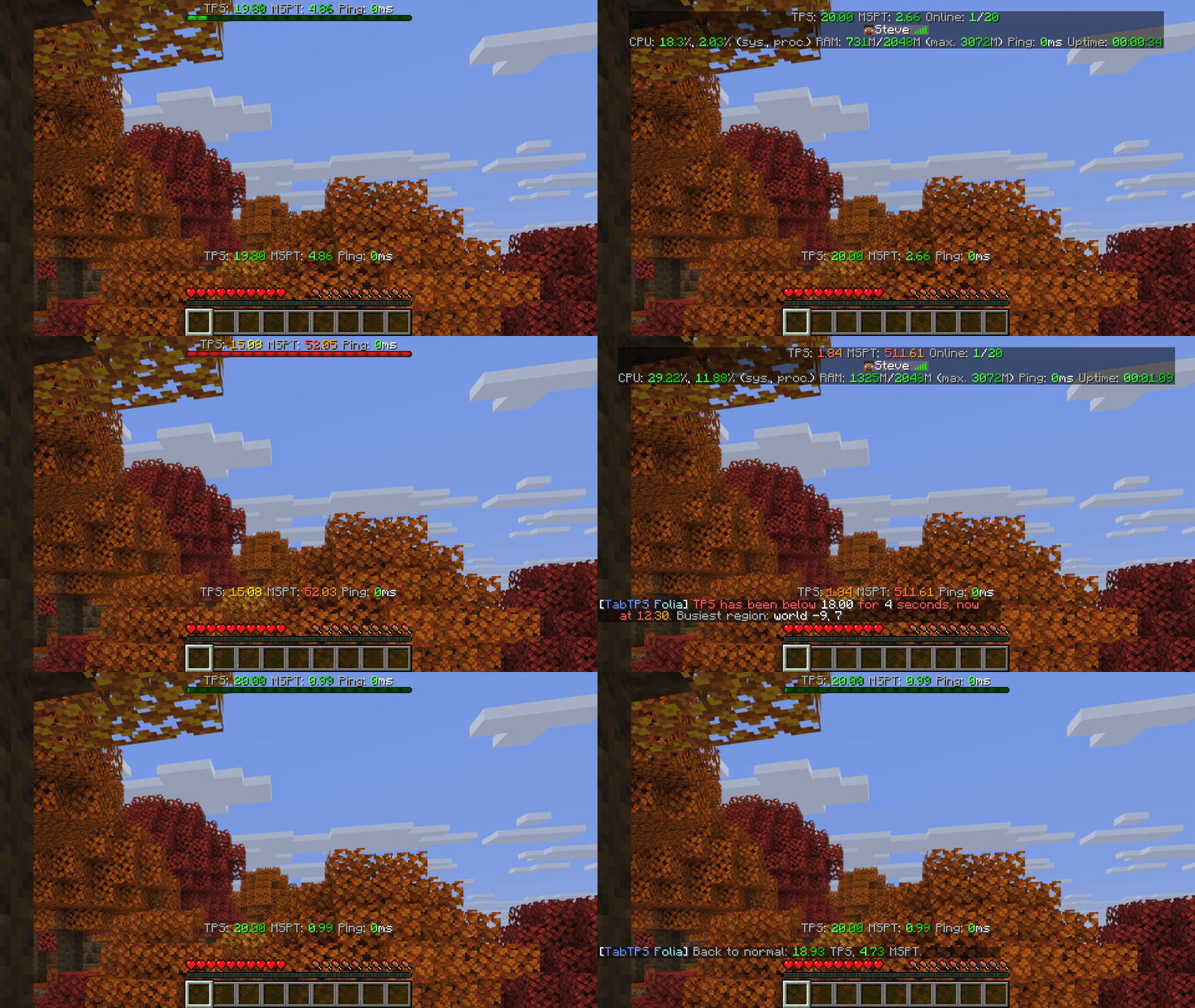
- **Live displays** in the tab list, action bar and boss bar, each player can turn them on and off
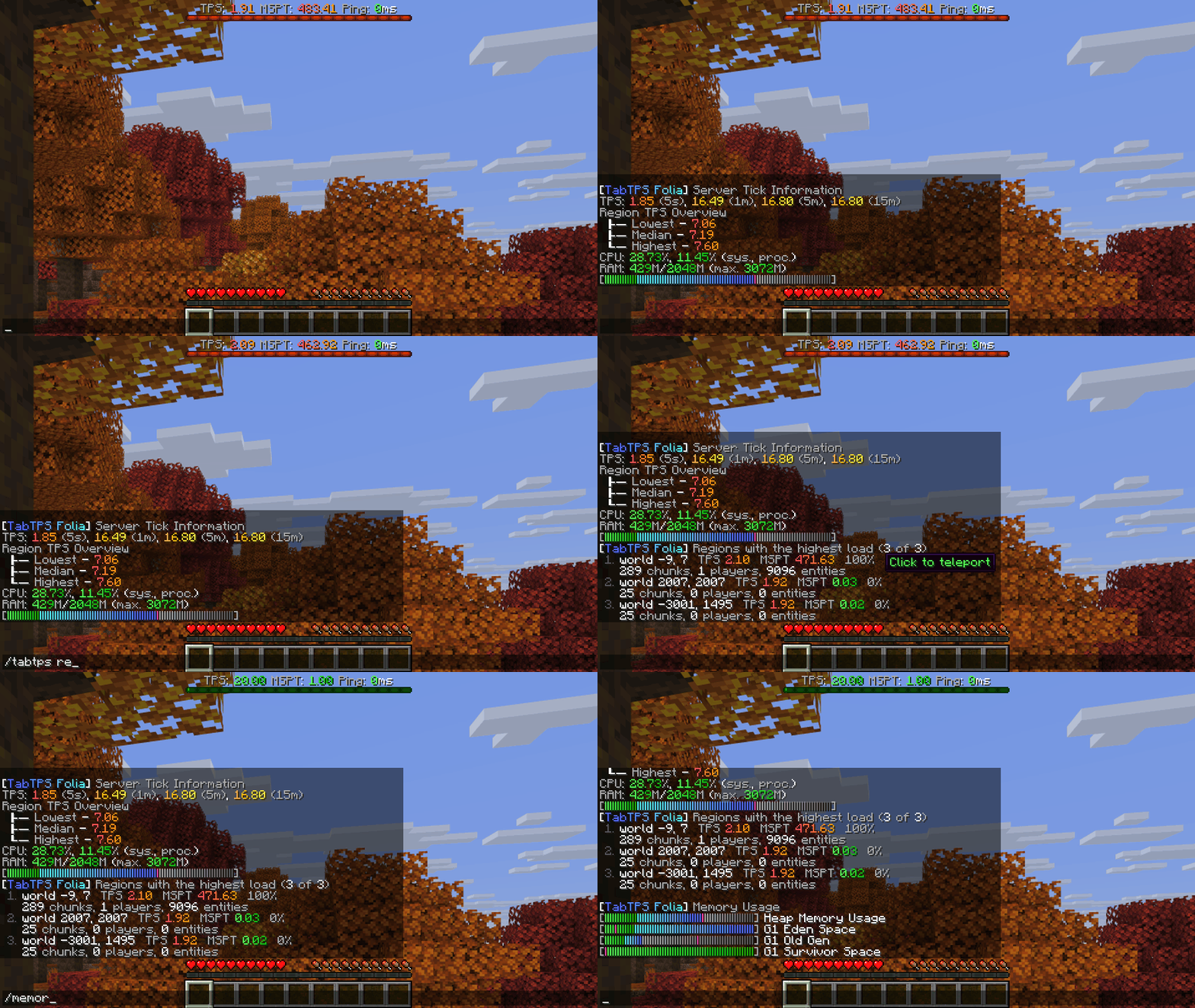
- **Per region on Folia:** TPS and MSPT of the player's own region, plus the lowest, median and highest region TPS
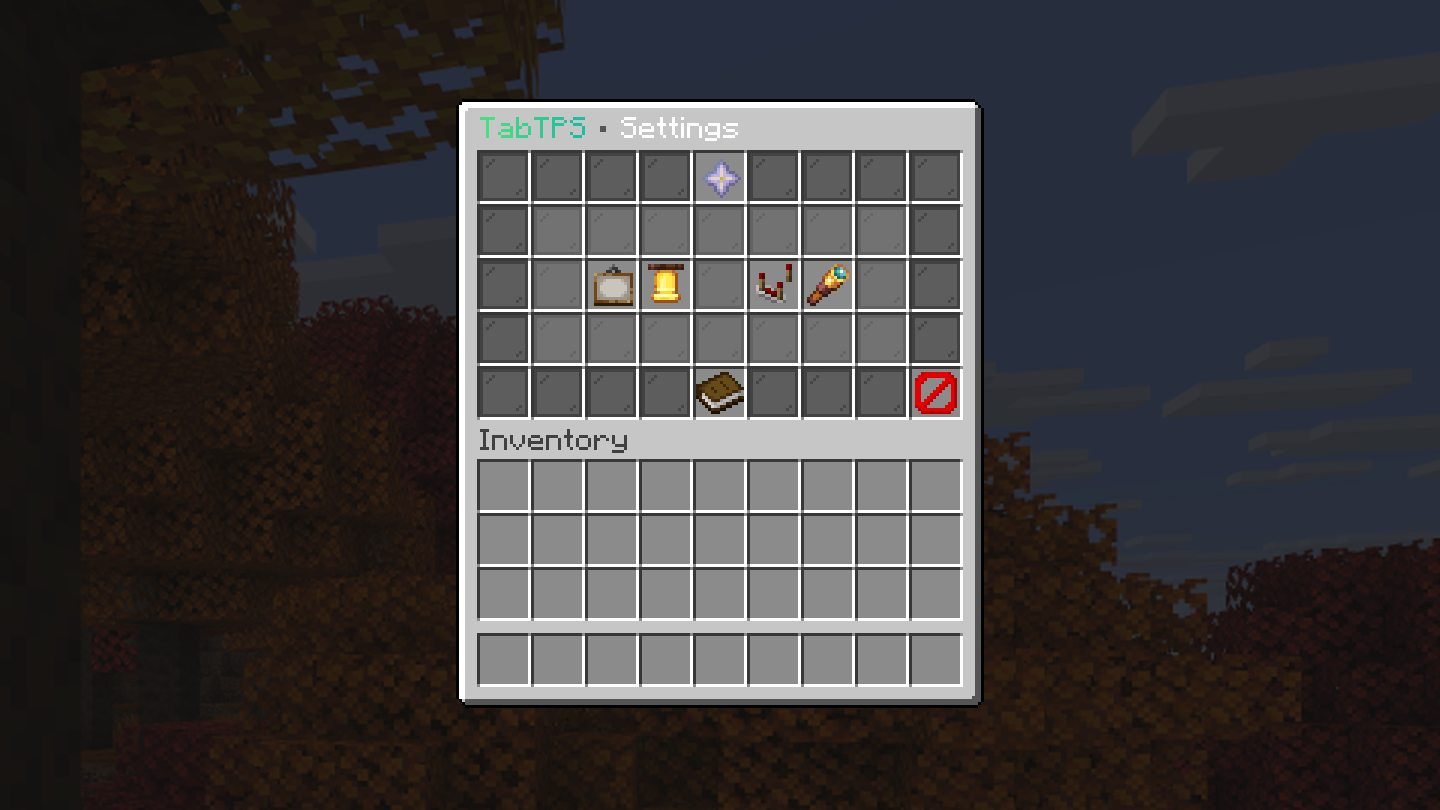
- **Settings menu in the game:** `/tabtps` changes displays, modules, themes, lag alerts and more, no config editing needed
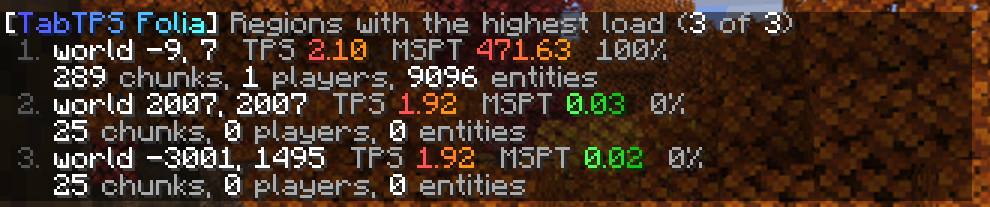
- **Region overview:** `/tabtps regions` lists the busiest regions, click one to teleport there
- **Lag alerts** in chat, console and Discord when the server stays below a TPS or above an MSPT limit
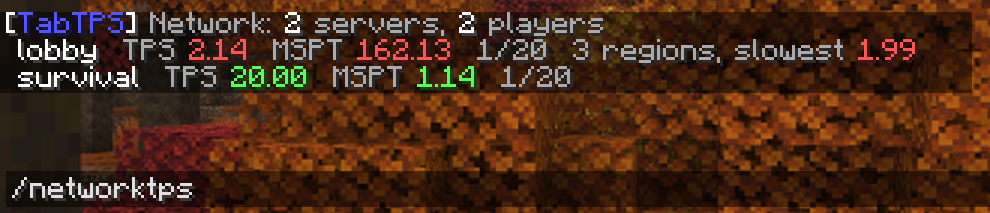
- **Network view:** `/networktps` on Velocity shows all your backend servers at once
- **PlaceholderAPI and MiniPlaceholders** placeholders like `%tabtps_tps%` and ``
- Custom text with MiniMessage, themes with your own color levels, mob caps, uptime, CPU and memory modules
Every extra feature is off by default, so without touching a config TabTPS just shows your displays.
## Settings menu
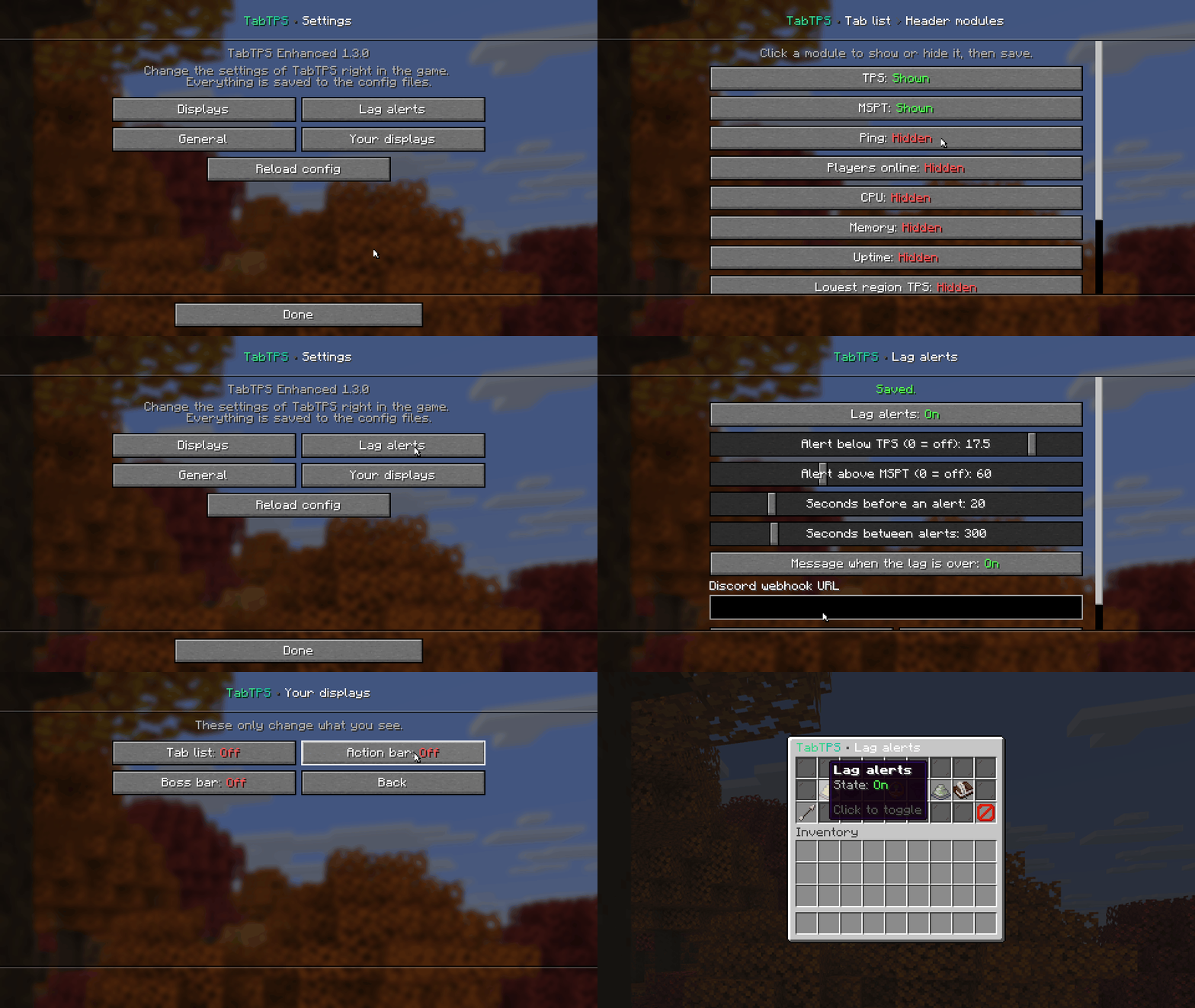
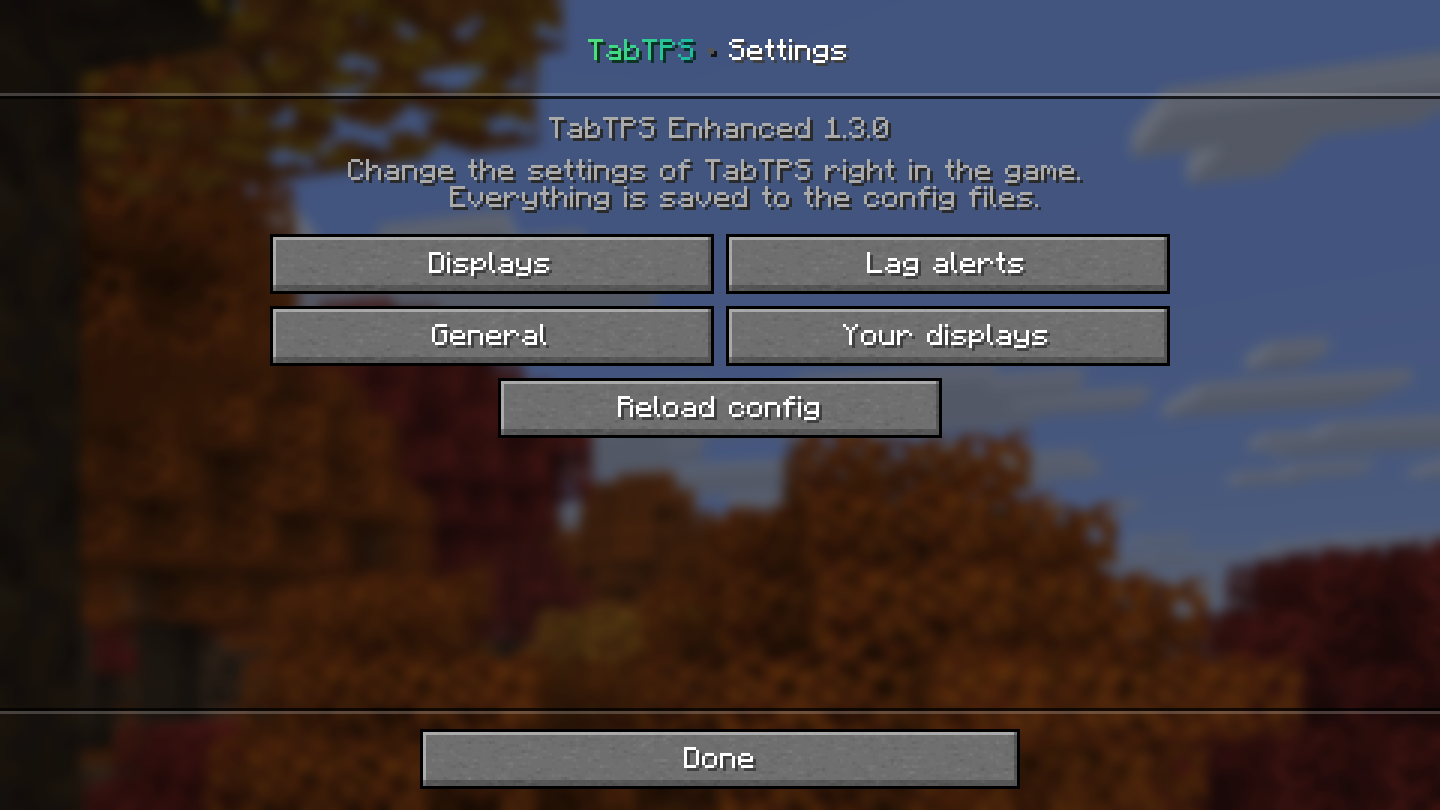
Open it with `/tabtps` (permission `tabtps.gui`). On Minecraft 1.21.6 and newer it uses Minecraft's dialog screens, on older versions a chest menu. Every change is written to the config files and applied right away.
| Dialog (1.21.6+) | Chest menu |
|---|---|
|  |  |
## Displays
| Tab list | Action bar and boss bar |
|---|---|
|  | 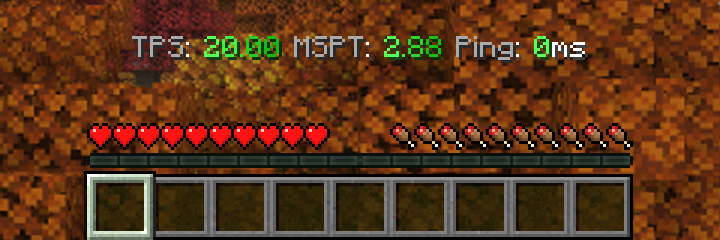  |
Under load the boss bar changes color and fills up:

## Region overview (Folia and Canvas)
`/tabtps regions` lists the regions with the highest load with their TPS, MSPT, utilisation, chunks, players and entities. Click a line to teleport to that region.
## Lag alerts
Turn them on with `enabled=true` in the `lag-alerts` section of `main.conf` or in the settings menu. Players with `tabtps.lagalert` get a chat message, the console a log line and a Discord webhook can get a message too. On Folia the alert names the busiest region.

## Velocity network view
Put `tabtps-velocity` on your proxy and set `send-stats-to-proxy=true` on your backends. `/networktps` (permission `tabtps.network`) then shows TPS, MSPT and players of every server.
## Commands
| Command | What it does | Permission |
|---|---|---|
| `/tabtps` or `/tabtps gui` | Opens the settings menu | `tabtps.gui` |
| `/tabtps toggle tab\|actionbar\|bossbar [player]` | Turns a display on or off | from the display config, `tabtps.toggle.others` for other players |
| `/tickinfo`, `/mspt` | Tick times, per region on Folia | `tabtps.tps` |
| `/memory` | Memory usage | `tabtps.tps` |
| `/ping [player]`, `/pingall` | Ping of you, a player or everyone | `tabtps.ping`, `tabtps.ping.others` |
| `/tabtps regions [count]` | Busiest regions (Folia, Canvas) | `tabtps.regions` |
| `/tabtps mobcaps` | Mob caps of every world | `tabtps.mobcaps` |
| `/tabtps reload` | Reloads the config | `tabtps.reload` |
| `/networktps` (Velocity) | All backend servers | `tabtps.network` |
## Which file do I need?
| Server | File | Folder |
|---|---|---|
| Folia, Canvas, Paper, Purpur, Leaf, Spigot (1.20 – 26.3, Java 17+) | `tabtps-enhanced-.jar` | `plugins/` |
| Velocity 3.4+ (optional) | `tabtps-velocity-.jar` | `plugins/` |
Running Forge? The Forge mod for 26.3 and 1.20.1 is on the [GitHub releases](https://github.com/MCbabel/TabTPS-Enhanced/releases/latest). Coming from TabTPS Folia: delete the old `tabtps-folia-*.jar` when you update.
## More
Every option, module, placeholder and permission is explained in the **[documentation](https://tabtps.mcbabel.de/docs)**. Bugs and ideas: [GitHub issues](https://github.com/MCbabel/TabTPS-Enhanced/issues).
## Usage
[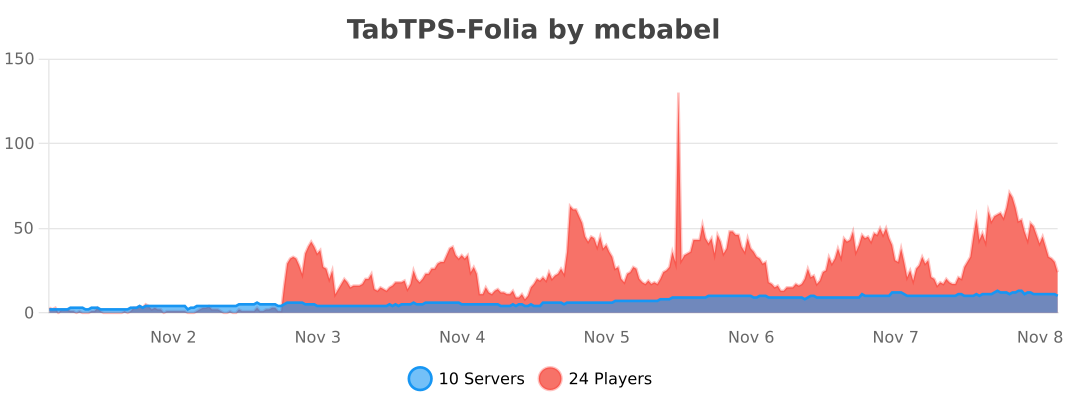](https://bstats.org/plugin/bukkit/TabTPS-Folia/34983)
Based on [TabTPS](https://github.com/jpenilla/TabTPS) by jpenilla (MIT).
Quick facts
- Edition: Minecraft Java
- File type: .jar
- Minecraft versions listed: 1.20, 1.20.1, 1.20.2
- How to install: Install the matching mod loader (Forge, Fabric or NeoForge) for your Minecraft version. → Download the .jar. → Put it in the .minecraft/mods folder and launch that loader profile.
- Where to get it: Opens on Hangar — not every file is mirrored on our own servers.
Install steps are the general flow for this file type — How to install Minecraft Java mods & modpacks walks through it step by step.
TabTPS-Enhanced is a free Minecraft Java mod. Compatible with Minecraft 1.20, 1.20.1, 1.20.2, 1.20.3 and newer. Downloaded 5 times (via Hangar). Download it and open it directly in the game.