Home›Java›Resourcepacks›Outlined Ores by PeakMC6725 Glowing Visible Ores Resource Pack (26.3, 1.20.1)
ResourcepacksJava
Outlined Ores by PeakMC6725 Glowing Visible Ores Resource Pack (26.3, 1.20.1)
Java resource pack listed for Minecraft 1.20–26.x. Downloads from the MC Java Mods app on Android.
⬇ Download
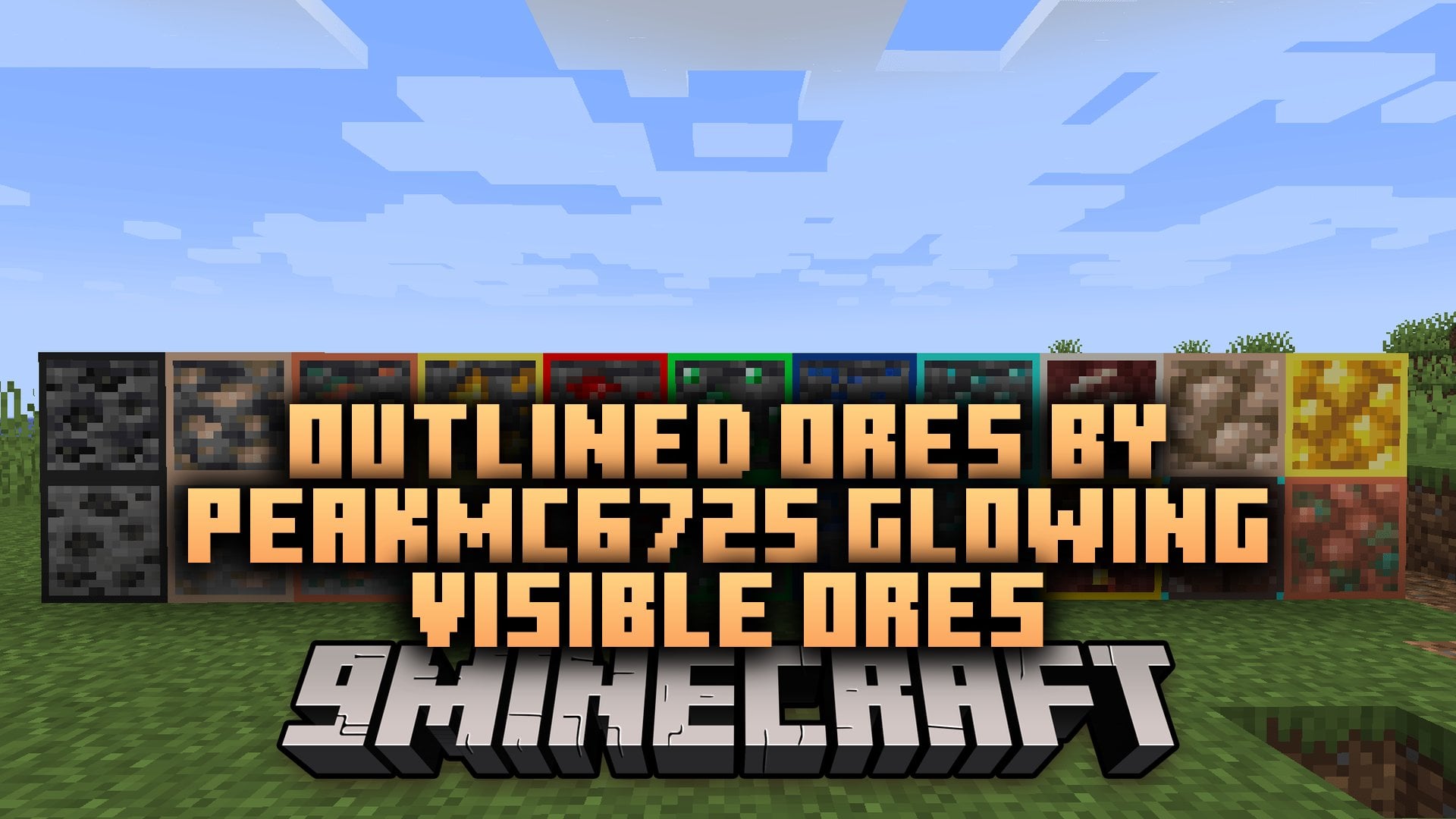
Outlined Ores by PeakMC6725 Glowing Visible Ores Resource Pack adds a thin, 1-pixel border around every vanilla ore. Each border matches the color of its ore, so you spot coal, iron, gold, and diamonds faster. The original ore textures and the stone around them stay the same. With OptiFine or Iris and a LabPBR shader pack, this pack makes the borders glow in dark caves.
Features:
- 1-Pixel Outlines: Adds a thin border around every vanilla ore.
- Color-Matched Borders: Gives each ore its own border color, so ores are easy to tell apart.
- Vanilla Interiors: Keeps the original ore textures and the surrounding stone untouched.
- Glowing Borders: Makes only the colored outlines glow in dark caves when you use OptiFine Emissive Textures or Iris with a LabPBR shader pack.
- Raw Metal Blocks: Adds matching outlines to raw iron, raw copper, and raw gold blocks.
- Deepslate Variants: Includes outlines for the deepslate versions of the ores.
- Uses the standard 16x texture size, so it keeps the familiar vanilla style.
- Works on the client side, so you do not need to install anything on a server.
- Works without OptiFine or shaders. The outlines stay visible, but they do not glow.
Ore Border Colors:
| Ore / Block | Border Color | Hex Code |
|---|---|---|
| Coal Ore | Dark Gray | #262626 |
| Iron Ore | Light Brown | #D8AF93 |
| Copper Ore | Orange | #E0734D |
| Gold Ore | Yellow | #FCEE4B |
| Redstone Ore | Red | #FF0000 |
| Lapis Lazuli Ore | Blue | #1044A1 |
| Diamond Ore | Cyan | #29F3E8 |
| Emerald Ore | Green | #00FF3C |
| Nether Quartz Ore | Off-White | #E8E3D9 |
| Nether Gold Ore | Gold | #FFD700 |
| Ancient Debris | Brown with Cyan Corners | #594742 |
| Raw Iron Block | Matching Iron | #D8AF93 |
| Raw Copper Block | Matching Copper | #E0734D |
| Raw Gold Block | Matching Gold | #FCEE4B |
Glow Options:
- OptiFine: turn on Emissive Textures in the Quality video settings to make the outlines glow.
- Iris: use a shader pack that works with LabPBR to make the outlines glow.
- Vanilla or plain Sodium: the outlines show up, but they do not glow, because Sodium alone has no emissive texture feature.
Good To Know:
- Coal and ancient debris outlines look dimmer than other ores under LabPBR shaders.
- The textures have no measurable effect on performance.
- Some servers ban resource packs that make ores easier to see, so check the server rules first.
Outlined Ores by PeakMC6725 Glowing Visible Ores Resource Pack Download Links
Quick facts
- Edition: Minecraft Java
- File type: .zip (resource pack)
- Minecraft versions listed: 26.3, 1.20.1
- How to install: Download the .zip resource pack — do not unzip it. → Put it in .minecraft/resourcepacks. → Enable it in Options → Resource Packs.
- Where to get it: In MC Java Mods, or directly above on this page.
Install steps are the general flow for this file type — How to install Minecraft Java resource packs walks through it step by step.
File checked by MCModsHub
- Downloads as 546218.mcpack
- Download size: 23 KB
- Download link checked 12 Nov 2026 — working
- Mirrored on our own servers — the download does not depend on the original host
These come from our own check of the pack file, not from the source page.