
Ore Distribution Scanner Mod (26.3, 1.20.1) – Stop Guessing Where Ores Generate
Java mod listed for Minecraft 1.20–26.x. Downloads from the MC Java Mods app on Android.
⬇ Download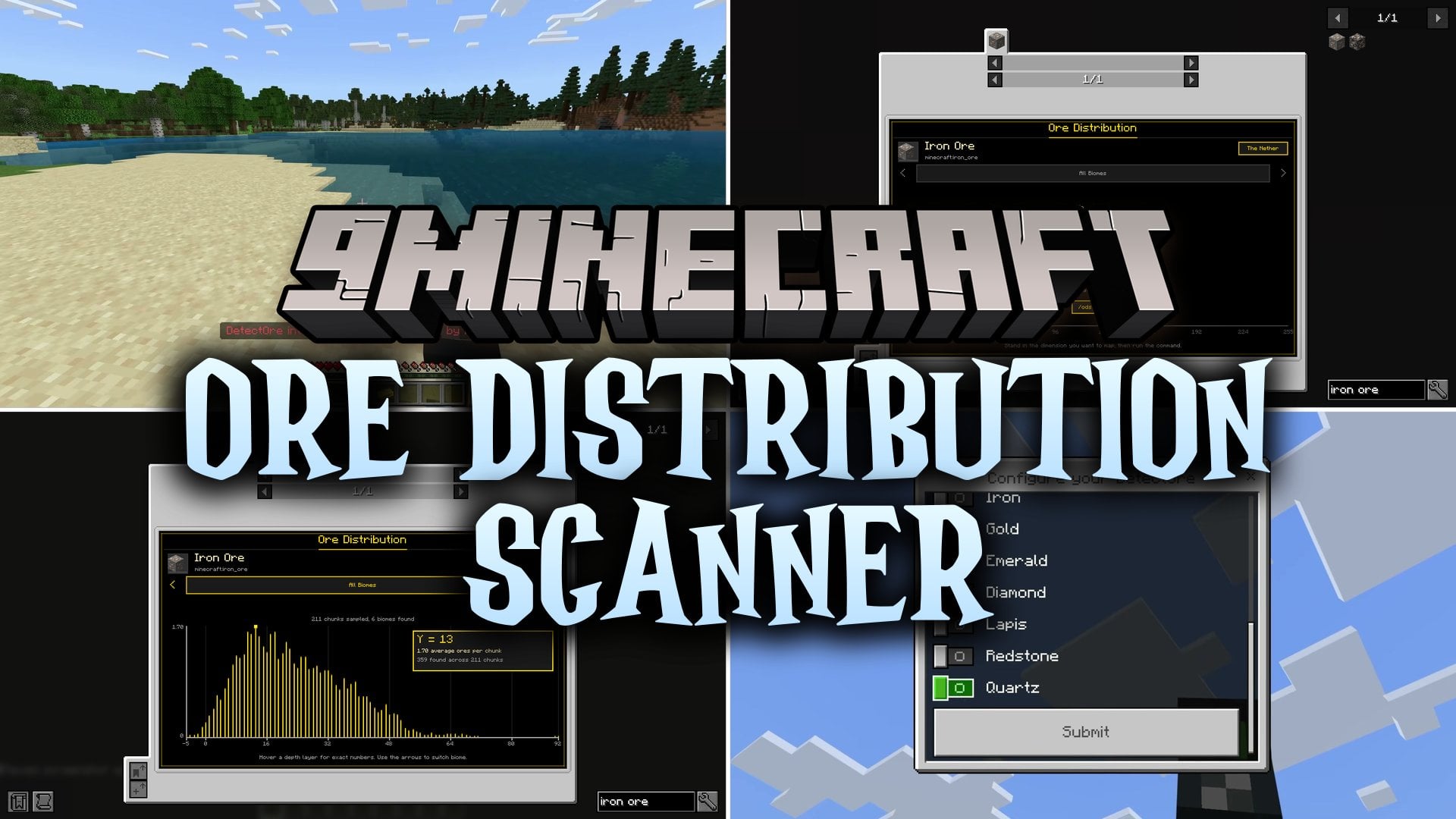
Ore Distribution Scanner Mod scans the terrain around you to show the exact Y level where any ore generates in your world. Instead of guessing where to strip-mine, you can check JEI, EMI, or REI to see real depth graphs based on your specific world seed and modpack. The mod runs in the background without stopping the server or changing any blocks. It works with both vanilla and modded ores, and it saves your scan data so you do not have to scan the same chunks twice.
Features:
- Background Terrain Scanning: Sweeps loaded chunks live and reads unloaded chunks straight from region files on a background worker.
- Recipe Viewer Graphs: Draws depth distribution graphs in JEI, EMI, and REI with depth from left to right and frequency shown as gold bars.
- Per-Biome Breakdown: Counts every ore by type and exact Y level, then groups the data by biome with a selector to switch between them.
- Read-Only Safety: Never generates new chunks or edits any blocks in your world during a scan.
- Modded Ore Compatibility: Detects modded ores automatically using ore tags, plus custom whitelist and blacklist options.
- Hovering over a point on the graph shows the exact average per chunk and the raw sample count.
- Biomes with very few sampled chunks get a low-confidence warning badge and discrete bars instead of a smooth graph.
- Saves scan results per world in an
ore_distribution_scannerfolder and sends them back to players when they rejoin. - Prints ore distribution info and peak depths directly in the chat or dedicated server console.
- Works in singleplayer without cheats enabled because all commands default to permission level 0.
- Checks for newer versions once per game start and notifies you in chat if an update is available.
Commands:
/ods scan: Scans the terrain in one dimension, a comma-separated list of dimensions, orall, with an optional radius./ods status: Reports the current scan progress./ods cancel: Stops the active scan./ods info <ore>: Prints the primary peak, secondary peak, top biomes, and total count found for a specific ore in chat./ods list <dimension>: Prints every scanned ore in a dimension along with its most common Y level./ods reload: Re-reads the config file without restarting the game./ods clear <dimension>: Deletes saved scan data for one dimension./ods clear all confirm: Deletes all saved scan data for the world.
Configuration:
scan_radius_chunks: Sets the chunk radius for each scan.biome_cluster_size: Controls how biome samples are grouped during a scan.chunk_budget: Limits the chunk processing load per scan cycle.progress_update_interval_seconds: Sets how often the scan reports progress updates.low_confidence_sample_threshold: Sets how few sampled chunks mark a biome as low-confidence.scan_permission_level: Sets who can run scan, cancel, clear, and reload commands (0 lets everyone use them).ore_whitelist: Adds comma-separated block IDs to count as ores.ore_blacklist: Removes comma-separated block IDs from counting as ores.check_for_updates: Turns the startup update check on or off inside the[updates]section.
How to Use:
- Load into your world and run
/ods scanin the chat to start scanning your existing terrain. - Wait for the scan to finish, or check its progress anytime with
/ods status. - Open your inventory and look up any ore in JEI, EMI, or REI to view its depth distribution graph.
- Click the biome arrows on the graph to switch between the dimension-wide view and specific biomes.
- Run
/ods infoor/ods listin chat if you prefer reading the results as text or if you play on a version without recipe viewer graphs.
Ore Distribution Scanner Mod Download Links
- Edition: Minecraft Java
- File type: .jar
- Minecraft versions listed: 26.3, 1.20.1
- How to install: Install the matching mod loader (Forge, Fabric or NeoForge) for your Minecraft version. → Download the .jar. → Put it in the .minecraft/mods folder and launch that loader profile.
- Where to get it: In MC Java Mods, or directly above on this page.
Install steps are the general flow for this file type — How to install Minecraft Java mods & modpacks walks through it step by step.
- Download size: 12.2 MB
- Download link checked 14 Nov 2026 — working
- Mirrored on our own servers — the download does not depend on the original host
These come from our own check of the pack file, not from the source page.