
Whose Bed Mod (26.3, 1.20.1) – Claim Your Own Bed with Player Heads and Names
Java mod listed for Minecraft 1.20–26.x. Downloads from the MC Java Mods app on Android.
Whose Bed Mod marks beds with the owner's player head and name on multiplayer servers. When a player sleeps in a bed, this mod puts their skin head right…
⬇ Download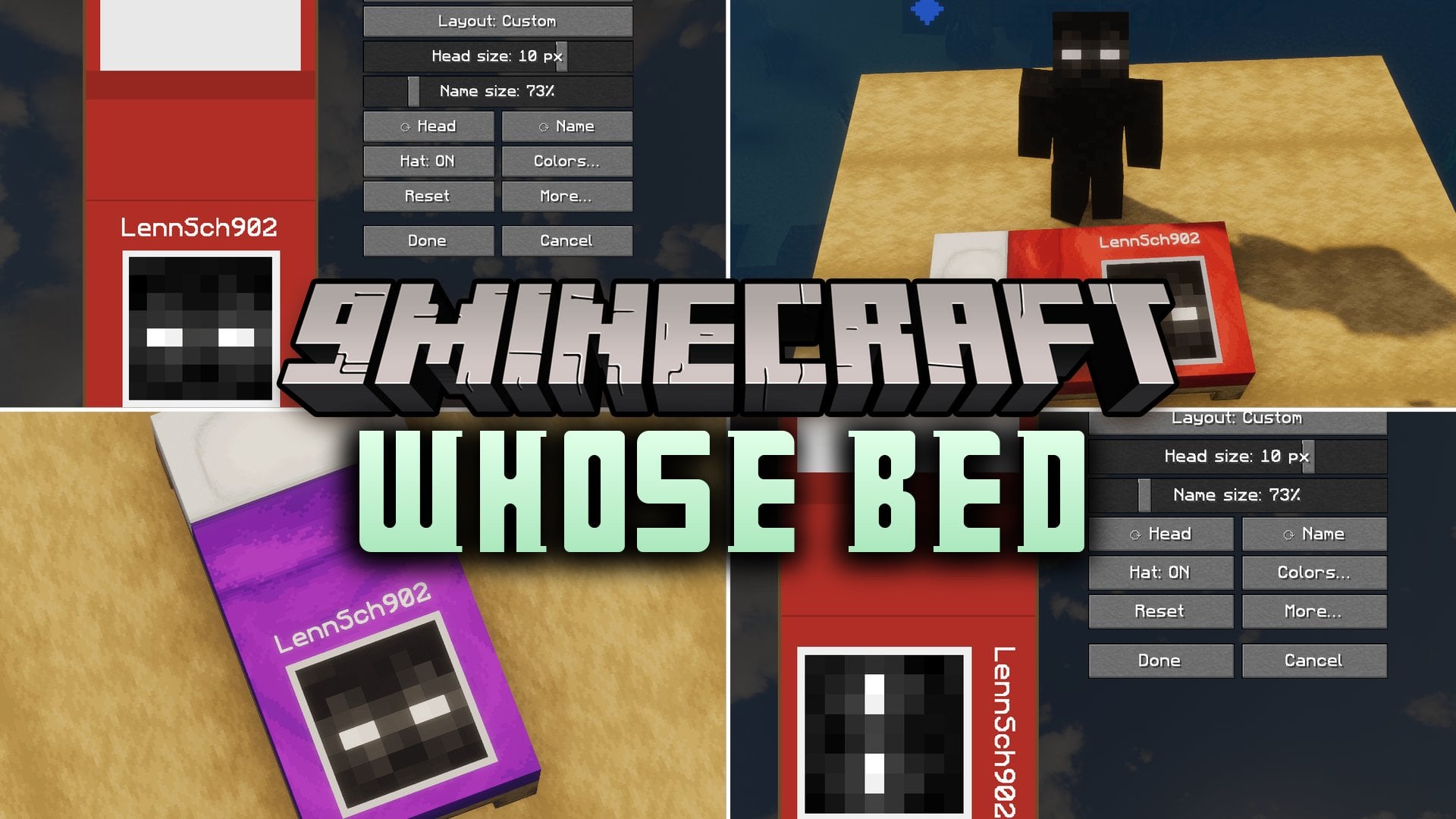


Whose Bed Mod marks beds with the owner’s player head and name on multiplayer servers. When a player sleeps in a bed, this mod puts their skin head right on the blanket so everyone with the mod installed knows who owns it. The mark stays there until someone else sleeps in that bed or breaks it. It runs completely on the client side, so servers do not need it installed. This makes sharing bases with friends much easier because nobody steals the wrong bed by accident.
Features:
- Player Head Display: Puts the owner’s Minecraft skin head directly onto the bed blanket after they sleep in it.
- Optional Name Tags: Shows the player’s name alongside their head, or displays just the name or head alone.
- Custom Positioning: Lets you adjust the exact size, scale, and placement of the head and name tag.
- You can move the name above, below, left, or right of the head, or set a custom offset.
- Offers four display modes: Head only, Name only, Head and Name, or Disabled.
- Works with all vanilla bed colors while keeping a clean look that fits the base game.
- Runs on the client side only and stays lightweight for smooth game performance.
How to Use:
- Sleep in any bed once to mark it with your player head and name.
- Set your keybinds in the game options menu to open the settings.
- Use the config menu to change the display mode, size, and position of the head and name on the blanket.
Screenshots:
Whose Bed Mod Download Links
- Edition: Minecraft Java
- File type: .jar
- Minecraft versions listed: 26.3, 1.20.1
- How to install: Install the matching mod loader (Forge, Fabric or NeoForge) for your Minecraft version. → Download the .jar. → Put it in the .minecraft/mods folder and launch that loader profile.
- Where to get it: In MC Java Mods, or directly above on this page.
Install steps are the general flow for this file type — How to install Minecraft Java mods & modpacks walks through it step by step.
- Downloads as 548187.mcaddon
- Download size: 89 KB
- Download link checked 15 Nov 2026 — working
- Mirrored on our own servers — the download does not depend on the original host
These come from our own check of the pack file, not from the source page.