ModsJava
Bossclient Mod (26.3, 1.21.1) – Win PvP Fights with Over 80 HUD, Combat
Java mod listed for Minecraft 1.21–26.x. Downloads from the MC Java Mods app on Android.
⬇ Download


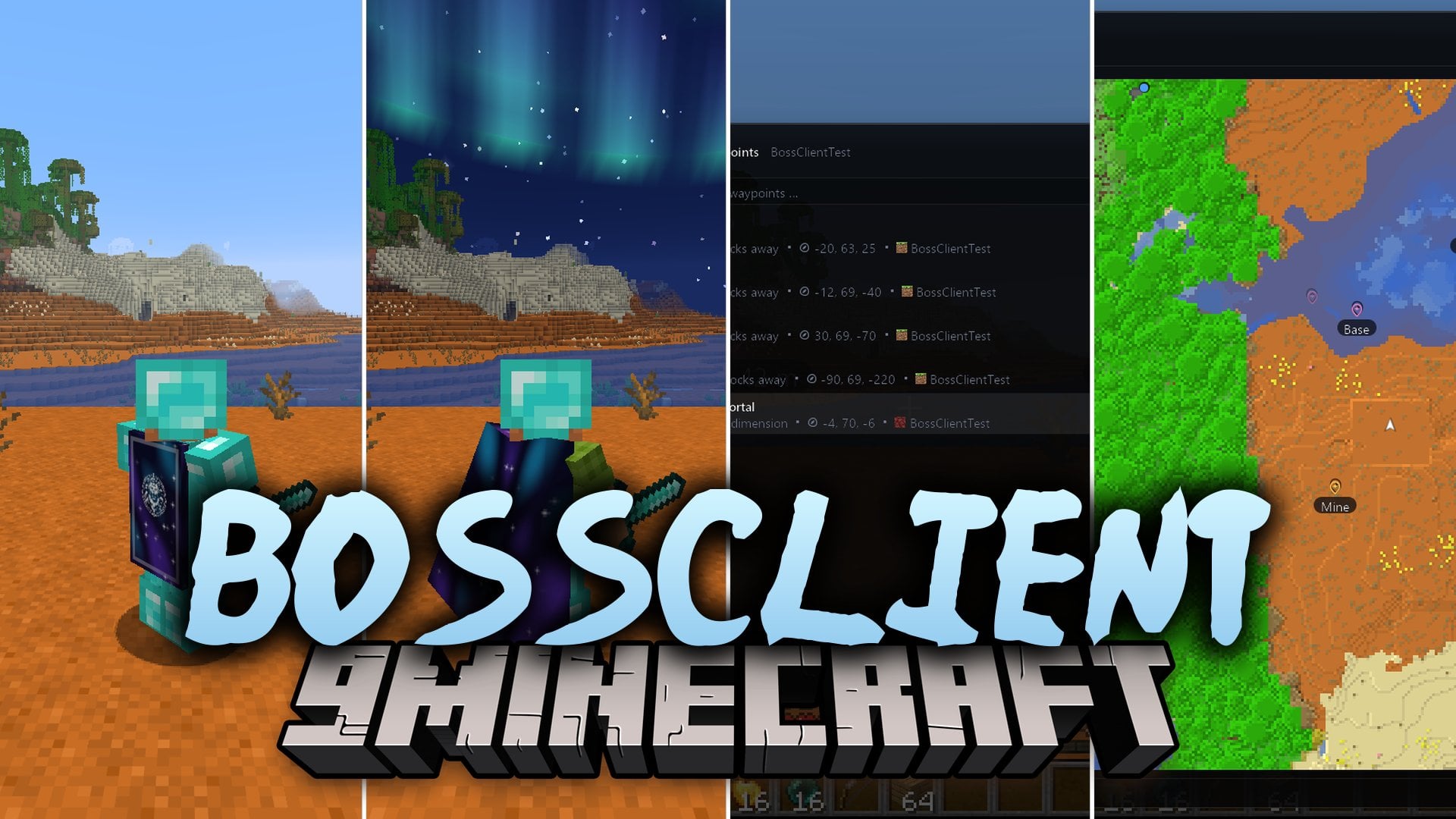
Bossclient Mod packs over 80 PvP, visual, and utility modules into a single client. It gives you a customizable HUD, combat feedback tools, a full minimap, and custom capes with cloth physics. You can control every setting through a clean menu with English and German search. The mod also includes an FPS booster to keep your game running smoothly during intense fights.
Features:
- 80+ Built-In Modules: Combines HUD tools, PvP helpers, visual tweaks, and map utilities into one mod so you do not need to install twenty separate mods.
- Drag-and-Drop HUD Editor: Lets you move and scale every screen element with snapping guides, undo buttons, and separate profiles for different servers.
- PvP Combat Feedback: Shows a reach ring that turns green when enemies are in hit range, and hides capes, particles, and distant mobs during fights.
- Custom Capes and Elytra: Lets you pick a built-in template, upload your own image, or browse an in-game cape marketplace with cloth physics that other users of the mod can see.
- Minimap and World Map: Saves map data per server and dimension, featuring cave mode, death waypoints, and clickable chat coordinates.
- Texture Studio and Visuals: Lets you customize the look of crystals, pearls, cobwebs, totems, and golden apples alongside custom skies and motion blur.
- Includes an FPS booster and target frame rate setting for smoother gameplay.
- Places a small crown badge next to other players using this mod in the tab list and above their heads, which can be hidden at any time.
- Provides 9 color schemes, custom inventory colors, and a redesigned main menu and loading screen.
HUD Elements:
- Combat and Input: Keystrokes, CPS, combo counter, reach display, target HUD, cooldowns, and totem and item counters.
- Player Status: Armor and durability, potion effects, saturation, and health warnings.
- System and World: FPS, ping, colored tab-list ping, coordinates, compass, clock, memory usage, session stats, server info, scoreboard scaling, module list, and notifications.
PvP and Combat Tools:
- Hit Feedback: Custom hit color, hit marker, hit particles, hit timing, and kill effects.
- Screen and View Tweaks: Low shield, low fire, no hurt shake, fixed FOV, custom crosshair, and sword color and hand item adjustments.
- Health and Totems: Totem pop effects, pop counter, and player health shown in name tags.
Visuals and World Utilities:
- Environment: Custom sky with northern lights and stars, clear water and lava, clear weather, fullbright, time changer, and a light overlay for mob spawn spots.
- Camera and Movement: Zoom, freelook, freecam, auto sprint, toggle sneak, and view bobbing options.
- Extra Tools: Spotify display with synced lyrics, streamer mode, sound muffler, shulker and map previews, screenshot gallery, command hotkeys, quick join, and Auto-GG.
How to Use:
- Press Right Shift in the game to open the ClickGUI menu.
- Use the search bar in English or German to find and toggle any of the 80+ modules.
- Open the HUD editor to drag, drop, and resize elements on your screen, or click once to switch to the PvP Clean layout.
- Press F8 whenever you want to toggle streamer mode.
Screenshots:
Bossclient Mod Download Links
Quick facts
- Edition: Minecraft Java
- File type: .jar
- Minecraft versions listed: 26.3, 1.21.1
- How to install: Install the matching mod loader (Forge, Fabric or NeoForge) for your Minecraft version. → Download the .jar. → Put it in the .minecraft/mods folder and launch that loader profile.
- Where to get it: In MC Java Mods, or directly above on this page.
Install steps are the general flow for this file type — How to install Minecraft Java mods & modpacks walks through it step by step.
File checked by MCModsHub
- Downloads as 548198.mcaddon
- Download size: 1.5 MB
- Download link checked 15 Nov 2026 — working
- Mirrored on our own servers — the download does not depend on the original host
These come from our own check of the pack file, not from the source page.