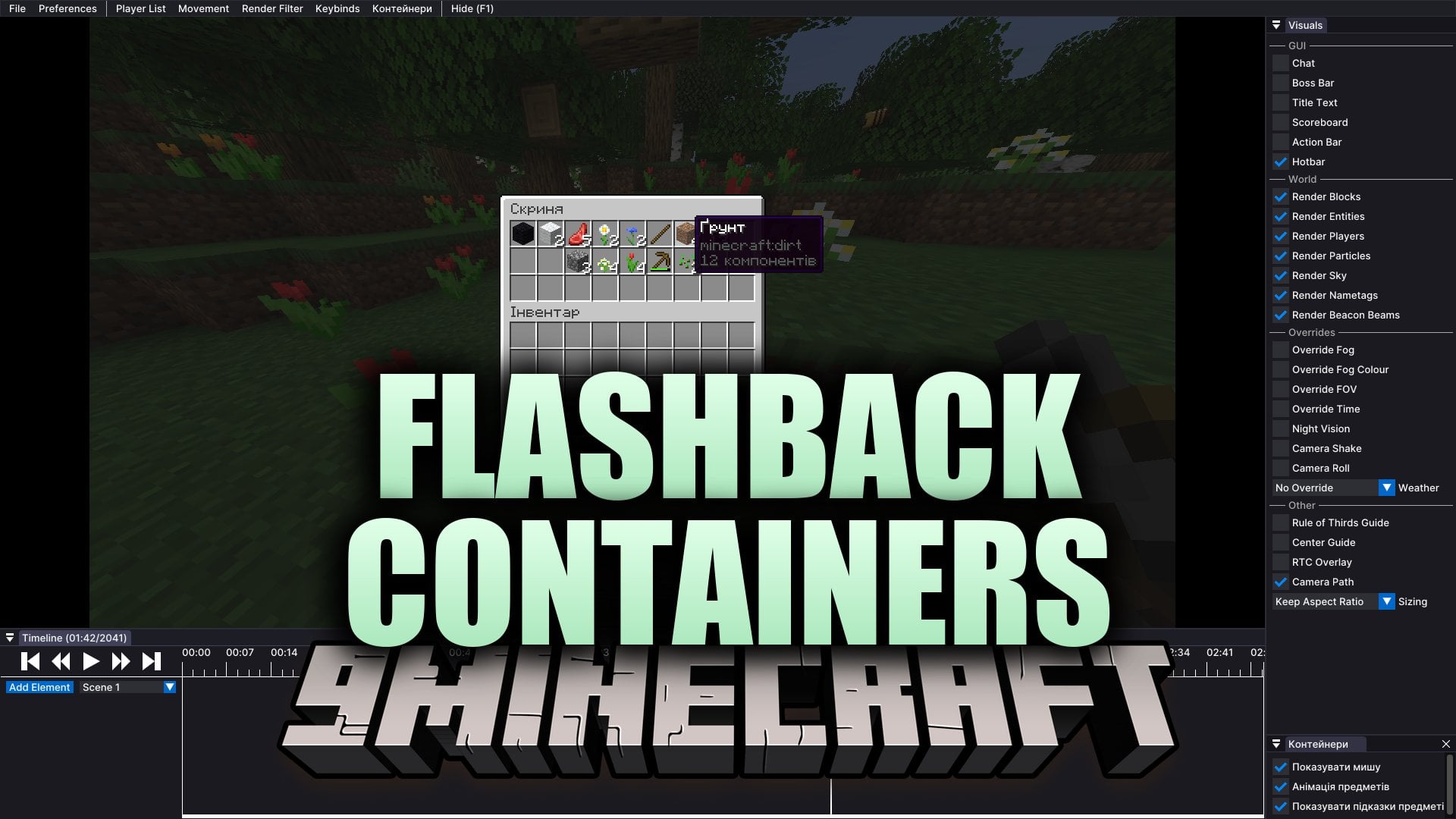
Flashback Containers Mod (26.3) – Watch Every Chest and Inventory
Java mod listed for Minecraft 26.x. Downloads from the MC Java Mods app on Android.
⬇ Download
Flashback Containers Mod extends Flashback with container recording for your gameplay replays. Normally, watching a replay only shows a player standing still in front of a chest. This mod records every chest, furnace, crafting table, and inventory you open during gameplay. When you watch the replay in first-person view as the recording player, the exact container screen pops up with all items moving just like they did live.
Features:
- All Vanilla Containers: Records chests, barrels, shulker boxes, furnaces, anvils, crafting tables, hoppers, and your own player inventory when you press E.
- Recorded Mouse and Animations: Highlights the slot under your cursor, shows held items moving smoothly, and animates items flying between slots when you shift-click or press number keys.
- Active Progress Bars: Displays working furnace flames, cooking arrows, brewing stand bubbles, enchantment costs, anvil costs, and beacon levels inside the replay.
- Uses real vanilla screens so your custom resource packs, textures, and container titles look the same as when you played.
- Shows optional item tooltips with the name and lore of whatever item is under the recorded mouse.
- Hides HUD overlays from other mods like Jade or MiniHUD while a container screen is open on screen.
- Follows the replay timeline during seeking, pausing, and exporting, and hides automatically when you turn off the hotbar or GUI.
- Keeps replay files safe so they still open normally in regular Flashback even without this mod installed.
- Works on the client side on any server and includes translations for 18 languages.
Configuration:
Settings are saved in config/flashback_containers.json and only change how replays look on screen, as all data is always recorded:
Show mouse: Toggles the slot highlight and the item held on the cursor (Default: on).Animate items: Toggles items flying between slots when moved (Default: on).Show item tooltips: Toggles the tooltip of the item under the mouse, which requiresShow mouseto be on (Default: off).Hide other mods' HUD: Toggles hiding overlays from mods like Jade or MiniHUD while a container is open (Default: on).
How to Use:
- Keep the mod installed while recording your gameplay, because replays recorded without it do not have container data.
- Open your recorded replay in the Flashback editor and switch the camera to first-person view as the recording player to see the containers open.
- Click Containers in the top menu bar of the Flashback editor (or use Mod Menu) to open the settings window and adjust how containers look.
Flashback Containers Mod Download Links
- Edition: Minecraft Java
- File type: .jar
- Minecraft version listed: 26.3
- How to install: Install the matching mod loader (Forge, Fabric or NeoForge) for your Minecraft version. → Download the .jar. → Put it in the .minecraft/mods folder and launch that loader profile.
- Where to get it: In MC Java Mods, or directly above on this page.
Install steps are the general flow for this file type — How to install Minecraft Java mods & modpacks walks through it step by step.
- Downloads as 549969.mcaddon
- Download size: 78 KB
- Download link checked 17 Nov 2026 — working
- Mirrored on our own servers — the download does not depend on the original host
These come from our own check of the pack file, not from the source page.