ModsJava
Neo Doors Mod (26.3, 1.20.1) – Lock Down Your Base with Automatic Sci-Fi Blast
Java mod listed for Minecraft 1.20–26.x. Downloads from the MC Java Mods app on Android.
⬇ Download


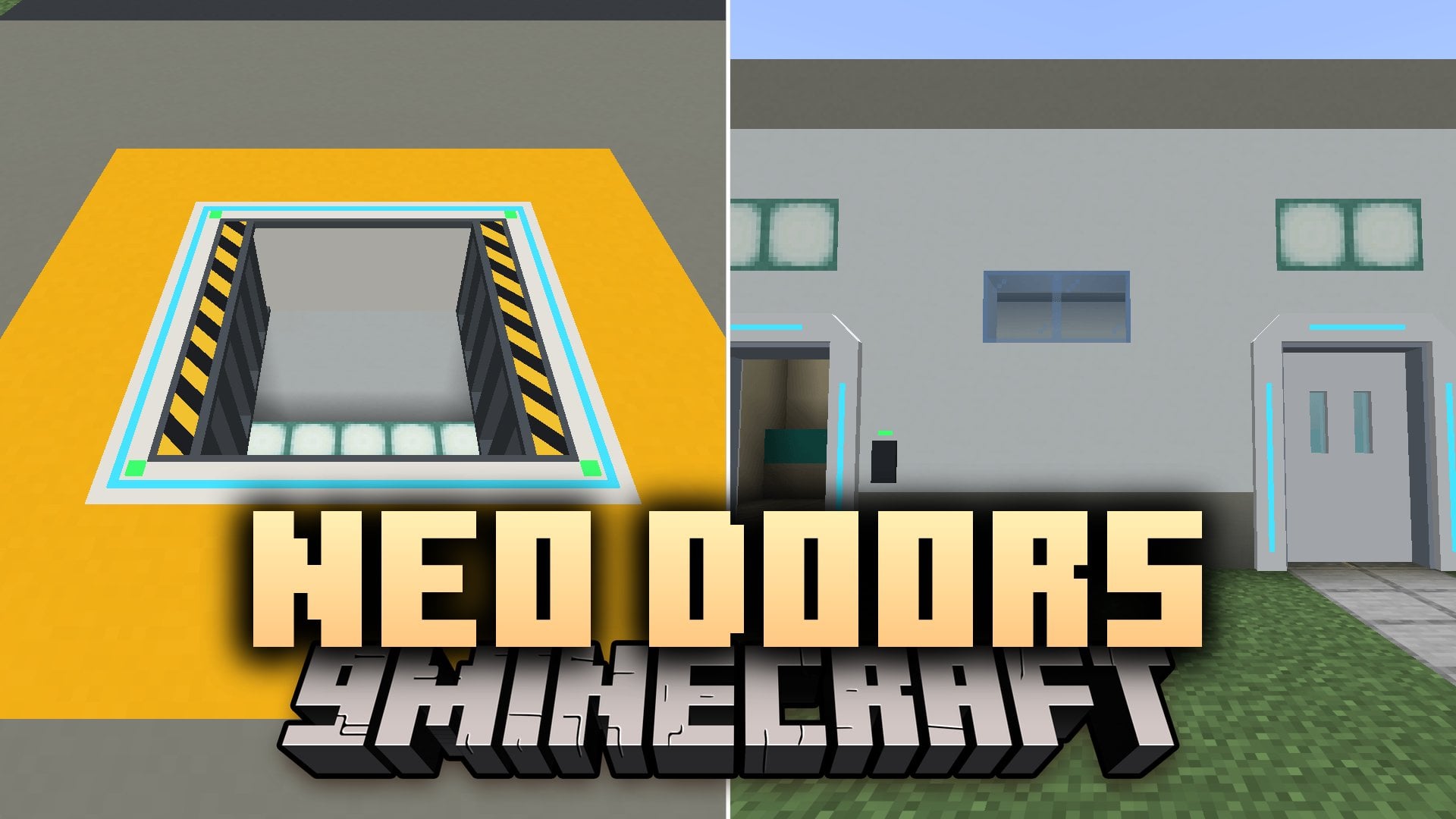
Neo Doors Mod adds animated sci-fi doors and hatches that slide open by themselves when you walk up to them. This mod includes sliding doors, heavy blast doors, and floor hatches with blinking status lights and loud mechanical sounds. You can lock your base using access cards, set up working airlocks, and dye every door in 16 colors. It also removes the need for messy redstone wiring since doors detect levers and buttons placed nearby.
Features:
- Automatic Sensors: Doors slide open automatically when a player walks up to them and never close on someone standing in the frame.
- Wireless Redstone: Doors read redstone signals from a 2-block zone around them by default, so a simple button or lever on the wall nearby opens them without wires.
- Security and Access Cards: Players own the doors they place, and locked doors only open for the owner or players carrying a matching Access Card.
- Airlock System: Link two doors together with the Configurator tool so only one door can open at a time.
- 16 Dye Colors: Craft any door with one of the 16 dyes to color the frame and leaves, and wash it back to white in a water cauldron.
- Mobs never trigger the automatic sensors, though they can walk through a door that is already standing open.
- Closed doors block light completely like a solid wall, and light enters in steps as the leaves slide open.
- Hatch sensors prevent accidental falls by only opening from the top when a player sneaks on them by default.
Door and Hatch Types:
- Sliding Door (2×3 wall door): Fast-moving door with two glass leaves that slide neatly into the wall.
- Blast Door (3×3 wall door): Heavy security door that unlocks, pauses, and slides into the wall while resisting explosions, the Wither, and the Ender Dragon.
- Blast Hatch (3×3 floor or ceiling hatch): Explosion-proof frame with hazard stripes and thick armor leaves that slide apart underneath.
- Iris Hatch (3×3 floor or ceiling hatch): Circular mechanical hatch with blades that spin open like a camera lens.
How to Use:
- Place a door or hatch in a wall, floor, or ceiling, and just walk up to it to open it in default Automatic mode.
- Hold the Configurator tool, Sneak + Right-Click away from a door to pick a setting (like Lock, Mode, Airlock Link, or Redstone Range), and then Right-Click the door to apply it.
- Hold a Blank Access Card and Sneak + Right-Click a door to program the card (one card can hold up to 16 doors).
- Combine a programmed Access Card with blank cards in a crafting grid to make copies for other players.
Screenshots:
Neo Doors Mod Download Links
Quick facts
- Edition: Minecraft Java
- File type: .jar
- Minecraft versions listed: 26.3, 1.20.1
- How to install: Install the matching mod loader (Forge, Fabric or NeoForge) for your Minecraft version. → Download the .jar. → Put it in the .minecraft/mods folder and launch that loader profile.
- Where to get it: In MC Java Mods, or directly above on this page.
Install steps are the general flow for this file type — How to install Minecraft Java mods & modpacks walks through it step by step.
File checked by MCModsHub
- Downloads as 550158.mcaddon
- Download size: 400 KB
- Download link checked 17 Nov 2026 — working
- Mirrored on our own servers — the download does not depend on the original host
These come from our own check of the pack file, not from the source page.