
ModsJava
Liroth Revamped Mod (26.3, 1.21.1) – Survive Alien Realms Packed
Java mod listed for Minecraft 1.21–26.x. Downloads from the MC Java Mods app on Android.
⬇ Download
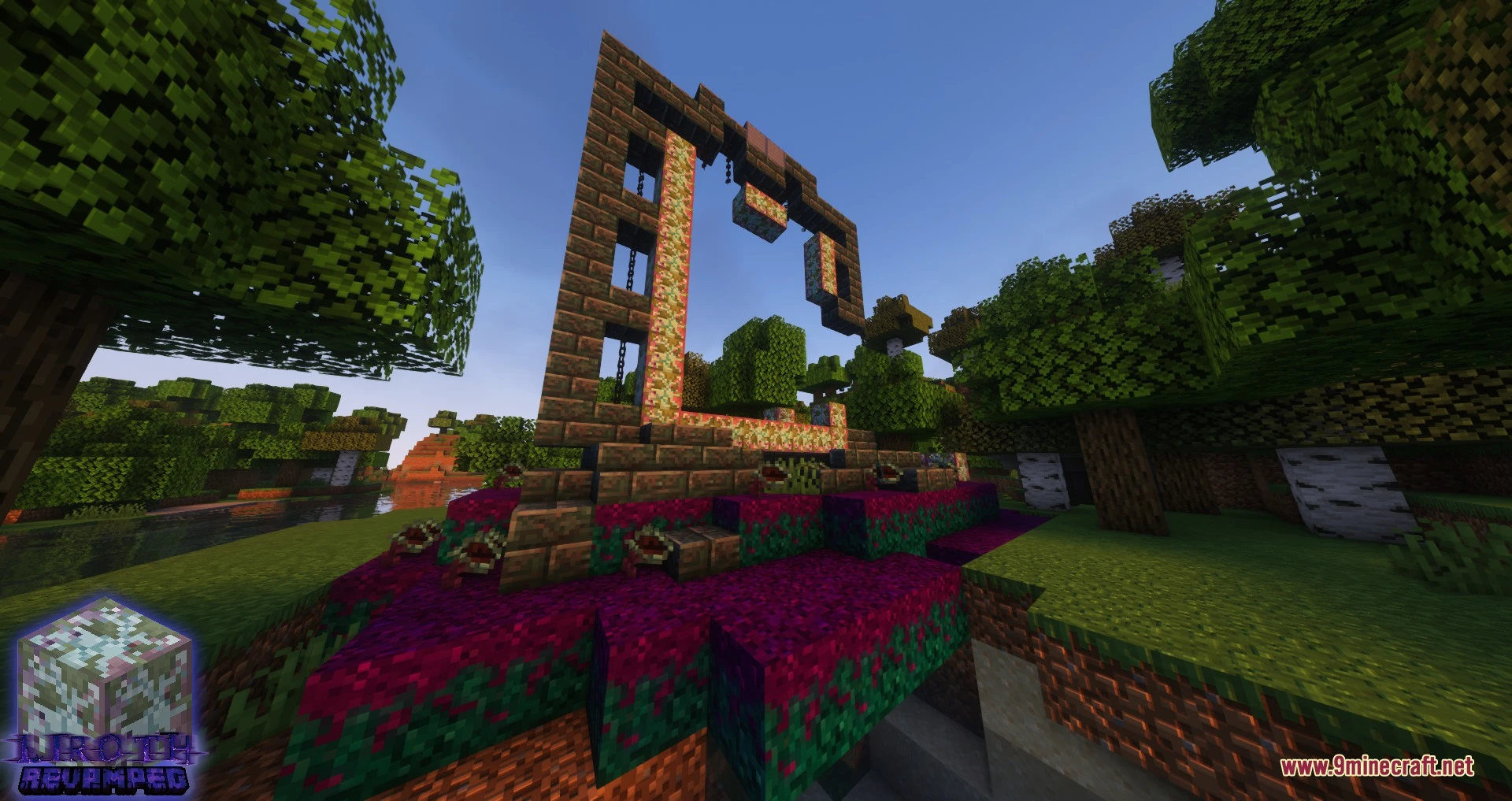


Liroth Revamped Mod adds alternate dimensions filled with custom biomes, creepy monsters, and new structures to your world. This mod focuses on exploration and survival across strange new realms, built from the ground up with updated assets and fresh code. You can find ruined portals in the Overworld, craft a guide book, and gear up with custom weapons and armor to survive the dangers waiting on the other side.
Features:
- Alternate Dimensions and Biomes: Explores multiple alien dimensions containing biomes like the Spiced Desert, Pier Jungle, Jantiro’s Escape Surface, Damnation Forest, Damnation Underground, and Gleemstone Caverns.
- In-Game Guide Book: Uses a custom Patchouli book that explains all structures, mobs, dimensions, biomes, block entities, and crafting recipes for weapons and armor.
- New Structures: Generates 48 structures across the worlds, starting with the Ruined Liroth Portal structure in the Overworld where you can gather a Wilted Liroth Rose.
- Custom Gear and Blocks: Includes over 300 blocks and 180 items, such as Ansalum armor, axes, shields, Blue Sandstone sets, Charred Liroth Stone bricks, and custom boats.
- Packs 56 advancements and 372 recipes to track your progress as you travel between realms.
Mobs and Monsters:
- Forsaken Corpse: The revamped version of the classic Skilvert mob.
- Skeletal Freak: A mangled, bone-like monster that replaces the old Gulift.
- Fungal Fiend: A mushroom monster that blends right into its surroundings.
- Other Dimensions Mobs: Spawns Freakshow, Lirothian Mimic, Pier Peep, Prowler, Shade, Soul Arachnid, Vile Shark, and Warp.
How to Use:
- Install the Patchouli mod alongside this mod so you can read the in-game tutorial book.
- Explore the Overworld until you find the new generation structure that holds a Wilted Liroth Rose.
- Craft a normal Book using leather and three pieces of paper.
- Combine the normal Book and the Wilted Liroth Rose in a 2×2 or 3×3 crafting grid to get the guide book.
- Read the guide book to learn how to activate block entities, craft armor, and enter the new dimensions.
Screenshots:
Liroth Revamped Mod Download Links
Quick facts
- Edition: Minecraft Java
- File type: .jar
- Minecraft versions listed: 26.3, 1.21.1
- How to install: Install the matching mod loader (Forge, Fabric or NeoForge) for your Minecraft version. → Download the .jar. → Put it in the .minecraft/mods folder and launch that loader profile.
- Where to get it: In MC Java Mods, or directly above on this page.
Install steps are the general flow for this file type — How to install Minecraft Java mods & modpacks walks through it step by step.
File checked by MCModsHub
- Downloads as 550668.mcaddon
- Download size: 52.1 MB
- Download link checked 18 Nov 2026 — working
- Mirrored on our own servers — the download does not depend on the original host
These come from our own check of the pack file, not from the source page.