
ModsJava
Floatory Mod (26.3, 1.21.11) – Open Chests and Inventories As Floating 3D Panels
Java mod listed for Minecraft 1.21–26.x. Downloads from the MC Java Mods app on Android.
⬇ Download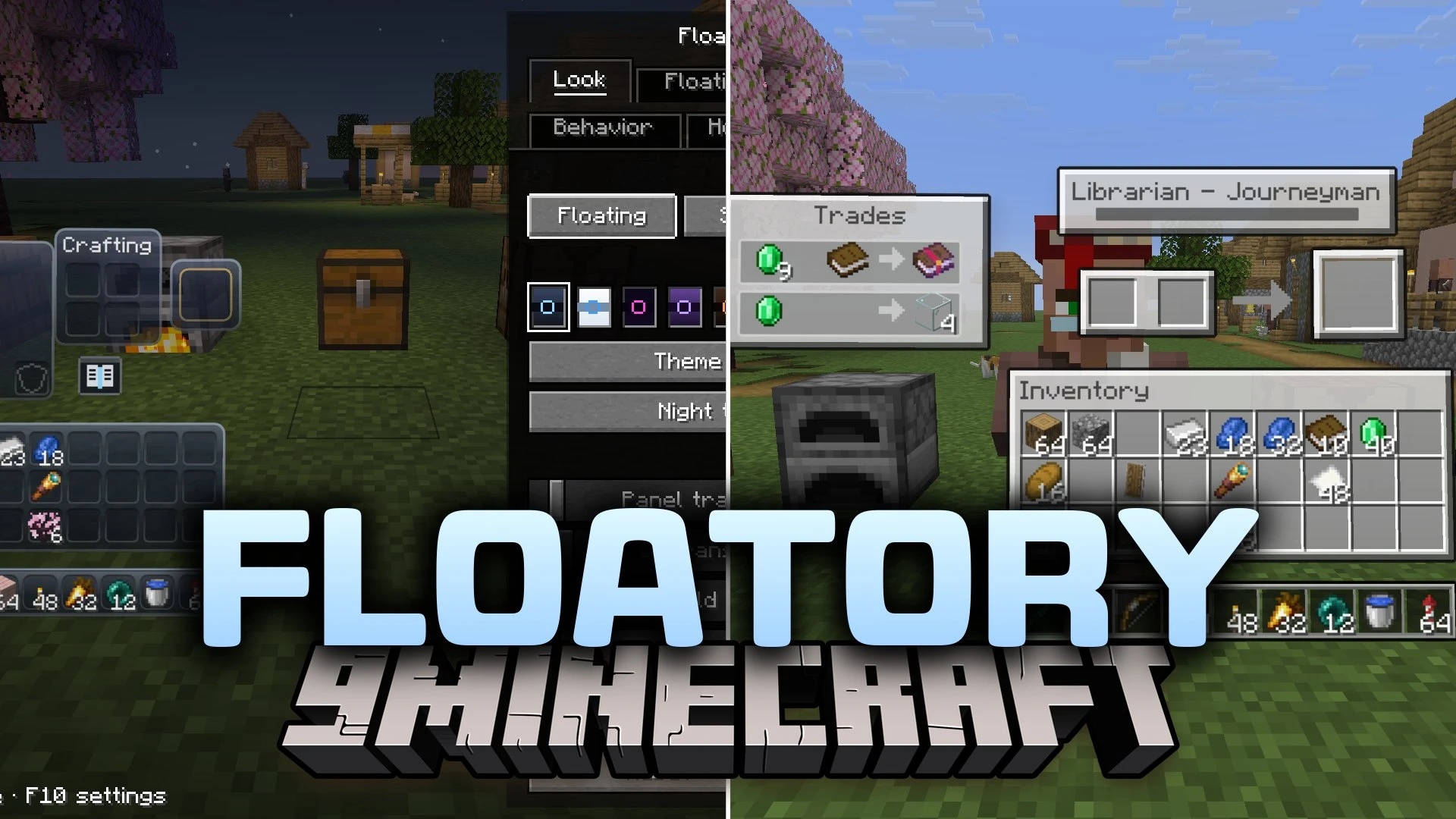


Floatory Mod breaks your inventory, chests, and furnaces into floating 3D panels right in front of the camera. It works only on your client, so you can use it on any server. It needs no resource packs.
Features:
- Three modes: Floating keeps panels hovering in front of you. Spatial hangs windows in the world next to your character with an over-the-shoulder camera. Hybrid mixes the two.
- Nine themes: Pick from Classic, Glass, Frost, Neon, Amethyst, Embers, Sakura, Ocean, or Aurora. Each theme has its own hotbar.
- Automatic layout: The container, result, inventory, hotbar, armour, recipe book, buttons, and labels each get their own card. Modded containers work too.
- Real 3D input: Clicking, dragging, shift-click, and right-click all work directly on the panels.
- Smooth animations: Panels fly out when you open a screen and fly back in when you close it. The hotbar flows from the HUD into the inventory.
- Presets and sharing: Choose Default, Minimal, Max effects, or Low-end PC. Copy your settings as a single line of text and share them.
- Switches on an optional night theme by itself when it gets dark.
- Floats the chest, barrel, or shulker grid above the block you opened.
- Lets you pick a mode for each screen group: inventory, creative, chests, crafting, and furnaces. You can also keep the vanilla screen.
- Offers adjustable anti-aliasing. Effects step down on their own when FPS drops below 25.
- Shows a live settings preview with F10 or through Mod Menu.
How to Use:
- Press F8 to turn the mod on or off.
- Press F7 to switch to the next mode.
- Press F9 to switch to the next theme.
- Press F10 to open the settings.
- Change any of these keys in Options → Controls. They also work while a screen is open.
Screenshots:
Floatory Mod Download Links
Quick facts
- Edition: Minecraft Java
- File type: .jar
- Minecraft versions listed: 26.3, 1.21.11
- How to install: Install the matching mod loader (Forge, Fabric or NeoForge) for your Minecraft version. → Download the .jar. → Put it in the .minecraft/mods folder and launch that loader profile.
- Where to get it: In MC Java Mods, or directly above on this page.
Install steps are the general flow for this file type — How to install Minecraft Java mods & modpacks walks through it step by step.
File checked by MCModsHub
- Downloads as 550680.mcaddon
- Download size: 288 KB
- Download link checked 18 Nov 2026 — working
- Mirrored on our own servers — the download does not depend on the original host
These come from our own check of the pack file, not from the source page.