AddonsBedrock
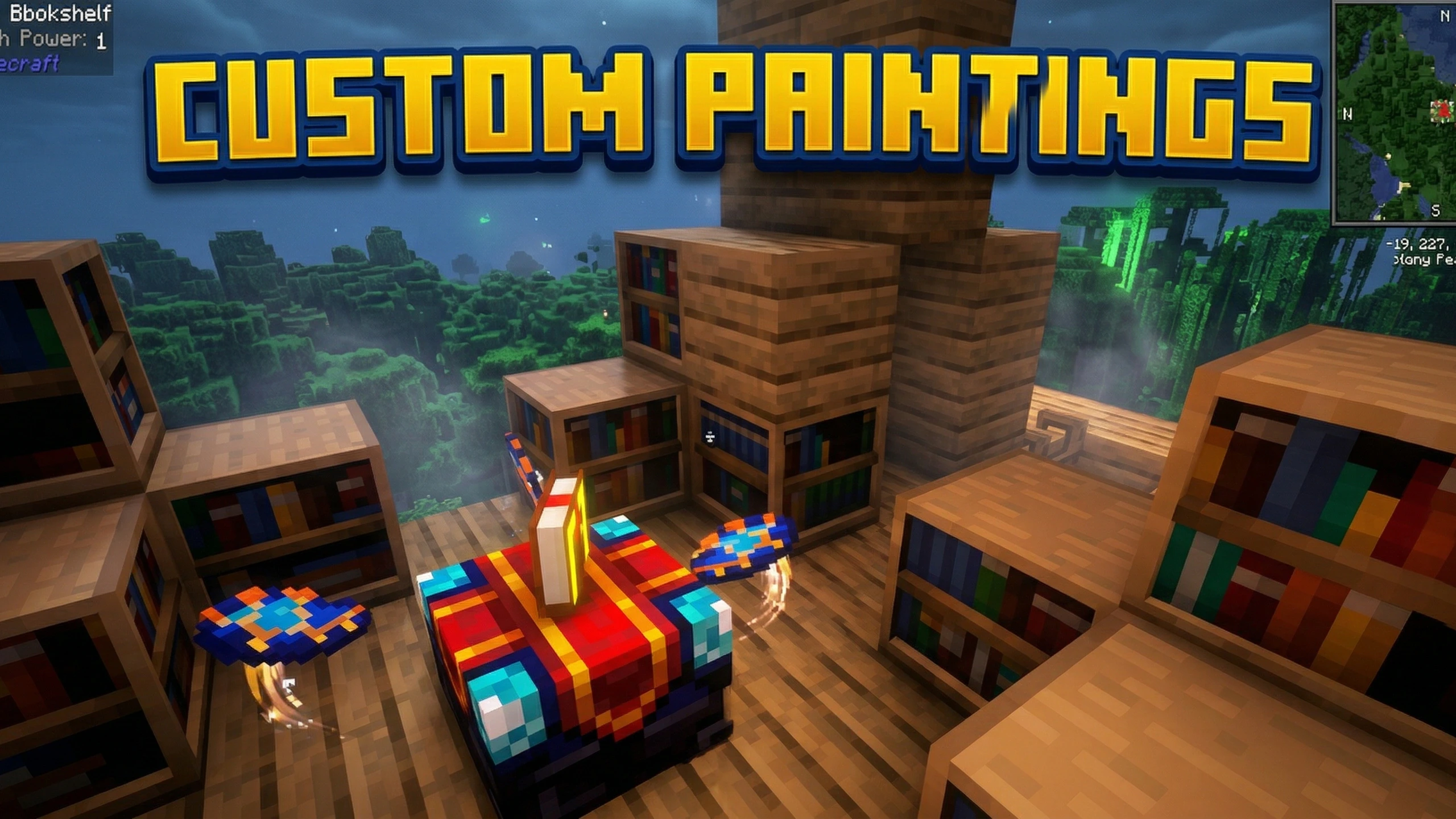
Custom Paintings Addon (26.x, 1.21) – MCPE/Bedrock
Bedrock add-on listed for Minecraft 1.21 (behavior + resource pack). File opened and checked on 24 Sep 2026; installs from the MC Bedrock Mods app on Android.
⬇ Download
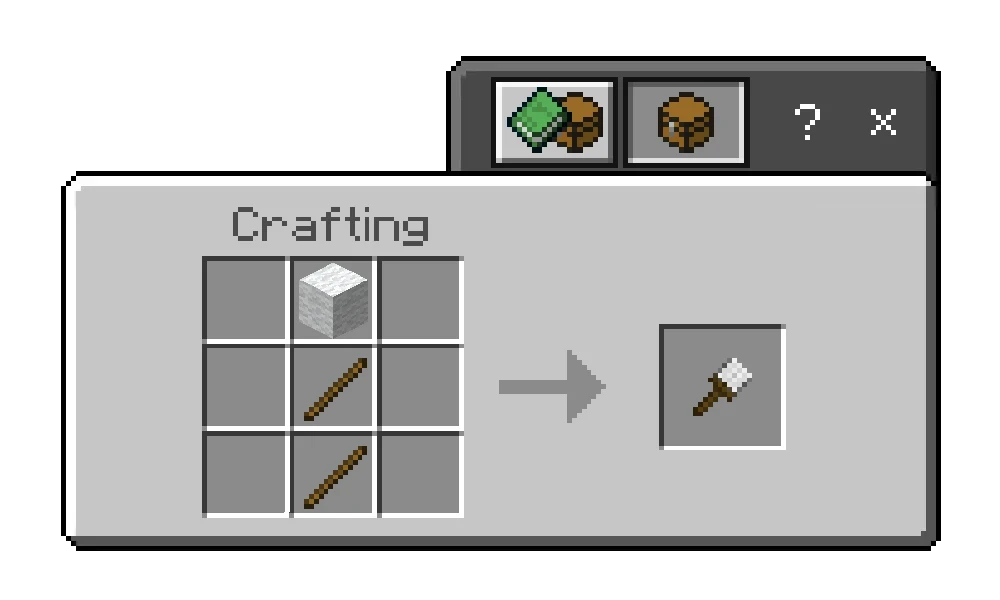
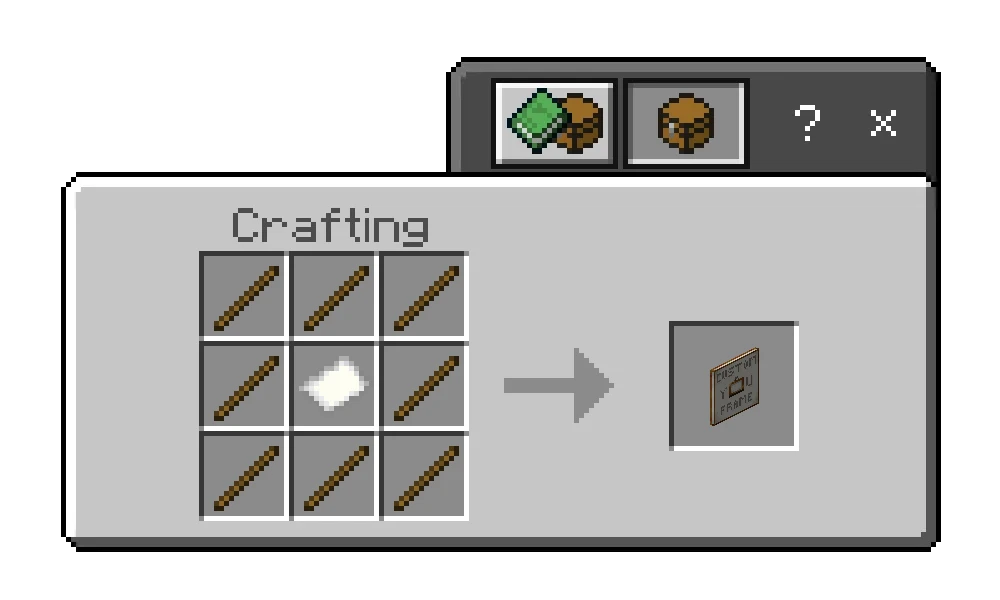
Custom Paintings Addon allows you to add personal images via the TRMC ADDON editing website. Players use the Paintbrush tool to select images and resize them from 1×1 to 16×16. Customizable paintings help decorate your home with real-life photos. Items have simple crafting recipes using paper, sticks, and wool.
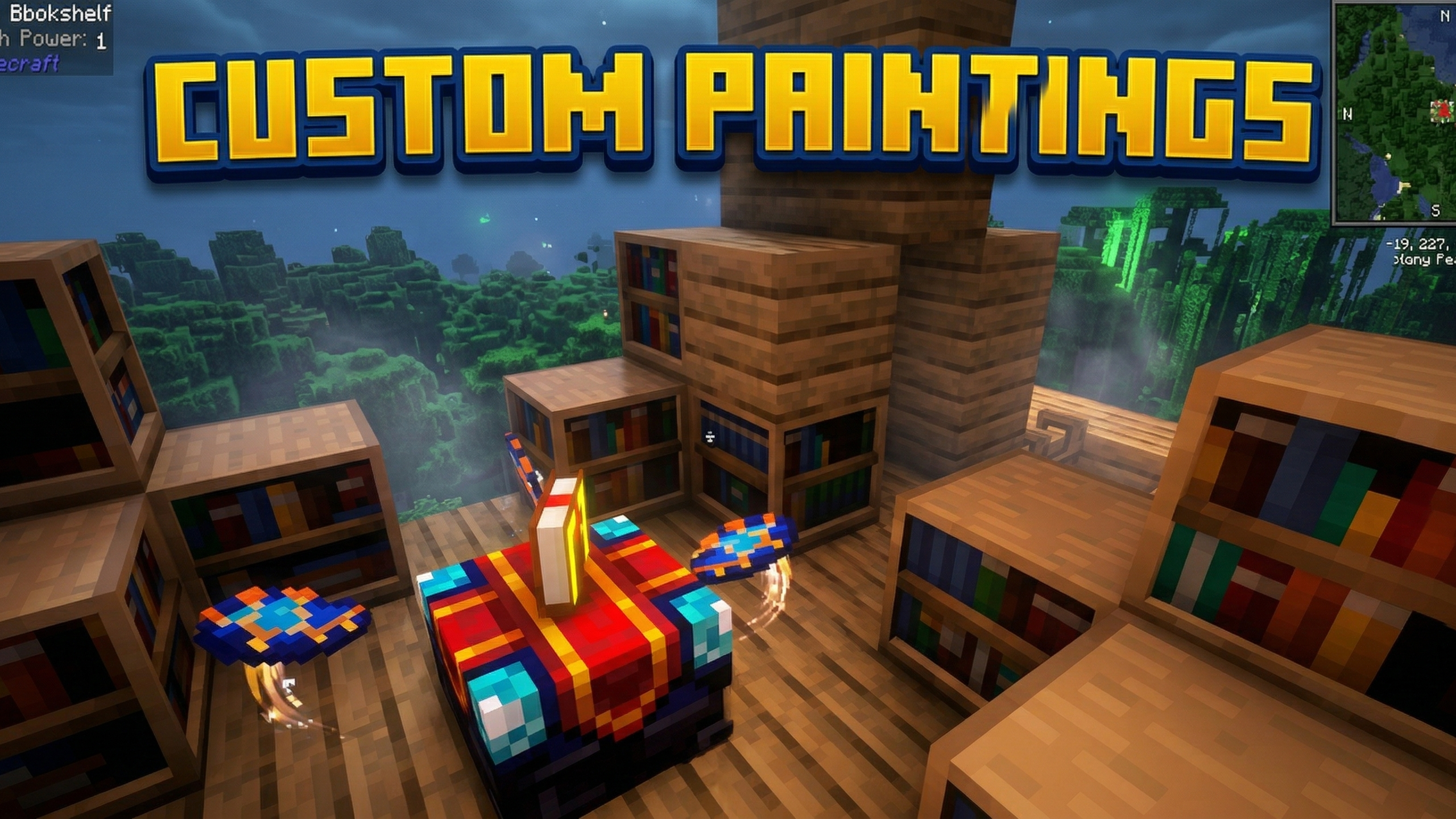
Features:
- Add your own personal photos.
- Edit via the website.
- Change images with the Paintbrush tool.
- Various image sizes.
- Decorative wall art.
Screenshots:
Crafting Recipes:
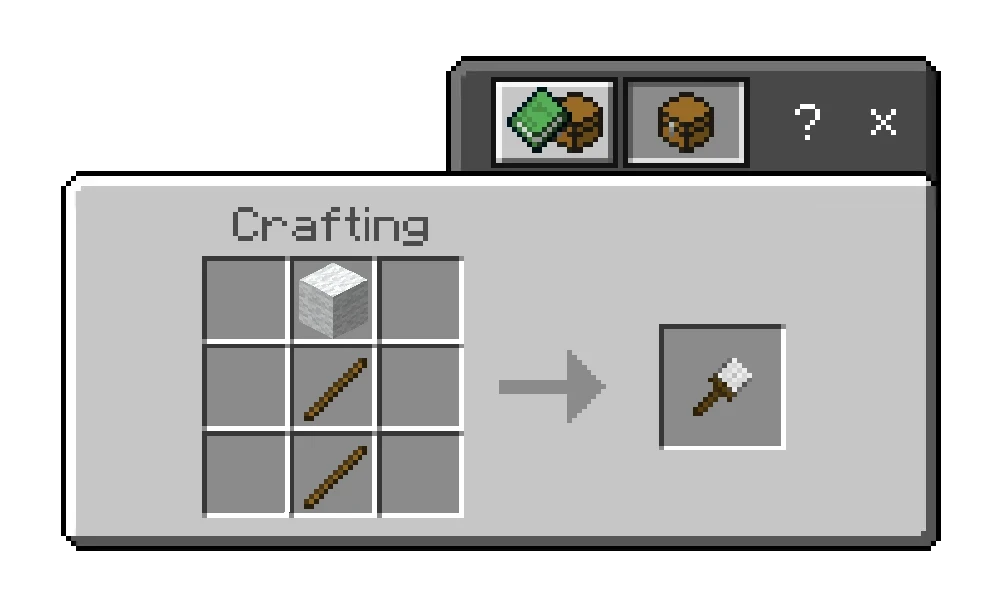
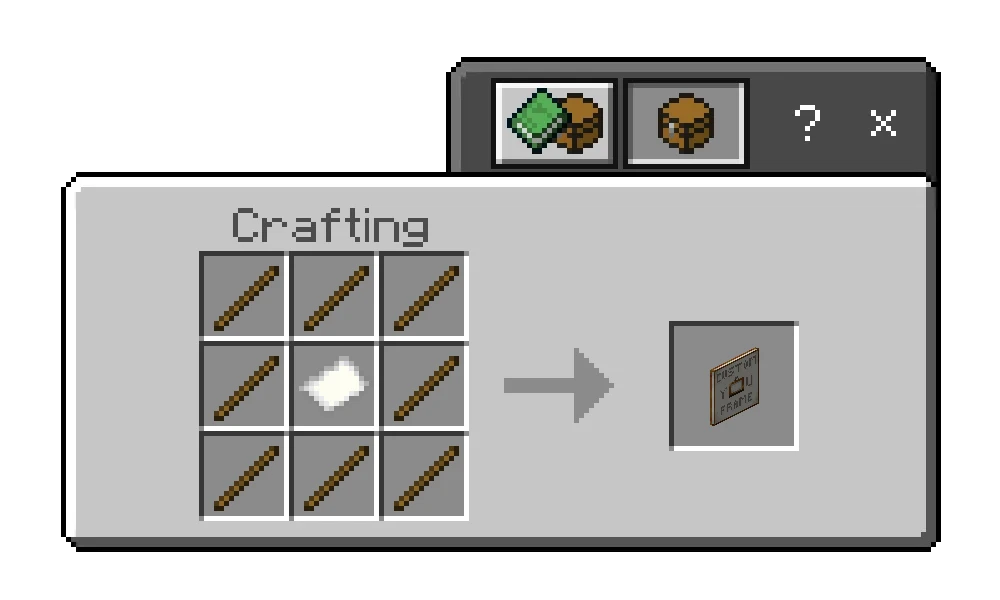
Installation Note:
- You need to enable the Experimental Settings if the addon does not work.
Custom Paintings Addon Download Links
Quick facts
- Edition: Minecraft Bedrock
- File type: .mcpack or .mcaddon
- Minecraft version listed: 1.21
- How to install: Download the .mcpack or .mcaddon file. → Open it — Minecraft imports it. → In your world: Behavior Packs → Available → Activate, then the same under Resource Packs.
- Where to get it: In MCModsHub, or directly above on this page.
Install steps are the general flow for this file type — How to install Minecraft Bedrock addons & mods walks through it step by step.
File checked by MCModsHub
- Pack type: .mcaddon — behaviour and resource pack in one file
- Manifest requires Minecraft 1.21.0 or newer
- Complete pack — everything it depends on is inside the file
- Download size: 57 KB
- Download link checked 22 Jul 2026 — working
- Mirrored on our own servers — the download does not depend on the original host
These come from our own check of the pack file, not from the source page.