
Advanced Refinery Mod (26.3) – Build Massive Factories and Triple Your Ore
Java mod listed for Minecraft 26.x. Downloads from the MC Java Mods app on Android.
⬇ Download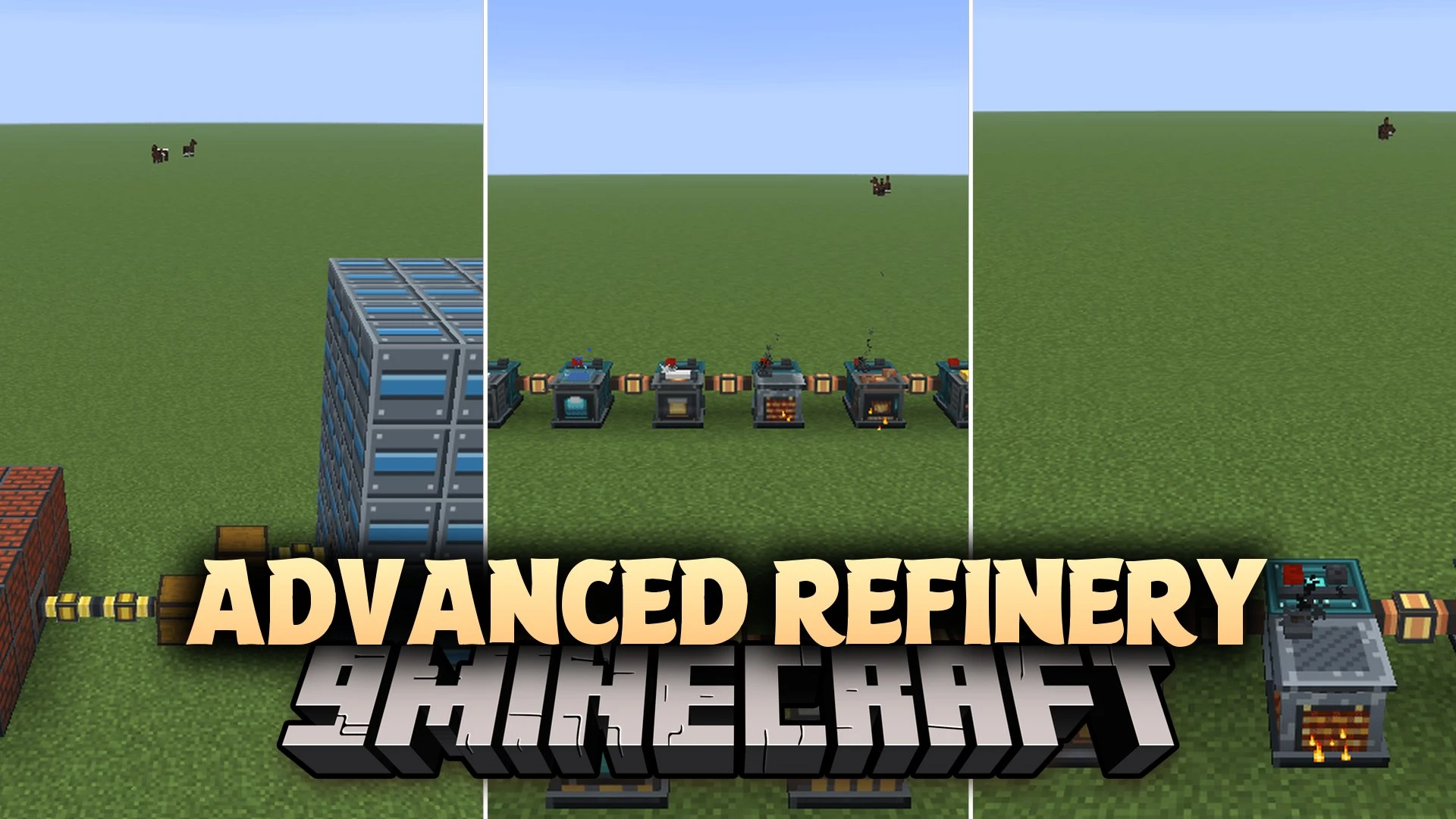


Advanced Refinery Mod adds multiblock refineries, industrial machines, power generators, and automation tools to Minecraft. It starts you out with simple hand-cranked gear before guiding you through the Steel Age and into nuclear fission power. You can crush, wash, and smelt raw ores to get up to triple the normal yield, then connect everything with cables, fluid pipes, and conveyor belts. An in-game Field Manual and custom advancements help you follow every step of the tech tree.
Features:
- Triple Ore Yield: Process raw materials through crushers, washers, and refinery columns to get up to three times the ingots from a single ore block.
- Size-Flexible Multiblocks: Build custom-sized multiblock structures up to 7×7 on the outside that can run up to 16 recipes at the same time.
- Fission Reactor: Generate huge amounts of power using fuel rods, reflectors, and water cooling, or wire up a redstone shutdown before it reaches 10,000 heat and explodes.
- Industrial Quarry: Mine massive areas up to 128×128 with a self-building steel frame and a moving copper gantry drill that clears trees and hills in its path.
- Upgrade Cards: Slot speed, efficiency, and ejector cards into processing machines, generators, quarries, and farm machines to change how fast they work.
- Spawns five new ores in the world: Tin, Bauxite (Aluminium), Nickel, Iridium, and Uranium, along with deepslate variants for each one.
- Adds five tiers of energy batteries (up to the 3,125,000 EU Quantum Battery) and five tiers of cables from Copper to Iridium.
- Automates farming and animal care with the Crop Harvester, Animal Feeder, Auto Fisher, and Item Collector.
- Moves items and liquids around your base using four tiers of conveyor belts, item pipes (up to 128 items per tick), fluid pipes, fluid tanks, and infinite water pumps.
- Includes handy tools like the Electric Drill with a 3×3 mining mode, a Wrench to set up pipe connections, and a Multimeter to check energy, fluids, inventories, and installed cards.
Processing Machines:
- Ore Crusher: Turns 1 raw ore into 2 crushed ore, doubles vanilla ores like diamond and coal, and grinds cobblestone into gravel and sand.
- Ore Washer: Uses water to turn crushed ore into double the dust.
- Separator: Splits materials during the refining process.
- Metal Press: Stamps metal ingots into plates.
- Wire Mill & Compressor: Shapes metals into wires and dense parts.
- Alloy Smelter: Combines metals into real alloys, such as mixing 3 copper and 1 tin to make 4 bronze.
- Electric Furnace: Smelts items using electricity instead of coal.
- Assembler: Crafts advanced circuits, machine frames, fuel rods, and reactor parts.
Multiblock Structures:
- Industrial Blast Furnace: The only machine capable of producing steel.
- Refinery Column: Delivers 3x ore yields and enriches uranium for nuclear power.
- Induction Furnace: Smelts metal dusts into ingots at high speeds.
Power Generators:
- Fuel Generators: Burn coal, biomass, steam, or hydrogen, or run a Compact Reactor for steady energy.
- Renewable Generators: Collect clean power using the Solar Array, Wind Turbine (makes more power at higher altitudes), Geothermal, Hydro Turbine, and Thermoelectric generators.
- Electrolyzer & Hydrogen Generator: Store extra power as hydrogen cells at 80% efficiency to use later.
How to Use:
- Craft and open the Industrial Field Manual to see layer-by-layer building guides and material lists for every machine.
- Hold a multiblock casing in your hand and Right-Click a placed controller block to see red and blue markers showing where blocks are missing.
- Hold Sneak + Right-Click on a multiblock controller while holding casings to automatically place the walls from your hand.
- Attach Multiblock Ports to the walls of your structures and set them to Input or Output mode to hook up item pipes, water pipes, and power cables.
- Hold the Electric Drill and press Sneak + Use to toggle 3×3 mining mode on and off.
- Hold the Wrench and press Sneak + Use on any machine to rotate it, or click pipe and cable faces to switch them between Both, Input, Output, and Closed.
- Right-Click a machine while holding a Speed, Efficiency, or Ejector card to install it (cards stay inside the machine even if you break it).
Screenshots:
Advanced Refinery Mod Download Links
- Edition: Minecraft Java
- File type: .jar
- Minecraft version listed: 26.3
- How to install: Install the matching mod loader (Forge, Fabric or NeoForge) for your Minecraft version. → Download the .jar. → Put it in the .minecraft/mods folder and launch that loader profile.
- Where to get it: In MC Java Mods, or directly above on this page.
Install steps are the general flow for this file type — How to install Minecraft Java mods & modpacks walks through it step by step.
- Downloads as 551670.mcaddon
- Download size: 1.1 MB
- Download link checked 19 Nov 2026 — working
- Mirrored on our own servers — the download does not depend on the original host
These come from our own check of the pack file, not from the source page.