
ModsJava
Redstonoscope
Java mod listed for Minecraft 26.x. Downloads from the MC Java Mods app on Android.
⬇ Download on ModrinthRedstonoscope
A basic and easy to use FabricMC Minecraft mod providing an oscilloscope to show the history of redstone values for 26.3.
Installation
- Install FabricMC
- Download the mod and put it into your mods folder
- Go into a single player world
- Run
/redstonoscope location <x> <y> <z> - The oscilloscope will appear in the top left corner
Images
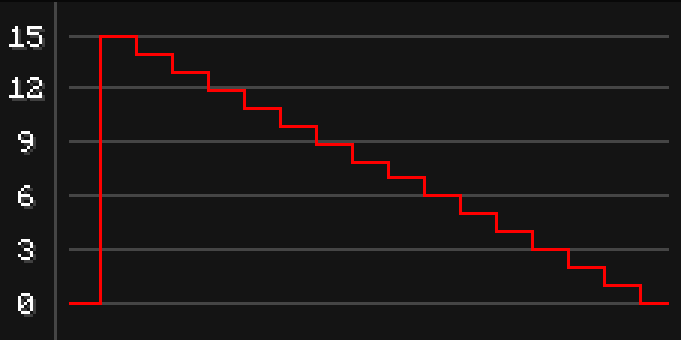
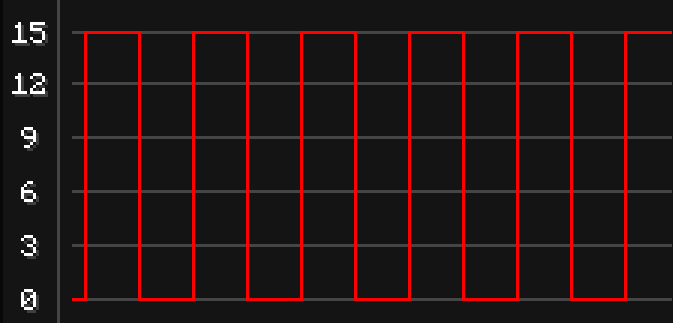
Commands
/redstonoscope toggle - Toggles the UI
/redstonoscope location <x> <y> <z> - Sets the location to be probed for redstone values.
/redstonoscope duration <ticks> - Sets the duration shown in the oscilloscope panel.
Quick facts
- Edition: Minecraft Java
- File type: .jar
- Minecraft version listed: 26.3
- How to install: Install the matching mod loader (Forge, Fabric or NeoForge) for your Minecraft version. → Download the .jar. → Put it in the .minecraft/mods folder and launch that loader profile.
- Where to get it: Opens on Modrinth — not every file is mirrored on our own servers.
Install steps are the general flow for this file type — How to install Minecraft Java mods & modpacks walks through it step by step.
File checked by MCModsHub
- Ships as Redstonoscope-1.0-SNAPSHOT.jar — drop this file into the mods folder
- Download size: 11 KB
- Download link checked 20 Nov 2026 — working
These come from our own check of the pack file, not from the source page.