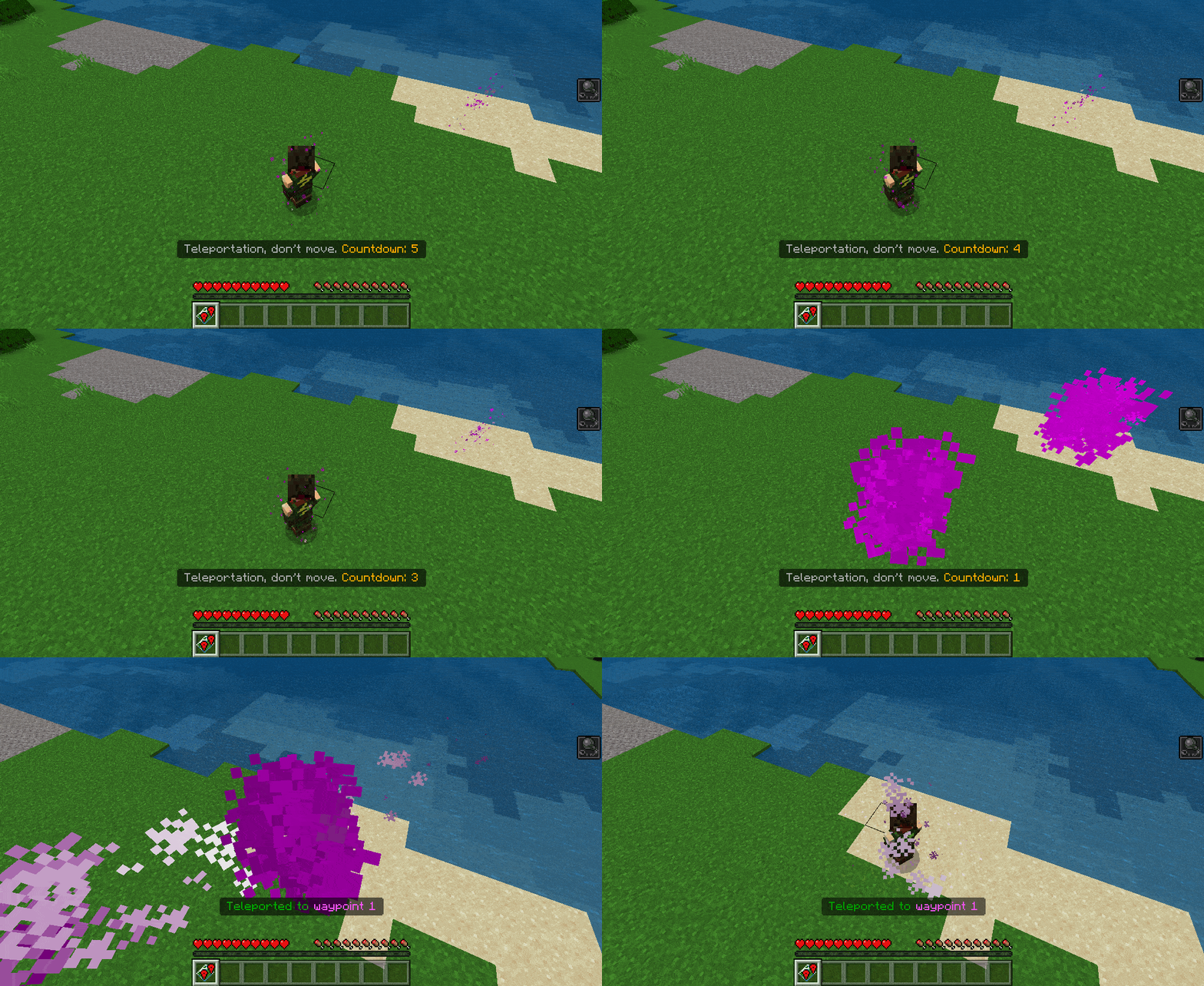
Multiplayer Waypoint System Addon creates a waypoint in your house to be able to teleport to it! This add-on allows each player to have up to 60 waypoints! The number of players online is unlimited! Compatible with any addon! With this addon, every new player who joins the world will be given the item “Waypoint Menu”. When you use it, a UI window opens where you can create, teleport, delete, rename, and many more different actions with waypoints.
Features:
- Fully compatible with any other addon
- Very good performance (no lags even with 100 online players)
- Supports an unlimited number of players online
- You can create waypoints on any coordinates (even 30,000,000)
- Each player can have up to 20 waypoints in each dimension (Overworld, Nether, End)
- Countdowns when creating or teleporting to a waypoint during which you must be motionless. (For example, this prevents cheating with waypoints during PvP battles)
- Each player can customize his preferences (e.g. disable tick sound during countdown)
- Fully customizable: countdown duration, how many waypoints a player can have, and many more settings!
- You can manage each player’s waypoints: visit, delete, change coordinates, rename, and many more actions!
How to use?
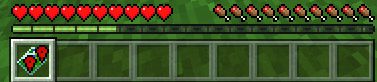
After entering the world with this addon, you will have a new item in your inventory: “Waypoint Menu”
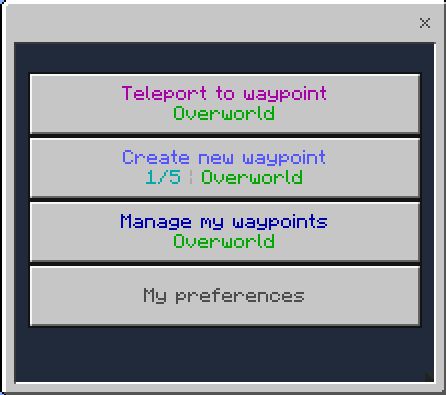
Use it (long tap on the screen or right mouse button) to open the menu:
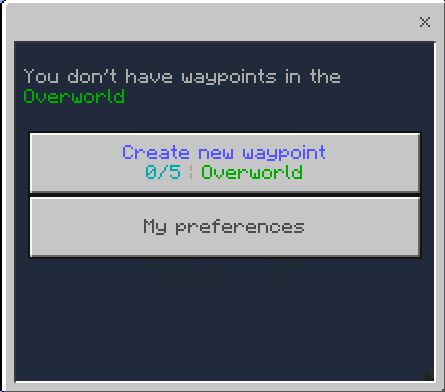
As we see we don’t have any waypoints yet, let’s create our first waypoint!
Note: You can create, teleport to and manage only those waypoints that are in your current dimension. For example, to create or teleport to a waypoint in the Nether you need to be in the Nether.
The button also displays which dimension we are in (Overworld) and how many waypoints we have (0/5)
As we see we are now in Overworld, so the waypoint will be created in Overworld
Click the “Create new waypoint” button
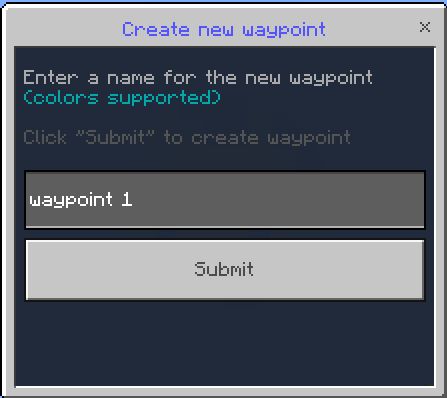
Then enter a name for your waypoint. Or you can leave the default name:
The length of the name is limited to 100 characters and it also supports paragraph colors (e.g. §4)
Finally, click “Submit” to create a waypoint in the dimension where you are.
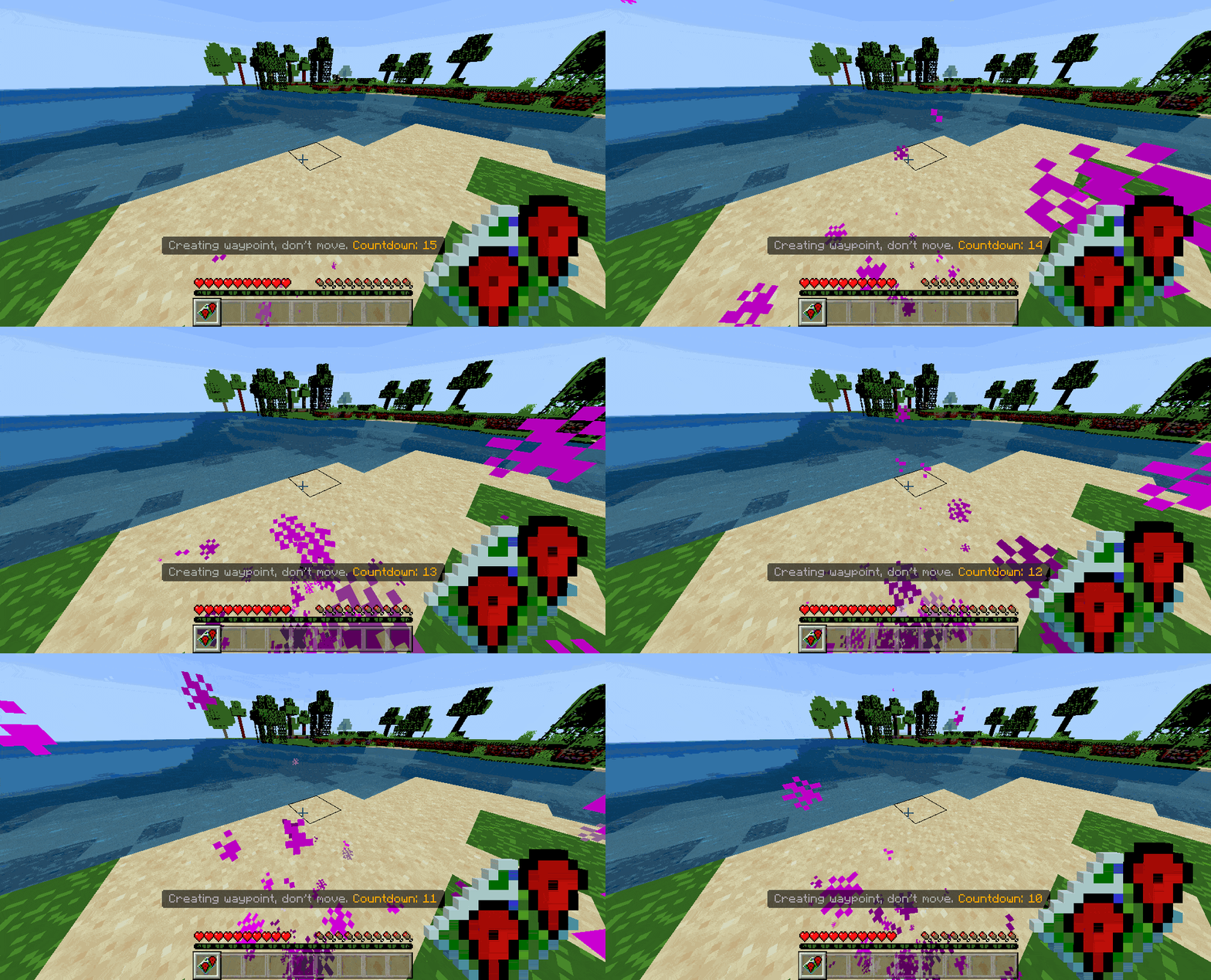
And the countdown will start during which you have to be immovable:
Particles are also spawned during the countdown.
What happens if I start moving? The waypoint creation will be canceled and you will have to recreate the waypoint from the menu.
Does countdown seem too long? Don’t worry, this addon is fully customizable, we’ll look at the settings in the last section
A new waypoint will be created when the countdown is over! Open the menu again:
Now we see 2 new buttons: “Teleport to waypoint” and “Manage my waypoints”
Let’s teleport to our new waypoint! Press the “Teleport to waypoint” button
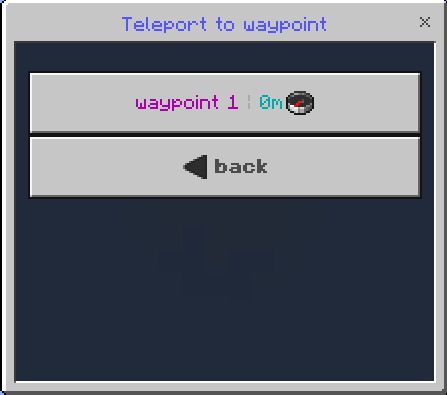
Here you will see a list of your waypoints:
The distance and direction to each waypoint is written next to its name.
Distance in meters (1m = 1 block)
And the direction as a compass in which direction the waypoint is from you
Click on the waypoint you want to teleport to
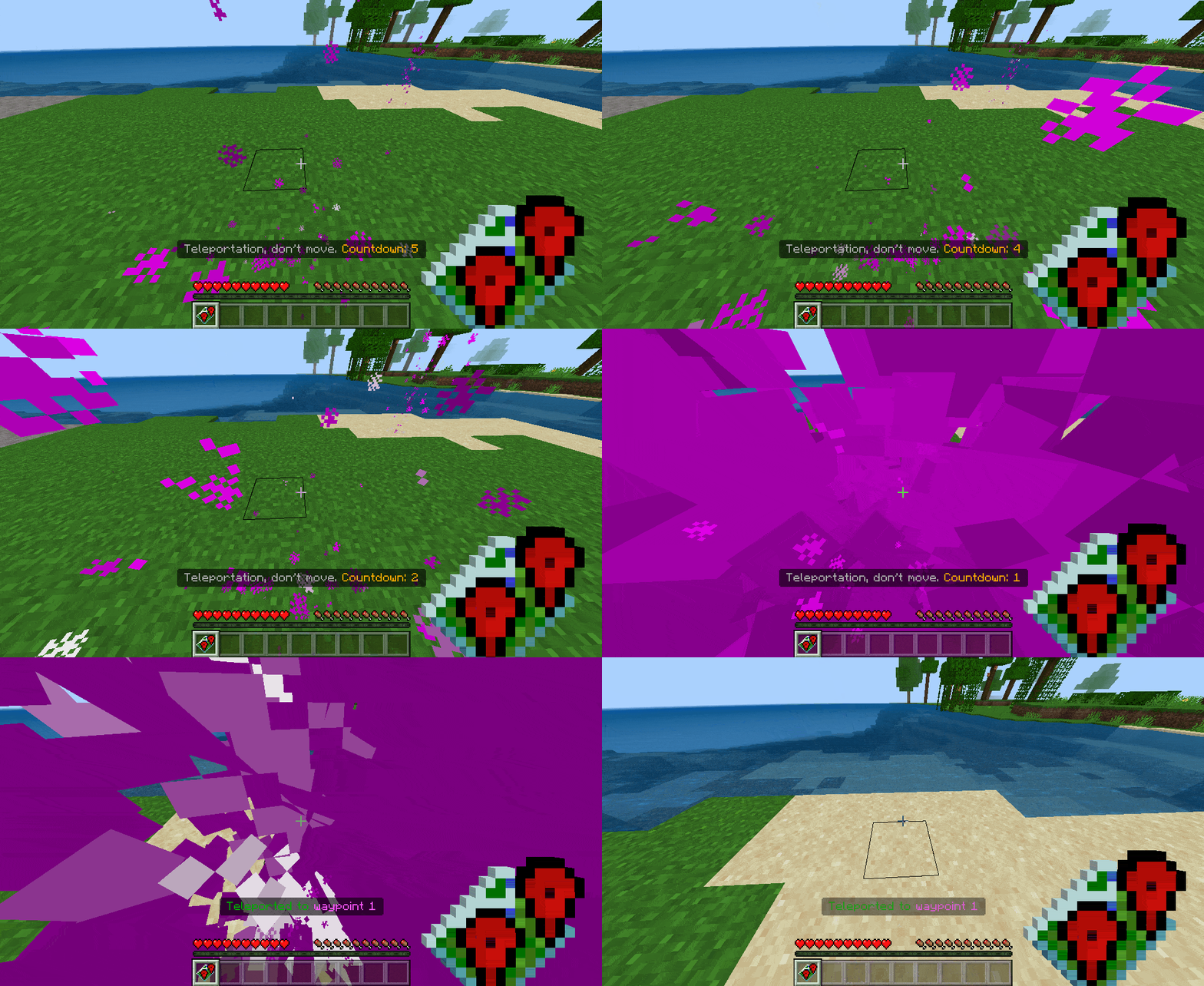
After selecting a waypoint the countdown will start, at the end of which you will be teleported to the waypoint:
During the countdown, particles spawn near you and near the place where you are teleported to. And at the end of countdown, a beautiful teleportation animation appears.
Third-person view:
Don’t like particles? You can turn them off in the settings, too, which we’ll cover in the last section
How to manage your waypoints?
In the menu, click “Manage my waypoints”:
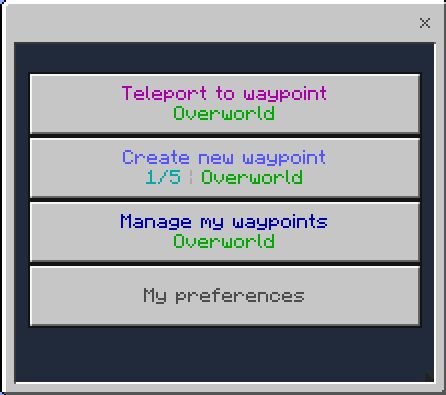
Then select the waypoint you want to change:
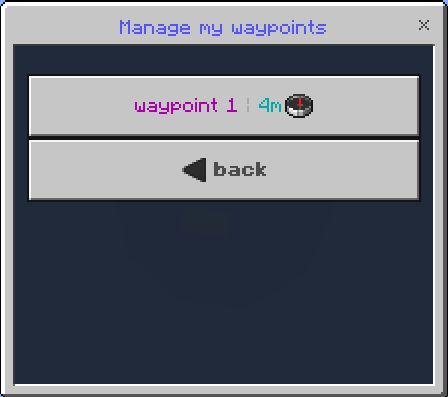
And here you can rename, update coordinates and delete the selected waypoint:
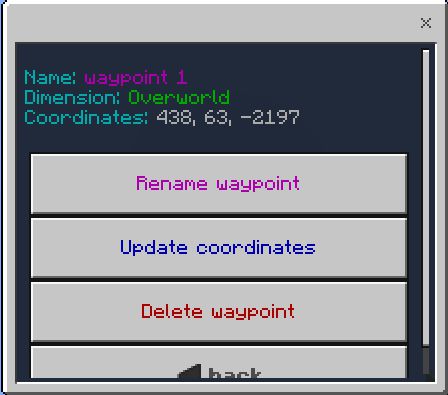
The “Rename waypoint” option allows you to rename the selected waypoint
The “Update coordinates” option will set the coordinates of the selected waypoint to where you are now. There is a countdown like when you create a waypoint
The “Delete waypoint” option allows you to delete the selected waypoint
How to customize preferences?
In the menu, click “My preferences”:
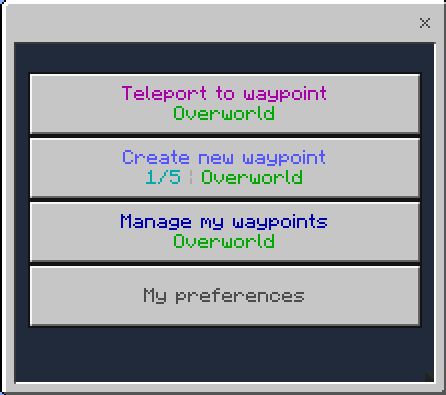
And here you can customize your player preferences (these are not addon settings):
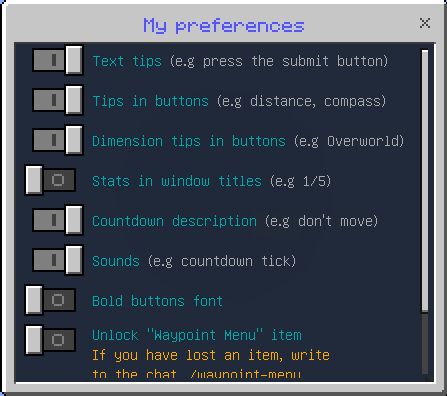
Most of the settings are self-explanatory, we will focus on the “Unlock waypoint menu item”
The “Waypoint Menu” item that you are given when you first enter the world is locked by default. What does this mean? It means that you cannot get rid of the item in any way. Even when you die it doesn’t drop from you. But if you want for example to put this item in the chest you can activate this option
But if you lose this item, don’t worry, just type ./waypoint-menu into the chat and you will get a new item
How to configure this addon as a admin server
First, enter /function sirobwaypoints_admin into the chat to become a waypoints admin:
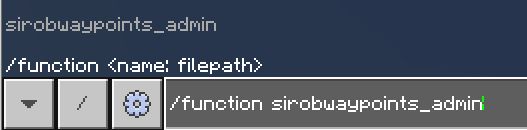
There can be any number of players as waypoints admins
After that you will become a waypoints admin and in the chat will write the following:
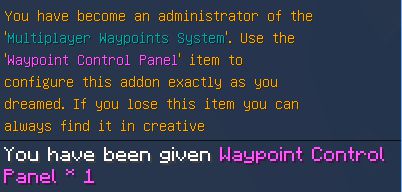
You also get a new item: “Waypoint Control Panel”:

Use it to open the control panel UI:
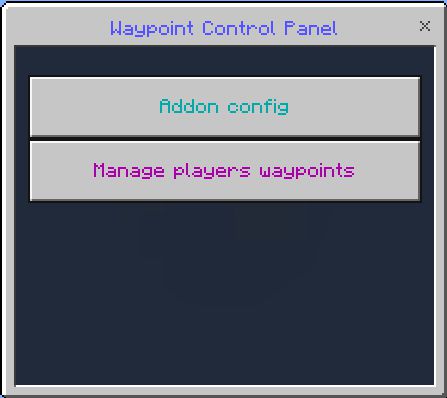
Click the “Addon config” button and the addon settings window will open:
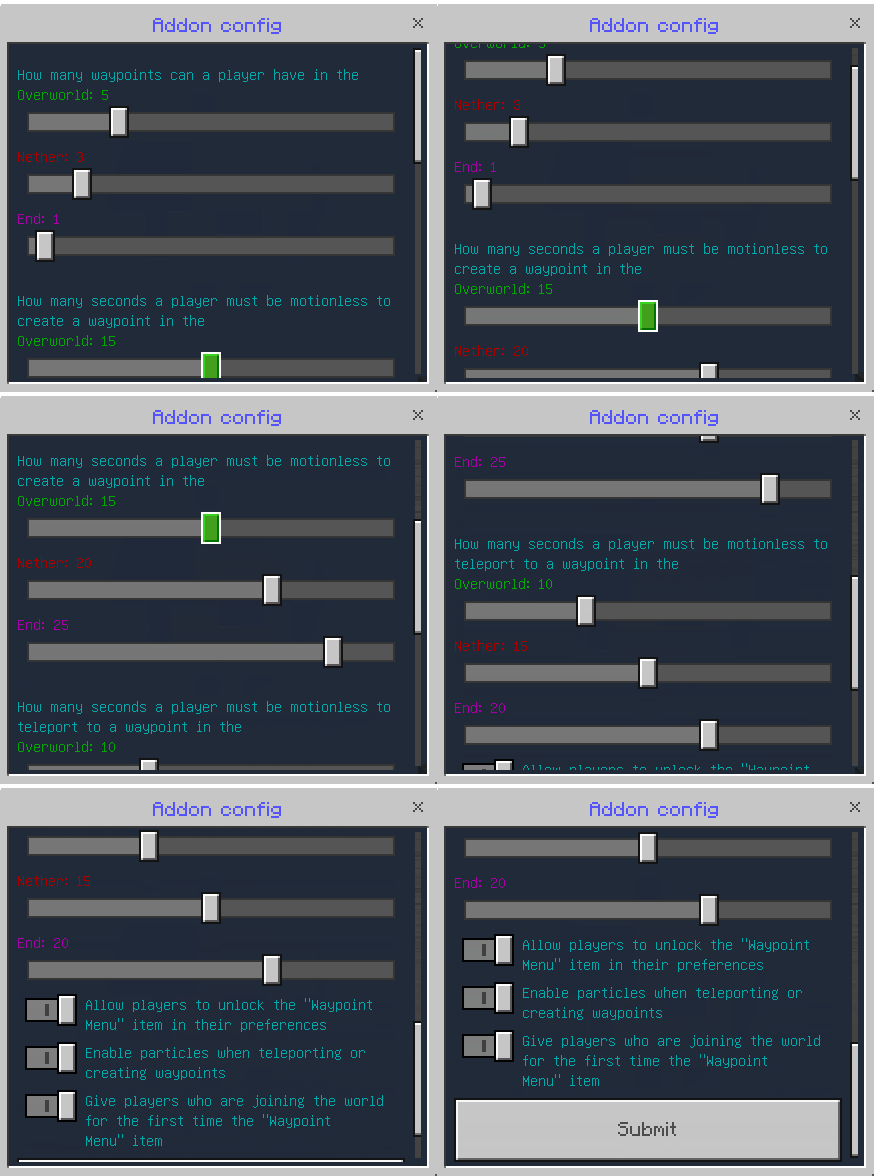
Here you can configure:
How many waypoints a player can have, a separate limit for each dimension. From 0 to 20, if zero the player cannot create a waypoint in that dimension
How many seconds the player must be motionless to create a waypoint or update its coordinates, a separate countdown for each dimension. From 0 to 30, if zero the waypoint is created or the coordinates are updated instantly and without particles
How many seconds a player must be motionless to teleport to a waypoint, a separate countdown for each dimension. From 0 to 30, if zero, teleportation is instant and particle-free
Allow players to unlock the “Waypoint Menu” item in their preferences. If disabled, there is no this option in player preferences
Enable particles when teleporting to a waypoint, creating or updating waypoint coordinates. No particles if disabled.
Give players who first join the world item “Waypoint Menu”. If disabled, new players are not given this item
How to manage player waypoints as a world admin
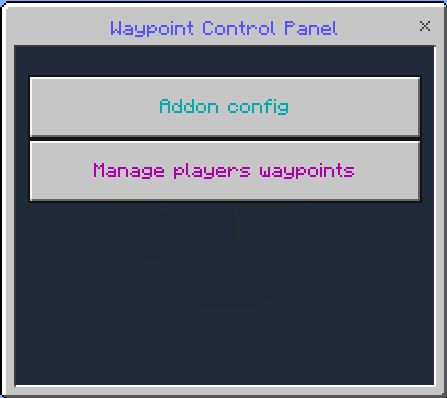
In the control panel click “Manage players waypoints” button:
Then select a player. Next to the nickname it says how many waypoints the player has in each dimension:
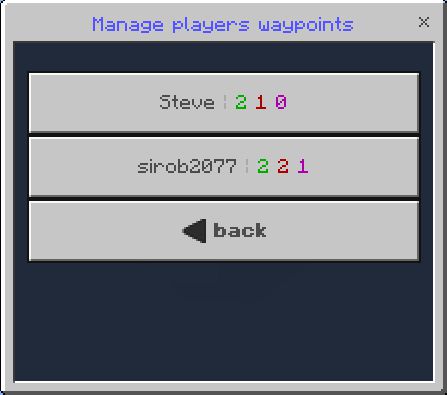
Only players who are online are displayed in the list
Then select the waypoint. Next to the name of the waypoint it says the dimension in which it is located:
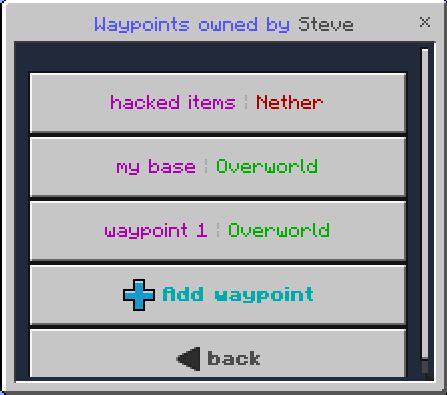
This list also has an “Add waypoint” button which allows you to add a new waypoint for this player
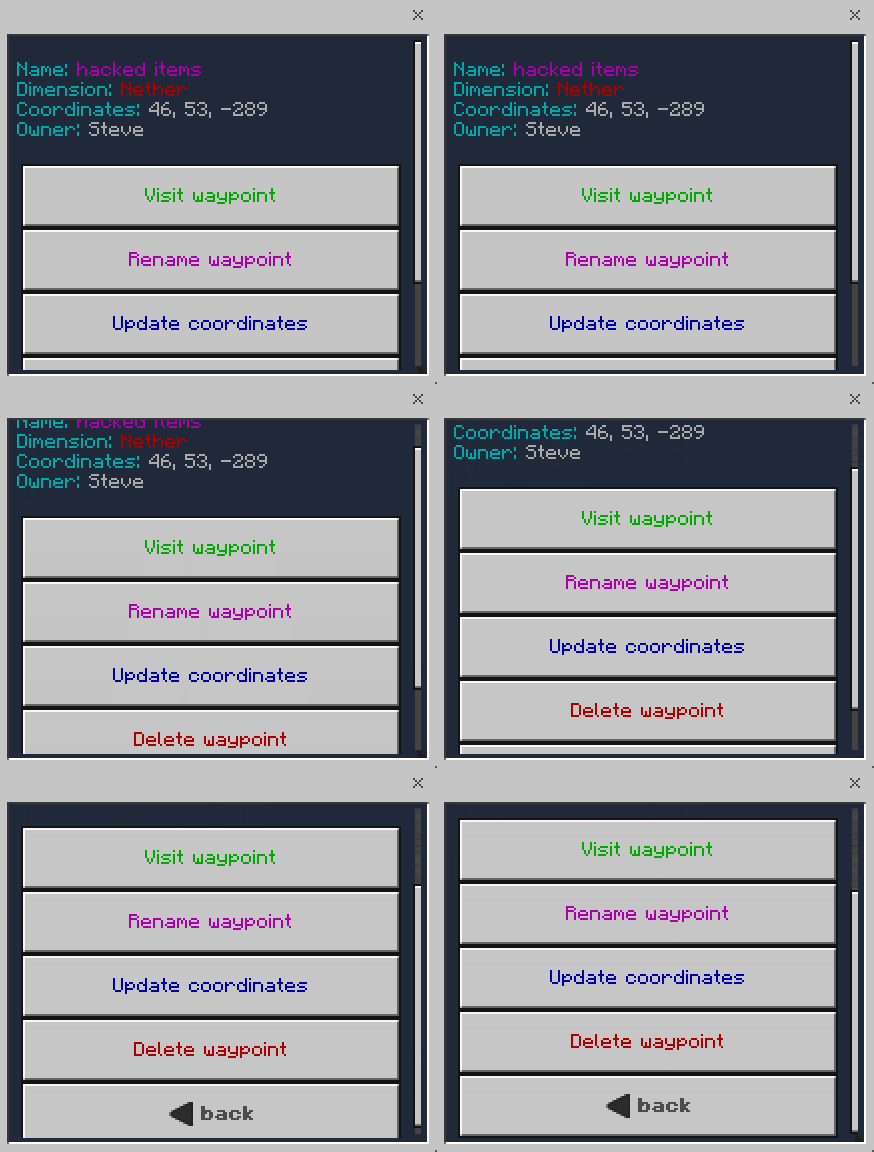
And here you can completely control this waypoint: visit, rename, change coordinates and delete:
Installation Note:
- The addon is fully compatible with any other addon!
- Your Minecraft version type is “release” and version 1.19.10 or higher. Only release versions are supported, in beta versions, addon was not tested and its correct work is not guaranteed!
- Enable these experiments: “GameTest Framework”, “Holiday Creator Features”
Multiplayer Waypoint System Addon Download Links
- Edition: Minecraft Bedrock
- File type: .mcpack or .mcaddon
- Minecraft version listed: 1.21
- How to install: Download the .mcpack or .mcaddon file. → Open it — Minecraft imports it. → In your world: Behavior Packs → Available → Activate, then the same under Resource Packs.
- Where to get it: In MCModsHub, or directly above on this page.
Install steps are the general flow for this file type — How to install Minecraft Bedrock addons & mods walks through it step by step.
- Pack type: .mcpack — a single pack
- Manifest requires Minecraft 1.19.51 or newer
- Needs Beta APIs switched on in the world settings
- Complete pack — everything it depends on is inside the file
- Download size: 371 KB
- Download link checked 22 Jul 2026 — working
- Mirrored on our own servers — the download does not depend on the original host
These come from our own check of the pack file, not from the source page.