
Simple Equip Mod (26.3) – Wear Elytra with Full Armor and Free Your Hands
Java mod listed for Minecraft 26.x. Downloads from the MC Java Mods app on Android.
⬇ Download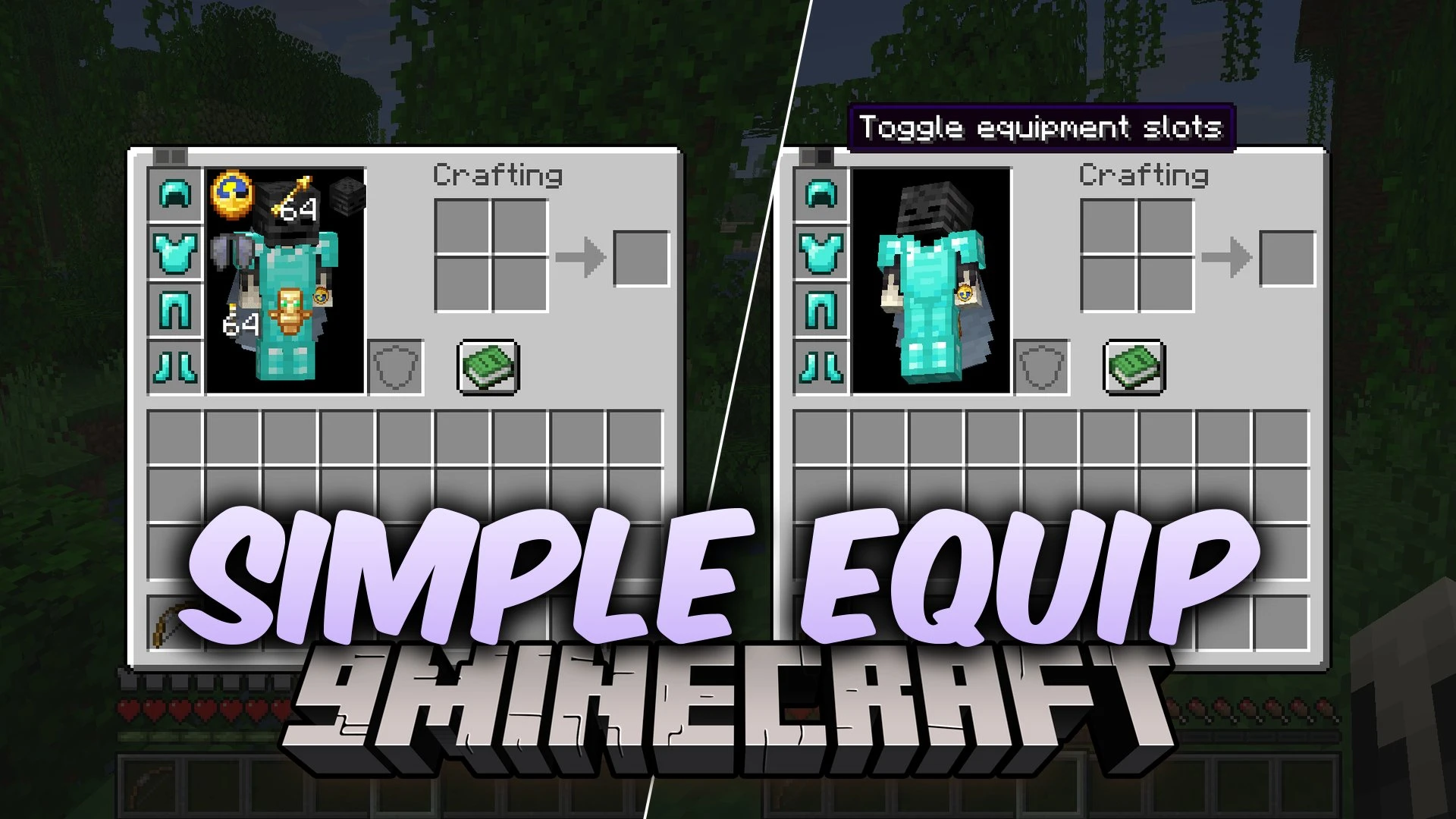


Simple Equip Mod adds six dedicated accessory slots to your inventory so you can carry essential gear without wasting storage space. The mod gives you designated spots for a clock, arrows, head accessories, elytra, torches, and a totem of undying. Equipped items retain their full utility, letting you light up dark caves with a slotted torch or survive fatal blows using a hands-free totem while holding a shield. It also includes interface buttons to toggle slot visibility or hide worn armor to show off your character skin. Multiplayer works when both the client and server run the mod together.
Features:
- Clock Slot: Displays the current game day and time on the left side of your screen while holding a standard clock.
- Arrow Slot: Stores a full stack of any game arrow, leaving normal inventory space open for other items.
- Head Accessories Slot: Lets you wear pumpkins, mob heads, or player heads while showing them visibly over your helmet.
- Elytra Slot: Lets you wear an Elytra together with a chestplate, rendering both items on your character model at once.
- Torch Slot: Emits light around you while holding a stack of torches, keeping your hands free for shields or weapons.
- Totem Slot: Automatically saves you from fatal damage using a slotted totem, leaving your off-hand free for shields.
- Adds a toggle button in the inventory interface to show or hide the extra slot panel whenever needed.
- Includes an armor visibility button that hides equipped armor parts so your custom character skin stays visible during play.
- Accepts every arrow variant available in the game without restrictions.
- Features a customizable keybind to quickly place torches from your dedicated slot.
- Translates interface text automatically to match your selected game language.
- Runs on multiplayer worlds as long as the mod is installed on both the server and player clients.
How to Use:
- Open your character inventory screen.
- Click the slot toggle button to display the six accessory slots next to your inventory.
- Place items such as a clock, arrows, an Elytra, a torch, or a totem into their matching slots.
- Click the armor toggle button if you want to hide your worn armor pieces and view your player skin.
- Use the rebindable torch hotkey in your controls settings to quickly place torches from your dedicated slot.
Screenshots:
Simple Equip Mod Download Links
- Edition: Minecraft Java
- File type: .jar
- Minecraft version listed: 26.3
- How to install: Install the matching mod loader (Forge, Fabric or NeoForge) for your Minecraft version. → Download the .jar. → Put it in the .minecraft/mods folder and launch that loader profile.
- Where to get it: In MC Java Mods, or directly above on this page.
Install steps are the general flow for this file type — How to install Minecraft Java mods & modpacks walks through it step by step.
- Downloads as 556459.mcaddon
- Download size: 131 KB
- Download link checked 25 Nov 2026 — working
- Mirrored on our own servers — the download does not depend on the original host
These come from our own check of the pack file, not from the source page.